
トップ動画


Ready to go freelance but not sure where to start? In this video, Jesse breaks down the essentials of freelancing — from how to get your first clients, set your rates, build confidence, and create a sustainable creative business.
Whether you’re a designer, developer, creator, or just curious about freelancing life, this guide walks you through key concepts and practical tips to launch your journey with clarity and confidence.
What You’ll Learn:
- Land your first client, that first win is crucial.
- Build Momentum!
- Create real traction, turn this side hustle to a business.
👉 Perfect for complete beginners or anyone thinking about leaving the 9-to-5 and building their own creative career!
👇 Don’t forget to like, comment your questions, and subscribe( https://goo.gl/6vCw64 ) for more design + career content.
Checkout Mobbin.comhttps://mobbin.com/?via=jesse
#freelancing #creativecareer #designlife #freelancetips #JesseShowalter
------------------------------------------------------------------------------------
🏆 //////////// Grow your career and level up skills through on-demand courses, live trainings, and a thriving community.:
https://designchamps.io/
------------------------------------------------------------------------------------
🎨 ////////// I Design in Figma
https://psxid.figma.com/ixbomhqzoiy0
🖥️ ////////// I build websites in Framer
https://framer.link/jesse
📅 ////////// I run my life with Notion
https://affiliate.notion.so/tokendsfahjf
🎵 ////////// Take your films to the next level with music from Musicbed. Sign up for a free account to listen for yourself: https://fm.pxf.io/c/1372011/1347628/16252
If You Want To Support My Work 👇
https://www.youtube.com/channe....l/UCbBt6Ks7M5BZx_GHg
Follow Me On 👇
Any Questions?: https://www.instagram.com/huxnshorts/
Shorts Channel: https://www.youtube.com/@Huxn2.0
Twitter ( X ): https://twitter.com/huxnwebdev
GitHub: https://github.com/huxn-webdev
00:00 - Intro
1:09 - Course Setup
1:32 - Importing Motion
2:12 - Motion Object
2:50 - Basic Props
3:53 - Installations
6:20 - Styling
7:48 - Motion
12:14 - Transformations Animations
22:35 - Transitions Animations
29:48 - Keyframes Animations
41:29 - Variants Animations
56:16 - Gestures Animations
1:13:48 - Stagger Animations
1:27:04 - useMotionValue Hook
1:40:33 - useSpring Hook
1:41:30 - useTransform Hook
1:48:34 - Scroll Trigger vs Scroll Driven Animations
1:50:26 - whileInView Animations
1:58:37 - useScroll Animations
2:11:04 - Practice Setup
2:12:10 - Transformations Mini-Projects
2:24:05 - Transitions Mini-Projects
2:44:08 - Keyframes Mini-Projects
2:59:56 - Variants Mini-Projects
3:19:59 - Gestures Mini-Projects
3:41:30 - Staggers Mini-Projects
3:57:30 - useMotionValue Mini-Projects
4:07:20 - useSpring Mini-Projects
4:09:25 - whileInView Mini-Projects
4:25:10 - Projects Setup
4:26:33 - Scroll Indicator Project
4:32:47 - Loader Project
4:37:01 - Carousel Project
4:49:23 - Draggable Cards
4:55:12 - Complex Sidebar Project
5:09:59 - Scroll Animations Project
5:20:06 - Horizontal Scroll Project
5:26:52 - Sticky Navbar Project
5:36:50 - Progress Steps Project
5:45:59 - Outro
Learn how to build real-time web applications with Socket.IO in this comprehensive course. Whether you're a beginner or an experienced developer, this course will teach you everything you need to know about Socket.IO. From setting up your development environment to implementing real-time features, you'll gain hands-on experience through practical projects. By the end of this course, you'll have the skills and confidence to create interactive, real-time web applications using Socket.IO.
Follow Me On 👇
Instagram: https://www.instagram.com/huxnshorts/
YouTube: https://www.youtube.com/@huxnwebdev
GitHub: https://github.com/huxn-webdev
Twitter: https://twitter.com/huxnwebdev
00:00 - Intro
00:11 - What is Socket.io
1:51 - Prerequisite
2:56 - Socket.io Docs
3:34 - Course Setup
5:37 - Basic Code
10:35 - Connection ( Client & Server )
19:06 - Disconnect ( Client & Server )
24:02 - Emitting Events ( Theory )
26:26 - Emitting Events ( Code )
30:50 - Basic Chat App
42:49 - React Chat App
59:40 - Outro
Learn Python for AI, machine learning, and web development with this beginner-friendly course! 🚀 Get 6 months of PyCharm FREE with the coupon in the description!
🚀 Want to dive deeper?
- Check out my Python mastery course: https://mosh.link/python-course
- Subscribe for more awesome Python content: https://goo.gl/6PYaGF
🔗 Related videos
https://youtu.be/yVl_G-F7m8c?si=aoIiT6CyaRRfBsRM
👉 New version available Watch here: https://youtu.be/kqtD5dpn9C8
📕 Get the FREE goodies:
- Python cheat sheet: https://mosh.link/python-cheatsheet
- Supplementary materials (spreadsheet): https://github.com/mosh-hameda....ni/python-supplement
- Get 6 months of PyCharm for free with this coupon code: MOSH_YOUTUBE - Redeem it at: https://jb.gg/redeem
✋ Stay connected:
- Twitter: https://twitter.com/moshhamedani
- Facebook: https://www.facebook.com/programmingwithmosh/
- Instagram: https://www.instagram.com/codewithmosh.official/
- LinkedIn: https://www.linkedin.com/school/codewithmosh/
⭐ My favorite Python books
- Python Crash Course: https://amzn.to/2GqMdjG
- Automate the Boring Stuff with Python: https://amzn.to/2N71d6S
- A Smarter Way to Learn Python: https://amzn.to/2UZa6lE
- Machine Learning for Absolute Beginners: https://amzn.to/2Gs0koL
- Hands-on Machine Learning with scikit-learn and TensorFlow: https://amzn.to/2IdUuJy
📖 TABLE OF CONTENT
00:00:00 Introduction
00:01:49 Installing Python 3
00:06:10 Your First Python Program
00:08:11 How Python Code Gets Executed
00:11:24 How Long It Takes To Learn Python
00:13:03 Variables
00:18:21 Receiving Input
00:22:16 Python Cheat Sheet
00:22:46 Type Conversion
00:29:31 Strings
00:37:36 Formatted Strings
00:40:50 String Methods
00:48:33 Arithmetic Operations
00:51:33 Operator Precedence
00:55:04 Math Functions
00:58:17 If Statements
01:06:32 Logical Operators
01:11:25 Comparison Operators
01:16:17 Weight Converter Program
01:20:43 While Loops
01:24:07 Building a Guessing Game
01:30:51 Building the Car Game
01:41:48 For Loops
01:47:46 Nested Loops
01:55:50 Lists
02:01:45 2D Lists
02:05:11 My Complete Python Course
02:06:00 List Methods
02:13:25 Tuples
02:15:34 Unpacking
02:18:21 Dictionaries
02:26:21 Emoji Converter
02:30:31 Functions
02:35:21 Parameters
02:39:24 Keyword Arguments
02:44:45 Return Statement
02:48:55 Creating a Reusable Function
02:53:42 Exceptions
02:59:14 Comments
03:01:46 Classes
03:07:46 Constructors
03:14:41 Inheritance
03:19:33 Modules
03:30:12 Packages
03:36:22 Generating Random Values
03:44:37 Working with Directories
03:50:47 Pypi and Pip
03:55:34 Project 1: Automation with Python
04:10:22 Project 2: Machine Learning with Python
04:58:37 Project 3: Building a Website with Django
#python #ai #machinelearning #webdevelopment

Canva Tutorial
Get Ad-Free Training by becoming a member today!
https://www.youtube.com/channe....l/UCqyBfm_H9ugGirk1u
Join Learnit Anytime for ad-free training, exams, certificates, and exclusive content:
https://www.learnitanytime.com
Who it's for: Canva is best suited for a wide range of users, from beginners to professionals.
What it is: Canva is a popular online graphic design platform that allows users to create a wide range of visual content, including social media graphics, presentations, posters, flyers, logos, videos, and more. It offers an easy-to-use drag-and-drop interface with thousands of customizable templates, stock images, icons, fonts, and design elements.
What you'll learn: In this course, learners will gain a comprehensive understanding of Canva and its versatile design capabilities. They will explore essential design principles, learn to create various digital assets such as presentations, infographics, social media posts, and business cards, and discover how to effectively use templates and custom elements. Additionally, learners will develop hands-on skills in formatting, layering, and aligning elements within a design while also understanding how to share, export, and collaborate on projects. By the end of the course, participants will have the confidence to create professional-quality visuals tailored to their personal or business needs.
Start 0:00
Introduction 0:09
Demo of Canva 1:21
Creating and Navigating Your Account 7:00
Exploring Design Elements 12:57
Starting From a Template 20:10
Exporting and Sharing Designs 29:32
Creating a Social Media Post 36:14
Creating a Marketing Flyer 44:50
Setting Up a Design with the Grid System 52:57
Adding Content to Your Design 1:02:54
Conclusion 1:11:47
#Canva
Learnit is no longer associated with this channel/video.
(C) 2025 Bomberry Productions
Any illegal reproduction of this content will result in immediate legal action.

Excel 2019 VBA Advanced Tutorial
Get Ad-Free Training by becoming a member today!
https://www.youtube.com/channe....l/UCqyBfm_H9ugGirk1u
Exercise Files: https://tinyurl.com/yvfmez5e
Who it's for: Business Analysts, Data Scientists, and everyone in between looking to write their own rulebook on what’s possible in Excel.
What it is: Visual Basic for Applications (VBA) is the programming language for Excel and other Microsoft Office programs. VBA is used to automate repetitive processes and frequent actions. Even more, it can be used to build tools that otherwise don’t exist in Excel.
What you'll learn: In this series, users will be guided through the foundational concepts of VBA in Excel. Users will learn to build macros from the ground up, starting with recording macros that require little to no code, and working towards building their own macros using crucial VBA concepts such as Loop, If Then, and other complex functions.
Join Learnit Anytime for ad-free training, exams, certificates, and exclusive content:
https://www.learnitanytime.com
Start 0:00
Introduction 0:03
Introduction to Forms and Controls 1:41
UserForm Object-Controls-Properties-Events-Methods 2:36
Reviewing Types of Modules and Inserting UserForm Objects 5:19
Changing Form Properties 8:39
Creating a Label Control and Adjusting its Properties 10:15
Copying a Label Control to Create a New One 13:10
Adding Two Text Box Controls to Forms 14:12
Adding Two Command Button Controls to Forms 16:01
Adding a Combo Box Control and Label 19:21
Adding Two Frame Controls with Three Option Buttons in Each 21:43
Adjusting Option Button Properties 25:16
Aligning and Grouping Form Controls 27:13
Testing and Adjusting Form Tab Order 30:07
Coding the Combo Box to Display Months 34:05
Coding Other Form Controls Using Text Files 38:47
Reviewing Coding in Text Files 41:23
Displaying the Form Programmatically 44:01
Forms and Controls Recap 47:39
Introduction to Pivot Tables in VBA 48:35
Introduction to Creating Pivot Tables 49:18
Creating Pivot Tables by Recording a Macro 52:39
Creating Pivot Tables 57:43
Testing CreatePivot Sub-Procedure 1:01:23
Creating Sub-Procedures to Set Pivot Table Fields 1:02:05
Finalizing Forms 1:09:42
Creating Sub-Procedures to Code Options in the Period Frame on Forms 1:13:17
Reviewing GetLastDate and GetFirstDate Code Blocks from Text Files 1:17:28
Coding Options in the Sales Frame on the Form 1:20:10
Reviewing Text File Procedures - ConsolidateData-GrabCells-FinishReport 1:22:39
Completing Code Modifications for Form Objects 1:26:10
Testing Completed Forms 1:31:12
Adding Icons to the QAT to Run the Form 1:35:55
Pivot Tables Recap 1:38:54
Conclusion 1:41:37
#excel #exceltutorial #exceltips #vba #excelvba
Learnit is no longer associated with this channel/video.
(C) 2025 Bomberry Productions
Any illegal reproduction of this content will result in immediate legal action.

Excel 2021 Pivot Tables Tutorial
Get Ad-Free Training by becoming a member today!
https://www.youtube.com/channe....l/UCqyBfm_H9ugGirk1u
Join Learnit Anytime for ad-free training, exams, certificates, and exclusive content:
https://www.learnitanytime.com
Exercise Files: https://tinyurl.com/4v7zd9md
Who it's for: Anyone who uses Excel and wants to learn one of the most powerful tools Excel offers.
What it is: Pivot Tables helps you easily take a very large dataset and create a table that only displays the information you need.
What you'll learn: You’ll learn how to easily create, modify, and update Pivot Tables and charts.
Start 0:00
Introduction 0:03
Organizing Data in Tables 5:55
More Data Organization Techniques 13:17
Data Mining 17:58
Custom Sort Command and Functions 22:42
Merge Data Using XLOOKUP 33:28
Pivot Tables - Setup 42:01
Pivot Tables - Building Reports 49:38
Pivot Tables - Formats, Drilldowns, and Refreshing 57:45
Pivot Tables - Designing for Reports and Charts 1:04:50
Pivot Tables - Cal Fields, Items, and Grouping 1:15:35
Power Pivot - Turning It On 1:21:43
Power Pivot - Adding Data and Establishing Relationships 1:23:51
Power Pivot - RELATED Function and Pivot Tables 1:28:57
Conclusion 1:33:23
#excel #exceltutorial #exceltips #pivottables
Learnit is no longer associated with this channel/video.
(C) 2025 Bomberry Productions
Any illegal reproduction of this content will result in immediate legal action.
Excel 2016 Intermediate Tutorial
Get Ad-Free Training by becoming a member today!
https://www.youtube.com/channe....l/UCqyBfm_H9ugGirk1u
Join Learnit Anytime for ad-free training, exams, certificates, and exclusive content:
https://www.learnitanytime.com
Exercise Files: http://bit.ly/42EQloU
Who it's For: Anyone currently using Microsoft Excel, or anyone who wants to learn how!
What it is: Excel is a popular Microsoft application that organizes and analyzes data.
What You'll Learn: Our beginner videos start with simple tasks like selecting cells and entering data, then quickly move to calculating data with basic formulas and functions. The intermediate portion shows you how simple it is to sort and filter and then moves to one of Excel’s most popular features, Pivot Tables. Our advanced videos start with functions like IF and VLOOKUP and finish up with Macros.
Manuals: https://bit.ly/30xZb59
Username: manuals
Password: password
Start 0:00
Flash Fill 0:03
List Design & Single Level Sorting 2:28
Multi-Level Sorting 4:52
Custom Sorting 8:20
Filtering 11:33
Multi-Level Filtering 15:40
Search Filtering 17:34
Format as Table 21:47
Table Style Options 25:13
Remove Duplicates 29:12
Convert to Range 34:07
Subtotal 34:51
Multi-Level Subtotaling 40:32
Remove Subtotals 42:59
Quick Analysis Charts 43:29
Inserting Data Charts 46:53
Formatting Data Charts 51:46
Chart Templates 57:21
Sparklines 1:01:28
Printing Charts 1:06:18
Importing From Web 1:08:18
MS Query 1:14:33
Exporting Overview 1:21:12
Pivot Tables 1:22:50
Multiple-Field Pivot Tables 1:31:03
Drill Down Reports 1:36:10
Pivot Charts & Grouping Fields 1:38:52
Slicer Tool 1:47:18
Data Validation 1:54:28
Additional Data Validation 2:03:12
Cell & Sheet Protection 2:09:30
File Encryption 2:14:58
Conditional Formatting 2:17:28
Linking Data 2:25:34
Inserting Comments 2:32:25
#excel
Learnit is no longer associated with this channel/video.
(C) 2025 Bomberry Productions
Any illegal reproduction of this content will result in immediate legal action.

If You Want To Support My Work 👇
https://www.youtube.com/channe....l/UCbBt6Ks7M5BZx_GHg
Follow Me On 👇
Any Questions?: https://www.instagram.com/huxnshorts/
Shorts Channel: https://www.youtube.com/@Huxn2.0
Twitter ( X ): https://twitter.com/huxnwebdev
GitHub: https://github.com/huxn-webdev
00:00 - Intro
4:31 - React Fundamentals
2:45:30 - React Hooks
4:00:22 - React Projects For Beginners
6:43:39 - TypeScript Complete Course
10:12:04 - React With TypeScript
11:38:02 - Popular Component Libraries
11:51:08 - React Hook Form
12:13:17 - React 19 Features
16:17:25 - Framer Motion
21:37:27 - Zustand
26:08:14 - Redux Toolkit
27:25:58 - React Design Patterns
32:02:11 - TanStack Query
33:13:19 - Unit Testing
35:15:21 - React Testing
37:10:25 - React Design System
37:41:12 - React Storybook
38:51:49 - Useful Packages For Design System
39:21:59 - Building Component Library
42:11:32 - React Monorepos
42:25:30 - Building Complete Design System For Company
43:22:40 - FullStack Project
50:31:53 - Outro

In this Microsoft Excel 2016 training video you will learn how fix your printing issues. Are you having printing woes? Watch this Excel 2016 tutorial and learn how to correct them now.
Please subscribe to our YouTube channel, and visit our website http://learnitanytime.com to watch the latest in Excel training videos.
Learnit is no longer associated with this channel/video.
(C) 2025 Bomberry Productions
Any illegal reproduction of this content will result in immediate legal action.
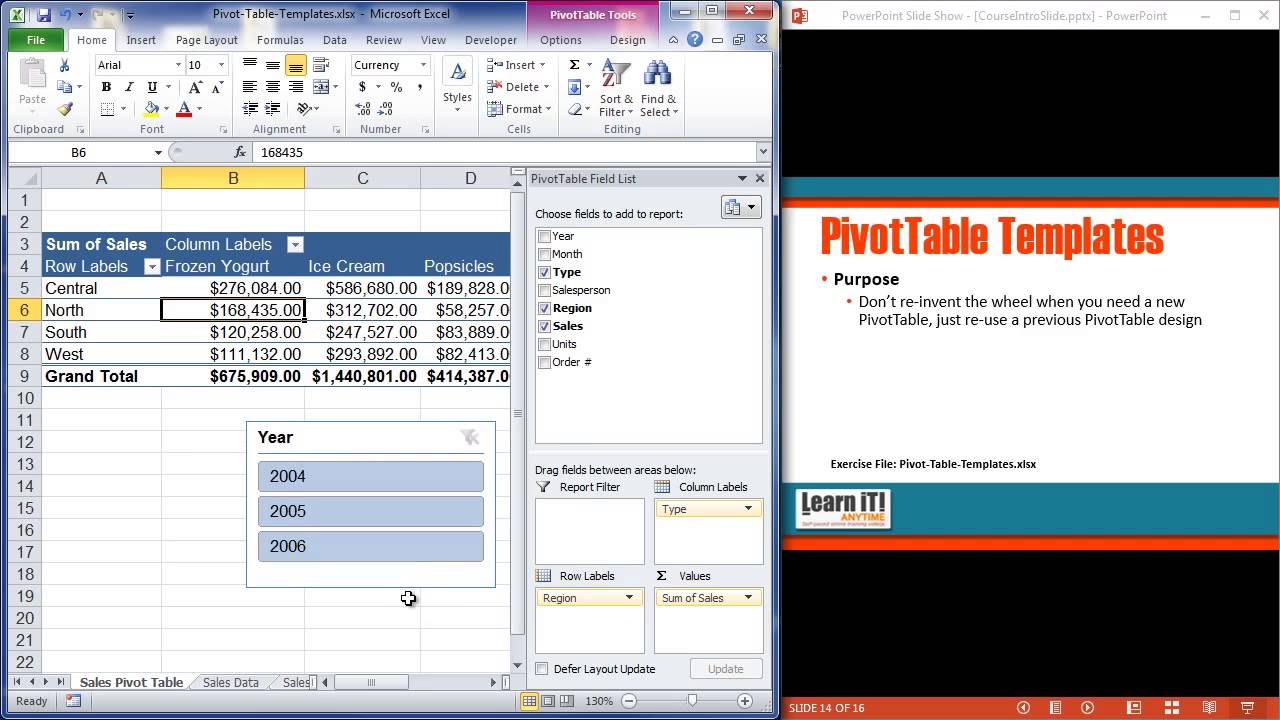
More Online Software Training: http://www.learnitanytime.com/
-Unlimited Excel, Outlook, PowerPoint, Access, MS Office, PhotoShop, Web Design, & lots more!
-17 years teaching software to industry leaders.
-Easy to follow: beginner through advanced.
-Feel secure: Ask a teacher if you have questions.

Excel VBA Expert Tutorial
Get Ad-Free Training by becoming a member today!
https://www.youtube.com/channe....l/UCqyBfm_H9ugGirk1u
Join Learnit Anytime for ad-free training, exams, certificates, and exclusive content:
https://www.learnitanytime.com
Exercise Files: https://tinyurl.com/m6bvnx4w
Who it's for: Business Analysts, Data Scientists, and everyone in between looking to write their own rulebook on what’s possible in Excel.
What it is: Visual Basic for Applications (VBA) is the programming language for Excel and other Microsoft Office programs. VBA is used to automate repetitive processes and frequent actions. Even more, it can be used to build tools that otherwise don’t exist in Excel.
What you'll learn: In this series, users will be guided through the foundational concepts of VBA in Excel. Users will learn to build macros from the ground up, starting with recording macros that require little to no code, and working towards building their own macros using crucial VBA concepts such as Loop, If Then, and other complex functions.
Start 0:00
Worksheets Methods 0:03
DateSerial and Format 3:28
Sheet Template Generator 13:32
Move 20:21
PrintOut and PrintPreview 23:40
Practice (Part 1) 25:51
Practice (Part 2) 34:20
Practice (Part 3) 35:54
Practice (Part 4) 37:38
Practice (Part 5) 41:11
Practice (Part 6) 51:48
Custom Functions (Part 1) 54:18
Custom Functions (Part 2) 1:01:01
Custom Functions (Part 3) 1:04:32
Wrapping Up 1:14:07
#excelvba
learnit is no longer associated with this channel/video.
(C) 2025 Bomberry Productions
Any illegal reproduction of this content will result in immediate legal action.

Word Full Course Tutorial
Get Ad-Free Training by becoming a member today!
https://www.youtube.com/channe....l/UCqyBfm_H9ugGirk1u
Join Learnit Anytime for ad-free training, exams, certificates, and exclusive content:
https://www.learnitanytime.com
Exercise Files: https://tinyurl.com/4zbvy7v5
Who it's for: Microsoft Word is for anyone who writes. It’s used by students, CEO’s, and everyone in between.
What it is: Microsoft Word is THE word processor.
What you'll learn: In this Microsoft Word course, students can expect to learn the essential skills needed to create, format, and manage Word documents effectively. The course covers foundational topics such as navigating the Word interface, adding and formatting text, and creating lists. Students will also explore more advanced features like working with images, text boxes, and shapes, as well as utilizing proofing tools to ensure document quality. The course emphasizes hands-on practice, allowing students to pause, complete tasks, and enhance their skills by following along with interactive lessons.
Start 0:00
Introduction 0:09
Start Screen 2:13
Word Ribbon and Interface 5:09
Help and Views 10:06
Font Commands 13:38
Paragraph Commands 21:04
Word Styles 28:04
Lists 34:46
Managing Lists 41:15
Proofing and Saving 46:57
Intro to Module 2 55:29
Contextual Tabs and Text Boxes 56:20
Integrating Shapes 1:04:55
Online Image Library Basics 1:11:40
Resizing and Restyling Pictures 1:19:09
Cropping and Editing Pictures 1:25:26
Page Layout Commands 1:32:02
Headers Footers and converting to PDF 1:38:20
Word Beginner Conclusion 1:49:01
Word Intermediate Introduction 1:50:14
Creating Text Styles 1:51:15
Table Insertion Options 1:59:41
Managing Rows, Columns, and Cells 2:05:55
Table Layouts and Inserting Excel Tables 2:13:45
Inserting and Managing Chart Data 2:20:13
Customizing Chart Elements 2:27:32
Exploring the Quick Parts Gallery 2:34:41
Creating Reusable Content 2:40:41
Module 4 Intro 2:48:07
Themes 2:49:10
Document Formatting Design 2:54:23
Saving Files as Templates 2:58:58
Defining and Managing Columns 3:09:44
Section Breaks 3:14:49
Cover Pages 3:20:29
Table of Contents 3:25:07
Index 3:31:56
Outline View 3:36:31
Mail Merge with Outlook 3:42:38
Word Intermediate Conclusion 3:52:46
Word Advanced Introduction 3:53:52
Inserting Online Video 3:54:51
Inserting Screenshots 3:58:35
Inserting Local Media 4:01:58
SmartArt 4:04:18
Managing SmartArt 4:11:15
Drawing Tools 4:16:37
Drawing Gestures 4:22:59
Sharing Documents for Collaboration 4:26:48
Track Changes 4:32:00
Table of Figures 4:39:50
Hyperlinks and Bookmarks 4:46:26
Footnotes and Endnotes 4:53:56
Research Tool 4:58:41
Citations 5:01:57
Module 6 Introduction 5:05:23
Introduction to Security 5:06:11
Formatting Restrictions 5:11:37
High-Level Restrictions 5:18:10
Forms and Developer Tab 5:24:02
Inserting Form Controls 5:29:27
Securing Forms 5:35:59
Online Forms App 5:42:50
Recording Macros with Shortcuts 5:52:20
VBA Editor 6:00:12
Word Advanced Conclusion 6:10:45
Word Copilot Introduction 6:11:35
Draft with Copilot 6:11:59
Rewrite with Copilot 6:16:12
Visualizing Text as a Table 6:20:57
Reference a File with Copilot 6:24:37
Using Word Copilot Pane 6:28:46
Creating Content from a Document 6:34:13
Copilot with Editor 6:40:13
Getting to Copilot Lab 6:43:56
Copilot for Word Web Version 6:44:55
Word Copilot Conclusion 6:48:25
#microsoftword #wordtutorial #microsoftwordtutorial
learnit is no longer associated with this channel/video.
(C) 2025 Bomberry Productions
Any illegal reproduction of this content will result in immediate legal action.
