التكنولوجيا والبرمجة

Yo ninjas! In this JavaScript tutorial, I'll be showing you how to change your web page content on the fly via the DOM. To do this, we must follow two steps:
1. Reach into the page and grab a node / element
2. Change the property of that note (either innerHTML or textContent).
In this video, I do sometimes refer to these properties as methods - that is my mistake, although the concept is still very clear to see.
If you have any questions, fire away :).
SUBSCRIBE TO CHANNEL - https://www.youtube.com/channe....l/UCW5YeuERMmlnqo4oq
========== JavaScript for Beginners Playlist ==========
https://www.youtube.com/playli....st?list=PL4cUxeGkcC9
========== CSS for Beginners Playlist ==========
https://www.youtube.com/playli....st?list=PL4cUxeGkcC9
========== HTML for Beginners Playlist ==========
https://www.youtube.com/playli....st?list=PL4cUxeGkcC9
========== The Net Ninja ============
For more front-end development tutorials & to black-belt your coding skills, head over to - https://www.youtube.com/channe....l/UCW5YeuERMmlnqo4oq or http://thenetninja.co.uk
========== Social Links ==========
Twitter - @TheNetNinja - https://twitter.com/thenetninjauk
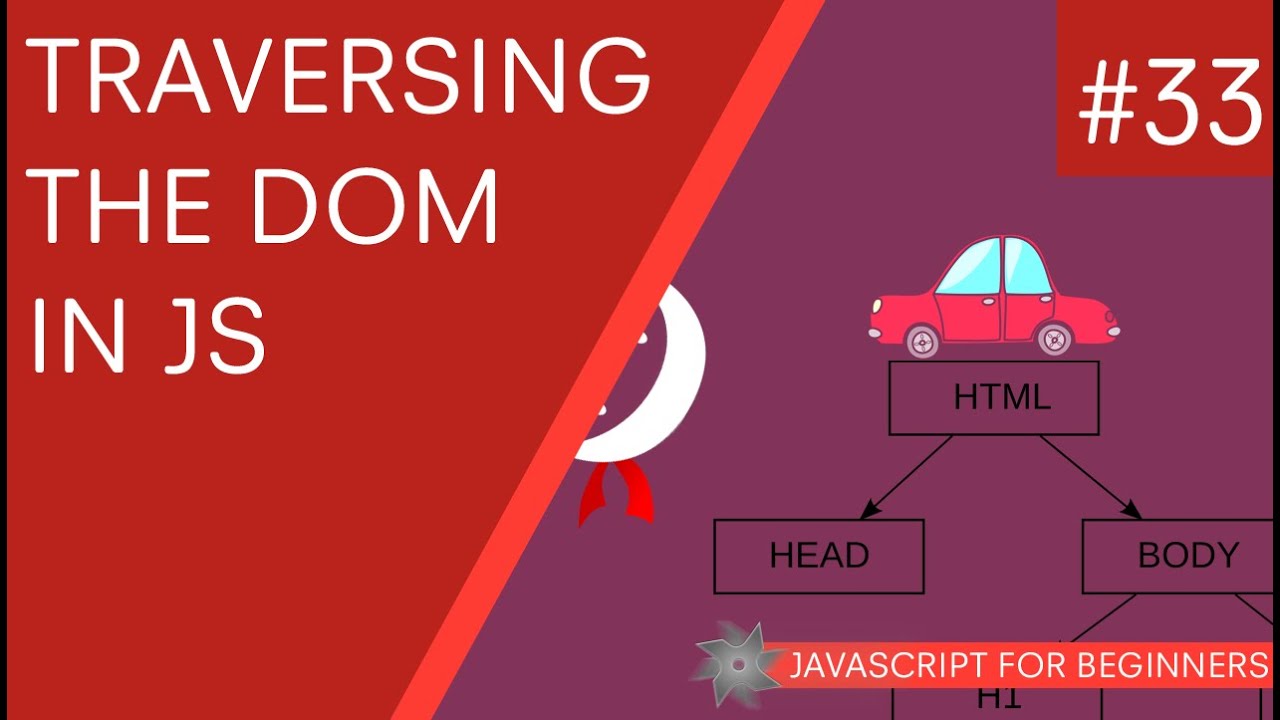
Hey all, in this JavaScript tutorial for beginners, I'll explain how we can reach into the DOM and grab content (nodes) from the DOM tree, such as elements, classes and ID's. And I'll also explain how we can search 'within' tags under different scopes to find child elements.
In this tutorial we'll learn three JavaScript methods (functions) to do that:
getElementsByTagName() - returns an array of objects
getElementsByClassName() - returns an array of objects
getElementById() - returns a single object
SUBSCRIBE TO CHANNEL - https://www.youtube.com/channe....l/UCW5YeuERMmlnqo4oq
========== JavaScript for Beginners Playlist ==========
https://www.youtube.com/playli....st?list=PL4cUxeGkcC9
========== CSS for Beginners Playlist ==========
https://www.youtube.com/playli....st?list=PL4cUxeGkcC9
========== HTML for Beginners Playlist ==========
https://www.youtube.com/playli....st?list=PL4cUxeGkcC9
========== The Net Ninja ============
For more front-end development tutorials & to black-belt your coding skills, head over to - https://www.youtube.com/channe....l/UCW5YeuERMmlnqo4oq or http://thenetninja.co.uk
========== Social Links ==========
Twitter - @TheNetNinja - https://twitter.com/thenetninjauk
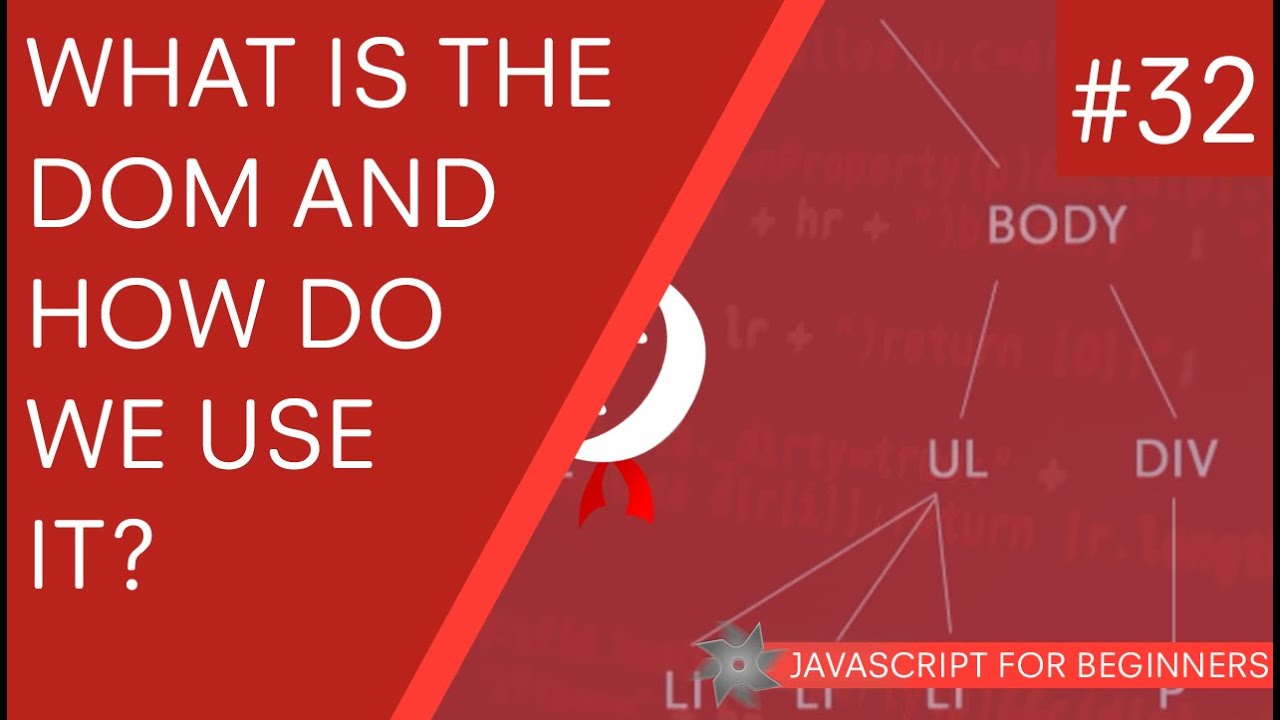
Yo Ninjas, in this JavaScript tutorial for beginners, I'll be walking you through what the DOM is and how we use it to interact with our web pages.
The DOM stands for Document Object Model and in technical terms, is an application programming interface. But what that really means is that we can use the DOM to go into our HTML code and 'grab' hold of elements (nodes) and then alter them via JavaScript.
If you have any questions about the DOM, fire away :)
SUBSCRIBE TO CHANNEL - https://www.youtube.com/channe....l/UCW5YeuERMmlnqo4oq
========== JavaScript for Beginners Playlist ==========
https://www.youtube.com/playli....st?list=PL4cUxeGkcC9
========== CSS for Beginners Playlist ==========
https://www.youtube.com/playli....st?list=PL4cUxeGkcC9
========== HTML for Beginners Playlist ==========
https://www.youtube.com/playli....st?list=PL4cUxeGkcC9
========== The Net Ninja ============
For more front-end development tutorials & to black-belt your coding skills, head over to - https://www.youtube.com/channe....l/UCW5YeuERMmlnqo4oq or http://thenetninja.co.uk
========== Social Links ==========
Twitter - @TheNetNinja - https://twitter.com/thenetninjauk

Hey guys, in this javascript tutorial we'll take a look at the Date object and what we can do with it! The date object in javascript returns back the current date by default, but parameters can be passed into the object to store either future or past dates in a variable.
Any questions, just ask :)
SUBSCRIBE TO CHANNEL - https://www.youtube.com/channe....l/UCW5YeuERMmlnqo4oq
========== JavaScript for Beginners Playlist ==========
https://www.youtube.com/playli....st?list=PL4cUxeGkcC9
========== CSS for Beginners Playlist ==========
https://www.youtube.com/playli....st?list=PL4cUxeGkcC9
========== HTML for Beginners Playlist ==========
https://www.youtube.com/playli....st?list=PL4cUxeGkcC9
========== The Net Ninja ============
For more front-end development tutorials & to black-belt your coding skills, head over to - https://www.youtube.com/channe....l/UCW5YeuERMmlnqo4oq or http://thenetninja.co.uk
========== Social Links ==========
Twitter - @TheNetNinja - https://twitter.com/thenetninjauk

Hey ninjas, I think it's about time we started using constructor functions to create our objects! So in this JavaScript tutorial for beginners I'll introduce it to you!
The constructor function is useful if you are creating many objects of the same 'type' - e.g. many different Car objects. It promotes DRY code (don't repeat yourself) and saves a lot of time when creating many objects!
Any questions, fire away :)
SUBSCRIBE TO CHANNEL - https://www.youtube.com/channe....l/UCW5YeuERMmlnqo4oq
========== JavaScript for Beginners Playlist ==========
https://www.youtube.com/playli....st?list=PL4cUxeGkcC9
========== CSS for Beginners Playlist ==========
https://www.youtube.com/playli....st?list=PL4cUxeGkcC9
========== HTML for Beginners Playlist ==========
https://www.youtube.com/playli....st?list=PL4cUxeGkcC9
========== The Net Ninja ============
For more front-end development tutorials & to black-belt your coding skills, head over to - https://www.youtube.com/channe....l/UCW5YeuERMmlnqo4oq or http://thenetninja.co.uk
========== Social Links ==========
Twitter - @TheNetNinja - https://twitter.com/thenetninjauk

Hey all, in this JavaScript tutorial for beginners, I want to introduce you to the THIS keyword, so... Ninjas, meet the THIS keyword. THIS, meet the ninjas :). Anyway, THIS in JavaScript is a very useful tool, and refers to whatever object currently owns the context you are working in.
For example, at the root of your document, the Window object owns it, so THIS represents the Window object. Therefore, we can call any property on THIS (within the Window context) as we can on the Window object itself.
Any questions, just ask!
SUBSCRIBE TO CHANNEL - https://www.youtube.com/channe....l/UCW5YeuERMmlnqo4oq
========== JavaScript for Beginners Playlist ==========
https://www.youtube.com/playli....st?list=PL4cUxeGkcC9
========== CSS for Beginners Playlist ==========
https://www.youtube.com/playli....st?list=PL4cUxeGkcC9
========== HTML for Beginners Playlist ==========
https://www.youtube.com/playli....st?list=PL4cUxeGkcC9
========== The Net Ninja ============
For more front-end development tutorials & to black-belt your coding skills, head over to - https://www.youtube.com/channe....l/UCW5YeuERMmlnqo4oq or http://thenetninja.co.uk
========== Social Links ==========
Twitter - @TheNetNinja - https://twitter.com/thenetninjauk

Hey ninjas, in this JavaScript tutorial for beginners, we'll make our very own object using the car analogy from the last lesson. I'll show you how to create the object, add properties and methods, and finally how to use the shorthand notation to do this.
As always, if you have any questions, fire away :).
SUBSCRIBE TO CHANNEL - https://www.youtube.com/channe....l/UCW5YeuERMmlnqo4oq
========== JavaScript for Beginners Playlist ==========
https://www.youtube.com/playli....st?list=PL4cUxeGkcC9
========== CSS for Beginners Playlist ==========
https://www.youtube.com/playli....st?list=PL4cUxeGkcC9
========== HTML for Beginners Playlist ==========
https://www.youtube.com/playli....st?list=PL4cUxeGkcC9
========== The Net Ninja ============
For more front-end development tutorials & to black-belt your coding skills, head over to - https://www.youtube.com/channe....l/UCW5YeuERMmlnqo4oq or http://thenetninja.co.uk
========== Social Links ==========
Twitter - @TheNetNinja - https://twitter.com/thenetninjauk

Hey ninjas, in this tutorial I'll introduce you to objects in JavaScript.
SUBSCRIBE TO CHANNEL - https://www.youtube.com/channe....l/UCW5YeuERMmlnqo4oq
========== JavaScript for Beginners Playlist ==========
https://www.youtube.com/playli....st?list=PL4cUxeGkcC9
========== CSS for Beginners Playlist ==========
https://www.youtube.com/playli....st?list=PL4cUxeGkcC9
========== HTML for Beginners Playlist ==========
https://www.youtube.com/playli....st?list=PL4cUxeGkcC9
========== The Net Ninja ============
For more front-end development tutorials & to black-belt your coding skills, head over to - https://www.youtube.com/channe....l/UCW5YeuERMmlnqo4oq or http://thenetninja.co.uk
========== Social Links ==========
Twitter - @TheNetNinja - https://twitter.com/thenetninjauk

Hey guys, in this JavaScript tutorial I wanted to show you how to make arrays and how we store pockets of informations in them. Arrays can be (virtually) endless in the amount of pockets they can hold, certainly enough for any client side script.
The biggest indicator someone is using an array is the square bracket notation - [ ].
You can also create arrays using the 'new' keyword, but I prefer to use the square bracket method, just because it's quicker and easier to assign values straight away.
As always, ask away with any questions :).
SUBSCRIBE TO CHANNEL - https://www.youtube.com/channe....l/UCW5YeuERMmlnqo4oq
========== JavaScript for Beginners Playlist ==========
https://www.youtube.com/playli....st?list=PL4cUxeGkcC9
========== CSS for Beginners Playlist ==========
https://www.youtube.com/playli....st?list=PL4cUxeGkcC9
========== HTML for Beginners Playlist ==========
https://www.youtube.com/playli....st?list=PL4cUxeGkcC9
========== The Net Ninja ============
For more front-end development tutorials & to black-belt your coding skills, head over to - https://www.youtube.com/channe....l/UCW5YeuERMmlnqo4oq or http://thenetninja.co.uk
========== Social Links ==========
Twitter - @TheNetNinja - https://twitter.com/thenetninjauk
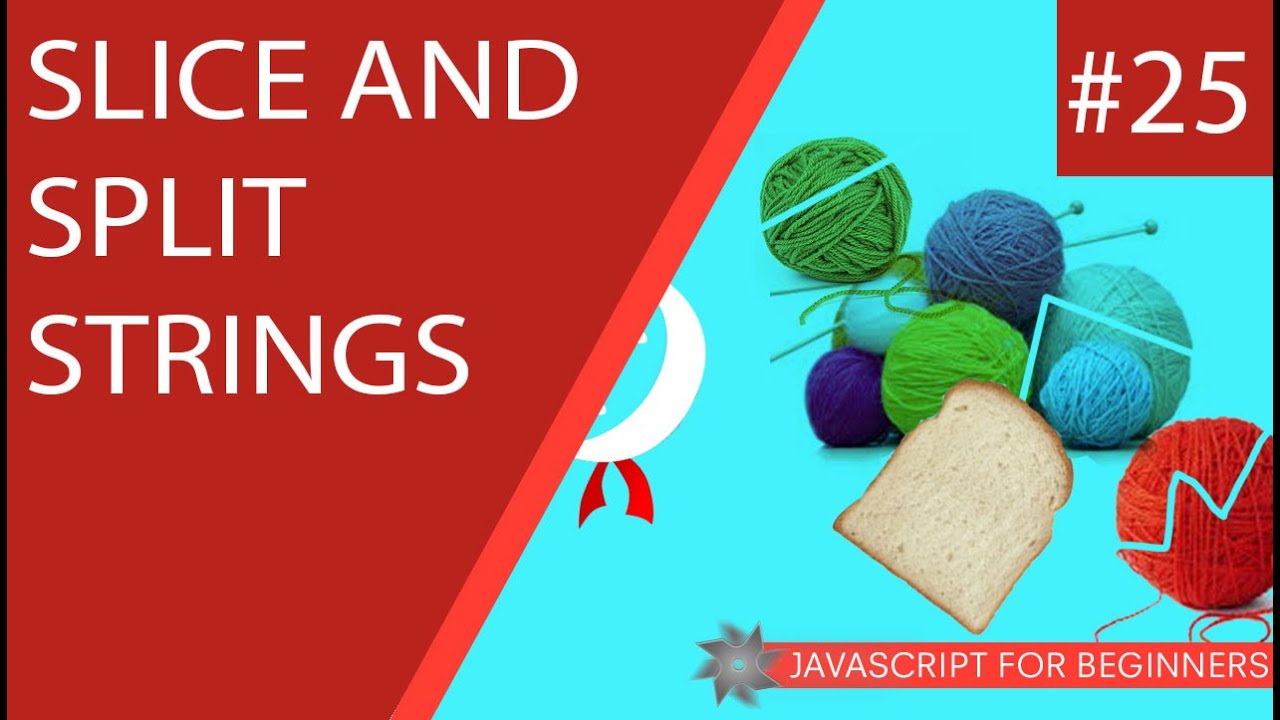
Yo ninjas, I just want to show you a couple of neat little string methods (functions) in this JavaScript tutorial. The slice method and the split method. The slice method literally 'slices' your string into a new segment defined by starting and ending points. The split method, splits a string into multiple 'pockets' and puts them into an array (great for splitting tags).
As always, any questions, fire away below :).
SUBSCRIBE TO CHANNEL - https://www.youtube.com/channe....l/UCW5YeuERMmlnqo4oq
========== JavaScript for Beginners Playlist ==========
https://www.youtube.com/playli....st?list=PL4cUxeGkcC9
========== CSS for Beginners Playlist ==========
https://www.youtube.com/playli....st?list=PL4cUxeGkcC9
========== HTML for Beginners Playlist ==========
https://www.youtube.com/playli....st?list=PL4cUxeGkcC9
========== The Net Ninja ============
For more front-end development tutorials & to black-belt your coding skills, head over to - https://www.youtube.com/channe....l/UCW5YeuERMmlnqo4oq or http://thenetninja.co.uk
========== Social Links ==========
Twitter - @TheNetNinja - https://twitter.com/thenetninjauk

Hey all, so far we've looked at two data types in JavaScript - Boolean types (true or false) and number types. In this tutorial I want to talk about a third data type - strings. Strings are essentially a string of characters, be them numbers to make a phone number, or letters to make a word or phrase, or even a combo of both.
Strings have a lot of methods (built in functions) you can call on them, and we'll look at a few of them in this tutorial too.
As always, if you have any questions, just fire away :).
SUBSCRIBE TO CHANNEL - https://www.youtube.com/channe....l/UCW5YeuERMmlnqo4oq
========== JavaScript for Beginners Playlist ==========
https://www.youtube.com/playli....st?list=PL4cUxeGkcC9
========== CSS for Beginners Playlist ==========
https://www.youtube.com/playli....st?list=PL4cUxeGkcC9
========== HTML for Beginners Playlist ==========
https://www.youtube.com/playli....st?list=PL4cUxeGkcC9
========== The Net Ninja ============
For more front-end development tutorials & to black-belt your coding skills, head over to - https://www.youtube.com/channe....l/UCW5YeuERMmlnqo4oq or http://thenetninja.co.uk
========== Social Links ==========
Twitter - @TheNetNinja - https://twitter.com/thenetninjauk

Hey all, I thought it about time I introduced you all to NaN ;). So in this JavaScript tutorial for beginners I'll be showing you what NaN is (Not a Number) and how we can use it to check whether certain variables are indeed a number or not.
As usual, ask away with any questions you have :).
SUBSCRIBE TO CHANNEL - https://www.youtube.com/channe....l/UCW5YeuERMmlnqo4oq
========== JavaScript for Beginners Playlist ==========
https://www.youtube.com/playli....st?list=PL4cUxeGkcC9
========== CSS for Beginners Playlist ==========
https://www.youtube.com/playli....st?list=PL4cUxeGkcC9
========== HTML for Beginners Playlist ==========
https://www.youtube.com/playli....st?list=PL4cUxeGkcC9
========== The Net Ninja ============
For more front-end development tutorials & to black-belt your coding skills, head over to - https://www.youtube.com/channe....l/UCW5YeuERMmlnqo4oq or http://thenetninja.co.uk
========== Social Links ==========
Twitter - @TheNetNinja - https://twitter.com/thenetninjauk
Yo ninjas, in this JavaScript tutorial for beginners, I'll be looking at the number type in more detail, and introducing the Math object.
If you have any questions, fire away :).
SUBSCRIBE TO CHANNEL - https://www.youtube.com/channe....l/UCW5YeuERMmlnqo4oq
========== JavaScript for Beginners Playlist ==========
https://www.youtube.com/playli....st?list=PL4cUxeGkcC9
========== CSS for Beginners Playlist ==========
https://www.youtube.com/playli....st?list=PL4cUxeGkcC9
========== HTML for Beginners Playlist ==========
https://www.youtube.com/playli....st?list=PL4cUxeGkcC9
========== The Net Ninja ============
For more front-end development tutorials & to black-belt your coding skills, head over to - https://www.youtube.com/channe....l/UCW5YeuERMmlnqo4oq or http://thenetninja.co.uk
========== Social Links ==========
Twitter - @TheNetNinja - https://twitter.com/thenetninjauk

Hey all, this JavaScript tutorial for beginners will introduce the concept of variable scope. Variables can have either global or local scope.
A global variable is initialized at the 'top-level' of your document, and can be used anywhere within your document after it has been declared. A local variable has only local scope, and can only be used within the function in which it was initialized.
As always, fire away with any questions :)
SUBSCRIBE TO CHANNEL - https://www.youtube.com/channe....l/UCW5YeuERMmlnqo4oq
========== JavaScript for Beginners Playlist ==========
https://www.youtube.com/playli....st?list=PL4cUxeGkcC9
========== CSS for Beginners Playlist ==========
https://www.youtube.com/playli....st?list=PL4cUxeGkcC9
========== HTML for Beginners Playlist ==========
https://www.youtube.com/playli....st?list=PL4cUxeGkcC9
========== The Net Ninja ============
For more front-end development tutorials & to black-belt your coding skills, head over to - https://www.youtube.com/channe....l/UCW5YeuERMmlnqo4oq or http://thenetninja.co.uk
========== Social Links ==========
Twitter - @TheNetNinja - https://twitter.com/thenetninjauk

Hey class, so in this JavaScript tutorial I want to introduce you to the world of functions. Yep, I think you're ready for them :). Functions allow you to chunk parts of code together into logical sections, and call that code at any time. For example, you may have a function to cycle through all of your images on a web page, and implement a zoom functionality on the. You'd probably call this function something like imageZoom.
So, functions are a really cool and integral part of JavaScript, and something you should try and get into the habit of using early on in your JavaScript development, so that your code is always readable and tidy for yourself and other developers.
At first, functions in JavaScript can be a tricky concept, so by all means fire away with any questions you have down below :).
SUBSCRIBE TO CHANNEL - https://www.youtube.com/channe....l/UCW5YeuERMmlnqo4oq
========== JavaScript for Beginners Playlist ==========
https://www.youtube.com/playli....st?list=PL4cUxeGkcC9
========== CSS for Beginners Playlist ==========
https://www.youtube.com/playli....st?list=PL4cUxeGkcC9
========== HTML for Beginners Playlist ==========
https://www.youtube.com/playli....st?list=PL4cUxeGkcC9
========== The Net Ninja ============
For more front-end development tutorials & to black-belt your coding skills, head over to - https://www.youtube.com/channe....l/UCW5YeuERMmlnqo4oq or http://thenetninja.co.uk
========== Social Links ==========
Twitter - @TheNetNinja - https://twitter.com/thenetninjauk

Hey gang, in this JavaScript tutorial I just wanted to show you a quick practical example of using loops to change elements on a HTML page. In this example, we'll create an array of all the anchor tags on our HTML document, cycle through them using a for loop, and then add a dynamic class name to them dependant on their position in the page/array.
As always, fire away with any questions you have ninjas :).
SUBSCRIBE TO CHANNEL - https://www.youtube.com/channe....l/UCW5YeuERMmlnqo4oq
========== JavaScript for Beginners Playlist ==========
https://www.youtube.com/playli....st?list=PL4cUxeGkcC9
========== CSS for Beginners Playlist ==========
https://www.youtube.com/playli....st?list=PL4cUxeGkcC9
========== HTML for Beginners Playlist ==========
https://www.youtube.com/playli....st?list=PL4cUxeGkcC9
========== The Net Ninja ============
For more front-end development tutorials & to black-belt your coding skills, head over to - https://www.youtube.com/channe....l/UCW5YeuERMmlnqo4oq or http://thenetninja.co.uk
========== Social Links ==========
Twitter - @TheNetNinja - https://twitter.com/thenetninjauk

An easier way to iterate through a loop is via the for loop, which we'll talk about in this JavaScript tutorial. A for loop does exactly the same thing as a while loop, but it has the advantage of organizing it's components more locally and neater.
As always, if you have any questions, fire ahead with them below :).
SUBSCRIBE TO CHANNEL - https://www.youtube.com/channe....l/UCW5YeuERMmlnqo4oq
========== JavaScript for Beginners Playlist ==========
https://www.youtube.com/playli....st?list=PL4cUxeGkcC9
========== CSS for Beginners Playlist ==========
https://www.youtube.com/playli....st?list=PL4cUxeGkcC9
========== HTML for Beginners Playlist ==========
https://www.youtube.com/playli....st?list=PL4cUxeGkcC9
========== The Net Ninja ============
For more front-end development tutorials & to black-belt your coding skills, head over to - https://www.youtube.com/channe....l/UCW5YeuERMmlnqo4oq or http://thenetninja.co.uk
========== Social Links ==========
Twitter - @TheNetNinja - https://twitter.com/thenetninjauk

Break and Continue are two reserved keywords in JavaScript that help us when trying to 'get out' of a loop, and we'll cover both in this tutorial.
Break, as the name suggests, breaks out of a loop at any given point, and Continue just tells the loop to 'skip' this particular iteration and carries on with the next one.
As always, if you have any questions, ask away :).
SUBSCRIBE TO CHANNEL - https://www.youtube.com/channe....l/UCW5YeuERMmlnqo4oq
========== JavaScript for Beginners Playlist ==========
https://www.youtube.com/playli....st?list=PL4cUxeGkcC9
========== CSS for Beginners Playlist ==========
https://www.youtube.com/playli....st?list=PL4cUxeGkcC9
========== HTML for Beginners Playlist ==========
https://www.youtube.com/playli....st?list=PL4cUxeGkcC9
========== The Net Ninja ============
For more front-end development tutorials & to black-belt your coding skills, head over to - https://www.youtube.com/channe....l/UCW5YeuERMmlnqo4oq or http://thenetninja.co.uk
========== Social Links ==========
Twitter - @TheNetNinja - https://twitter.com/thenetninjauk

Yo Ninjas, in this JavaScript tutorial I'll be introducing the concept of looping in JS. More specifically, we'll be taking a look at the while loop - the most basic form of loops.
JavaScript loops are a way of repeating sections of code over and over, so that you're not having to re-write code again and again manually. For as long as a specified condition is true, the loop will continue to execute your code.
Be careful not to cause an infinite loop! This can crash your computer.
As always, any questions, fire away :).
SUBSCRIBE TO CHANNEL - https://www.youtube.com/channe....l/UCW5YeuERMmlnqo4oq
========== JavaScript for Beginners Playlist ==========
https://www.youtube.com/playli....st?list=PL4cUxeGkcC9
========== CSS for Beginners Playlist ==========
https://www.youtube.com/playli....st?list=PL4cUxeGkcC9
========== HTML for Beginners Playlist ==========
https://www.youtube.com/playli....st?list=PL4cUxeGkcC9
========== The Net Ninja ============
For more front-end development tutorials & to black-belt your coding skills, head over to - https://www.youtube.com/channe....l/UCW5YeuERMmlnqo4oq or http://thenetninja.co.uk
========== Social Links ==========
Twitter - @TheNetNinja - https://twitter.com/thenetninjauk

In this JavaScript tutorial for beginners, I'll show you the two logical operators we can use with our control flow statements (such as if statements and loops). The two operators are the AND operator ( && ) and the OR operator ( || ) .
The AND logical operator can be used when you need two or more conditions to be met, and the OR logical operator can be used when you only need ONE of two or more conditions to be met.
As always, any questions, fire ahead :).
SUBSCRIBE TO CHANNEL - https://www.youtube.com/channe....l/UCW5YeuERMmlnqo4oq
========== JavaScript for Beginners Playlist ==========
https://www.youtube.com/playli....st?list=PL4cUxeGkcC9
========== CSS for Beginners Playlist ==========
https://www.youtube.com/playli....st?list=PL4cUxeGkcC9
========== HTML for Beginners Playlist ==========
https://www.youtube.com/playli....st?list=PL4cUxeGkcC9
========== The Net Ninja ============
For more front-end development tutorials & to black-belt your coding skills, head over to - https://www.youtube.com/channe....l/UCW5YeuERMmlnqo4oq or http://thenetninja.co.uk
========== Social Links ==========
Twitter - @TheNetNinja - https://twitter.com/thenetninjauk