
- Искусственный интеллект и генеративный A
- Технологии и программирование
- Домашние животные
- Цифровой маркетинг
- Microsoft Office и инструменты повышения производительности
- Данные и аналитика
- Финансы и бухгалтерский учет
- Дизайн и творческие навыки
- Развитие карьеры и профессиональное развитие
- Фриланс и удаленная работа
- How-to & Style
- Образование и преподавание
- Russian
Последние видео


Whether you're a beginner programmer or looking to level up your skills, this course will teach you how to:
Organize your data efficiently using essential structures like Arrays, Linked Lists, Stacks, Queues, Trees, Hash Tables, and Graphs.
Solve coding problems effectively with powerful algorithms for searching, sorting, and more.
Write cleaner and more performant JavaScript code.
This course offers:
Clear and concise explanations with real-world examples to solidify your understanding.
Hands-on coding exercises to apply your knowledge and practice problem-solving.
Up-to-date content reflecting the latest advancements in JavaScript.
By the end of this course, you'll be confident in building efficient and scalable JavaScript applications.
If You Want To Support My Work 👇
https://www.youtube.com/channe....l/UCbBt6Ks7M5BZx_GHg
Follow Me On 👇
Instagram: https://www.instagram.com/huxnshorts/
YouTube: https://www.youtube.com/@huxnwebdev
GitHub: https://github.com/huxn-webdev
Twitter: https://twitter.com/huxnwebdev
00:00 - Intro
00:42 - What is DSA
3:53 - Course Requirements
4:40 - Course Setup
6:46 - Solving the first problem
10:07 - Why Should I Care
10:58 - What is bigO
13:48 - O(n)
20:11 - O(1)
23:48 - O(n^2)
29:37 - O(log n)
33:55 - DS Arrays
34:26 - What is DS Array
36:05 - Creating Custom Array
37:42 - Custom Push Method
41:20 - Custom Get Method
43:05 - Custom Pop Method
46:30 - Custom Shift Method
51:17 - Custom DeleteByIndex Method
54:35 - Reverse String
59:31 - Palindromes
1:02:30 - Reverse Integer
1:05:57 - Sentence Capitalization
1:10:23 - FizzBuzz
1:14:06 - Max Profit
1:20:41 - Array Chunks
1:26:18 - Two Sum ( ugly code )
1:30:01 - What is Linked List
1:33:01 - How the Linked List Looks Like
1:36:05 - Creating Our First Linked List
1:40:01 - Linked List Push Method
1:45:24 - Linked List Pop Method
1:52:42 - Linked List Unshift Method
1:56:51 - Linked List Shift Method
1:59:44 - Linked List GET FIRST Method
2:00:53 - Linked List GET LAST Method
2:03:05 - Linked List GET ELEMENT BY INDEX Method
2:06:15 - Linked List SET Method
2:10:33 - Linked List INSERT Method
2:17:31 - Linked List SIZE Method
2:19:18 - Linked List CLEAR Method
2:20:17 - What is Doubly Linked List
2:21:34 - Create Your First Doubly Linked List
2:23:06 - Doubly Linked List Push Method
2:26:43 - Doubly Linked List Pop Method
2:30:47 - Doubly Linked List Unshift Method
2:34:43 - Doubly Linked List Shift Method
2:37:38 - Reverse Linked List
2:45:32 - Stack & Queues
2:46:20 - What is a Stack
2:49:36 - Creating Our First Stack
2:52:01 - Stack Push Method
2:55:29 - Stack Pop Method
2:58:49 - What is Queue
3:00:38 - Queues Enqueue Method
3:06:14 - Queues Dequeue Method
3:09:36 - Queues Min Method
3:14:22 - isValidParenthesis
3:19:05 - Reverse String Using Stack
3:22:08 - Hash Tables
3:22:21 - What is a Hash Table
3:23:30 - What is a Hash Function
3:24:29 - How Hash Table Looks Like
3:26:11 - Creating Our First Hash Table
3:29:27 - Hash Table Set Method
3:34:02 - Hash Table Get Method
3:38:37 - Get All Keys & Values
3:43:01 - Word Counter
3:47:15 - Two Sum ( refactor )
3:51:06 - What is a Tree
3:55:36 - BST
4:00:27 - Creating Our First Binary Search Tree
4:02:15 - Binary Search Tree Insert Method
4:08:36 - Binary Search Tree Includes Method
4:15:42 - What is Recursion
4:17:11 - Recursion Count Down
4:20:19 - Recursion Factorial
4:23:11 - Tree Traversal ( Breath First Search )
4:31:56 - Tree Traversal ( Depth First Search PreOrder )
4:41:41 - Tree Traversal ( Depth First Search PostOrder )
4:50:32 - What is a Graph
4:55:38 - Creating Our First Graph
4:56:23 - Add Vertex To Graph
4:58:36 - Add Edges To Graph
5:01:21 - Remove Edges From Graph
5:04:50 - Remove Vertex From Graph
5:09:33 - What is Bubble Sort
5:12:03 - Creating Bubble Sort
5:15:06- What is Selection Sort
5:19:33 - Creating Selection Sort
5:22:20 - What is Insertion Sort
5:24:48 - Creating Insertion Sort
5:27:18 - What is Merge Sort
5:29:15 - Creating Merge
5:35:44 - Creating Merge Sort
5:38:32 - Outro

Embark on an incredible journey of JavaScript mastery, starting from ground zero and culminating in Full Stack expertise! Our comprehensive course covers the entire spectrum, guiding you through JavaScript's core principles, dynamic front-end development with React, robust back-end creation using Node.js and Express, MongoDB integration, GSAP animations, API testing with Postman, and a plethora of hands-on projects and coding challenges.
🚀 What You'll Accomplish 🚀
✅ Begin your coding odyssey with JavaScript's foundational concepts
✅ Craft immersive user interfaces using React
✅ Infuse life into your projects with mesmerizing GSAP animations
✅ Engineer powerful server-side applications using Node.js and Express
✅ Seamlessly integrate MongoDB and Mongoose for efficient database management
✅ Master the art of API development and testing using Postman
✅ Tackle over 60 hands-on coding challenges
✅ Showcase your skills through 100+ real-world projects
Build 100+ Projects Using HTML5, CSS3 and JavaScript 🔥
https://www.youtube.com/playli....st?list=PLSDeUiTMfxW
SOURCE CODE 👇
https://github.com/HuXn-WebDev..../Zero-To-FullStack-J
Follow Me On 👇
Instagram: https://www.instagram.com/huxnshorts/
YouTube: https://www.youtube.com/@huxnwebdev
GitHub: https://github.com/huxn-webdev
Twitter: https://twitter.com/huxnwebdev
0:00 1: Introduction
0:09 2: Course Structure
9:01 3: JavaScript Overview
10:25 4: Code Execution
12:50 5: Dev Environment Setup
16:15 6: Connect JS to HTML
23:13 7: Using Console & Comments
30:42 8: Mastering Variables
48:22 9: Working with Numbers
57:50 10: Grasping Booleans
1:05:21 11: Comparison Operators
1:20:03 12: Manipulating Strings
1:41:16 13: Type Conversion
1:46:28 14: Conditional Statements
2:02:13 15: Switch Statements
2:13:10 16: For Loop
2:23:46 17: While Loop
2:27:50 18: Do-While Loop
2:30:42 19: Logical Operations
2:40:30 20: Arrays Introduction
2:52:17 21: Array Techniques
3:06:06 22: JavaScript Objects
3:20:09 23: Functions Basics
3:35:05 24: Function Types
3:39:28 25: Callback Functions
3:47:48 26: Variable Scope
3:55:41 27: Object Methods
3:59:25 28: JSON Handling
4:06:45 29: Dates & Time
4:13:34 30: setInterval & setTimeout
4:19:51 31: Intermediate Setup
4:21:19 32: Template Strings
4:32:20 33: Arrow Functions
4:41:58 34: Enhanced Object Literals
4:55:02 35: Default Parameters
5:03:04 36: Spread Operator
5:17:20 37: Rest Operator
5:24:15 38: Array Destructuring
5:38:29 39: Object Destructuring
5:43:59 40: Advanced Destructuring
5:49:40 41: Function Destructuring
5:56:16 42: Nested Destructuring
5:58:09 43: Destructuring Craziness
6:03:32 44: Ternary Operator
6:10:36 45: For-In Loop
6:14:36 46: For-Of Loop
6:17:53 47: forEach Method
6:26:43 48: map Helper
6:33:01 49: filter Helper
6:40:23 50: find Helper
6:47:52 51: every & some Helpers
6:57:22 52: reduce Helper
7:14:02 53: Map Data Structure
7:24:07 54: Sets Data Structure
7:31:23 55: Symbols in JavaScript
7:40:10 56: Introduction to DOM
7:42:37 57: DOM Setup
7:43:36 58: Accessing DOM Elements
8:12:22 59: Manipulating Text Content
8:23:13 60: Managing Classes
8:30:42 61: Working with Attributes
8:42:07 62: Navigating Siblings
8:50:52 63 Modifying Styles
8:59:23 64: Creating DOM Elements
9:12:05 65: Removing DOM Elements
9:14:24 66: DOM Events Intro
9:28:45 67: Event Handling
9:39:24 68: Keyboard Events
9:45:32 69: Working with DOM Events
9:56:50 70: DOM Project 1
9:56:49 71: DOM Project 2
10:03:32 72: DOM Project 3
10:13:37 73: DOM Project 4
10:17:27 74: DOM Project 5
10:23:12 75: DOM Project 6
10:28:08 76: Introduction to GSAP
10:28:10 77: GSAP Basics
10:29:05 78: GSAP Setup
10:31:29 79: Animation Techniques
10:39:56 80: Integrating GSAP
10:41:16 81: GSAP Object Overview
10:46:14 82: GSAP Set Method
10:49:52 83: From & FromTo Animation
10:56:09 84: Staggering Animations
11:01:49 85: Tween Control
11:06:24 86: Mastering Timelines
11:16:49 87: Crafting Unique Animations
11:28:35 88: Wrapping Up GSAP
11:28:43 89: OOP Introduction
11:31:30 90: Demystifying THIS Keyword
11:46:35 91: Factory Function
11:57:32 92: Constructor Function
12:15:32 93: Built-In Constructors
12:19:48 94: Object.create Method
12:23:46 95: Prototype Model
12:41:49 96: Prototypal Inheritance
12:53:03 97: Introduction to Classes
13:06:19 98: Modifiers in OOP
13:21:38 99: Encapsulation
13:28:14 100: Abstraction
13:34:51 101: Inheritance
13:43:03 102: Polymorphism
13:52:41 103: Sync & Async Programming
13:56:08 104: Real-World Examples
14:01:12 105: Callback Hell
14:16:19 106: Promises
14:37:30 107: Async Functions
14:50:27 108: Reading Textual Data
15:00:41 109: Handling JSON Data
15:04:32 110: Fetching Data from APIs
15:18:31 111: Error Handling
15:22:43 112: Outro

Welcome To The Tailwind CSS Masterclass, Here you'll learn everything there is to know about tailwind css, doesn't matter if you're a total beginner or advanced developer, or even if you're coming from the bootstrap background, I still got you. This comprehensive guide will teach you everything from the beginning, ill also provides a timestamp for those who are not new to tailwind css, so that they can either learn new topics or they can jump straight into the projects. This is a fun project-based course to learn how to create awesome layouts using the Tailwind CSS framework and get comfortable using utility classes over something like Bootstrap, which uses component-based classes.
What Is Tailwind CSS?
Tailwind CSS is an open-source CSS framework. The main feature of this library is that, unlike other CSS frameworks like Bootstrap, it does not provide a series of predefined classes for elements such as buttons or tables, but instead it will give you the superpower of customization, Which I covered in a very great depth in this course.
Is Tailwind CSS better than Bootstrap?
If you're not a designer and just want to put together a quick and easy UI for people to use, then Bootstrap might be the way to go. But, if you want complete freedom with your design and the ability to create custom designs and components easily then Tailwind CSS is the better choice.
Now the question is "Do big companies use Tailwind CSS" ?
Well, that's a valid point, 368 companies reportedly use Tailwind CSS in their tech stacks, including MAK IT, Superchat, and überdosis.
The best time for learning Tailwind CSS was a year ago, BUT the second best time is to learn it "RIGHT NOW" without any questions, that's it.
The only prerequisites for this course are:
HTML & Basics Of CSS, That's it 🥂
Follow Me On 👇
Instagram: https://www.instagram.com/huxnshorts/
YouTube: https://www.youtube.com/@huxnwebdev
GitHub: https://github.com/huxn-webdev
Twitter: https://twitter.com/huxnwebdev
What's You'll Learn In This Course?
Chapters:
00:00 - Intro
00:48 - What Is Tailwind CSS
02:47 - Installing Softwires
05:00 - Tailwind CSS CDN
09:04 - Tailwind Colors
26:14 - Tailwind Container Spacing
40:27 - Tailwind Typography
59:18 - Tailwind Sizing
1:22:32 - Position and Display
1:31:49 - Backgrounds and Shadows
1:42:48 - Borders
1:52:28 - Filters
2:05:29 - Breakpoints
2:10:09 - Flexbox
2:17:07 - Grid
2:20:27 - Transformation Transitions & Animations
2:30:20 - Tailwind CLI
2:38:27 - Custom Styling
2:46:52 - Branding Site Project 1
3:00:42 - Web Agency Project 2
3:26:46 - Photography Project 3
3:46:31 - Outro
After all of that, we'll build Three Landing Pages Projects
There is a lot of content, So ill see you in the class
Course Code: https://github.com/HuXn-WebDev/Master-TailwindCSS

Welcome to the ultimate HTML and CSS course that empowers you to become a proficient web developer! Unleash your creativity as you embark on an immersive learning journey, crafting 15 stunning and fully functional web projects in just 15 hours.
#huxnwebdev, ensuring you gain a comprehensive understanding of HTML and CSS. Discover the art of building responsive websites that captivate users across all devices, delivering an unparalleled user experience.
Each module is carefully designed to cover essential HTML and CSS concepts, from foundational tags and styling techniques to cutting-edge best practices. No prior coding experience? No problem! Our beginner-friendly approach ensures you're equipped to tackle the challenges of modern web development.
Your success as a web developer doesn't stop with creating stunning projects; it extends to building websites that rank high on search engines. Gain invaluable insights into SEO-friendly practices, optimizing your projects for maximum visibility and organic traffic.
Our community of learners is passionate about web development, and we can't wait to welcome you aboard. Join us in mastering HTML and CSS to build an impressive skill set that opens doors to boundless opportunities.
Embark on your journey today and unleash your potential as a web developer. Enroll now and transform your passion into a rewarding career! #huxnwebdev #webdevelopment #htmlandcss #webprojects2023
follow Me On 👇
Instagram: https://www.instagram.com/huxnshorts/
YouTube: https://www.youtube.com/@huxnwebdev
GitHub: https://github.com/huxn-webdev
Twitter: https://twitter.com/huxnwebdev
SO WHAT YOU'LL LEARN In This Course❓
Chapters:
00:00 - Course Overview
00:02 - HTML and CSS Course Setup
00:05 - What is HTML
00:13 - Structure of HTML
00:24 - Headings and paragraphs In HTML
00:29 - Comments In HTML
00:34 - Lorem Ipsum
00:38 - Lists in HTML
00:45 - Images In HTML
1:00:34 - Links and Hyperlinks In HTML
1:09:55 - Forms and input In HTML
1:26:48 - Video and Audio In HTML
1:32:52 - Semantic HTML
1:42:14 - Typographic Tags In HTML
1:42:14 - HTML Project
2:00:49 - What Is CSS
2:03:04 - 3 Ways To Write CSS
2:12:37 - CSS Colors In Depth
2:31:02 - CSS Unites In Depth
2:46:49 - CSS Fonts In Depth
3:07:57 - CSS Box Model In Depth
3:21:57 - CSS Background Properties In Depth
3:34:01 - Master CSS Gradients
3:38:14 - Master CSS Filters
3:44:08 - CSS Advance Selectors
4:02:37 - CSS Pseudo Selectors
4:08:53 - Display Properties In Depth
4:18:52 - All About CSS Icons
4:24:20 - Text Shadow and Box Shadow In CSS
4:28:32 - CSS Inheritance In Depth
4:36:44 - Position Properties
4:48:35 - Master CSS Flexbox
5:22:26 - Flexbox Froggy
5:39:38 - Master CSS Grid
6:25:09 - Grid Garden Game
6:35:14 - CSS Calc Function
6:40:06 - Master CSS Mix-blind-mode
6:52:17 - CSS is Function
6:59:28 - CSS Before and After
7:04:22 - CSS not Function
7:14:46 - CSS Variables In Depth
7:20:06 - DRY CSS
7:27:16 - CSS Transformation, Transitions and Animations In Depth
7:50:12 - CSS Media Queries
8:02:08 - Master HTML and CSS Emits
8:29:11 - HTML and CSS Coffee Landing page Project
9:14:33 - HTML and CSS The Art Landing Page Project
9:44:07 - HTML and CSS Hoodies Landing Page Project
10:24:04 - HTML and CSS Barbers Landing Page Project
11:16:34 - HTML and CSS Chairs Landing Page Project
12:13:21 - Bonus Projects For Beginners
12:24:49 - Build Creative Loading Animation In CSS
12:31:26 - Build Custom Scrollbar In CSS
12:38:30 - Build Image Hover Effect In CSS
12:48:43 - Build Creative Image Hover Effect In CSS
13:12:33 - Build Modern and Creative Cards In CSS
13:33:26 - Build CSS ToolTip
13:40:52 - Build CSS Accordion Project
13:53:28 - Build CSS Scrollbar
13:57:15 - Image Background Text
14:01:28 - Outro
Sounds a lot right?
Yea it is.
Building websites allows you to do fun and creative work, from anywhere in the world, and it even pays well. Web development is one of the most future-proof and highest-paying industries in the world, and HTML and CSS is the entry point to this world!
But you already know all this, that's why you want to learn HTML and CSS too. Well, you came to the right place!
This is the best and most complete course for starting your web development journey that you will find on YouTube. It's an all-in-one package that takes you from knowing nothing about HTML and CSS, to building beautiful websites using tools and technologies that professional web developers use every single day.
#html #css #css3 #webdevelopment #webdesign

Hey ninjas, thanks for watching this JavaScript for beginners tutorial playlist. I hope you've come some way to learning JavaScript! But there's still tonnes more stuff to cover...
In the future we'll be learning all about different JavaScript libraries such as jQuery, Modernizr and maybe MooTools.
In addition, I'll be making playlists on other advanced JavaScript topics such as AJAX and Regular Expressions.
Stay tuned for more :).
SUBSCRIBE TO CHANNEL - https://www.youtube.com/channe....l/UCW5YeuERMmlnqo4oq
========== JavaScript for Beginners Playlist ==========
https://www.youtube.com/playli....st?list=PL4cUxeGkcC9
========== CSS for Beginners Playlist ==========
https://www.youtube.com/playli....st?list=PL4cUxeGkcC9
========== HTML for Beginners Playlist ==========
https://www.youtube.com/playli....st?list=PL4cUxeGkcC9
========== The Net Ninja ============
For more front-end development tutorials & to black-belt your coding skills, head over to - https://www.youtube.com/channe....l/UCW5YeuERMmlnqo4oq or http://thenetninja.co.uk
========== Social Links ==========
Twitter - @TheNetNinja - https://twitter.com/thenetninjauk

Yo ninjas, in this JavaScript tutorial, I just want to give you a brief introduction to the fantastic world of JavaScript libraries. A JavaScript library is essentially a chunk of code that someone else has written (normally for a specific purpose, but there are general purpose libraries too), that can greatly reduce your work load.
Any questions, fire away :).
SUBSCRIBE TO CHANNEL - https://www.youtube.com/channe....l/UCW5YeuERMmlnqo4oq
========== JavaScript for Beginners Playlist ==========
https://www.youtube.com/playli....st?list=PL4cUxeGkcC9
========== CSS for Beginners Playlist ==========
https://www.youtube.com/playli....st?list=PL4cUxeGkcC9
========== HTML for Beginners Playlist ==========
https://www.youtube.com/playli....st?list=PL4cUxeGkcC9
========== The Net Ninja ============
For more front-end development tutorials & to black-belt your coding skills, head over to - https://www.youtube.com/channe....l/UCW5YeuERMmlnqo4oq or http://thenetninja.co.uk
========== Social Links ==========
Twitter - @TheNetNinja - https://twitter.com/thenetninjauk

Hey guys, so in this tutorial I want to show you what we can do with another form method - the onsubmit method.
The onsubmit method in JavaScript lets us interrupt the process of the form being sent to the server, so that we can perform some client side validation first and save time.
If you have any questions, just ask :).
SUBSCRIBE TO CHANNEL - https://www.youtube.com/channe....l/UCW5YeuERMmlnqo4oq
========== JavaScript for Beginners Playlist ==========
https://www.youtube.com/playli....st?list=PL4cUxeGkcC9
========== CSS for Beginners Playlist ==========
https://www.youtube.com/playli....st?list=PL4cUxeGkcC9
========== HTML for Beginners Playlist ==========
https://www.youtube.com/playli....st?list=PL4cUxeGkcC9
========== The Net Ninja ============
For more front-end development tutorials & to black-belt your coding skills, head over to - https://www.youtube.com/channe....l/UCW5YeuERMmlnqo4oq or http://thenetninja.co.uk
========== Social Links ==========
Twitter - @TheNetNinja - https://twitter.com/thenetninjauk

Yo ninjas, in this JavaScript tutorial I'll show you how to access form elements and work with their properties and methods in JavaScript. In particular, we'll look at the onblur and andfocus method in this tutorial.
SUBSCRIBE TO CHANNEL - https://www.youtube.com/channe....l/UCW5YeuERMmlnqo4oq
========== JavaScript for Beginners Playlist ==========
https://www.youtube.com/playli....st?list=PL4cUxeGkcC9
========== CSS for Beginners Playlist ==========
https://www.youtube.com/playli....st?list=PL4cUxeGkcC9
========== HTML for Beginners Playlist ==========
https://www.youtube.com/playli....st?list=PL4cUxeGkcC9
========== The Net Ninja ============
For more front-end development tutorials & to black-belt your coding skills, head over to - https://www.youtube.com/channe....l/UCW5YeuERMmlnqo4oq or http://thenetninja.co.uk
========== Social Links ==========
Twitter - @TheNetNinja - https://twitter.com/thenetninjauk

Yo ninjas, in this tutorial I want to teach to you the amazingness of JavaScript timers :). Timers are used all over the show in JavaScript, in anything from popup forms to image sliders. They are a cool feature of JavaScript and well worth mastering if you want to create slightly more advanced interactivity!
The functions we use for JavaScript timers are:
setTimeout()
setInterval()
Any questions, just ask :)
SUBSCRIBE TO CHANNEL - https://www.youtube.com/channe....l/UCW5YeuERMmlnqo4oq
========== JavaScript for Beginners Playlist ==========
https://www.youtube.com/playli....st?list=PL4cUxeGkcC9
========== CSS for Beginners Playlist ==========
https://www.youtube.com/playli....st?list=PL4cUxeGkcC9
========== HTML for Beginners Playlist ==========
https://www.youtube.com/playli....st?list=PL4cUxeGkcC9
========== The Net Ninja ============
For more front-end development tutorials & to black-belt your coding skills, head over to - https://www.youtube.com/channe....l/UCW5YeuERMmlnqo4oq or http://thenetninja.co.uk
========== Social Links ==========
Twitter - @TheNetNinja - https://twitter.com/thenetninjauk
So in this JavaScript tutorial for beginners, I want to show you another kind of JavaScript event - the Window.onload event! The Window object in JavaScript represents the browser window of your web page, and the onload event is the completion of your web page loading.
Many times it's useful to only start our JavaScript functions AFTER the window has fully loaded, so we can use this event to make sure that happens.
Any questions, fire away :).
SUBSCRIBE TO CHANNEL - https://www.youtube.com/channe....l/UCW5YeuERMmlnqo4oq
========== JavaScript for Beginners Playlist ==========
https://www.youtube.com/playli....st?list=PL4cUxeGkcC9
========== CSS for Beginners Playlist ==========
https://www.youtube.com/playli....st?list=PL4cUxeGkcC9
========== HTML for Beginners Playlist ==========
https://www.youtube.com/playli....st?list=PL4cUxeGkcC9
========== The Net Ninja ============
For more front-end development tutorials & to black-belt your coding skills, head over to - https://www.youtube.com/channe....l/UCW5YeuERMmlnqo4oq or http://thenetninja.co.uk
========== Social Links ==========
Twitter - @TheNetNinja - https://twitter.com/thenetninjauk

Hey ninjas / ninjarettes, in this JavaScript tutorial I want to run through a detailed example of how we can use the onclick event in JavaScript to create cool functionality on our websites.
In this example I'll use the onclick event to create a 'show more' style content box which expands and shrinks as you click the button.
Any questions, fire away :).
SUBSCRIBE TO CHANNEL - https://www.youtube.com/channe....l/UCW5YeuERMmlnqo4oq
========== JavaScript for Beginners Playlist ==========
https://www.youtube.com/playli....st?list=PL4cUxeGkcC9
========== CSS for Beginners Playlist ==========
https://www.youtube.com/playli....st?list=PL4cUxeGkcC9
========== HTML for Beginners Playlist ==========
https://www.youtube.com/playli....st?list=PL4cUxeGkcC9
========== The Net Ninja ============
For more front-end development tutorials & to black-belt your coding skills, head over to - https://www.youtube.com/channe....l/UCW5YeuERMmlnqo4oq or http://thenetninja.co.uk
========== Social Links ==========
Twitter - @TheNetNinja - https://twitter.com/thenetninjauk

Alright ninjas, so I think it's about time I introduced you to JavaScript events in this tutorial. JavaScript events dictate how and when our scripts are executed, and introduce the whole concept of interactivity on our web pages.
For example, when the window loads, that's an event which could fire some code. When a user clicks on a button, that's an event that could fire some code. YOUR job as a JavaScript developer is to write code that reacts to these events to create that interactivity.
Any questions, fire away :).
https://www.w3schools.com/js/js_events.asp
SUBSCRIBE TO CHANNEL - https://www.youtube.com/channe....l/UCW5YeuERMmlnqo4oq
========== JavaScript for Beginners Playlist ==========
https://www.youtube.com/playli....st?list=PL4cUxeGkcC9
========== CSS for Beginners Playlist ==========
https://www.youtube.com/playli....st?list=PL4cUxeGkcC9
========== HTML for Beginners Playlist ==========
https://www.youtube.com/playli....st?list=PL4cUxeGkcC9
========== The Net Ninja ============
For more front-end development tutorials & to black-belt your coding skills, head over to - https://www.youtube.com/channe....l/UCW5YeuERMmlnqo4oq or http://thenetninja.co.uk
========== Social Links ==========
Twitter - @TheNetNinja - https://twitter.com/thenetninjauk

Hey guys, in the last JS tutorial I showed you how to insert new HTML elements into the DOM. In this lesson, I'll show you how to remove elements from the DOM!
We can remove elements from the DOM in JavaScript via the removeChild() method.
If you have any questions, fire away :)
SUBSCRIBE TO CHANNEL - https://www.youtube.com/channe....l/UCW5YeuERMmlnqo4oq
========== JavaScript for Beginners Playlist ==========
https://www.youtube.com/playli....st?list=PL4cUxeGkcC9
========== CSS for Beginners Playlist ==========
https://www.youtube.com/playli....st?list=PL4cUxeGkcC9
========== HTML for Beginners Playlist ==========
https://www.youtube.com/playli....st?list=PL4cUxeGkcC9
========== The Net Ninja ============
For more front-end development tutorials & to black-belt your coding skills, head over to - https://www.youtube.com/channe....l/UCW5YeuERMmlnqo4oq or http://thenetninja.co.uk
========== Social Links ==========
Twitter - @TheNetNinja - https://twitter.com/thenetninjauk

Hey all! So for I've taught you how to change existing content in the DOM, but in this JavaScript tutorial I want to show you how to add new elements too!
To do this we use the createElement method, and then insert the new element into the DOM by using either one of the following methods:
appendChild(child)
insertBefore(child, element)
If you have any questions, fire away :)
SUBSCRIBE TO CHANNEL - https://www.youtube.com/channe....l/UCW5YeuERMmlnqo4oq
========== JavaScript for Beginners Playlist ==========
https://www.youtube.com/playli....st?list=PL4cUxeGkcC9
========== CSS for Beginners Playlist ==========
https://www.youtube.com/playli....st?list=PL4cUxeGkcC9
========== HTML for Beginners Playlist ==========
https://www.youtube.com/playli....st?list=PL4cUxeGkcC9
========== The Net Ninja ============
For more front-end development tutorials & to black-belt your coding skills, head over to - https://www.youtube.com/channe....l/UCW5YeuERMmlnqo4oq or http://thenetninja.co.uk
========== Social Links ==========
Twitter - @TheNetNinja - https://twitter.com/thenetninjauk

Hey ninjas, in this JavaScript tutorial, we'll be looking again at the setAttribute method to control in-line styling of our HTML elements, as well as utilizing the 'style' property that all DOM objects have access to.
If you have any questions at all, fire away :).
SUBSCRIBE TO CHANNEL - https://www.youtube.com/channe....l/UCW5YeuERMmlnqo4oq
========== JavaScript for Beginners Playlist ==========
https://www.youtube.com/playli....st?list=PL4cUxeGkcC9
========== CSS for Beginners Playlist ==========
https://www.youtube.com/playli....st?list=PL4cUxeGkcC9
========== HTML for Beginners Playlist ==========
https://www.youtube.com/playli....st?list=PL4cUxeGkcC9
========== The Net Ninja ============
For more front-end development tutorials & to black-belt your coding skills, head over to - https://www.youtube.com/channe....l/UCW5YeuERMmlnqo4oq or http://thenetninja.co.uk
========== Social Links ==========
Twitter - @TheNetNinja - https://twitter.com/thenetninjauk

Yo ninjas, so in this javascript lesson I want to build on the last tutorial by introducing the getAttribute and setAttribute methods for changing the attributes on your HTML elements.
getAttribute allows us to read the value of any given attribute, and setAttribute allows us to set the attribute value to whatever we want.
If you have any questions, fire away :)
DOM OBJECT METHODS AND PROPERTIES - http://www.w3schools.com/jsref/dom_obj_all.asp
SUBSCRIBE TO CHANNEL - https://www.youtube.com/channe....l/UCW5YeuERMmlnqo4oq
========== JavaScript for Beginners Playlist ==========
https://www.youtube.com/playli....st?list=PL4cUxeGkcC9
========== CSS for Beginners Playlist ==========
https://www.youtube.com/playli....st?list=PL4cUxeGkcC9
========== HTML for Beginners Playlist ==========
https://www.youtube.com/playli....st?list=PL4cUxeGkcC9
========== The Net Ninja ============
For more front-end development tutorials & to black-belt your coding skills, head over to - https://www.youtube.com/channe....l/UCW5YeuERMmlnqo4oq or http://thenetninja.co.uk
========== Social Links ==========
Twitter - @TheNetNinja - https://twitter.com/thenetninjauk
Yo ninjas! In this JavaScript tutorial, I'll be showing you how to change your web page content on the fly via the DOM. To do this, we must follow two steps:
1. Reach into the page and grab a node / element
2. Change the property of that note (either innerHTML or textContent).
In this video, I do sometimes refer to these properties as methods - that is my mistake, although the concept is still very clear to see.
If you have any questions, fire away :).
SUBSCRIBE TO CHANNEL - https://www.youtube.com/channe....l/UCW5YeuERMmlnqo4oq
========== JavaScript for Beginners Playlist ==========
https://www.youtube.com/playli....st?list=PL4cUxeGkcC9
========== CSS for Beginners Playlist ==========
https://www.youtube.com/playli....st?list=PL4cUxeGkcC9
========== HTML for Beginners Playlist ==========
https://www.youtube.com/playli....st?list=PL4cUxeGkcC9
========== The Net Ninja ============
For more front-end development tutorials & to black-belt your coding skills, head over to - https://www.youtube.com/channe....l/UCW5YeuERMmlnqo4oq or http://thenetninja.co.uk
========== Social Links ==========
Twitter - @TheNetNinja - https://twitter.com/thenetninjauk
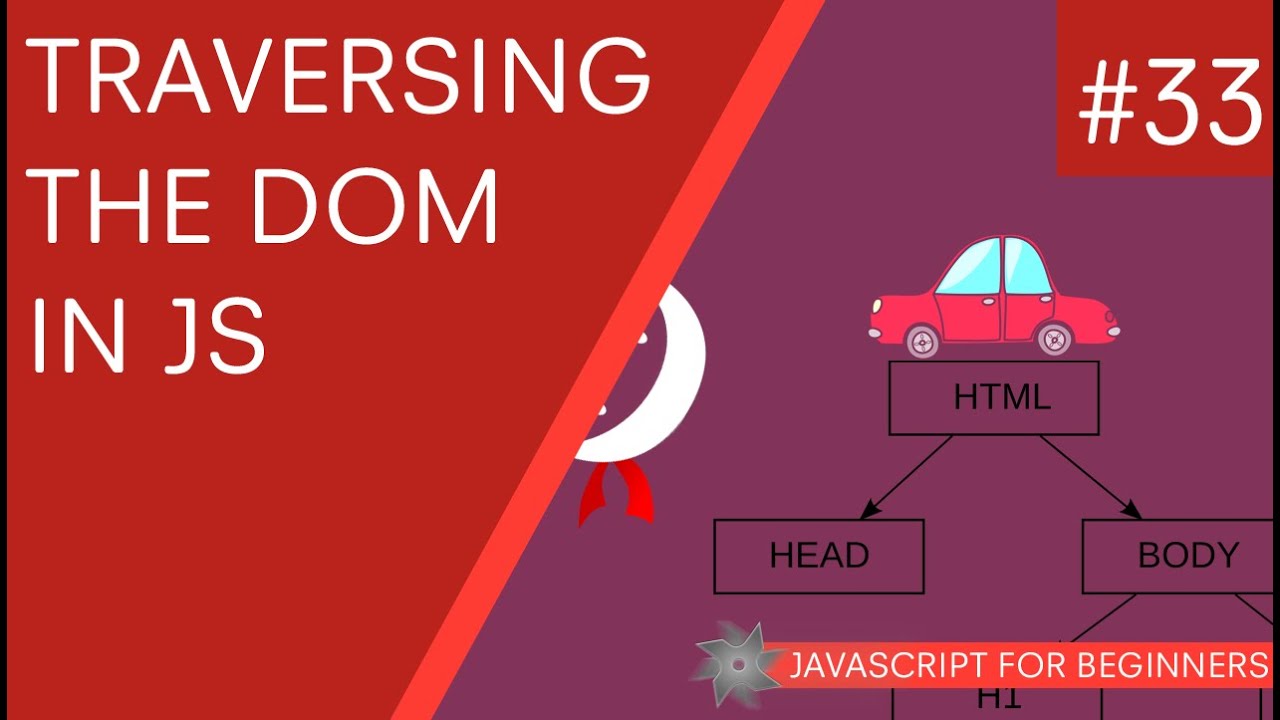
Hey all, in this JavaScript tutorial for beginners, I'll explain how we can reach into the DOM and grab content (nodes) from the DOM tree, such as elements, classes and ID's. And I'll also explain how we can search 'within' tags under different scopes to find child elements.
In this tutorial we'll learn three JavaScript methods (functions) to do that:
getElementsByTagName() - returns an array of objects
getElementsByClassName() - returns an array of objects
getElementById() - returns a single object
SUBSCRIBE TO CHANNEL - https://www.youtube.com/channe....l/UCW5YeuERMmlnqo4oq
========== JavaScript for Beginners Playlist ==========
https://www.youtube.com/playli....st?list=PL4cUxeGkcC9
========== CSS for Beginners Playlist ==========
https://www.youtube.com/playli....st?list=PL4cUxeGkcC9
========== HTML for Beginners Playlist ==========
https://www.youtube.com/playli....st?list=PL4cUxeGkcC9
========== The Net Ninja ============
For more front-end development tutorials & to black-belt your coding skills, head over to - https://www.youtube.com/channe....l/UCW5YeuERMmlnqo4oq or http://thenetninja.co.uk
========== Social Links ==========
Twitter - @TheNetNinja - https://twitter.com/thenetninjauk
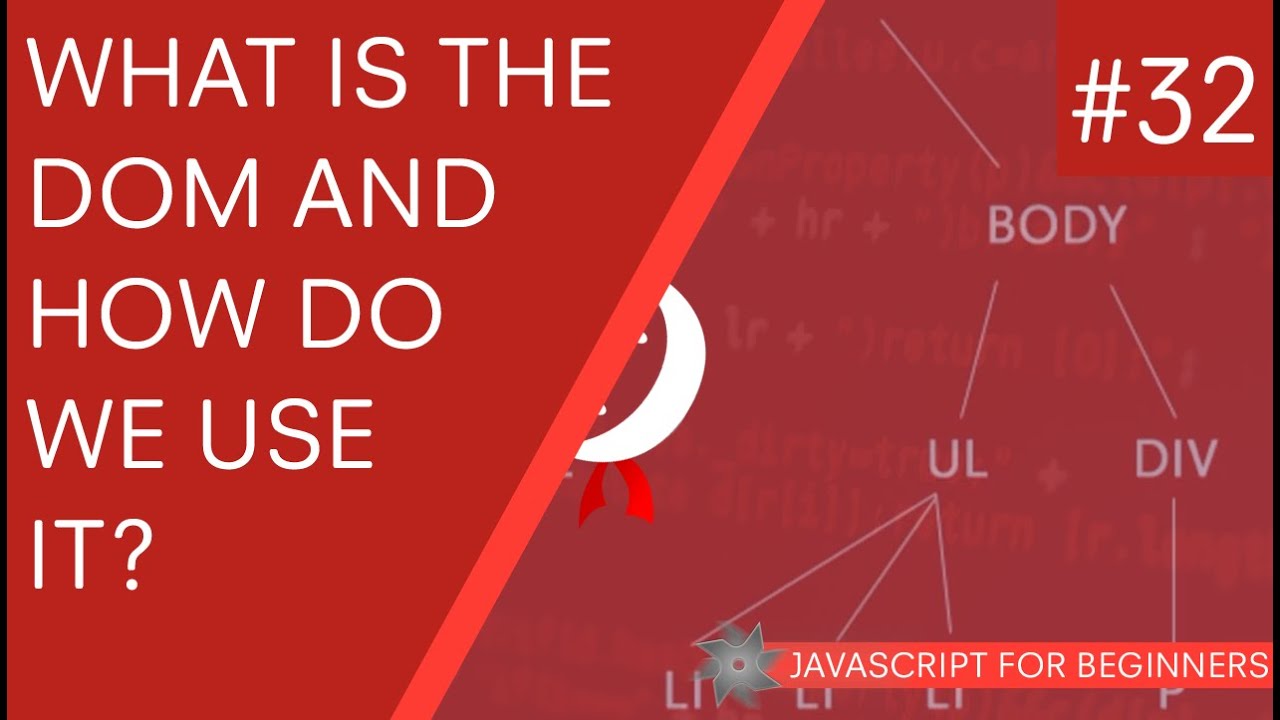
Yo Ninjas, in this JavaScript tutorial for beginners, I'll be walking you through what the DOM is and how we use it to interact with our web pages.
The DOM stands for Document Object Model and in technical terms, is an application programming interface. But what that really means is that we can use the DOM to go into our HTML code and 'grab' hold of elements (nodes) and then alter them via JavaScript.
If you have any questions about the DOM, fire away :)
SUBSCRIBE TO CHANNEL - https://www.youtube.com/channe....l/UCW5YeuERMmlnqo4oq
========== JavaScript for Beginners Playlist ==========
https://www.youtube.com/playli....st?list=PL4cUxeGkcC9
========== CSS for Beginners Playlist ==========
https://www.youtube.com/playli....st?list=PL4cUxeGkcC9
========== HTML for Beginners Playlist ==========
https://www.youtube.com/playli....st?list=PL4cUxeGkcC9
========== The Net Ninja ============
For more front-end development tutorials & to black-belt your coding skills, head over to - https://www.youtube.com/channe....l/UCW5YeuERMmlnqo4oq or http://thenetninja.co.uk
========== Social Links ==========
Twitter - @TheNetNinja - https://twitter.com/thenetninjauk

Hey guys, in this javascript tutorial we'll take a look at the Date object and what we can do with it! The date object in javascript returns back the current date by default, but parameters can be passed into the object to store either future or past dates in a variable.
Any questions, just ask :)
SUBSCRIBE TO CHANNEL - https://www.youtube.com/channe....l/UCW5YeuERMmlnqo4oq
========== JavaScript for Beginners Playlist ==========
https://www.youtube.com/playli....st?list=PL4cUxeGkcC9
========== CSS for Beginners Playlist ==========
https://www.youtube.com/playli....st?list=PL4cUxeGkcC9
========== HTML for Beginners Playlist ==========
https://www.youtube.com/playli....st?list=PL4cUxeGkcC9
========== The Net Ninja ============
For more front-end development tutorials & to black-belt your coding skills, head over to - https://www.youtube.com/channe....l/UCW5YeuERMmlnqo4oq or http://thenetninja.co.uk
========== Social Links ==========
Twitter - @TheNetNinja - https://twitter.com/thenetninjauk
