トップ動画
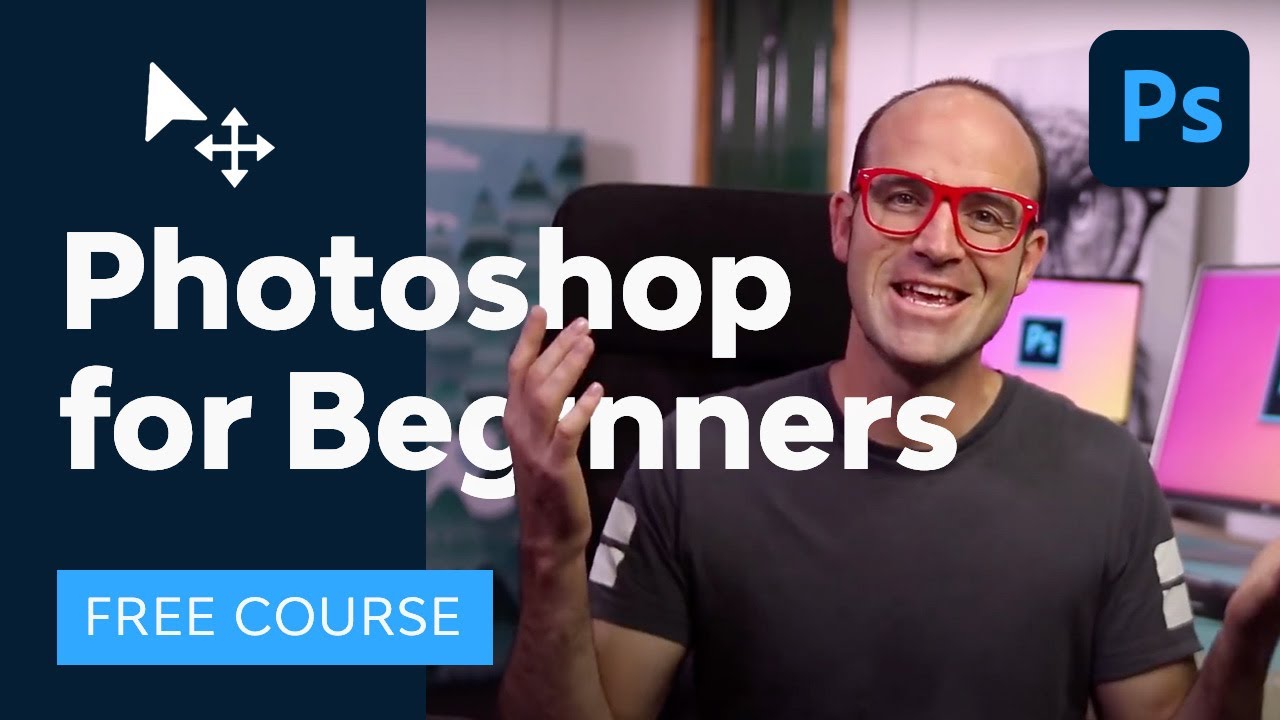

Learn Adobe Photoshop with this amazing FREE course. ► The broadest range of asset categories, all in one place: https://elements.envato.com/?utm_campaign=yt_tutsplus_IyR_uYsRdPs&utm_medium=referral&utm_source=youtube.com&utm_content=description
Go from beginner to pro in 23 lessons exploring all the essential Photoshop tools and techniques. You'll start at the beginning and work quickly into more exciting techniques. Learn how to use Photoshop layer styles, how to change color levels, how to retouch and manipulate images, and much more. If you're a photographer, marketer, or designer, this course will give you the core skills you need.
Read more of Photoshop for Beginners on Envato Tuts+: https://design.tutsplus.com/adobe-photoshop-for-beginners--ytc-20c?utm_campaign=yt_tutsplus_IyR_uYsRdPs&utm_medium=referral&utm_source=youtube.com&utm_content=description
Source Files: https://s3.amazonaws.com/cms-a....ssets.tutsplus.com/u
1. Introduction
00:00:00 1.1 Welcome to the Course
00:01:50 1.2 Getting Started
2. Layers
00:03:10 2.1 How Photoshop Layers Work
00:12:06 2.2 Combining Multiple Images
3. Color and Adjustment Layers
00:20:40 3.1 Tone Adjustment With Levels
00:25:17 3.2 Color Adjustment
00:29:21 3.3 Hue Adjustments
4. Text
00:37:42 4.1 How to Work With Type
00:49:37 4.2 Warped Type and Type on a Path
5. Layer Styles
01:07:17 5.1 Layer Styles and Effects
6. Cropping and Resizing
01:24:46 6.1 How to Crop
01:32:08 6.2 Resizing and Resolution
7. Selections and Masking
01:41:49 7.1 Rectangle and Elliptical Marquee Tool
01:47:58 7.2 Clipping Masks
01:52:27 7.3 Quick Selection Tool
02:00:18 7.4 Layer Masks
02:06:25 7.5 Select and Mask
8. Smart Objects
02:18:38 8.1 Understanding Photoshop Smart Objects
9. Transform & Warp
02:30:09 9.1 Transforming and Warping Layers
10. Retouching
02:37:58 10.1 Retouching With the Photoshop Healing Brush
02:45:55 10.2 Content-Aware Scale
11. Exporting
02:54:11 11.1 Exporting Images
12. Conclusion
03:04:49 12.1 What Next?
• @tutsplusdesign on Twitter https://twitter.com/TutsPlus
• @danlovesadobe on Twitter https://twitter.com/danlovesadobe
• @bringyourownlaptop on Instagram https://www.instagram.com/bringyourownlaptop/
Font Used for Mothers Day Sale: https://www.fontspring.com/fon....ts/Thomas-Jockin/azo
► Learn more Photoshop with Envato Tuts+ where you can find 100 Great Photoshop Tutorials for Clever Beginners: https://design.tutsplus.com/articles/50-great-photoshop-tutorials-for-clever-beginners--psd-785?utm_campaign=yt_tutsplus_IyR_uYsRdPs&utm_medium=referral&utm_source=youtube.com&utm_content=description
► Find 100 Free Photoshop Actions (And How to Make Your Own) https://design.tutsplus.com/articles/100-free-photoshop-actions-and-how-to-make-your-own--photo-3502?utm_campaign=yt_tutsplus_IyR_uYsRdPs&utm_medium=referral&utm_source=youtube.com&utm_content=description
► Discuss on the Envato Forums: https://forums.envato.com/c/project-making/envato-courses-and-tutorials?utm_campaign=yt_tutsplus_IyR_uYsRdPs&utm_medium=referral&utm_source=youtube.com&utm_content=description
- - - - - - - - - - - - - - - - - - - - - - - - - - - - - - - - - - - - - - -
Envato Tuts+
Discover free how-to tutorials and online courses. Design a logo, create a website, build an app, or learn a new skill: https://tutsplus.com/?utm_campaign=yt_tutsplus_IyR_uYsRdPs&utm_medium=referral&utm_source=youtube.com&utm_content=description
► Subscribe to Envato Tuts+ on YouTube: https://www.youtube.com/tutsplus
► Follow Envato on X: https://twitter.com/envato
► Follow Envato on TikTok: https://www.tiktok.com/@envato
► Follow Envato on Instagram: https://www.instagram.com/envato/
► Follow Envato on Facebook: https://www.facebook.com/envato
► Explore Envato's full stack of AI tools, all included in your subscription: https://labs.envato.com/?utm_campaign=yt_tutsplus_IyR_uYsRdPs&utm_medium=referral&utm_source=youtube.com&utm_content=description

I'm giving $1,000,000 away to help people build their dream business for free. You can sign up here - https://worldsbiggestbusinesscompetition.com/?utm_source=youtube&utm_medium=organic_video&utm_campaign=wbbc_2026_launch&utm_content=main_channel
Need more free help? Get the first chapter of my book for free here - https://www.simonsquibb.com/simonsquibb.com-blog
If you watch this video you'll get 30 years of business knowledge in 2hrs 26mins.
That's right, my entire career of business knowledge and entrepreneurship condensed into one video.
You'll learn the complete A-Z guide of how to start a business in 2024. This will help you take action on your business ideas and find business success.
0:00 Intro
2:57 How To Start A Business With No Money
11:25 How To Win
17:34 How To Lose
20:44 How To Do A Mind Map (Business Plan)
28:15 How To Find Purpose
34:34 How To Find A Co-founder
40:27 How To Sell
48:55 How To Market Your Business
1:01:08 How To PR Your Business
1:07:28 How To Get An Investor
1:23:23 How To Get Sponsors
1:32:45 How To Build A Brand
1:42:46 How To Hire, Grow And Build
1:52:31 How To Fire Someone
1:58:27 How To Go Global
2:02:02 How To Get A Mentor
2:08:37 How Equity Works
2:19:53 How To Sell Your Business


“Critical thinking” increasingly stands as the most sought-after skill that has long been too fleeting to define. Employers rate it as a pinnacle skill, but one of which they see too little, and educators claim to teach it, but over half of Millennials recently failed a simple Mindedge critical thinking test. So, what is critical thinking? Analysis? Information literacy? Thinking outside the box? Informal logic? Problem-solving? Evaluating data? Decision science? What if all of our efforts to define critical thinking as above have been the core problem with teaching it?
What if, instead of using our brains to devise conceptions of critical thinking, we eliminated the noise and revolutionized a way to teach people how to think better by tracing critical thinking back to its core evolutionary survival mechanisms?
With over 35-years of experience in higher education, Steve founded the first academic office in higher education with a specialized focus on critical thinking. Author of America’s Critical Thinking Crisis, he has been featured on NPR, Fox News Radio, The Chronicle of Higher Education, The Atlanta Journal Constitution, CBS Atlanta, The Hill, and a plethora of podcasts. Steve founded The Critical Thinking Institute and is a keynote speaker on critical thinking for businesses, universities, conferences, and the U.S. military. With over 40-years of experience, Steve is also a sought-after martial arts instructor for his unique theoretical approach to training. Most of all, he’s a devoted father, an endeavor which stretches his own critical thinking most of all.
This talk was given at a TEDx event using the TED conference format but independently organized by a local community. Learn more at https://www.ted.com/tedx

5 Tips I've developed after over 20 years of working from home, remote locations, airports, campsites, and factory floors.Here are the two ergo office chairs that I regularly use in my 2 home office setups:Studio chair: https://amzn.to/3wZ254YHome office chair: https://amzn.to/3SXmaThThanks so much for watching today! I respond to all (reasonable) comments and appreciate your feedback.👉 If you enjoyed this video, please like and share it.👉 Don't forget to subscribe for more updates.🧠 See more product reviews here: https://bigheavyreviews.com💪🏼 Join me on Strava: https://www.strava.com/clubs/thebigheavy💢 Here are some lists of products I use and recommend in creating my channel, exploring the outdoors, and generally trying to become a better human:⚡️Video Gear: https://bigheavyreviews.com/yo....utube-video-gear/⚡️H Office Setup: https://bigheavyreviews.com/lol-desk-setup/⚡️My Favorite Power Banks: https://bigheavyreviews.com/lo....l-power-banks/⚡️Self Reading List: https://bigheavyreviews.com/lo....l-self-improvement/⚡ few (more) of my favorite things: https://bigheavyreviews.com/bh-lol/Disclosure: Some of the links above are affiliate links. This means that, at zero cost to you, I will earn an affiliate commission if you click through the link and finalize a purchase. This helps fund my channel, and I only link to products that I've personally used and found to be of high quality and worth spending my own money on. Thanks for supporting my work!

Create your website with ease at Hostinger. Use my link https://hostinger.com/marktilbury and my discount code MARKTILBURY to get an additional 10% discount.
Get a FREE AI-built Shopify store in less than 2 minutes:
https://www.buildyourstore.ai/mark-tilbury
To get free fractional shares worth up to £100, use the promo code TILBURY or visit https://www.trading212.com/join/TILBURY. Terms apply. *This is an affiliate link.
➡️ Learn How To Start An AI Based Side Hustle (free live workshop): https://event.thewealthportal.com
In this video I'll be going over 7 passive income ideas with real world examples, some of which have enabled me to earn around $67,257 a week.
Reminder: With investing, your capital is at risk.
_______________________________________________
Time Stamps:
00:00 The System Wants Your POOR
00:43 Idea 1: The Stock Market
04:15 Idea 2: Automating A Side Hustle
08:15 Idea 3: Make Online Content
12:03 Idea 4: Start Private Investing
15:49 Idea 5: Affiliate Marketing
19:18 Idea 6: Create A Digital Tool
23:07 Idea 7: Rent Out Your Stuff
_______________________________________________
Disclaimers:
This video does not represent financial advice, and I am not a financial advisor. When investing, your capital is at risk. Investments can rise and fall and you may get back less than you invested. Past performance doesn’t guarantee future results. Images used throughout the video are for illustrative and educational purposes only, not indicative of past or future performance.
Pies & AutoInvest is an execution-only service. Not investment advice or portfolio management. Automatic investing refers to executing scheduled deposits. You are responsible for all investment and rebalancing decisions.
212 Cards are issued by Paynetics which provide all payment services. T212 provides customer support and user interface.
*Trading 212's terms and fees apply - https://www.trading212.com/terms/invest.
Some of the links in this description are affiliate links that I get a commission from.
_______________________________________________
GET IN TOUCH:
For business inquires only, please use this email: mark@marktilbury.com
*Some of the links in this description are affiliate links that I get a commission from*

Ready to go freelance but not sure where to start? In this video, Jesse breaks down the essentials of freelancing — from how to get your first clients, set your rates, build confidence, and create a sustainable creative business.
Whether you’re a designer, developer, creator, or just curious about freelancing life, this guide walks you through key concepts and practical tips to launch your journey with clarity and confidence.
What You’ll Learn:
- Land your first client, that first win is crucial.
- Build Momentum!
- Create real traction, turn this side hustle to a business.
👉 Perfect for complete beginners or anyone thinking about leaving the 9-to-5 and building their own creative career!
👇 Don’t forget to like, comment your questions, and subscribe( https://goo.gl/6vCw64 ) for more design + career content.
Checkout Mobbin.comhttps://mobbin.com/?via=jesse
#freelancing #creativecareer #designlife #freelancetips #JesseShowalter
------------------------------------------------------------------------------------
🏆 //////////// Grow your career and level up skills through on-demand courses, live trainings, and a thriving community.:
https://designchamps.io/
------------------------------------------------------------------------------------
🎨 ////////// I Design in Figma
https://psxid.figma.com/ixbomhqzoiy0
🖥️ ////////// I build websites in Framer
https://framer.link/jesse
📅 ////////// I run my life with Notion
https://affiliate.notion.so/tokendsfahjf
🎵 ////////// Take your films to the next level with music from Musicbed. Sign up for a free account to listen for yourself: https://fm.pxf.io/c/1372011/1347628/16252

Canva Tutorial
Get Ad-Free Training by becoming a member today!
https://www.youtube.com/channe....l/UCqyBfm_H9ugGirk1u
Join Learnit Anytime for ad-free training, exams, certificates, and exclusive content:
https://www.learnitanytime.com
Who it's for: Canva is best suited for a wide range of users, from beginners to professionals.
What it is: Canva is a popular online graphic design platform that allows users to create a wide range of visual content, including social media graphics, presentations, posters, flyers, logos, videos, and more. It offers an easy-to-use drag-and-drop interface with thousands of customizable templates, stock images, icons, fonts, and design elements.
What you'll learn: In this course, learners will gain a comprehensive understanding of Canva and its versatile design capabilities. They will explore essential design principles, learn to create various digital assets such as presentations, infographics, social media posts, and business cards, and discover how to effectively use templates and custom elements. Additionally, learners will develop hands-on skills in formatting, layering, and aligning elements within a design while also understanding how to share, export, and collaborate on projects. By the end of the course, participants will have the confidence to create professional-quality visuals tailored to their personal or business needs.
Start 0:00
Introduction 0:09
Demo of Canva 1:21
Creating and Navigating Your Account 7:00
Exploring Design Elements 12:57
Starting From a Template 20:10
Exporting and Sharing Designs 29:32
Creating a Social Media Post 36:14
Creating a Marketing Flyer 44:50
Setting Up a Design with the Grid System 52:57
Adding Content to Your Design 1:02:54
Conclusion 1:11:47
#Canva
Learnit is no longer associated with this channel/video.
(C) 2025 Bomberry Productions
Any illegal reproduction of this content will result in immediate legal action.

If You Want To Support My Work 👇
https://www.youtube.com/channe....l/UCbBt6Ks7M5BZx_GHg
Follow Me On 👇
Any Questions?: https://www.instagram.com/huxnshorts/
Shorts Channel: https://www.youtube.com/@Huxn2.0
Twitter ( X ): https://twitter.com/huxnwebdev
GitHub: https://github.com/huxn-webdev
00:00 - Intro
4:31 - React Fundamentals
2:45:30 - React Hooks
4:00:22 - React Projects For Beginners
6:43:39 - TypeScript Complete Course
10:12:04 - React With TypeScript
11:38:02 - Popular Component Libraries
11:51:08 - React Hook Form
12:13:17 - React 19 Features
16:17:25 - Framer Motion
21:37:27 - Zustand
26:08:14 - Redux Toolkit
27:25:58 - React Design Patterns
32:02:11 - TanStack Query
33:13:19 - Unit Testing
35:15:21 - React Testing
37:10:25 - React Design System
37:41:12 - React Storybook
38:51:49 - Useful Packages For Design System
39:21:59 - Building Component Library
42:11:32 - React Monorepos
42:25:30 - Building Complete Design System For Company
43:22:40 - FullStack Project
50:31:53 - Outro

Download Free Notes Here:-
https://www.theiscale.com/Data....Analytics/a-i-full-c
🚀 The wait is over!
Welcome to the Complete Artificial Intelligence Course (Free) — your step-by-step guide to learning AI from scratch.
In this beginner-friendly course, you’ll explore how Artificial Intelligence works, understand key AI concepts, and learn to use the latest AI tools like ChatGPT, Gemini, DeepSeek, NotebookLM, and AI Agents to build real-world projects.
📘 What You’ll Learn:
. What is Artificial Intelligence & how it works
. Machine Learning vs Deep Learning
. AI Tools for productivity, content creation & coding
. AI Agents & Automation basics
. Real-world AI applications & projects
. Future of AI and career opportunities
Time Stamp
00:00 - Introduction
03:30 - AI Operators & AI Builders
07:00 - AI tools
07:02 - Note book LM
07:55 - Generating interview questions with AI
14:21 - Generating Social Media content
17:16 - Converting text data to video data
18:48 - Google Gemini
20:20 - Converting reports to insights
23:25 - Data Visualization through AI
27:48 - Using chat gpt as data analyst
30:54 - Data processing with AI
33:45 - Transforming data to graph
37:27 - Prompt writing technique for better output
41:50 - Manus AI
42:00 - Difference between Chat gpt and Manus AI
48:12 - Making Website through AI Agent
55:17 - Deepseek AI
58:39 - Deep Seek advantage over chat gpt
58:26 - Model training behind deepseek
01:11:02 - Deepseek for writing codes
01:11:42 - Introduction to Generative & Agentic AI
01:13:48 - Generative AI growth in tech
01:15:20 - Prompt engineering in Gen AI
01:20:48 - Limitations of Gen AI
01:21:02 - Agentic AI
01:24:00 - Automation and Autonomous Workflows
01:25:22 - Agentic AI Systems
01:27:42 - chat gpt vs world's first AI agent Manus
01:32:30 - LLM, AI Workflows & AI Agents
01:36:24 - LLM Model Training
01:37:44 - Introduction to AI Workflow
01:42:08 - Architecture of AI Agents
01:58:41 - Working of AI workflows
02:00:14 - Types of AI Agent
02:01:08 - Single AI Agent
02:04:35 - Multi AI Agent
02:06:10 - Sequential Pattern
02:08:40 - Hierarchical Pattern
02:11:35 - Hybrid Pattern
02:12:32 - Parallel Pattern
02:13:19 - Asynchronous Pattern
02:14:25 - Types of AI Agents
02:15:27 - Simple Reflex AI Agent
02:16:36 - Model Based Reflex AI Agent
02:17:24 - Goal Based AI Agent
02:19:19 - Utility Based AI Agent
02:22:13 - Learning Based AI Agent
02:26:05 - Coding Assistant Agent:
02:27:15 - E-commerce and Product Research AI
02:28:49 - Healthcare Assistant
02:30:21 - Agentic applications
02:31:00 - Final Project for Building AI Agent for free
02:51:56 - Conclusion of AI course
🧠 Who This Course is For:
. Complete beginners who want to start with AI
. Students & professionals exploring new career paths
. Content creators, coders & entrepreneurs
🎯 Whether you want to build your first AI project or understand how AI tools can boost your career — this free course is your ultimate starting point!
✨ Kickstart your career in a Data Analyst. Apply today! - https://www.theiscale.com/Data....Analytics/data-analy
❇️ Explore our Job Oriented Courses: https://www.theiscale.com/explore-course
➖➖➖➖➖➖
📱 For Any Further Query or Doubts? Contact- 7880-113-112 (Student Helpline Number)
For any query connect in WhatsApp with us: https://wa.me/917880113112
➖➖➖➖➖➖
✳️ Join Telegram Channel- https://t.me/TheiScale
✳️ Join WhatsApp Channel- https://whatsapp.com/channel/0....029VaB5ekEKQuJQV572v
➖➖➖➖➖➖➖
🔗 Download App
Google Play : https://play.google.com/store/apps/details?id=com.logixhunt.ihhpet&pli=1

Hey ninjas, in this JavaScript tutorial for beginners, we'll make our very own object using the car analogy from the last lesson. I'll show you how to create the object, add properties and methods, and finally how to use the shorthand notation to do this.
As always, if you have any questions, fire away :).
SUBSCRIBE TO CHANNEL - https://www.youtube.com/channe....l/UCW5YeuERMmlnqo4oq
========== JavaScript for Beginners Playlist ==========
https://www.youtube.com/playli....st?list=PL4cUxeGkcC9
========== CSS for Beginners Playlist ==========
https://www.youtube.com/playli....st?list=PL4cUxeGkcC9
========== HTML for Beginners Playlist ==========
https://www.youtube.com/playli....st?list=PL4cUxeGkcC9
========== The Net Ninja ============
For more front-end development tutorials & to black-belt your coding skills, head over to - https://www.youtube.com/channe....l/UCW5YeuERMmlnqo4oq or http://thenetninja.co.uk
========== Social Links ==========
Twitter - @TheNetNinja - https://twitter.com/thenetninjauk

Python Course By Saumya Singh ( Chapter 04 - Conditional Statement, Lists & Tuples in Python )
Download Python Course Certificate for Free - https://gsjqmh.courses.store/766185
Download Internship + Job Ready Kit (paid) - https://gsjqmh.courses.store/758133
I’m Saumya Singh, a Software Engineer with 5+ years of industry experience and a passion for teaching. Alongside my job, I’ve been creating educational content to help students and professionals grow in tech.
In this complete Python course, we’ll learn Beginner to Advanced concepts along with AI & Machine Learning to make you job-ready in 2026 and beyond.
This is just the beginning - we’ll continue bringing more tutorials, projects, and career-focused guidance for our amazing subscribers! 💙
Notes - https://docs.google.com/docume....nt/d/1B6SiN-pKoqsi2m
Code - https://github.com/saumya1sing....h/Python_Course_By_S
✨Share Your Progress & Learnings on✨
Instagram: https://insta.openinapp.co/2xour
LinkedIn: https://linkedin.openinapp.co/oj87l
Twitter: https://twtr.openinapp.co/bo6dj
✨Android App Development Playlist | 30 Days of Coding Challenge✨
youtube.com/playlist?list=PLTV_nsuD2lf4UCTV6xwvNPvFdmCNKyhc8
✨Mission Placement - Land Your Dream Job With Saumya Singh. ✨
https://youtube.com/playlist?list=PLTV_nsuD2lf4hfQvqKRToCXtVB7-6rZnz&si=Dtm9oPUzooYAkA2c
video covers:-
Conditional Statement in python, Lists in python, Tuples in python, python conditional statement, list in python, conditional statements in python, python course 2026, saumya singh chapter 4 python course, free python course with certificate, python course certificate 2026, lists in python concept, beginner to advance python course,python course for beginners,Python Tutorial For Beginners in Hindi,complete python course, python course from beginner to advanced, python course in hindi, free python course,
python course 2026, python course for beginners,Python Tutorial For Beginners in Hindi,complete python course, python course from beginner to advanced, python course in hindi, free python course, how to install python, how to install code editor, how to install vs code, python course 2026 beginner to advance , how to learn python, How to learn python 2026, features of python, python course for first year college student, saumya singh python course
#python #programming #pythoncourseinhindi #coding #ai #ml #softwareengineer #saumyasingh
python Tutorial For Beginners in Hindi | Complete Python Course
Python Full Course for Beginners [2026]
Python Full Course 2026 (Beginner to Advanced) + AI & Machine Learning | Free Tutorial
Python Tutorial 2026 | AI + Machine Learning | Beginner to Pro | Saumya Singh
Python Beginner to Advanced With AI & ML (Full Course 2026) | Step-By-Step
Learn Python in 2026 | Complete AI & Machine Learning Course for Beginners
Python Full Roadmap 2026 | Beginner to Advanced | AI, ML, Projects & Tips
in this course we will launch some chapters. all chapters are totally free of cost for students. keep sharing your feedbacks on comments & love you all 🙈

In this Microsoft Word Tutorial For Beginners Video you'll learn all you need to know about Microsoft Word. This video is relevant for all versions of Microsoft Word: Word 2007, Word 2010, Word 2013, Word 2016, Word 2019.
Whether you're using microsoft word because you need to know it for work or school, or you've never used microsoft word and want to know how to use it, or you're new to computers and want to learn microsoft word, this video is of you!
This microsoft word tutorial is a step-by-step, easy to follow video that will teach you all the essentials you need to know in one video. This Word tutorial is perfect for all skill levels, from beginners to advanced. It is ideal for anyone who wants to learn microsoft word.
Here are some helpful videos about Microsoft Word referenced in this tutorial:
- 3 ways to remove blank page for microsoft word: https://www.youtube.com/watch?v=3ktgSGwoWTc
- How to delete blank page in microsoft word: https://www.youtube.com/watch?v=0zMK1RWA0pM
- How to add page numbers on specific pages: https://www.youtube.com/watch?v=xkp9F5X_UmE
- How to start page numbering on specific pages: https://www.youtube.com/watch?v=Q8ron9VgJv4
- How to scan documents on Canon printer: https://www.youtube.com/watch?v=PICdtQmBgZs
- How to create page borders: https://www.youtube.com/watch?v=DdE9FzyTUQ0
- How to add page borders on specific pages: https://www.youtube.com/watch?v=F0HVymNkDu8
- 7 ways to remove background colors from pasted text in Word: https://www.youtube.com/watch?v=V8cbyNYa4d8
- Tips and tricks microsoft word playlist: https://www.youtube.com/watch?v=Q8ron9VgJv4&list=PLvM3b43t1dzwFygHmhzvAMqp4KKrZqxhp
- How to delete a page in Microsoft word: https://www.youtube.com/watch?v=bhSaYTCxtUc
- How to print specific pages of your document: https://www.youtube.com/watch?v=hrnEyFVplGU
- How to insert signature lines and title lines in word: https://www.youtube.com/watch?v=PEZU74Pp3HM
❤️ Thanks for watching!! If this was helpful for you please like and subscribe.
🙏 Support the channel: www.paypal.me/howtostudio
⏰ Time Stamps for the Topics discussed in this Microsoft Word Tutorial
0:00 - Why Learn Microsoft Word
0:46 - Microsoft Word Layout
5:01 - Writing text, Typing using your keyboard
15:15 - How to format your texts - colors, sizes, etc
32:57 - How to create, insert, edit and delete tables
37:11 - How to add or insert and edit pictures or images
38:30 - How to save your microsoft word document
40:10 - How to add or insert page numbers
41:19 - How to add header and footer
44:46 - How to add or insert link into word document
46:38 - How to add or insert signature line
47:49 - How to add, format and update heading titles
48:36 - How to add watermark
49:30 - How to change page color
50:26 - Page orientation, page columns, page margins
53:34 - How to insert page break (How to move text to the next page)
53:50 - How to add or insert cover page
56:19 - How to add or insert a blank page
57:21 - How to add table of content
1:00:46 - How to indent text
1:01:29 - Spellcheck, grammar check, thesaurus
1:08:16 - How to professionally edit and review text, and add comments
1:11:04 - Page views, ruler, navigation pane, zoom
1:15:04 - how to print your word document and print specific pages
#howto #microsoft365 #microsoftoffice #microsoftword #microsoft #word #wordtutorials #wordtutorial #microsoftwordtutorial #microsoftword2019 #microsoftword2016 #microsoftword2013 #microsoftword2010 #microsoftword2007 #microsoftword2003 #microsoftwordtips
▶ Featured Websites:
- Online Recovery Program - www.kcbrecovery.com
- Online Jobs - www.onlinejobsforamericans.com
- The How To Studio Blog - www.onlinejobsforamericans.com/how-to
- Greeting Cards from Jamaica - www.jamaicawithlove.com
▶ Featured Youtube Channel for Spider Man Games + More:
https://www.youtube.com/@chamberoobareebe
▶ Associated Keywords:
Microsoft word,
MS word,
MS Word tutorial,
Word,
Microsoft word tutorial,
word tutorial,
ms office word tutorial
word for beginners,
how to use microsoft word,
how to use ms word,
winword tutorial,
windows word tutorial,
word tutorial microsoft word,
ms word training course
word turorial for beginners,
Microsoft word tutorial for beginners,
Microsoft word office tutorial,
Microsoft office word tutorial,
Microsoft word complete course,
microsoft word full course,
youtube tutorial for microsft word,
youtube tutorial for ms word,
youtube tutorial for word,
yt tutorial for microsft word,
yt tutorial for ms word,
yt tutorial for word,
ms word tutorial youtube,
microsoft word tutorial youtube,
word tutorial youtube,
ms word tutorial yt,
microsoft word tutorial yt,
word tutorial yt,


Learn every step to make a WordPress website in this beginner's course. No coding necessary! You will learn how to get a domain name and hosting, install Wordpress, use a theme, customize the exact website you want, and more.
✏️ This course was developed by @beau.
🎉 Hostinger provided a grant that made this course possible.
🔗 Get a 10% discount at Hostinger with code "GETSTARTED": https://www.hostinger.com/getstarted
⭐️ Contents ⭐️
0:01:09 Introduction
0:01:09 What is WordPress?
0:02:09 Getting a Domain and Hosting
0:04:08 Installing WordPress
0:04:08 Setting Up Custom Email
0:10:14 Exploring WordPress Dashboard
0:11:30 Updating Settings
0:12:43 Installing Plugins
0:15:26 Installing Theme
0:18:12 Creating a Logo
0:19:32 Adding Logo to Website
0:22:06 Editing Site with Elementor
0:33:08 Adding Custom HTML to Site
0:36:23 Updating Menus
0:37:24 Adding a New Page
0:43:20 Customizing Page Name
0:44:16 Editing About Page
0:45:18 Editing Contact Page
0:46:43 Customizing Contact Form
0:50:08 Updating Page Footer
0:51:31 Making Site Responsive
0:55:03 Adding a Blog
0:56:57 Creating Posts with AI Content Creator
0:59:56 Customizing Blog
1:02:09 Conclusion
🎉 Thanks to our Champion and Sponsor supporters:
👾 Drake Milly
👾 Ulises Moralez
👾 Goddard Tan
👾 David MG
👾 Matthew Springman
👾 Claudio
👾 Oscar R.
👾 jedi-or-sith
👾 Nattira Maneerat
👾 Justin Hual
--
Learn to code for free and get a developer job: https://www.freecodecamp.org
Read hundreds of articles on programming: https://freecodecamp.org/news
❤️ Support for this channel comes from our friends at Scrimba – the coding platform that's reinvented interactive learning: https://scrimba.com/freecodecamp

➡️ Learn How To Start An AI Based Side Hustle (free live workshop): https://event.thewealthportal.com
Get Odoo for free here today: https://www.odoo.com/r/ctQv
To get free fractional shares worth up to £100, use the promo code TILBURY or visit https://www.trading212.com/join/TILBURY. Terms apply. *This is an affiliate link.
Get a FREE weekly email from me filled with money tips, and access to my personal inbox:
https://www.marktilbury.com/newsletter
Today I'm talking about the 7 highest paid online jobs, although they are boring, they are a great way to make money online. - Enjoy!
________________________________________________
Disclaimers:
This video does not represent financial advice, and I am not a financial advisor. When investing, your capital is at risk. Investments can rise and fall and you may get back less than you invested. Past performance doesn’t guarantee future results. Images used throughout the video are for illustrative and educational purposes only, not indicative of past or future performance.
Pies & AutoInvest is an execution-only service. Not investment advice or portfolio management. Automatic investing refers to executing scheduled deposits. You are responsible for all investment and rebalancing decisions.
212 Cards are issued by Paynetics which provide all payment services. T212 provides customer support and user interface.
*Trading 212's terms and fees apply - https://www.trading212.com/terms/invest.
Some of the links in this description are affiliate links that I get a commission from.
________________________________________________
GET IN TOUCH:
For business inquires only, please use this email: mark@marktilbury.com
If You Want To Support My Work 👇
https://www.youtube.com/channe....l/UCbBt6Ks7M5BZx_GHg
Follow Me On 👇
Any Questions?: https://www.instagram.com/huxnshorts/
Shorts Channel: https://www.youtube.com/@Huxn2.0
Twitter ( X ): https://twitter.com/huxnwebdev
GitHub: https://github.com/huxn-webdev
00:00 - Intro
1:09 - Course Setup
1:32 - Importing Motion
2:12 - Motion Object
2:50 - Basic Props
3:53 - Installations
6:20 - Styling
7:48 - Motion
12:14 - Transformations Animations
22:35 - Transitions Animations
29:48 - Keyframes Animations
41:29 - Variants Animations
56:16 - Gestures Animations
1:13:48 - Stagger Animations
1:27:04 - useMotionValue Hook
1:40:33 - useSpring Hook
1:41:30 - useTransform Hook
1:48:34 - Scroll Trigger vs Scroll Driven Animations
1:50:26 - whileInView Animations
1:58:37 - useScroll Animations
2:11:04 - Practice Setup
2:12:10 - Transformations Mini-Projects
2:24:05 - Transitions Mini-Projects
2:44:08 - Keyframes Mini-Projects
2:59:56 - Variants Mini-Projects
3:19:59 - Gestures Mini-Projects
3:41:30 - Staggers Mini-Projects
3:57:30 - useMotionValue Mini-Projects
4:07:20 - useSpring Mini-Projects
4:09:25 - whileInView Mini-Projects
4:25:10 - Projects Setup
4:26:33 - Scroll Indicator Project
4:32:47 - Loader Project
4:37:01 - Carousel Project
4:49:23 - Draggable Cards
4:55:12 - Complex Sidebar Project
5:09:59 - Scroll Animations Project
5:20:06 - Horizontal Scroll Project
5:26:52 - Sticky Navbar Project
5:36:50 - Progress Steps Project
5:45:59 - Outro

Excel VBA Expert Tutorial
Get Ad-Free Training by becoming a member today!
https://www.youtube.com/channe....l/UCqyBfm_H9ugGirk1u
Join Learnit Anytime for ad-free training, exams, certificates, and exclusive content:
https://www.learnitanytime.com
Exercise Files: https://tinyurl.com/m6bvnx4w
Who it's for: Business Analysts, Data Scientists, and everyone in between looking to write their own rulebook on what’s possible in Excel.
What it is: Visual Basic for Applications (VBA) is the programming language for Excel and other Microsoft Office programs. VBA is used to automate repetitive processes and frequent actions. Even more, it can be used to build tools that otherwise don’t exist in Excel.
What you'll learn: In this series, users will be guided through the foundational concepts of VBA in Excel. Users will learn to build macros from the ground up, starting with recording macros that require little to no code, and working towards building their own macros using crucial VBA concepts such as Loop, If Then, and other complex functions.
Start 0:00
Worksheets Methods 0:03
DateSerial and Format 3:28
Sheet Template Generator 13:32
Move 20:21
PrintOut and PrintPreview 23:40
Practice (Part 1) 25:51
Practice (Part 2) 34:20
Practice (Part 3) 35:54
Practice (Part 4) 37:38
Practice (Part 5) 41:11
Practice (Part 6) 51:48
Custom Functions (Part 1) 54:18
Custom Functions (Part 2) 1:01:01
Custom Functions (Part 3) 1:04:32
Wrapping Up 1:14:07
#excelvba
learnit is no longer associated with this channel/video.
(C) 2025 Bomberry Productions
Any illegal reproduction of this content will result in immediate legal action.
Learn how to build real-time web applications with Socket.IO in this comprehensive course. Whether you're a beginner or an experienced developer, this course will teach you everything you need to know about Socket.IO. From setting up your development environment to implementing real-time features, you'll gain hands-on experience through practical projects. By the end of this course, you'll have the skills and confidence to create interactive, real-time web applications using Socket.IO.
Follow Me On 👇
Instagram: https://www.instagram.com/huxnshorts/
YouTube: https://www.youtube.com/@huxnwebdev
GitHub: https://github.com/huxn-webdev
Twitter: https://twitter.com/huxnwebdev
00:00 - Intro
00:11 - What is Socket.io
1:51 - Prerequisite
2:56 - Socket.io Docs
3:34 - Course Setup
5:37 - Basic Code
10:35 - Connection ( Client & Server )
19:06 - Disconnect ( Client & Server )
24:02 - Emitting Events ( Theory )
26:26 - Emitting Events ( Code )
30:50 - Basic Chat App
42:49 - React Chat App
59:40 - Outro