
- Искусственный интеллект и генеративный A
- Технологии и программирование
- Домашние животные
- Цифровой маркетинг
- Microsoft Office и инструменты повышения производительности
- Данные и аналитика
- Финансы и бухгалтерский учет
- Дизайн и творческие навыки
- Развитие карьеры и профессиональное развитие
- Фриланс и удаленная работа
- How-to & Style
- Образование и преподавание
- Russian
Лучшие видеоролики
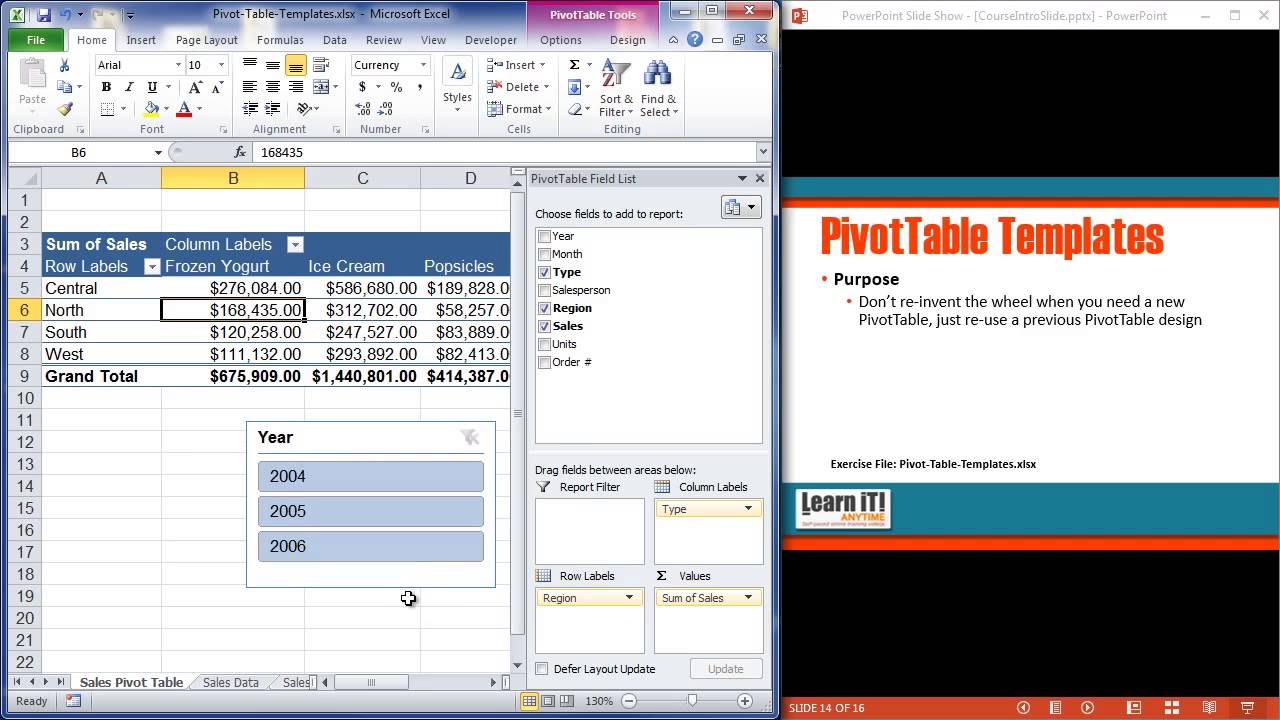

More Online Software Training: http://www.learnitanytime.com/
-Unlimited Excel, Outlook, PowerPoint, Access, MS Office, PhotoShop, Web Design, & lots more!
-17 years teaching software to industry leaders.
-Easy to follow: beginner through advanced.
-Feel secure: Ask a teacher if you have questions.

Excel 2019 VBA Beginner Tutorial
Get Ad-Free Training by becoming a member today!
https://www.youtube.com/channe....l/UCqyBfm_H9ugGirk1u
Exercise Files: https://tinyurl.com/yvfmez5e
Who it's for: Business Analysts, Data Scientists, and everyone in between looking to write their own rulebook on what’s possible in Excel.
What it is: Visual Basic for Applications (VBA) is the programming language for Excel and other Microsoft Office programs. VBA is used to automate repetitive processes and frequent actions. Even more, it can be used to build tools that otherwise don’t exist in Excel.
What you'll learn: In this series, users will be guided through the foundational concepts of VBA in Excel. Users will learn to build macros from the ground up, starting with recording macros that require little to no code, and working towards building their own macros using crucial VBA concepts such as Loop, If Then, and other complex functions.
Join Learnit Anytime for ad-free training, exams, certificates, and exclusive content:
https://www.learnitanytime.com
Start 0:00
Introduction 0:03
Getting Started 2:06
VBA Overview 3:35
Adding the Developer Tab to the Excel Ribbon 6:48
Record Macro Dialog Box 8:06
Recording Macros 11:43
Testing Macros 15:21
Visual Basic Editor Overview and Changing Font Settings 17:18
Customizing VBE Toolbar 23:54
Editing VBA Code Generated by Recording a Macro 25:53
Using the Properties Window to Rename Objects 34:55
Saving Macro-Enabled Workbooks 38:23
Testing Macro Changes in Another Excel File 41:27
Undoing Macro Steps and Modifying Trust Center Settings 46:09
Getting Started Recap 53:21
Excel Object Model Hierarchy Overview and Collections 54:49
Referencing Objects 59:49
Introduction to Procedures and Functions 1:06:26
Understanding Module and Procedure Types 1:08:05
Naming Rules and Conventions for Procedures 1:10:12
Starting Macro Recordings from the Status Bar 1:12:10
Creating a Macro that Copies Data from Another File into the Current File 1:16:33
Reviewing Methods and Examples 1:18:26
Reviewing Newly Generated Code 1:20:18
Creating a Sub-Procedure from Scratch Using the Insert Menu 1:24:30
Modifying Two Existing Sub-Procedures 1:30:14
Executing Procedures and Creating a Calling Procedure from Scratch 1:35:26
Understanding the Scope of Procedures 1:39:35
Testing Calling Procedures 1:42:50
Creating Event Procedures 1:46:31
Testing Calling Procedures 1:51:13
Creating Function Procedures 1:52:13
Testing Function Procedures in the Immediate Window 1:59:23
Testing Function Procedures in Excel - User Defined Function 2:02:45
Accessing Context Specific Help from VBE 2:05:43
Procedures and Functions Recap 2:09:19
Conclusion 2:10:14
#excel #exceltutorial #exceltips #vba #excelvba
Learnit is no longer associated with this channel/video.
(C) 2025 Bomberry Productions
Any illegal reproduction of this content will result in immediate legal action.
Excel 2019 Intro to Data Analysis Tutorial
Get Ad-Free Training by becoming a member today!
https://www.youtube.com/channe....l/UCqyBfm_H9ugGirk1u
Join Learnit Anytime for ad-free training, exams, certificates, and exclusive content:
https://www.learnitanytime.com
Exercise Files: https://tinyurl.com/3xunkxwf
Who it's for: Excel users needing to analyze, summarize, and visualize their data. Basic knowledge of Excel (familiarity with formulas, cell referencing, simple functions like SUM and AVERAGE) is recommended.
What it is: Microsoft Excel is the perfect program for viewing and analyzing data.
What you'll learn: Beyond simple averages and totals, Microsoft Excel offers many features to help you draw insights from your data. Sometimes those observations come from a particular formatting or visualization of the data; other times a specific summary function will generate a surprisingly significant result. In this full-length introductory course, learn all about data analytics in Excel with tools like table formatting, conditional functions, charting, pivot tables, and much more.
Start 0:00
Introduction 0:03
Preparing Data for Tables 1:22
Removing Blank Rows and Duplicates 3:35
Using Flash Fill to Apply Table Styles 7:52
Applying Table Styles 10:40
Auto Sorting and Filtering in Tables 13:55
Applying a Custom AutoFilter in Excel Tables 18:08
Adjusting Table Style Formats and Options 21:36
Applying Total Rows 24:13
Adding New Data and Turning Off Table Styles 27:04
Applying Conditional Formats 29:53
Editing and Turning Off Conditional Formats 33:38
IF Functions 36:01
SUMIF Functions 40:47
COUNTIF Functions 44:54
AVERAGEIF Functions 48:27
Creating Charts 51:58
Editing and Reformatting Charts 55:54
Creating Sparklines 1:00:20
Creating Win-Loss Sparklines 1:03:25
Creating Pivot Tables Using the Recommended Pivot Tables Button 1:05:19
Creating Pivot Tables from Scratch 1:08:25
Editing Summary Function and Format of Pivot Table Value Fields 1:11:53
Filtering, Sorting, and Editing Pivot Table Fields 1:15:02
Grouping Column Labels in Pivot Tables 1:19:17
Creating Slicers 1:22:09
Refreshing Pivot Table Data 1:24:45
Creating and Updating Pivot Charts 1:26:29
Conclusion 1:31:27
#excel #data #analysis #microsoft #training
learnit is no longer associated with this channel/video.
(C) 2025 Bomberry Productions
Any illegal reproduction of this content will result in immediate legal action.

🔥Meta - Digital Marketing Specialist - https://www.simplilearn.com/master-in-digital-marketing?utm_campaign=QbgGjBCT4j4&utm_medium=Lives&utm_source=Youtube
🔥Digital Marketing Specialist - https://www.simplilearn.com/master-in-digital-marketing?utm_campaign=QbgGjBCT4j4&utm_medium=Lives&utm_source=Youtube
🔥Professional Certification in Digital Marketing (India Only) - https://www.simplilearn.com/professional-digital-marketing-program?utm_campaign=QbgGjBCT4j4&utm_medium=Lives&utm_source=Youtube
The Social Media Marketing Full Course 2026 by Simplilearn, begins with an Introduction to Social Media Marketing Basics, explaining what social media marketing is and its impact on brand visibility and engagement. Learners then explore the Social Media Marketing Strategy for 2026, followed by Trends and Strategies shaping the modern digital landscape. The course provides a roadmap on How to Become a Social Media Manager, highlighting essential tools and skills for managing online communities effectively. It then covers Best Social Media Management Tools and a Content Marketing Strategy for cross-platform success. Practical tutorials include MailChimp for Beginners, Facebook Ads, and Keyword Research, empowering learners to design and optimize campaigns. The course further explores growth techniques through How to Increase Followers on Instagram and How to Create a YouTube Channel for brand development. Learners also gain insights into Marketing Management, 7 Effective Marketing Strategies, and the Top AI Marketing Tools revolutionizing campaign automation. The course wraps up with Top 10 Tips for Social Media Marketing and a comprehensive set of Social Media Marketing Interview Questions and Answers, ensuring participants are both practically skilled and interview-ready.
Following are the topics covered in Social Media Marketing Full Course:
00:00:00 - Introduction to Social Media Marketing Full Course 2026
00:02:00 - Introduction to Social Media Marketing Basics
00:06:51 - What is Social media marketing
00:58:48 - Social Media Marketing Strategy for 2026
01:14:55 - Social Media Trends and Strategies 2026
01:27:37 - How to Become a Social Media Manager
01:42:20 - Best Social Media Management Tools
01:47:11 - Content Marketing Strategy
01:56:50 - MailChimp Tutorial For Beginners
02:19:44 - Facebook Ads
02:47:27 - Keyword Research Tutorial For Beginners
02:56:08 - How to Increase Followers on Instagram
03:55:42 - How to Create YouTube Channel
06:04:02 - Marketing Management
06:56:09 - 7 Effective Marketing Strategies
07:04:08 - Top AI Marketing Tools
07:15:26 - Top 10 Tips for Social Media Marketing
07:33:53 - Social Media Marketing Interview Questions And Answers
✅ Subscribe to our Channel to learn more about the top Technologies: https://bit.ly/2VT4WtH
⏩ Check Out More Videos On This Category By Simplilearn: https://www.youtube.com/playlist?app=desktop&list=PLEiEAq2VkUUK4-Inc4LAUDeiCSLWFX2u-
#socialmediamarketing #digitalmarketingcourse #digitalmarketing #digitalmarketingforbeginners #socialmediamarketingcourse #socialmediamarketingtraining #simplilearn #2026
➡️ About Post Graduate Program in Digital Marketing
Get a hands-on Live Interactive Learning experience with this Digital Marketing Course. Learn via fundamental and advanced material, preparing you for your Digital Marketing Career. Get a Meta Certified Digital Marketing Associate exam voucher worth USD $99 to showcase your skills.
Key Features:
✅
✅
✅ Masterclasses delivered by Industry Expert
✅ Build your website & learn real-world hands-on digital marketing techniques
✅
✅
✅ Meta Certified Digital Marketing Associate exam voucher worth USD $99
✅ 5 Capstone problem statements and 15+ course-end projects
✅ 10+ case studies from brands like Adidas, KFC, Nike, Intel, etc.
✅ Learn via Harvard Business Publishing case studies
✅ 35+ digital marketing tools
✅ Boost productivity with ChatGPT and AI tools (Blue Willow, Stable Fusion & Well Said Labs)
✅ Course aligned with Hootsuite and SE Ranking certification
✅ Learn using Meta Business Coach Chatbot
✅ Live classes delivered by Industry Experts along with self-paced content
✅ Simplilearn's JobAssist helps you get noticed by top hiring companies
Skills Covered:
✅ Website Creation
✅ Behavioral Marketing
✅ Keyword Research
✅ Search Engine Optimization
✅ Search Engine Marketing
✅ Campaign Management
✅ Social Media Marketing
✅ Mobile Marketing
✅ Content Marketing
✅ Content Strategy
✅ Strategies for Paid Campaigns
✅ Analytics ROI and Evaluation
✅ AI Automation and Emerging Technology
👉 Learn More At: https://www.simplilearn.com/professional-digital-marketing-program?utm_campaign=QbgGjBCT4j4&utm_medium=Lives&utm_source=Youtube

🔥SP Jain - AI-Powered Digital Marketing Certificate Program - https://www.simplilearn.com/professional-digital-marketing-program?utm_campaign=awpdRqEJexY&utm_medium=DescriptionFF&utm_source=Youtube
🔥Meta - Digital Marketing Specialist - https://www.simplilearn.com/master-in-digital-marketing?utm_campaign=awpdRqEJexY&utm_medium=DescriptionFF&utm_source=Youtube
🔥Online MBA by Amrita Vishwa Vidyapeetham - https://www.simplilearn.com/online-mba?utm_campaign=awpdRqEJexY&utm_medium=DescriptionFF&utm_source=Youtube
🔥Search Engine Optimization (SEO) Course - https://www.simplilearn.com/digital-marketing/search-engine-optimization-seo-certification-training?utm_campaign=awpdRqEJexY&utm_medium=DescriptionFF&utm_source=Youtube
In this video, we’ll show you exactly how to become an AI Product Manager in 2026, even if you’re starting from scratch. You’ll learn the core skills, AI fundamentals, prompt engineering, and the step-by-step roadmap to build and ship your first AI-powered product.
Are you ready to break into one of the most exciting roles in tech? In this video, we break down what an AI Product Manager does, how the role is different from a traditional Product Manager, and the exact skills you need to get started in 2026.
We’ll walk you through core product management basics, practical AI concepts, how to solve real-world problems using AI tools, and how to build your first AI product even without coding. You’ll also learn about MLOps, scalability, ethical AI, and how to grow your network to improve your job opportunities.
By the end of this video, you’ll have a clear roadmap to become an AI Product Manager and understand whether this career path is right for you.
Related Videos:
✅ 1. https://youtu.be/AEJxvge0TXQ
✅ 2. https://youtu.be/mg3xaPG32SA
✅ 3. https://youtu.be/eTgHnwjQTs0
✅ 4. https://youtu.be/zoCfWp1xPbc
✅ 5. https://youtu.be/5FlBFSJXGNM
✅ Subscribe to our Channel to learn more about the top Technologies: https://bit.ly/2VT4WtH
⏩ Check Out More Videos On This Category By Simplilearn: https://www.youtube.com/playli....st?list=PLEiEAq2VkUU
#socialmediamarketing #socialmediamarketingcourse #socialmediamarketingfullcourse #socialmediamarketingforbeginners #socialmediamarketinginterviewquestionsandanswers #socialmediamarketingtutorial #socialmediamarketingtools #instagrammarketing #facebookmarketing #digitalmarketing #youtubemarketing #simplilearn #2026
➡️ About AI-Powered Digital Marketing Certificate Program
In a world where creativity meets code, learn to turn digital complexity into strategic clarity. Through 100% live sessions, masterclasses by SP Jain Global faculty and real-world projects, master AI, Automation and Analytics using 50+ tools like ChatGPT, Canva, SEMrush and Power BI
Key Features:
✅ Learn directly from SP Jain Global faculty in live, interactive masterclasses
✅ Learn to integrate automation, analytics, and generative AI tools into every stage of the marketing process
✅ Gain hands-on experience with 24+ standard marketing tools, 20+ AI-powered platforms, and 8+ analytics and automation tools
✅ Get dedicated, mentor-led project support to help you complete every project on time
✅ Progress from foundational concepts to advanced strategies across SEO, SEM, social media, content, and analytics
✅ Apply your learning through live projects, guided practice, real-world case studies, and an industry-aligned capstone project
✅ Attend live sessions led by Meta Blueprint experts, and receive a $99 Meta voucher to deepen your social media marketing expertise
✅ Get complimentary Google Ad Credits during the SEM module to create and manage your first live campaign
✅ Simplilearn's JobAssist helps you get noticed by top hiring companies
Skills Covered
✅ Digital marketing strategy
✅ Website creation
✅ AI content creation and optimization
✅ Automated content workflows
✅ AI driven SEO
✅ Generative Engine Optimization GEO
✅ Answer Engine Optimization AEO
✅ Google Ads management
✅ Smart bidding and budgeting
✅ AI audience targeting and remarketing
✅ Campaign optimization with AI
✅ Programmatic advertising
✅ AI social media creatives
✅ AI storytelling and engagement
✅ Creative automation
✅ AI Ecommerce personalization
✅ AI mobile marketing
✅ AI email automation
✅ Predictive marketing analytics
✅ AI forecasting
✅ Ethical AI use
👉 Learn More At: https://www.simplilearn.com/professional-digital-marketing-program?utm_campaign=awpdRqEJexY&utm_medium=Description&utm_source=Youtube
🔥🔥 Interested in Attending Live Classes? Call Us: IN - 18002127688 / US - +18445327688
Google Workspace Basics Full Course Tutorial (4+ Hours)
Get Ad-Free Training by becoming a member today!
https://www.youtube.com/channe....l/UCqyBfm_H9ugGirk1u
Join Learnit Anytime for ad-free training, exams, certificates, and exclusive content:
https://www.learnitanytime.com
Exercise Files: https://tinyurl.com/44r82dmf
Who it's for: This course is recommended for users who want a quick overview of Google Workspace and its main apps, especially for individuals migrating from Microsoft Office to Google Workspace.
What it is: Google Workspace is Google’s answer to Microsoft 365 (previously known as Office 365) with impressive productivity apps like Docs, Sheets, Slides, Forms, Meet, and more.
What you'll learn: In this course, we provide viewers with a streamlined rundown of Google Workspace. First, we start with the essentials like creating a Google account and understanding the Google Workspace interface. Then, we cover all the similarities between Google apps by going over simple tasks like creating, sharing, and managing files. Next, we jump in and show you how to use specific Google apps. The first app we cover is Google Drive, where you store the files you’re working on. From there, we move on to Google Sheets and talk about inputting data and spreadsheet mainstays like formulas, functions, and more. Google Docs is next. We spend some time going over the main features users should know about when they’re creating documents. Another app we cover is Google Slides, which is similar to Microsoft PowerPoint. You’ll learn how to build and deliver professional presentations, with effective slides, animations, and transitions. We finish off the course with Google Forms and Meet. Forms is Google’s form creation app, while Meet is Google’s online meeting app for voice and video calls.
Start 0:00
Introduction 0:09
Types of Google Accounts 6:00
Introduction to Google Drive 7:05
Signing Into Google Apps 8:49
Google Apps Menu 10:37
Google Drive Interface 11:08
Creating Files 15:35
Copying Files 19:19
Deleting Files 21:12
Uploading Files 22:46
Creating and Managing Folders 24:36
Uploading Folders 27:52
Search 29:05
Adding Shortcuts to My Drive 32:33
Working with Drive Priority and Workspaces 35:26
Google Drive Settings 39:25
Signing Into Multiple Google Accounts 43:18
Google Drive Recap 45:59
Introduction to Google Drive Collaboration 47:48
Sharing Files and Folders 48:06
Sharing Links 50:35
Publishing to the Web 55:11
Google Drive Collaboration Recap 58:50
Introduction to Essential Google Workspace Features 59:09
Opening Google Applications 1:00:03
Creating New Files 1:00:46
Inputting Data 1:01:59
Menu and Toolbar 1:02:47
Help 1:06:42
Renaming Files 1:08:48
Emailing Files 1:10:01
Downloading Files in Other Formats 1:11:21
Opening Microsoft Files in Google Apps 1:13:10
Versions 1:14:13
Essential Google Workspace Features Recap 1:18:23
Introduction to Google Sheets 1:19:28
Inputting Data 1:25:25
Formulas 1:32:03
Functions 1:34:20
Using the Google Sheets Functions List 1:38:52
Formatting Numbers 1:42:38
Previewing and Printing Sheets 1:45:30
Charts 1:50:54
Chart Editor Setup Options 1:52:54
Chart Editor Customize Options 1:55:24
Pivot Tables 2:04:20
Named Ranges 2:10:01
Protecting Sheets and Ranges 2:17:16
Google Sheets Recap 2:22:26
Introduction to Google Docs 2:23:21
Changing Document Views 2:25:24
Inserting Images 2:30:26
Page Numbers 2:34:50
Styles 2:37:58
Document Outlines 2:40:11
Collaboration and Suggesting Mode 2:42:05
Comments 2:48:11
Google Docs Recap 2:52:56
Introduction to Google Slides 2:54:03
Entering Text 2:58:53
Changing Presentation Views 3:04:20
Adding Images 3:08:09
Adding Slides 3:09:57
Deleting Slides 3:17:29
Reordering Slides 3:18:45
Themes 3:20:28
Transitions & Animations
Presenting with Speaker Notes 3:36:54
Presenter View and Audience Tools 3:39:27
Google Slides Recap 3:46:47
Introduction to Google Forms 3:47:41
Creating Forms 3:51:08
Adding Questions and Sections 3:52:19
Previewing Forms and Applying Themes 3:59:17
Sending and Filling Out Forms 4:01:05
Viewing Responses 4:03:47
Linking Forms to Spreadsheets 4:06:28
Google Forms Recap 4:08:06
Introduction to Google Meet 4:08:52
Scheduling Meetings 4:09:31
Joining and Participating in Meetings 4:13:41
Presenting Screens 4:18:40
Messaging and Leaving Meetings 4:19:48
Managing Meetings 4:21:04
Audio and Video Settings 4:22:30
Starting Meetings 4:25:00
Google Meet Recap 4:28:40
Conclusion 4:29:28
#googleworkspace #googleworkspacetutorial #googlesheetstutorial #googledocstutorial #googleslidestutorial
Learnit is no longer associated with this channel/video.
(C) 2025 Bomberry Productions
Any illegal reproduction of this content will result in immediate legal action.

Excel 2016 Advanced Tutorial
Get Ad-Free Training by becoming a member today!
https://www.youtube.com/channe....l/UCqyBfm_H9ugGirk1u
Join Learnit Anytime for ad-free training, exams, certificates, and exclusive content:
https://www.learnitanytime.com
Exercise Files: https://bit.ly/4nYb5R4
Who it's For: Anyone currently using Microsoft Excel, or anyone who wants to learn how!
What it is: Excel is a popular Microsoft application that organizes and analyzes data.
What You'll Learn:
Our beginner videos start with simple tasks like selecting cells and entering data, then quickly move to calculating data with basic formulas and functions. The intermediate portion shows you how simple it is to sort and filter and then moves to one of Excel’s most popular features, Pivot Tables. Our advanced videos start with functions like IF and VLOOKUP and finish up with Macros.
Start 0:00
Named Ranges 0:03
Creating Named Ranges from Selection 5:24
Named Ranges (Continued) 8:31
IF Functions 11:15
Formula Auditing Tools 19:26
IF Functions (Continued) 26:05
Nesting Functions 30:51
VLOOKUP 38:42:19
Autofill VLOOKUP & IFERROR 47:20
VLOOKUP Range 54:01
VLOOKUP Range with Nested Functions 59:31
HLOOKUP 1:07:27
SUMIF 1:11:17
AVERAGEIF 1:19:20
SUMIFS 1:23:12
Date Functions 1:27:47
Text Functions 1:34:27
Consolidating Data 1:41:00
Consolidating Data Without Structure 1:45:28
Complex Solver Tool 1:48:27
Solver Tool 1:54:09
Scenario Manager 2:02:11
Data Table 2:09:38
Turning on the Developer Tab 2:16:08
Recording Macros 2:18:18
Editing Macros in VBA & Recording a Second Macro 2:23:46
Adding Macros to the QA Toolbar 2:31:27
Adding Macro Buttons to the Worksheet 2:33:46
Conclusion 2:36:52
#excel
Learnit is no longer associated with this channel/video.
(C) 2025 Bomberry Productions
Any illegal reproduction of this content will result in immediate legal action.
🔥Meta - Digital Marketing Specialist - https://www.simplilearn.com/master-in-digital-marketing?utm_campaign=OSoJvlDdPY8&utm_medium=Lives&utm_source=Youtube
🔥Digital Marketing Specialist - https://www.simplilearn.com/master-in-digital-marketing?utm_campaign=OSoJvlDdPY8&utm_medium=Lives&utm_source=Youtube
🔥Professional Certification in Digital Marketing (India Only) - https://www.simplilearn.com/professional-digital-marketing-program?utm_campaign=OSoJvlDdPY8&utm_medium=Lives&utm_source=Youtube
This video on Social Media Marketing Full Course by simplilearn is curated to help aspiring digital marketing experts to learn the basics of digital marketing and social media marketing. First we will get started with a brief introduction to digital marketing and moving ahead, we will focus on a brief introduction to social media marketing. later we will begin with facebook ads. next we will learn the top 7 ai marketing tools. proceeding ahead we will learn how to increase the followers on social media platforms like instagram, facebook, twitter/x and lastly how to create a youtube channel.
Following are the topics covered in Social Media Marketing Full Course:
00:00:00 - Social Media Full Course 2025
00:51:57 - What is Social media marketing
00:52:47 - Brand Strategy
01:02:41 - 7 Effective Marketing Strategies
01:24:29 - Social Media marketing
01:52:12 - Facebook Ads
01:53:13 - Market Segmentation
03:01:47 - How to Increase Followers on Instagram
05:10:07 - how to create youtube channel
05:19:23 - Dropshipping in 2024
05:20:35 - Sell Ebooks using ChatGPT
05:57:10 - Create and sell digital products using AI
06:11:44 - ChatGPT for digital marketing
06:13:12 - Blogging with CHatgpt
06:28:25 - Best Digital Marketing Courses
06:49:07 - Top AI Marketing Tools
What is Social Media Marketing?
Ans: Social media marketing (SMM) is the practice of using social media platforms to promote a brand, increase sales, and build an online presence. SMM can include:
✅ Subscribe to our Channel to learn more about the top Technologies: https://bit.ly/2VT4WtH
⏩ Check Out More Videos On This Category By Simplilearn: https://www.youtube.com/playlist?app=desktop&list=PLEiEAq2VkUUK4-Inc4LAUDeiCSLWFX2u-
#socialmediamarketing #digitalmarketingcourse #digitalmarketing #digitalmarketingforbeginners #socialmediamarketingcourse #socialmediamarketingtraining #simplilearn #2024
➡️ About Post Graduate Program in Digital Marketing
Get a hands-on Live Interactive Learning experience with this Digital Marketing Course. Learn via fundamental and advanced material, preparing you for your Digital Marketing Career. Get a Meta Certified Digital Marketing Associate exam voucher worth USD $99 to showcase your skills.
Key Features:
✅
✅
✅ Masterclasses delivered by Industry Expert
✅ Gain hands-on experience managing your budget in paid marketing campaigns via Stukent Digital Marketing Simulation
✅ Build your website & learn real-world hands-on digital marketing techniques
✅
✅
✅ Meta Certified Digital Marketing Associate exam voucher worth USD $99
✅ 5 Capstone problem statements and 15+ course-end projects
✅ 10+ case studies from brands like Adidas, KFC, Nike, Intel, etc.
✅ Learn via Harvard Business Publishing case studies
✅ 35+ digital marketing tools
✅ Boost productivity with ChatGPT and AI tools (Blue Willow, Stable Fusion & Well Said Labs)
✅ Course aligned with Hootsuite and SE Ranking certification
✅ Learn using Meta Business Coach Chatbot
✅ Live classes delivered by Industry Experts along with self-paced content
✅ Simplilearn's JobAssist helps you get noticed by top hiring companies
Skills Covered:
✅ Website Creation
✅ Behavioral Marketing
✅ Keyword Research
✅ Search Engine Optimization
✅ Search Engine Marketing
✅ Campaign Management
✅ Social Media Marketing
✅ Mobile Marketing
✅ Content Marketing
✅ Content Strategy
✅ Strategies for Paid Campaigns
✅ Analytics ROI and Evaluation
✅ AI Automation and Emerging Technology
Learning Path:
✅
✅ Website Creation: First Step in Your Digital Marketing Journey
✅ Digital Marketing Landscape
✅ Behavioral Marketing
✅ Search Engine Optimization (SEO)
✅ Search Engine Marketing (SEM)
✅ Social Media Marketing (SMM)
✅ Email Marketing
✅ Mobile Marketing
✅ Content Strategy
✅ Strategies for Paid Campaigns
✅ Analytics, ROI & Evaluation
✅ AI, Automation & Emerging Technology
✅ Digital Marketing Capstone
👉 Learn More At: https://www.simplilearn.com/professional-digital-marketing-program?utm_campaign=OSoJvlDdPY8&utm_medium=Lives&utm_source=Youtube

💻 Get the full Modern JavaScript (novice to ninja) course from Udemy. Discount auto applied:
https://www.udemy.com/course/m....odern-javascript-fro
Preview the first 6 chapters of the Modern JavaScript course for free here - https://www.youtube.com/watch?v=iWOYAxlnaww&list=PL4cUxeGkcC9haFPT7J25Q9GRB_ZkFrQAc

Python Course By Saumya Singh ( Chapter 05 - Dictionary & Sets in Python)
Download Python Course Certificate for Free - https://gsjqmh.courses.store/766185
Download Internship + Job Ready Kit (paid) - https://gsjqmh.courses.store/758133
I’m Saumya Singh, a Software Engineer with 5+ years of industry experience and a passion for teaching. Alongside my job, I’ve been creating educational content to help students and professionals grow in tech.
In this complete Python course, we’ll learn Beginner to Advanced concepts along with AI & Machine Learning to make you job-ready in 2026 and beyond.
This is just the beginning - we’ll continue bringing more tutorials, projects, and career-focused guidance for our amazing subscribers! 💙
Notes - https://docs.google.com/docume....nt/d/1Dw3mzfWLB4rJmW
Code - https://github.com/saumya1sing....h/Python_Course_By_S
✨Share Your Progress & Learnings on✨
Instagram: https://insta.openinapp.co/2xour
LinkedIn: https://linkedin.openinapp.co/oj87l
Twitter: https://twtr.openinapp.co/bo6dj
✨Android App Development Playlist | 30 Days of Coding Challenge✨
youtube.com/playlist?list=PLTV_nsuD2lf4UCTV6xwvNPvFdmCNKyhc8
✨Mission Placement - Land Your Dream Job With Saumya Singh. ✨
https://youtube.com/playlist?list=PLTV_nsuD2lf4hfQvqKRToCXtVB7-6rZnz&si=Dtm9oPUzooYAkA2c
video covers:-
Dictionary in Python, Sets in python, python course 2026, saumya singh chapter 5 python course, free python course with certificate, python course certificate 2026, lists in python concept, beginner to advance python course,python course for beginners,Python Tutorial For Beginners in Hindi,complete python course, python course from beginner to advanced, python course in hindi, free python course,
python course 2026, python course for beginners,Python Tutorial For Beginners in Hindi,complete python course, python course from beginner to advanced, python course in hindi, free python course, how to install python, how to install code editor, how to install vs code, python course 2026 beginner to advance , how to learn python, How to learn python 2026, features of python, python course for first year college student, saumya singh python course
#python #programming #pythoncourseinhindi #coding #ai #ml #softwareengineer #saumyasingh
python Tutorial For Beginners in Hindi | Complete Python Course
Python Full Course for Beginners [2026]
Python Full Course 2026 (Beginner to Advanced) + AI & Machine Learning | Free Tutorial
Python Tutorial 2026 | AI + Machine Learning | Beginner to Pro | Saumya Singh
Python Beginner to Advanced With AI & ML (Full Course 2026) | Step-By-Step
Learn Python in 2026 | Complete AI & Machine Learning Course for Beginners
Python Full Roadmap 2026 | Beginner to Advanced | AI, ML, Projects & Tips
in this course we will launch some chapters. all chapters are totally free of cost for students. keep sharing your feedbacks on comments & love you all 🙈
Learn Python for AI, machine learning, and web development with this beginner-friendly course! 🚀 Get 6 months of PyCharm FREE with the coupon in the description!
🚀 Want to dive deeper?
- Check out my Python mastery course: https://mosh.link/python-course
- Subscribe for more awesome Python content: https://goo.gl/6PYaGF
🔗 Related videos
https://youtu.be/yVl_G-F7m8c?si=aoIiT6CyaRRfBsRM
👉 New version available Watch here: https://youtu.be/kqtD5dpn9C8
📕 Get the FREE goodies:
- Python cheat sheet: https://mosh.link/python-cheatsheet
- Supplementary materials (spreadsheet): https://github.com/mosh-hameda....ni/python-supplement
- Get 6 months of PyCharm for free with this coupon code: MOSH_YOUTUBE - Redeem it at: https://jb.gg/redeem
✋ Stay connected:
- Twitter: https://twitter.com/moshhamedani
- Facebook: https://www.facebook.com/programmingwithmosh/
- Instagram: https://www.instagram.com/codewithmosh.official/
- LinkedIn: https://www.linkedin.com/school/codewithmosh/
⭐ My favorite Python books
- Python Crash Course: https://amzn.to/2GqMdjG
- Automate the Boring Stuff with Python: https://amzn.to/2N71d6S
- A Smarter Way to Learn Python: https://amzn.to/2UZa6lE
- Machine Learning for Absolute Beginners: https://amzn.to/2Gs0koL
- Hands-on Machine Learning with scikit-learn and TensorFlow: https://amzn.to/2IdUuJy
📖 TABLE OF CONTENT
00:00:00 Introduction
00:01:49 Installing Python 3
00:06:10 Your First Python Program
00:08:11 How Python Code Gets Executed
00:11:24 How Long It Takes To Learn Python
00:13:03 Variables
00:18:21 Receiving Input
00:22:16 Python Cheat Sheet
00:22:46 Type Conversion
00:29:31 Strings
00:37:36 Formatted Strings
00:40:50 String Methods
00:48:33 Arithmetic Operations
00:51:33 Operator Precedence
00:55:04 Math Functions
00:58:17 If Statements
01:06:32 Logical Operators
01:11:25 Comparison Operators
01:16:17 Weight Converter Program
01:20:43 While Loops
01:24:07 Building a Guessing Game
01:30:51 Building the Car Game
01:41:48 For Loops
01:47:46 Nested Loops
01:55:50 Lists
02:01:45 2D Lists
02:05:11 My Complete Python Course
02:06:00 List Methods
02:13:25 Tuples
02:15:34 Unpacking
02:18:21 Dictionaries
02:26:21 Emoji Converter
02:30:31 Functions
02:35:21 Parameters
02:39:24 Keyword Arguments
02:44:45 Return Statement
02:48:55 Creating a Reusable Function
02:53:42 Exceptions
02:59:14 Comments
03:01:46 Classes
03:07:46 Constructors
03:14:41 Inheritance
03:19:33 Modules
03:30:12 Packages
03:36:22 Generating Random Values
03:44:37 Working with Directories
03:50:47 Pypi and Pip
03:55:34 Project 1: Automation with Python
04:10:22 Project 2: Machine Learning with Python
04:58:37 Project 3: Building a Website with Django
#python #ai #machinelearning #webdevelopment


Learn Excel 2010, How to import data from the Web. To learn more about other Microsoft programs, and to watch more excel training videos subscribe, and visit us at http://learnit.com
-Unlimited Excel, Outlook, PowerPoint, Access, MS Office, PhotoShop, Web Design, & lots more!
-17 years teaching software to industry leaders.
-Easy to follow: beginner through advanced.
-Feel secure: Ask a teacher if you have questions.
Excel 2019 VBA Advanced Tutorial
Get Ad-Free Training by becoming a member today!
https://www.youtube.com/channe....l/UCqyBfm_H9ugGirk1u
Exercise Files: https://tinyurl.com/yvfmez5e
Who it's for: Business Analysts, Data Scientists, and everyone in between looking to write their own rulebook on what’s possible in Excel.
What it is: Visual Basic for Applications (VBA) is the programming language for Excel and other Microsoft Office programs. VBA is used to automate repetitive processes and frequent actions. Even more, it can be used to build tools that otherwise don’t exist in Excel.
What you'll learn: In this series, users will be guided through the foundational concepts of VBA in Excel. Users will learn to build macros from the ground up, starting with recording macros that require little to no code, and working towards building their own macros using crucial VBA concepts such as Loop, If Then, and other complex functions.
Join Learnit Anytime for ad-free training, exams, certificates, and exclusive content:
https://www.learnitanytime.com
Start 0:00
Introduction 0:03
Introduction to Forms and Controls 1:41
UserForm Object-Controls-Properties-Events-Methods 2:36
Reviewing Types of Modules and Inserting UserForm Objects 5:19
Changing Form Properties 8:39
Creating a Label Control and Adjusting its Properties 10:15
Copying a Label Control to Create a New One 13:10
Adding Two Text Box Controls to Forms 14:12
Adding Two Command Button Controls to Forms 16:01
Adding a Combo Box Control and Label 19:21
Adding Two Frame Controls with Three Option Buttons in Each 21:43
Adjusting Option Button Properties 25:16
Aligning and Grouping Form Controls 27:13
Testing and Adjusting Form Tab Order 30:07
Coding the Combo Box to Display Months 34:05
Coding Other Form Controls Using Text Files 38:47
Reviewing Coding in Text Files 41:23
Displaying the Form Programmatically 44:01
Forms and Controls Recap 47:39
Introduction to Pivot Tables in VBA 48:35
Introduction to Creating Pivot Tables 49:18
Creating Pivot Tables by Recording a Macro 52:39
Creating Pivot Tables 57:43
Testing CreatePivot Sub-Procedure 1:01:23
Creating Sub-Procedures to Set Pivot Table Fields 1:02:05
Finalizing Forms 1:09:42
Creating Sub-Procedures to Code Options in the Period Frame on Forms 1:13:17
Reviewing GetLastDate and GetFirstDate Code Blocks from Text Files 1:17:28
Coding Options in the Sales Frame on the Form 1:20:10
Reviewing Text File Procedures - ConsolidateData-GrabCells-FinishReport 1:22:39
Completing Code Modifications for Form Objects 1:26:10
Testing Completed Forms 1:31:12
Adding Icons to the QAT to Run the Form 1:35:55
Pivot Tables Recap 1:38:54
Conclusion 1:41:37
#excel #exceltutorial #exceltips #vba #excelvba
Learnit is no longer associated with this channel/video.
(C) 2025 Bomberry Productions
Any illegal reproduction of this content will result in immediate legal action.

Excel 2021 Full Course Tutorial (3+ Hours)
Get Ad-Free Training by becoming a member today!
https://www.youtube.com/channe....l/UCqyBfm_H9ugGirk1u
Join Learnit Anytime for ad-free training, exams, certificates, and exclusive content:
https://www.learnitanytime.com
Exercise Files: https://tinyurl.com/4h4wpbev
Who it's for: Beginners - experienced, everyday users looking to sharpen their skills and increase efficiency in Microsoft Excel.
What it is: Microsoft’s spreadsheet application used to clean and organize data.
What you'll learn: We start with the basics, showing you the user interface and quick ways to navigate. Once you’re comfortable with the software’s layout, we quickly move on to calculating data with basic formulas and functions. In the Intermediate section, we show you the various tools and ways to sort and filter data in a timely manner. Then, we dive into one of Excel’s most popular features; the Pivot Table. Our Advanced training starts with basic functions like the IF function. After that, we explore complex Database functions, provide an introduction to Macros, and show you how to save time by automating common Excel tasks.
Start 0:00
Introduction 0:03
Start Screen 2:35
Excel Interface 7:03
Zooming, Navigating, and Shortcuts 13:31
Performing Excel Calculations 28:19
Simple Excel Functions 36:53
ABS, REF, and AutoFill Functions 42:25
Checking Compatibility 47:51
Inserting, Moving, and Cutting 49:29
Cell Styles 54:30
Themes 59:41
Showing and Hiding Worksheets 1:03:16
Grouping Worksheets 1:06:19
Freeze Panes 1:08:45
Custom Views 1:14:15
Saving Templates 1:16:09
Spell Check 1:18:36
Print Preview 1:20:09
Conclusion 1:23:17
Introduction 1:23:59
Formatting Lists as Tables 1:25:19
Flash Fill 1:34:16
Custom Sorting 1:37:03
Subtotals 1:41:15
QA Tool 1:45:55
Data Charts 1:49:01
Sparklines 1:56:29
Introduction to Pivot Tables 2:01:26
Advanced Pivot Tables Options 2:13:32
Data Validation 2:21:01
Conditional Formats 2:27:34
Comments and Notes 2:34:05
Linking Data 2:36:40
Privacy and Protection 2:39:41
Conclusion 2:43:16
Introduction 2:43:41
Nesting Functions 2:46:48
Database Functions 2:54:40
XLOOKUP 3:03:11
UNIQUE 3:11:03
SORT and SORTBY 3:16:54
FILTER 3:22:48
LET 3:29:18
Consolidate 3:34:42
Introduction to Macros 3:39:27
Recording and Playing Macros 3:42:02
Conclusion 3:47:27
#excel #excel2021 #exceltutorial
Learnit is no longer associated with this channel/video.
(C) 2025 Bomberry Productions
Any illegal reproduction of this content will result in immediate legal action.
If You Want To Support My Work 👇
https://www.youtube.com/channe....l/UCbBt6Ks7M5BZx_GHg
Follow Me On 👇
Any Questions?: https://www.instagram.com/huxnshorts/
Shorts Channel: https://www.youtube.com/@Huxn2.0
Twitter ( X ): https://twitter.com/huxnwebdev
GitHub: https://github.com/huxn-webdev
00:00 - Intro
00:55 - What is Parallel Routes
3:11 - Sub Routing In Parallel Routes
4:32 - Installation
5:43 - Life Without Parallel Routes
12:10 - Amazing World Of Parallel Routes
27:13 - Music Player Project ( Parallel Routes )
53:36 - What Are Intercepting Routes
54:42 - Intercepting Routes Setup
55:47 - Intercepting Routes ( Ugly Code )
1:20:14 - Intercepting Routes Refactor ( The Good Code )
1:29:17 - Games Project
1:47:06 - Parallel Intercepting Routes ( Actual Power )
1:48:20 - A Big Refactor
1:54:50 - Server vs Client Components
1:56:10 - Where To Use Them
1:57:28 - Server & Client Setup
1:58:39 - Server Components In Action
2:00:21 - Client Components In Action
2:04:50 - Server Only Code
2:06:30 - Client Only Code
2:07:52 - Server Only Code In Action
2:15:21 - Client Only Code In Action
2:16:31 - Parent Effecting Children
2:20:03 - Client Side Data Fetching
2:29:47 - Server Side Data Fetching
2:35:16 - What is Prisma
2:36:18 - Benefits Of Prisma
2:36:50 - Prisma Tools
2:37:45 - Prisma Installation
2:38:33 - Generated Code
2:39:30 - Prisma Model
2:41:08 - Telling Prisma
2:41:25 - Basic Imports
2:41:55 - Prisma Setup
2:52:07 - Create A Movie
3:00:47 - Add Multiple Movies
3:03:39 - Fetch All Movies
3:05:32 - Get A Specific Movie
3:09:11 - Update Movie
3:14:34 - Delete Movie
3:17:19 - Server Actions Intro
3:20:28 - Server Actions Setup
3:24:13 - Basic UI
3:26:31 - Create Todo Server Action
3:37:33 - Render Todos
3:42:36 - Update Todos Server Action
3:46:13 - Delete Todos Server Action
3:49:08 - Refactor Server Action ( Better Code )
3:55:45 - Building A Movies App ( Server Actions )
4:33:56 - ZOD Installation
4:34:56 - ZOD Basics
4:41:23 - Optional & Default Values
4:44:20 - Nested Objects In ZOD
4:46:40 - Arrays In ZOD
4:48:25 - Enums In ZOD
4:50:11 - ZOD Infers TypeScript
4:54:28 - Form Validation Setup
5:02:27 - Schema Validation For Form
5:09:16 - Final Server Action For Form Validation
5:14:51 - Outro

Ultimate Visual Studio Code Course: 3 Hours of Beginner to Advanced Tips and Techniques
Follow Me On 👇
Instagram: https://www.instagram.com/huxnshorts/
YouTube: https://www.youtube.com/@huxnwebdev
GitHub: https://github.com/huxn-webdev
Twitter: https://twitter.com/huxnwebdev
Chapters:
00:00 - Intro
00:43 - Download Visual Studio Code
02:00 - Open VSC In 4 Ways
05:56 - Sidebar In Visual Studio Code
16:34 - Split Screens In Visual Studio Code
21:46 - Activity Bar In Visual Studio Code
22:00 - Display Shortcuts
23:41 - File Management Shortcuts
35:25 - Basic Shortcuts
48:56 - Command Palette
53:40 - Breadcrumbs In Visual Studio Code
55:40 - Minimap In Visual Studio Code
57:43 - Autosave In Visual Studio Code
58:45 - Zin Mode In Visual Studio Code
59:47 - Collapsing and Expanding Code
1:01:05 - Terminal In Visual Studio Code
1:04:52 - Finding and Replacing In Visual Studio Code
1:09:44 - Finding Stuff Using Command Palette
1:18:32 - Multi Cursor Selection In Visual Studio Code
1:20:06 - HTML Emmits
1:45:54 - Making Visual Studio Code Beautiful
1:50:20 - Live Server In Visual Studio Code
1:52:57 - CSS Emmits
1:55:18 - Prettier In Visual Studio Code
1:59:20 - Auto Close Tag In Visual Studio Code
2:01:54 - Top 13 Awesome Themes In VSC
2:20:57 - Worse Themes In Visual Studio Code Editor
2:29:01 - Change Cursor Transitions
2:29:54 - Change The Font Of Your VSC
2:32:14 - Outro
Source Code 👉 https://github.com/huxn-webdev
HTML & CSS MASTERCLASS 👇
https://www.youtube.com/playli....st?list=PLSDeUiTMfxW
JavaScript MASTERCLASS 👇
https://www.youtube.com/playli....st?list=PLSDeUiTMfxW
BUILD 100+ PROJECTS 👇
https://www.youtube.com/playli....st?list=PLSDeUiTMfxW
Sass / SCSS Masterclass 👇
https://www.youtube.com/watch?v=sb4Nnc6VtZI
TAILWIND CSS COMPLETE GUIDE 👇
https://www.youtube.com/watch?v=WvBnTJK7Khk&t=1s
JAVASCRIPT TO KNOW FOR REACT 👇
https://www.youtube.com/playli....st?list=PLSDeUiTMfxW
GOLANG COMPLETE DEVELOPERS GUIDE 👇
https://www.youtube.com/playli....st?list=PLSDeUiTMfxW
VISUAL STUDIO CODE COMPLETE GUIDE 👇
https://www.youtube.com/playli....st?list=PLSDeUiTMfxW
GIT & GITHUB COMPLETE GUIDE
https://www.youtube.com/playli....st?list=PLSDeUiTMfxW
#visualstudiocode #coding #codinglife #webdevelopment
Visual Studio Code Editor, Coding with VS Code, Mastering Visual Studio Code, Beginner's Guide to VS Code, Advanced VS Code Techniques, Customizing VS Code, VS Code Keyboard Shortcuts, Debugging in VS Code, Git Integration in VS Code, Refactoring with VS Code, IntelliSense in VS Code, Version Control in VS Code, Ultimate Visual Studio Code Course: 3 Hours of Beginner to Advanced, master visual studio code editor, visual studio code complete course


Word Beginner Tutorial
Get Ad-Free Training by becoming a member today!
https://www.youtube.com/channe....l/UCqyBfm_H9ugGirk1u
Join Learnit Anytime for ad-free training, exams, certificates, and exclusive content:
https://www.learnitanytime.com
Exercise Files: https://tinyurl.com/3ffzsds3
Who it's for: Microsoft Word is for anyone who writes. It’s used by students, CEO’s, and everyone in between.
What it is: Microsoft Word is THE word processor.
What you'll learn: Beginners will learn the kind of basics that all computer users should know. If you're already working with Microsoft Word, this course also offers a deeper look at the features and functionality of the program.
Start 0:00
Introduction 0:09
Start Screen: 2:22
Word Ribbon and Interface: 5:18
Help and Views: 10:15
Font Commands: 13:47
Paragraph Commands: 21:14
Word Styles: 28:15
Lists: 34:57
Managing Lists: 41:27
Proofing and Saving: 47:09
Intro to Module 2: 55:41
Contextual Tabs and Text Boxes: 56:33
Integrating Shapes: 1:05:07
Online Image Library Basics: 1:11:53
Resizing and Restyling Pictures: 1:19:22
Cropping and Editing Pictures: 1:25:39
Page Layout Commands: 1:32:16
Headers Footers and Converting to PDF: 1:38:35
Conclusion: 1:49:17
#microsoftword #wordtutorial #microsoftwordtutorial
Learnit is no longer associated with this channel/video.
(C) 2025 Bomberry Productions
Any illegal reproduction of this content will result in immediate legal action.
