
- AI at Generative AI
- Teknolohiya at Programming
- Negosyo at Pagnenegosyo
- Digital Marketing
- Microsoft Office at Produktibidad
- Datos at Pagsusuri
- Pananalapi at Pagtutuos
- Disenyo at Malikhaing Kasanayan
- Karera at Propesyonal na Pag-unlad
- Freelance at Malayuang Trabaho
- Paano at Estilo
- Edukasyon at Pagtuturo
- Pananampalataya
Mga nangungunang video


Power BI Basics Beginner Tutorial
Get Ad-Free Training by becoming a member today!
https://www.youtube.com/channe....l/UCqyBfm_H9ugGirk1u
Join Learnit Anytime for ad-free training, exams, certificates, and exclusive content:
https://www.learnitanytime.com
Data Web Link: https://www.fdic.gov/bank-fail....ures/failed-bank-lis
Exercise Files: https://tinyurl.com/3d7h6ju4
Who it's for: Business Analysts, Data Analysts, and everyone in between looking to take the next step in data processing and visualization.
What it is: Power BI is Microsoft’s business analytics platform. It’s designed from the ground up to take mass sets of data and organize, analyze, and visualize it using live dashboards and interactive reports.
What you'll learn: In the Power BI Basics Beginner course, you will learn foundational skills for using Power BI, a powerful business intelligence tool. The course introduces you to the Power BI Desktop app, walking through its interface and how it shares similarities with other Microsoft 365 products like Excel. You'll discover how to import data from various sources, shape and transform it using Power Query, and create stunning visuals and reports. By the end of the course, you'll know how to build reports with interactive visualizations, create and edit query steps, combine data from different tables, and establish relationships between them, setting you up for more advanced Power BI skills.
Start 0:00
Introduction 0:09
Navigating the PowerBi Interface 4:10
Importing From Data Sources 15:22
Shape tranform combine w power query 22:51
DAX for Creating Tables 35:05
Producing a Report PT 1 Page Setup 43:28
Producing a Report PT 2 Working w Visuals 51:01
Producing Reports PT 3 Working w Slicers 56:55
Conclusion 1:05:28
#powerbi
learnit is no longer associated with this channel/video.
(C) 2025 Bomberry Productions
Any illegal reproduction of this content will result in immediate legal action.

Excel For Personal Finance Tutorial
Get Ad-Free Training by becoming a member today!
https://www.youtube.com/channe....l/UCqyBfm_H9ugGirk1u
Join Learnit Anytime for ad-free training, exams, certificates, and exclusive content:
https://www.learnitanytime.com
Exercise Files: https://tinyurl.com/wnymuu6a
Who it's for: This course is designed for anyone who wants to take control of their personal finances using Microsoft Excel. Whether you’re new to budgeting or already familiar with basic spreadsheets, you’ll benefit if you need a structured way to track income and expenses, build interactive financial tools, or visualize where your money is going—all without switching between multiple apps.
What it is: Microsoft Excel is a powerful spreadsheet application in the Microsoft Office suite that enables users to organize, analyze, and visualize data in tabular form. By leveraging built-in formulas and functions, you can perform everything from simple calculations to complex statistical analyses, while features like conditional formatting and data validation help maintain accuracy and highlight key information. Excel also offers robust charting tools—such as line, bar, and pie graphs—alongside advanced capabilities like pivot tables and Power Query for dynamic reporting and data transformation. Widely used across industries, Excel serves as a versatile platform for budgeting, forecasting, project management, and business intelligence.
What you'll learn: Over the course of this tutorial, you’ll learn to create and format expense and income lists as Excel tables complete with total rows, build interactive dropdown menus for faster data entry, and design a consolidated budget sheet that automatically calculates balances and variances. You’ll also link category-level summaries to detailed tables for high-level reporting, track ongoing transactions on a running balance sheet with built-in debits and credits, and leverage Excel’s Quick Analysis tools to compute spending percentages. Finally, you’ll generate visualizations—such as pie charts, tree maps, and column charts—to illustrate spending patterns, build pivot tables and pivot charts with timelines for ad-hoc analysis, and package your workbook as a reusable template for future months or projects.
Start 0:00
Introduction 0:09
Adding Expense Tables 1:38
Building a Simple Budget List 12:39
Building a Simple Budget Table 20:50
Linking Expense Tables into a Budget Table 29:34
Tracking Expenses with Drop-downs 38:12
Tracking Projected Costs vs Actual Costs 46:59
Track Percentage of Expenses 54:20
Creating Budget Charts 58:35
Visualizing Daily Expenses 1:08:19
Inserting Pivot Tables from Our Expense Tracker 1:14:04
Inserting Pivot Charts from Pivot Tables 1:20:09
Using the Timeline 1:26:57
Save Your Budget as a Template for Future Use 1:30:13
Calculate the Future Value of an Investment 1:35:49
Calculate Total Deposits and Interest 1:41:42
Calculate Monthly Payments for a Loan 1:45:49
Forecast Monthly Payments Based on Conditions 1:50:57
Conclusion 1:57:17
#excel #exceltutorial #personalfinance
Learnit is no longer associated with this channel/video.
(C) 2025 Bomberry Productions
Any illegal reproduction of this content will result in immediate legal action.
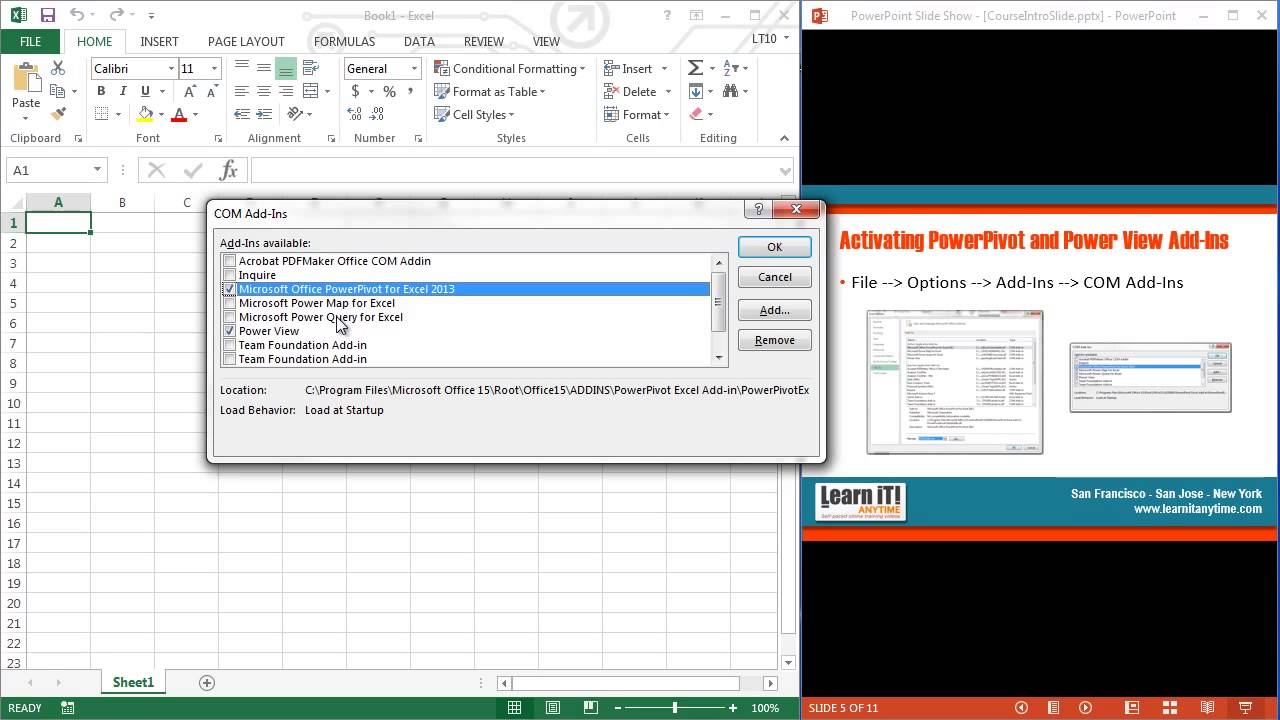
Excel 2016 Intermediate Tutorial
Get Ad-Free Training by becoming a member today!
https://www.youtube.com/channe....l/UCqyBfm_H9ugGirk1u
Join Learnit Anytime for ad-free training, exams, certificates, and exclusive content:
https://www.learnitanytime.com
Exercise Files: http://bit.ly/42EQloU
Who it's For: Anyone currently using Microsoft Excel, or anyone who wants to learn how!
What it is: Excel is a popular Microsoft application that organizes and analyzes data.
What You'll Learn: Our beginner videos start with simple tasks like selecting cells and entering data, then quickly move to calculating data with basic formulas and functions. The intermediate portion shows you how simple it is to sort and filter and then moves to one of Excel’s most popular features, Pivot Tables. Our advanced videos start with functions like IF and VLOOKUP and finish up with Macros.
Manuals: https://bit.ly/30xZb59
Username: manuals
Password: password
Start 0:00
Flash Fill 0:03
List Design & Single Level Sorting 2:28
Multi-Level Sorting 4:52
Custom Sorting 8:20
Filtering 11:33
Multi-Level Filtering 15:40
Search Filtering 17:34
Format as Table 21:47
Table Style Options 25:13
Remove Duplicates 29:12
Convert to Range 34:07
Subtotal 34:51
Multi-Level Subtotaling 40:32
Remove Subtotals 42:59
Quick Analysis Charts 43:29
Inserting Data Charts 46:53
Formatting Data Charts 51:46
Chart Templates 57:21
Sparklines 1:01:28
Printing Charts 1:06:18
Importing From Web 1:08:18
MS Query 1:14:33
Exporting Overview 1:21:12
Pivot Tables 1:22:50
Multiple-Field Pivot Tables 1:31:03
Drill Down Reports 1:36:10
Pivot Charts & Grouping Fields 1:38:52
Slicer Tool 1:47:18
Data Validation 1:54:28
Additional Data Validation 2:03:12
Cell & Sheet Protection 2:09:30
File Encryption 2:14:58
Conditional Formatting 2:17:28
Linking Data 2:25:34
Inserting Comments 2:32:25
#excel
Learnit is no longer associated with this channel/video.
(C) 2025 Bomberry Productions
Any illegal reproduction of this content will result in immediate legal action.

Excel 2021 Intro to Data Analysis Tutorial
Get Ad-Free Training by becoming a member today!
https://www.youtube.com/channe....l/UCqyBfm_H9ugGirk1u
Join Learnit Anytime for ad-free training, exams, certificates, and exclusive content:
https://www.learnitanytime.com
Exercise Files: https://tinyurl.com/4kb55kuw
Who it's for: Excel users needing to analyze, summarize, and visualize their data. Basic knowledge of Excel (familiarity with formulas, cell referencing, simple functions like SUM and AVERAGE) is recommended.
What it is: Microsoft Excel is the perfect program for viewing and analyzing data.
What you'll learn: Beyond simple averages and totals, Microsoft Excel offers many features to help you draw insights from your data. Sometimes those observations come from a particular formatting or visualization of the data; other times a specific summary function will generate a surprisingly significant result. In this full-length introductory course, learn all about data analytics in Excel with tools like table formatting, conditional functions, charting, pivot tables, and much more.
Start 0:00
Introduction 0:03
Working with Tables 3:51
Conditional Formats 15:46
Using the IF Function 24:33
Database Functions 30:41
Unique, Sort, and Filter Functions 35:27
Charts and Sparklines 38:35
Working with Pivot Tables 47:17
Conclusion 57:50
#excel #exceltutorial #exceltips #dataanalysis #dataanalytics #pivottable
Learnit is no longer associated with this channel/video.
(C) 2025 Bomberry Productions
Any illegal reproduction of this content will result in immediate legal action.

Excel 2021 Pivot Tables Tutorial
Get Ad-Free Training by becoming a member today!
https://www.youtube.com/channe....l/UCqyBfm_H9ugGirk1u
Join Learnit Anytime for ad-free training, exams, certificates, and exclusive content:
https://www.learnitanytime.com
Exercise Files: https://tinyurl.com/4v7zd9md
Who it's for: Anyone who uses Excel and wants to learn one of the most powerful tools Excel offers.
What it is: Pivot Tables helps you easily take a very large dataset and create a table that only displays the information you need.
What you'll learn: You’ll learn how to easily create, modify, and update Pivot Tables and charts.
Start 0:00
Introduction 0:03
Organizing Data in Tables 5:55
More Data Organization Techniques 13:17
Data Mining 17:58
Custom Sort Command and Functions 22:42
Merge Data Using XLOOKUP 33:28
Pivot Tables - Setup 42:01
Pivot Tables - Building Reports 49:38
Pivot Tables - Formats, Drilldowns, and Refreshing 57:45
Pivot Tables - Designing for Reports and Charts 1:04:50
Pivot Tables - Cal Fields, Items, and Grouping 1:15:35
Power Pivot - Turning It On 1:21:43
Power Pivot - Adding Data and Establishing Relationships 1:23:51
Power Pivot - RELATED Function and Pivot Tables 1:28:57
Conclusion 1:33:23
#excel #exceltutorial #exceltips #pivottables
Learnit is no longer associated with this channel/video.
(C) 2025 Bomberry Productions
Any illegal reproduction of this content will result in immediate legal action.
This is my old social media course, recorded in 2022-2023, but I know new social media managers will find it useful.
In this comprehensive course, explore the essentials of social media management. Practical tips on creating content calendars, conducting social media audits, generating leads, and running effective client discovery calls are featured. Gain insights into building service packages, pricing strategies, and crafting detailed social media reports.
This video is packed with valuable information to help you succeed and grow as a professional social media manager.
If you want a beginner-friendly resource you can read in a few hours, I created a PDF called the Social Media Manager Bible. It includes templates, scripts, and frameworks to help you start properly without feeling overwhelmed.
➝ Social media manager Bible: nestuge.com/dpdy0_nl8
If you want deeper support, my Social Media Manager Mentorship is open. It is a paid mentorship with live classes, assignments, resources, and community support to help you grow the right way. You can join the waitlist or join directly if enrollment is open.
➝ Mentorship program: nestuge.com/tsmoacademy
Join my communities for daily updates and conversations:
💚 WhatsApp Channel: https://whatsapp.com/channel/0....029VaJ5oRnJf05hI7IqJ
💚 Telegram Group: https://t.me/+EK_5YWDwSXViYjM8
Connect with me on socials:
🧡 Instagram: @thesocialmediaoga
🧡 TikTok: @thesocialmediaoga
🧡 LinkedIn: Omobolaji Ajibare
🧡 X: @tsocialmediaoga
Subscribe, like, and turn on notifications for more honest, practical social media manager content.
Comment below and let me know where you are on your journey.
Chapters
00:00 Introduction to Social Media Management
00:15 Understanding the Role of a Social Media Manager
01:33 Steps to Start as a Social Media Manager
05:56 Essential Skills for Social Media Managers
23:40 Client Onboarding Process
33:57 Finding Your Niche in Social Media Management
50:36 The Importance of Contracts for Social Media Managers
51:41 Setting Contract Duration and Terms
53:50 Exit Clauses and Payment Terms
55:20 Communication and Client Boundaries
01:00:18 Pricing Strategies for Social Media Managers
01:17:44 Understanding Pricing Metrics
01:42:56 Setting Premium Rates for Quality Service
01:43:38 Transitioning to the Maturity Stage
01:46:02 Building Your Freelance Service Package
01:46:37 Drawing from Knowledge and Research
01:48:07 Specifying Unique Offers and Packages
01:49:10 Offering Tiers or Bundle Options
01:50:12 Setting Up Opportunities for Upsells
01:50:49 Creating a Social Media Strategy
01:52:22 Conducting Social Media Audits
01:53:02 Competitor Analysis and Keyword Research
01:55:10 Developing a Content Calendar
01:55:42 Strategising for Success
01:57:58 Blending Social Media Marketing with Business Goals
02:01:32 Mastering Discovery Calls
02:32:56 Setting Realistic Goals
02:33:16 Immediate Action Plan
02:33:38 Recap and Proposal
02:35:16 Client Interaction Insights
02:37:13 Handling Client Expectations
02:45:41 Social Media Audit Essentials
03:16:12 Introduction to Planning and Customisation
03:17:01 Renaming and Customising Fields
03:19:21 Setting Up Content Types and Statuses
03:22:03 Uploading and Managing Attachments
03:23:59 Creating and Sharing Content Calendars
03:40:18 Using Google Sheets for Content Calendars
03:54:56 Introduction to Google Sheets and Airtable
03:55:46 Creating and Managing Calendars
03:56:03 Learning Trello for Client Management
03:56:50 Optimising Airtable for Client Use
04:05:20 Designing a Social Media Report from Scratch
04:33:03 Final Q&A and Class Wrap-Up
🔥Discover SKillUP free online certification programs – https://www.simplilearn.com/skillup-free-online-courses?utm_campaign=18FebSKillupYT&utm_medium=DescriptionFF&utm_source=youtube
🔥Meta - Digital Marketing Specialist - https://www.simplilearn.com/master-in-digital-marketing?utm_campaign=q5ASe_sxRYI&utm_medium=DescriptionFirstFold&utm_source=Youtube
🔥Digital Marketing Specialist - https://www.simplilearn.com/master-in-digital-marketing?utm_campaign=q5ASe_sxRYI&utm_medium=DescriptionFirstFold&utm_source=Youtube
🔥Professional Certification in Digital Marketing (India Only) - https://www.simplilearn.com/professional-digital-marketing-program?utm_campaign=q5ASe_sxRYI&utm_medium=DescriptionFirstFold&utm_source=Youtube
This Complete Social Media Marketing Course will take you through a number of important topics that will help you make the most out of your social media marketing campaigns. In this Social Media Marketing Tutorial, we will focus on how you can start with social media marketing, Facebook ads, some tips and strategies to advertise on Facebook, how you can rank #1 on YouTube, how you can increase YouTube subscribers, how you can increase Twitter and Instagram followers and some of the best tools you can use for Social Media Marketing. Now, let's have a look at Social Media Marketing and the different avenues it provides to advertise your product or service.
Each of these topics are also explained with practical examples.
1. How to start Social Media Marketing 2:43
2. Why do Social Media Marketing 4:07
3. what are the channels used for SMM 6:53
4. How can you take advantage of Facebook 14:53
5. How can you take advantage of Instagram 24:41
6. How can you take advantage of Linkedin 30:16
7. How can you take advantage of YouTube 36:17
8. How can you take advantage of Twitter 40:33
9. What are the tools for Social Media Marketing 44:32
10. Tips to be a Good Social Media Marketing 47:49
11. Facebook ADS Tutorial 51:01
12. Why Advertise on Facebook 52:15
13. What are the types of Facebook Ads 56:33
14. What are the steps to creating a Facebook Ads 1:02:41
15. Facebook Advertising Tips And Strategies 1:51:05
16. How to Rank YouTube Videos 2:35:50
17. YouTube Keyword Research 2:36:17
18. Create high Quality Videos 2:56:56
19. Importance of user Engagement 3:11:59
20. Promote your Content 3:16:29
21. Create an engaging and informative content 3:29:17
22. Optimize your YouTube videos 3:38:08
23. Add a subscriber watermark to your videos 3:57:56
24. Promote your videos on different platforms 4:05:02
25. Twitter 4:11:17
26. How to Increase Followers on Instagram 4:49:57
27. Social Media Marketing Tool 5:26:00
Subscribe to our channel for more Digital Marketing tutorials: https://www.youtube.com/user/S....implilearn?sub_confi
Download Digital Marketing career guide: https://bit.ly/3bsns2q
📚 For a more detailed understanding on Social Media Marketing, do visit: https://www.simplilearn.com/what-is-social-media-marketing-article?&utm_medium=Description&utm_source=youtube
Watch more videos on Digital Marketing: https://www.youtube.com/watch?v=7JhjINPwfYQ&list=PLEiEAq2VkUULYYgj13YHUWmRePqiu8Ddy
#socialmediamarketingcourse #socialmediamarketingtutorial #howtostartsocialmediamarketing
➡️ About Post Graduate Program In Digital Marketing:
Get a hands-on Live Interactive Learning experience with this Digital Marketing Course. Learn via fundamental and advanced material, preparing you for your Digital Marketing Career. Get a Meta Certified Digital Marketing Associate exam voucher worth USD $99 to showcase your skills.
✅ Key Features
- Simplilearn's JobAssist helps you get noticed by top hiring companies
-
-
- Masterclasses delivered by Industry Expert
- Harvard Business Publishing Cases
- Build your website & learn real-world hands-on digital marketing techniques
-
- ✅ Skills Covered
- Website Creation
- Behavioral Marketing
- Keyword Research
- Search Engine Optimization
- Search Engine Marketing
- Campaign Management
- Social Media Marketing
- Mobile Marketing
- Content Marketing
- Content Strategy
- Strategies for Paid Campaigns
- Analytics ROI and Evaluation
- AI Automation and Emerging Technology
Learn more at: https://www.simplilearn.com/digital-marketing/digital-marketing-certified-associate-training?utm_campaign=SocialMediaMarketing&utm_medium=Description&utm_source=youtube
🔥🔥

Vue.js is a popular JavaScript framework used for building user interfaces (UIs) and single-page applications (SPAs). It’s known for being progressive, meaning you can use as little or as much of it as you need ranging from a simple widget on a page to a full-featured frontend application.
If You Want To Support My Work 👇
https://www.youtube.com/channe....l/UCbBt6Ks7M5BZx_GHg
Follow Me On 👇
Any Questions?: https://www.instagram.com/huxnshorts/
Shorts Channel: https://www.youtube.com/@Huxn2.0
Twitter ( X ): https://twitter.com/huxnwebdev
GitHub: https://github.com/huxn-webdev
00:00 - Intro
1:21 - Vue Installations
2:08 - Folder Structure
3:53 - What is Components
4:21 - Components Example
5:35 - Components In Action
6:43 - What is Text Interpolation
7:05 - Text Interpolation In Action
9:00 - What is Attribute Bindings
9:18 - Attribute Bindings In Action
10:53 - What is Reactivity
11:55 - Reactive In Action Example 1
13:57 - Reactive In Action Example 2
16:04 - Things You Can't Do With Reactive
16:37 - What is Ref
17:04 - Ref In Action Example 1
18:08 - Ref In Action Example 2
18:43 - What is Computed Property
19:03 - Computed Property In Action
19:44 - What is Conditional Rendering
20:38 - Conditional Rendering In Action
22:17 - What is V-Show
22:40 - V-Show In Action
23:31 - What is V-For Directive
24:01 - V-For In Action
24:40 - V-For Keys
25:36 - What Are Props
25:59 - Props In Action
27:47 - Dynamic Props
28:57 - Changing Props
29:56 - What are Slots
30:09 - Slots In Action
31:02 - Fallback Content
32:23 - Named Slots
33:42 - What is Provide & Inject
36:06 - Without Using Provide & Inject
37:55 - Using Provide & Inject
39:05 - What are Watchers
39:50 - Watchers In Action
40:45 - What are Template Refs
41:09 - Template Ref In Action
43:03 - Fetching Data In Vue
44:09 - Outro
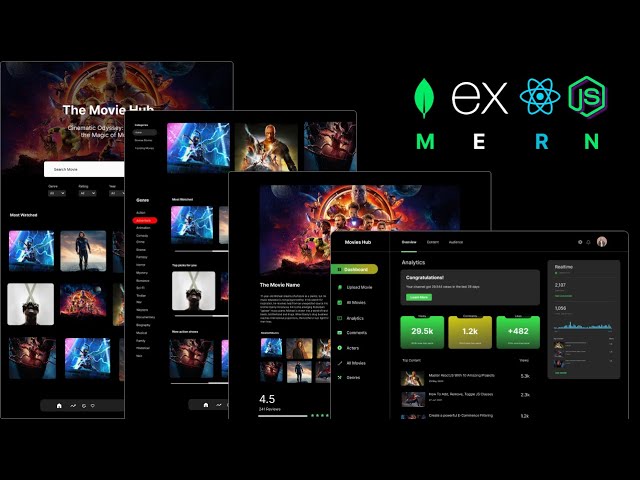
In this comprehensive tutorial, embark on a journey to MERN mastery as we delve into the creation of a scalable movies application. From conceptualization to execution, you'll learn step-by-step how to harness the power of the MERN stack (MongoDB, Express.js, React.js, Node.js) to craft an immersive user experience. Elevate your development skills as we cover the intricacies of building a robust backend, dynamic frontend, and seamless integration, ensuring optimal performance and scalability. Whether you're a novice or seasoned developer, this tutorial empowers you to unleash your creativity and build a next-level movies app that captivates audiences and delivers the ultimate user experience.
Follow Me On 👇
Instagram: https://www.instagram.com/huxnshorts/
YouTube: https://www.youtube.com/@huxnwebdev
GitHub: https://github.com/huxn-webdev
Twitter: https://twitter.com/huxnwebdev
00:00 - Intro
0:09 - Project Overview
8:45 - Prerequisites
10:37 - Project Setup
29:29 - Users Management ( Backend )
1:18:11 - Redux Toolkit & RTK Query Setup & Navigation
1:53:47 - Register User ( Frontend )
2:14:21 - Login User ( Frontend )
2:29:09 - Update User ( Frontend )
2:47:13 - Genres ( Backend )
3:07:48 - Genres ( Frontend )
3:38:46 - Movies ( Backend ) Part 1
3:52:41 - Movies ( Backend ) Part 2
4:10:42 - Movies ( Backend ) Part 3
4:25:06 - Image Upload ( Backend )
4:33:49 - Movies RTK Query Endpoints
4:42:56 - Create Movie ( Frontend )
5:09:50 - Read Movies, Admin Specific ( Frontend )
5:15:58 - Update & Delete Movies ( Frontend )
5:36:54 - Header & Home Screens ( Frontend )
5:53:34 - All Movies With Multiple & Advance Filters ( Frontend )
6:19:55 - Movie Details Screen ( Frontend )
6:41:24 - Comments Section ( Frontend )
6:47:21 - Awesome Dashboard ( Frontend )
7:09:13 - Outro

Welcome to "The Complete Node.js Bootcamp: From Beginner to Expert | Unlocking the Power of Server-Side JS" the ultimate course for developers looking to take their Node.js skills to the next level. Whether you're a beginner or an experienced developer, this comprehensive course will equip you with the knowledge and expertise needed to build scalable, high-performance web applications using Node.js.
In this course, we dive deep into the intricacies of Node.js, exploring advanced techniques and industry best practices that will set you apart as a Node.js professional. From mastering asynchronous programming to designing efficient APIs you'll gain a thorough understanding of Node.js and its ecosystem.
By the end of this course, you'll have the confidence and skills to tackle complex Node.js projects and build scalable applications that meet the demands of modern web development. Whether you aspire to be a full-stack developer, a backend specialist, or a Node.js expert, this course will empower you to succeed.
Follow Me On 👇
Instagram: https://www.instagram.com/huxnshorts/
YouTube: https://www.youtube.com/@huxnwebdev
GitHub: https://github.com/huxn-webdev
Twitter: https://twitter.com/huxnwebdev
Chapters:
00:00 - Intro
06:16 - What Is Node.js
04:52 - Course Setup
15:45 - REPL
18:37 - Module Wrapper
22:28 - Modules In Depth
30:54 - ES6 Modules
40:58 - Path Module
53:15 - FS Module
01:21:09 - OS Module
01:25:07 - URL Module
01:30:36 - HTTP Module
01:41:26 - Routing In Node.js
01:55:09 - Serving Files In Node.js
02:03:56 - NPM Complete Course
02:26:58 - Node.js Behind The Scenes
02:43:51 - Node.js Events
02:49:11 - Streams In Node.js
02:55:07 - Outro
Checkout My Other Courses 👇
https://www.youtube.com/@huxnwebdev
Tags & Keywords: Node.js, JavaScript, Backend Development, Web Development, Asynchronous Programming, Express.js, Authentication, Authorization, Performance Optimization, Real-time Communication, WebSockets, Databases, MongoDB, MySQL, Deployment, Continuous Integration, Docker, Debugging, Profiling.

Hey guys, in this javascript tutorial we'll take a look at the Date object and what we can do with it! The date object in javascript returns back the current date by default, but parameters can be passed into the object to store either future or past dates in a variable.
Any questions, just ask :)
SUBSCRIBE TO CHANNEL - https://www.youtube.com/channe....l/UCW5YeuERMmlnqo4oq
========== JavaScript for Beginners Playlist ==========
https://www.youtube.com/playli....st?list=PL4cUxeGkcC9
========== CSS for Beginners Playlist ==========
https://www.youtube.com/playli....st?list=PL4cUxeGkcC9
========== HTML for Beginners Playlist ==========
https://www.youtube.com/playli....st?list=PL4cUxeGkcC9
========== The Net Ninja ============
For more front-end development tutorials & to black-belt your coding skills, head over to - https://www.youtube.com/channe....l/UCW5YeuERMmlnqo4oq or http://thenetninja.co.uk
========== Social Links ==========
Twitter - @TheNetNinja - https://twitter.com/thenetninjauk

Python Course By Saumya Singh ( Chapter 06 - Loops in Python)
Download Python Course Certificate for Free - https://gsjqmh.courses.store/766185
Download Internship + Job Ready Kit (paid) - https://gsjqmh.courses.store/758133
I’m Saumya Singh, a Software Engineer with 5+ years of industry experience and a passion for teaching. Alongside my job, I’ve been creating educational content to help students and professionals grow in tech.
In this complete Python course, we’ll learn Beginner to Advanced concepts along with AI & Machine Learning to make you job-ready in 2026 and beyond.
This is just the beginning - we’ll continue bringing more tutorials, projects, and career-focused guidance for our amazing subscribers! 💙
Notes - https://drive.google.com/file/....d/1J_MRhhbO0uKhZNssd
Code - https://github.com/saumya1sing....h/Python_Course_By_S
✨Share Your Progress & Learnings on✨
Instagram: https://insta.openinapp.co/2xour
LinkedIn: https://linkedin.openinapp.co/oj87l
Twitter: https://twtr.openinapp.co/bo6dj
✨Android App Development Playlist | 30 Days of Coding Challenge✨
youtube.com/playlist?list=PLTV_nsuD2lf4UCTV6xwvNPvFdmCNKyhc8
✨Mission Placement - Land Your Dream Job With Saumya Singh. ✨
https://youtube.com/playlist?list=PLTV_nsuD2lf4hfQvqKRToCXtVB7-6rZnz&si=Dtm9oPUzooYAkA2c
video covers:-
loops in Python, looping in python, python course 2026, saumya singh chapter 6 python course, free python course with certificate, python course certificate 2026, loop in python concept, beginner to advance python course,python course for beginners,Python Tutorial For Beginners in Hindi,complete python course, python course from beginner to advanced, python course in hindi, free python course,
python course 2026, python course for beginners,Python Tutorial For Beginners in Hindi,complete python course, python course from beginner to advanced, python course in hindi, free python course, how to install python, how to install code editor, how to install vs code, python course 2026 beginner to advance , how to learn python, How to learn python 2026, features of python, python course for first year college student, saumya singh python course
#python #programming #pythoncourseinhindi #coding #ai #ml #softwareengineer #saumyasingh
python Tutorial For Beginners in Hindi | Complete Python Course
Python Full Course for Beginners [2026]
Python Full Course 2026 (Beginner to Advanced) + AI & Machine Learning | Free Tutorial
Python Tutorial 2026 | AI + Machine Learning | Beginner to Pro | Saumya Singh
Python Beginner to Advanced With AI & ML (Full Course 2026) | Step-By-Step
Learn Python in 2026 | Complete AI & Machine Learning Course for Beginners
Python Full Roadmap 2026 | Beginner to Advanced | AI, ML, Projects & Tips
in this course we will launch some chapters. all chapters are totally free of cost for students. keep sharing your feedbacks on comments & love you all 🙈

Python Course By Saumya Singh ( Chapter 1 - Variables & Python Fundamentals )
Download Python Course Certificate for Free - https://gsjqmh.courses.store/766185
Download Internship + Job Ready Kit (paid) - https://gsjqmh.courses.store/758133
I’m Saumya Singh, a Software Engineer with 5+ years of industry experience and a passion for teaching. Alongside my job, I’ve been creating educational content to help students and professionals grow in tech.
In this complete Python course, we’ll learn Beginner to Advanced concepts along with AI & Machine Learning to make you job-ready in 2026 and beyond.
This is just the beginning - we’ll continue bringing more tutorials, projects, and career-focused guidance for our amazing subscribers! 💙
Notes - https://drive.google.com/file/....d/1y9RzUH0PMXaF3z8EB
Code - https://github.com/saumya1sing....h/Python_Course_By_S
✨Share Your Progress & Learnings on✨
Instagram: https://insta.openinapp.co/2xour
LinkedIn: https://linkedin.openinapp.co/oj87l
Twitter: https://twtr.openinapp.co/bo6dj
✨Android App Development Playlist | 30 Days of Coding Challenge✨
youtube.com/playlist?list=PLTV_nsuD2lf4UCTV6xwvNPvFdmCNKyhc8
✨Mission Placement - Land Your Dream Job With Saumya Singh. ✨
https://youtube.com/playlist?list=PLTV_nsuD2lf4hfQvqKRToCXtVB7-6rZnz&si=Dtm9oPUzooYAkA2c
video covers:-
python variables,python variables explained,python variables full course,python full course,python course chapter 1 saumya singh,saumya singh python course,How Python code executes,Variables & memory concept,pythonType conversion,python chapter 1,python job ready course,python full course for beginner,beginner to advance python course, complete python course for bca student,
python course 2026, python course for beginners,Python Tutorial For Beginners in Hindi,complete python course, python course from beginner to advanced, python course in hindi, free python course, how to install python, how to install code editor, how to install vs code, python course 2026 beginner to advance , how to learn python, How to learn python 2026, features of python, python course for first year college student, saumya singh python course
#python #programming #pythoncourseinhindi #coding #ai #ml #softwareengineer #saumyasingh
python Tutorial For Beginners in Hindi | Complete Python Course
Python Full Course for Beginners [2026]
Python Full Course 2026 (Beginner to Advanced) + AI & Machine Learning | Free Tutorial
Python Tutorial 2026 | AI + Machine Learning | Beginner to Pro | Saumya Singh
Python Beginner to Advanced With AI & ML (Full Course 2026) | Step-By-Step
Learn Python in 2026 | Complete AI & Machine Learning Course for Beginners
Python Full Roadmap 2026 | Beginner to Advanced | AI, ML, Projects & Tips
in this course we will launch some chapters. all chapters are totally free of cost for students. keep sharing your feedbacks on comments & love you all 🙈

🎀 join the free masterclass: https://go.shefreelances.com/047b30db
apply to she freelances 🎀: https://go.shefreelances.com/d510b3d5
🎀 "How to freelance" Notion Dashboard 👉 : https://www.shefreelances.com/howtofreelance
🎀 watch my other free masterclasses
creative strategy 101: https://youtu.be/hPNaM_Yc5ZI?si=8rmlcGwTGdg_Db_J
listen on Spotify: https://open.spotify.com/show/....69ax0VAk10AMjB0Et6jm
listen on Apple: https://podcasts.apple.com/us/....podcast/pretty-philo
🎀 let’s stay connected 🎀
she freelances instagram: https://www.instagram.com/shefreelances/
personal instagram: https://www.instagram.com/deneetamia/
linkedIn: https://www.linkedin.com/in/denee-seaton/
tiktok: https://www.tiktok.com/@deneetamia
this is my full step-by-step guide on how to start freelancing, find clients, and make money online in 2025. i share strategy that helped me go from 0 to a multi-six-figure freelance business in 18 months.
you’ll learn how to: pick a profitable freelance skill, build a simple portfolio (even if you have no experience), find clients using inbound, warm, and cold outreach, price your freelance offers confidently, set up workflows that make you look like a pro, raise your rates, negotiate, and create predictable income, build long-term freedom and stability through freelancing.
this is a free 2-hour freelance course that breaks down every part of starting and scaling your freelance business. whether you want to become a full-time freelancer, start a side hustle, or finally understand how freelancing actually works, this is everything you need to know.
if you’ve been searching for: how to freelance • how to start freelancing with no experience • how to find freelance clients online • how to price freelance work • how to make money freelancing • freelance business tutorial, this video is for you.
🎀 in this video 🎀
[0:00] intro
[1:02] what to expect
[1:21] get your free notion board
[1:49] who i am
[2:08] part 1: foundation
[4:40] getting close to the money
[5:20] what skill to freelance
[13:32] part 2: how to find clients
[13:58] inbound clients
[17:44] cold outbound
[19:37] good cold outreach examples
[23:11] warm outbound
[27:55] working with clients globally
[33:38] creating your portfolio
[38:58] part 3: pricing
[40:39] retainer offers
[42:36] one-off projects
[47:22] calculating your rate
[51:00] retainer offer tiers
[52:50] freelance pricing examples
[55:20] how to raise your rates
[58:00] how to negotiate with clients
[59:40] doing test projects
[01:00:03] how to conduct a client call
[01:06:43] following up after a client call
[01:07:22] when you’re asked to work “full-time”
[01:10:50] creating a qualifying questionnaire for inbounds
[01:12:11] preparing for a call with a cold client
[01:13:20] how long a client call should be
[01:14:08] part 4: workflow
[01:15:55] freelance contracts
[01:22:30] where and how to do client work
[01:26:19] thinking in systems
[01:28:00] how to work faster as a freelancer
[01:31:55] sending work to clients
[01:34:30] collecting payment from clients
[01:36:16] part 5: longevity
[01:37:32] keeping multiple clients
[01:38:56] diversifying your freelance income
[01:41:20] being easy to work with
[01:45:48] seo + aeo for inbound leads
[01:48:41] travelling while freelancing
[01:50:57] closing thoughts
how to freelance, how to start freelancing, freelancing for beginners, freelance business, freelance skills, freelance income, how to find clients, freelance clients, freelance pricing, how to price freelance work, freelance contracts, freelance systems, how to become a freelancer, start freelancing 2026, freelancing course free, full freelance tutorial, freelance portfolio, freelance marketing, high-income freelancer, how to get freelance clients, how to start a freelance business, how to make money online, freelance course 2026

🏠Here are my 8 Top Tip for 'How To Stay Focused When Working From Home'
In today's video, I showcase to you my 8 top tips for hyper focus to help you stay concentrated when working from home.
I hope these working from home tips come in handy, especially in today's current affairs since most countries are now in complete lockdown, due to the coronavirus pandemic.
Music to Improve Focus: https://www.brain.fm/
World's First Self-cleaning Water Bottle: https://www.livelarq.com/
Best Standing Desks & Ergonomic Office Chairs: https://bit.ly/3ephykD
-------
📈 FREE Training - How To Launch & Scale An Agency: https://resources.affluent.co/....free-training?sl=You
📲 FREE Strategy Call: https://calendly.com/academy-c....onsultants/strategy-
📚 FREE Copy Of My Book: https://www.15minuteagency.com?sl=YouTubeVid164
✅ The Affluent Academy (Social Media Marketing Agency SMMA Course): https://www.affluent.co/academy?sl=YouTubeVid164
*30-Day Guarantee* Please Email, support@jordanplatten.com if you have questions regarding this policy BEFORE purchasing - See T&C's For Details.
👨🏼💻 ClickFunnels: https://goo.gl/mvQ4Ay
Website: https://www.jordanplatten.co.uk
Facebook: https://www.facebook.com/jordanplattenuk
Instagram @JordanPlatten
Email: support@jordanplatten.com
Disclaimer: To support the channel some of the links above may be affiliate links. Statements on this site do not represent the views or policies of anyone other than myself. Starting a business takes hard work and dedication... Please do not buy my products if you do not intend to put in the effort or if you are looking for a 'get rich quick' scheme (Hint, they don't exist).
#focus #workfromhome #jordanplatten
______
__________________________________________
agency Giants Podcast: https://www.youtube.com/@agencygiants

Pages Tutorial
Get Ad-Free Training by becoming a member today!
https://www.youtube.com/channe....l/UCqyBfm_H9ugGirk1u
Join Learnit Anytime for ad-free training, exams, certificates, and exclusive content:
https://www.learnitanytime.com
Exercise Files: https://tinyurl.com/2sta2vh6
Who it's for: Beginners and anyone who wants to learn more about Apple Pages.
What it is: Apple’s highly-regarded document app, a cornerstone of their iWork Suite and similar to Microsoft Word or Google Docs.
What you'll learn: We’ll start with the basics like creating, opening, and saving documents, along with adding common document objects like images, charts, and more. Next, we'll go over formatting documents with margins, borders, backgrounds, and bookmarks, and formatting text with fonts, colors, outlines, and shadows. Finally, we'll cover publishing and collaboration with printing, sharing, working together, and iCloud integration.
Start 0:00
Introduction 0:03
Opening Pages 2:31
Introduction to Images, Charts, and Other Objects 7:48
Creating Documents and Books 8:58
Finding Documents 10:59
Opening, Closing, Saving, and Naming Documents 12:03
Paper Size and Orientation 13:50
Document Margins 15:16
Facing Pages 18:31
Adding, Rearranging, and Deleting Pages 19:46
Document Parts 25:30
Bookmarks and Links 30:03
Backgrounds and Borders 31:50
Watermarks and Background Objects 35:25
Standard and Custom Templates 37:54
Selecting, Replacing, Copying, and Pasting Text 40:38
Dictation and Special Characters 42:38
Using Other Languages 44:53
Date, Time, and Equations 46:09
Setting Default Font and Paragraph Styles 47:35
Text Color, Outlines, and Shadows 50:24
Capitalization, Punctuation, Styles, and Formatting 51:47
Highlighting, Hyphens, and Dashes 55:18
Spacing and Lists 57:25
Tab Stops and Aligning and Justifying Text 59:24
Pagination, Breaks, and Columns 1:00:08
Linking Text Boxes 1:01:55
Images and Shapes 1:03:46
Lines and Arrows 1:05:46
Animating Drawings 1:07:13
Audio and Video 1:08:48
Image and Video Formats 1:11:01
Object Settings - Transparency, Fill, Border, and Shadow 1:11:46
Object Styles 1:14:11
Tables 1:15:28
Charts 1:18:34
Spell Check, Look Up, and Find and Replace 1:20:49
Text Replacement 1:22:43
Page Count 1:23:45
Comments and Annotations 1:24:46
Track Changes 1:26:47
Printing 1:27:19
Sending Documents 1:28:35
Sharing, Collaborating, and Publishing to Apple Books 1:30:03
Locking, Passwords, and iCloud 1:31:28
Packing to Reducing File Size and Restoring Versions 1:32:51
Transferring Between Devices 1:34:22
Troubleshooting 1:35:08
Keyboard Shortcuts 1:38:00
Conclusion 1:39:51
#pages #applepages
(Learnit is no longer associated with this channel/video.
(C) 2025 Bomberry Productions
Any illegal reproduction of this content will result in immediate legal action.

PowerPoint Full Course Tutorial (6+ Hours)
Get Ad-Free Training by becoming a member today!
https://www.youtube.com/channe....l/UCqyBfm_H9ugGirk1u
Join Learnit Anytime for ad-free training, exams, certificates, and exclusive content:
https://www.learnitanytime.com
Exercise Files: https://tinyurl.com/yc4c88r3
Who it's for: Do you have a big presentation coming up? Increase your PowerPoint skills with our effective, easy-to-follow training. This course is designed for PowerPoint users of all skill levels. Learn tips and tricks, new features, and more to make your next presentation stand out.
What it is: PowerPoint is Microsoft’s legendary presentation tool. The latest version is jam-packed with enhancements to old, trusty features, along with a few new advancements.
What you'll learn: In this course, we’ll start with the basics like slides, images, and transitions. Then, we’ll take a deep dive into some of PowerPoint’s most useful features, like shape editing, SmartArt design, and grouping. Once the essentials are covered, we’ll explore the Slide Master and learn how to save a ton of time with templates. We’ll spend some time talking about charts, tables, and integration with Excel. Finally, we’ll go over some of Microsoft's most powerful PowerPoint features, like recording presentations, collaborating with colleagues, and customizing slideshows, animations, layouts, and more.
Start 0:00
Introduction – PowerPoint Beginner 0:09
PowerPoint Start Screen 01:41
PowerPoint Interface 05:58
Slide Layouts and Components 12:55
Themes 17:34
Designer Tool 21:45
Formatting Text 27:34
Formatting Objects with Contextual Tabs 34:48
Inserting and Formatting Text Boxes 43:12
Inserting and Formatting Images 48:11
Image Cropping and Background Removal 55:40
Eyedropper Tool 1:03:09
Saving and Slide Show 1:09:33
Introduction to Object Management, Tables, and Charts 1:12:37
Grouping Objects 1:14:17
Arranging and Aligning Objects 1:20:34
Animating Objects 1:27:50
Inserting Tables 1:33:13
Formatting Tables 1:39:25
Inserting Tables from Excel 1:44:28
Inserting Charts 1:49:25
Formatting Charts 1:53:29
Inserting Charts from Excel 2:01:05
Applying Transitions and Animations 2:05:23
Morph Transition Basics 2:11:12
Creating Morph Transitions 2:13:41
Print 2:19:36
Conclusion 2:20:40
Introduction - PowerPoint Advanced 2:21:32
Custom Ribbon Tab 2:22:31
Useful Options 2:28:37
Introduction to Slide Master 2:32:38
Custom Slide Layouts 2:40:38
Custom Slides with Content 2:45:14
Saving Designs as Templates 2:54:56
Inserting SmartArt 3:02:12
Modifying SmartArt 03:07:28
Adding Content to SmartArt 3:13:10
Introduction to Media, Collaboration, and Slide Shows 3:21:38
Inserting Local Video 3:22:16
Inserting Online Video 3:28:12
Screen Recording Tool 3:35:11
Collaborating on Presentations 3:41:02
Slide Show Options 3:49:18
Zoom Navigation Feature 3:56:59
Presenting, Annotations, and Subtitles 4:02:55
Rehearsing, Recording, and Exporting 4:08:32
Post-Recording Options 4:17:35
Conclusion 4:19:57
Introduction - Copilot for PowerPoint 4:21:01
What is Copilot 4:21:33
Creating Presentations with Copilot 4:25:35
Using Copilot with Templates 4:32:49
Using Copilot with Designer 4:37:17
Adding and Editing Slides 4:41:52
Transforming Documents into Presentations 4:48:16
Asking Questions and Summarizing Presentations 4:52:54
Navigating to Copilot Lab 4:57:34
Copilot Lab 4:58:38
PowerPoint Copilot Web Version 5:05:26
Conclusion 5:13:38
Introduction - PowerPoint Presentation Skills 5:13:49
Get Started Faster - Converting Outlines into Presentations 5:14:26
Using Designer to Add Engaging Visuals 5:20:17
Storytelling with Presentations 5:23:56
How to Improve Presentation Retention Rates 5:25:08
Using SmartArt Infographics to Easily Boost Retention 5:27:01
Using Whiteboards to Increase Engagement 5:33:38
Using Forms to Encourage Participation 5:36:01
Common PowerPoint Mistakes 5:39:36
Visualizing Data with Animated Excel Charts 5:41:52
Mastering the Presenter View 5:45:03
Creating Custom Themes with Slide Master 5:49:37
Customizing Existing Slide Layouts 5:54:24
Creating New Slide Layouts 5:58:08
Following the Rule of Thirds 6:06:37
Creating Reusable Slides 6:13:05
High Contrast Colors 6:21:38
Check Accessibility 6:24:03
Rehearse with Coach Tool 6:27:20
Valuable PowerPoint Tips 6:31:04
Conclusion 6:32:42
#powerpoint #powerpointtutorial #powerpointtraining #powerpointtips #powerpointtricks
learnit is no longer associated with this channel/video.
(C) 2025 Bomberry Productions
Any illegal reproduction of this content will result in immediate legal action.

Tableau Basics Full Course Tutorial (6+ Hours)
Get Ad-Free Training by becoming a member today!
https://www.youtube.com/channe....l/UCqyBfm_H9ugGirk1u
Join Learnit Anytime for ad-free training, exams, certificates, and exclusive content:
https://www.learnitanytime.com
Exercise Files: https://tinyurl.com/5fdyc9n2
Who it's for: Data Analysts, Business Intelligence pros, and anyone who works with Big Data on a regular basis.
What it is: Tableau is a popular tool for analyzing and visualizing data, with powerful tools like interactive dashboards, custom reports, and more.
What you'll learn: In this 4-part series, we start with the basics, giving you an overview of Tableau and showing you how to create your first visualizations and dashboards. Then, we jump into working with data, with row-level, aggregate, and table calculations. Next, we refine our visualizations and dashboards to make them look great and tell effective stories. We take some time to go over trends, distributions, and forecasting, and then end with sharing data stories and some advanced Tableau tips and tricks.
Start 0:00
Tableau Fundamentals 0:09
Working with Data in Tableau 35:05
Moving from Simple to Advanced Visualizations 1:28:21
Row-Level and Aggregate Calculations 1:57:38
Table Calculations 2:47:45
Visualization Formatting 3:24:04
Telling Data Stories with Dashboards 3:46:57
Adding Value to Analysis 4:36:24
Making Data Work for You 5:11:38
Advanced Techniques, Tips, and Tricks 5:31:06
Sharing Your Data Story 6:23:07
Conclusion 6:38:18
#tableau #tableaututorial #tableauclasses
Learnit is no longer associated with this channel/video.
(C) 2025 Bomberry Productions
Any illegal reproduction of this content will result in immediate legal action.
Excel for HR Full Course Tutorial
Get Ad-Free Training by becoming a member today!
https://www.youtube.com/channe....l/UCqyBfm_H9ugGirk1u
Join Learnit Anytime for ad-free training, exams, certificates, and exclusive content:
https://www.learnitanytime.com
Exercise Files: https://tinyurl.com/2t632m6r
Who it's for: HR professionals seeking to improve their data management skills in Excel, particularly in data cleaning, calculations, chart creation, and consolidation techniques tailored for HR tasks.
What it is: Microsoft’s spreadsheet application used to organize and analyze data.
What you'll learn: Students can expect to learn a comprehensive range of Excel functionalities tailored for human resources applications. Key topics include the use of text functions to clean and organize data, formulas and functions like XLOOKUP and TODAY for calculations, and tools like charts for data visualization. The course also delves into advanced features such as consolidating worksheets into cohesive reports, conditional functions like COUNTIF, SUMIF, and AVERAGEIF for data analysis, and implementing dashboards for interactive data summaries. Additional modules cover formatting tables, filtering data using slicers, and creating dynamic charts and sparklines for trend analysis. Through practical exercises, students gain hands-on experience with real-world HR datasets, enhancing their ability to efficiently manage and analyze HR data in Excel.
Start 0:00
Introduction 00:09
Text to Columns Tool 01:32
Flash Fill 05:30
Calculate Length of Service with Today Function 08:47
Calculate Gross Pay and Days Remaining 13:25
Using a Form to Manage Records 19:13
Overview of the IF Function 23:48
Programs Completed by Employee with Countif 28:37
Cost of Training by Employee with Sumif 32:24
Naming Ranges for Reuse 35:48
Average Cost per Program with Averageif 40:27
Overview of Xlookup 44:25
Return Employee Details Based on Employee Number 50:31
Consolidate Sheets into a Single Report 57:02
Inserting a Chart 01:02:43
Managing an Inserted Chart 01:09:36
Capture Trend Analysis with Sparklines 01:14:39
Introduction to Module 2 01:19:13
Filtering a Converted Table 01:19:49
Table Slicer Tool 01:24:45
Total Row 01:28:32
Conditional Formatting 01:31:23
Subtotal Tool 01:35:59
Restrict Cell Input with Data Validation 01:40:11
Import Data From Other Source 01:44:04
Inserting a Recommended Pivot Table 01:46:56
Show Value as Percent of Grand Total 01:50:59
Drill Down Reports 01:54:16
Report Filter Pages 01:56:43
Inserting a Pivot Chart 02:00:21
Conclusion 02:02:57
#excel #exceltutorial #exceltips #exceltricks
Learnit is no longer associated with this channel/video.
(C) 2025 Bomberry Productions
Any illegal reproduction of this content will result in immediate legal action.
