
- AI at Generative AI
- Teknolohiya at Programming
- Negosyo at Pagnenegosyo
- Digital Marketing
- Microsoft Office at Produktibidad
- Datos at Pagsusuri
- Pananalapi at Pagtutuos
- Disenyo at Malikhaing Kasanayan
- Karera at Propesyonal na Pag-unlad
- Freelance at Malayuang Trabaho
- Paano at Estilo
- Edukasyon at Pagtuturo
- Pananampalataya
Mga nangungunang video
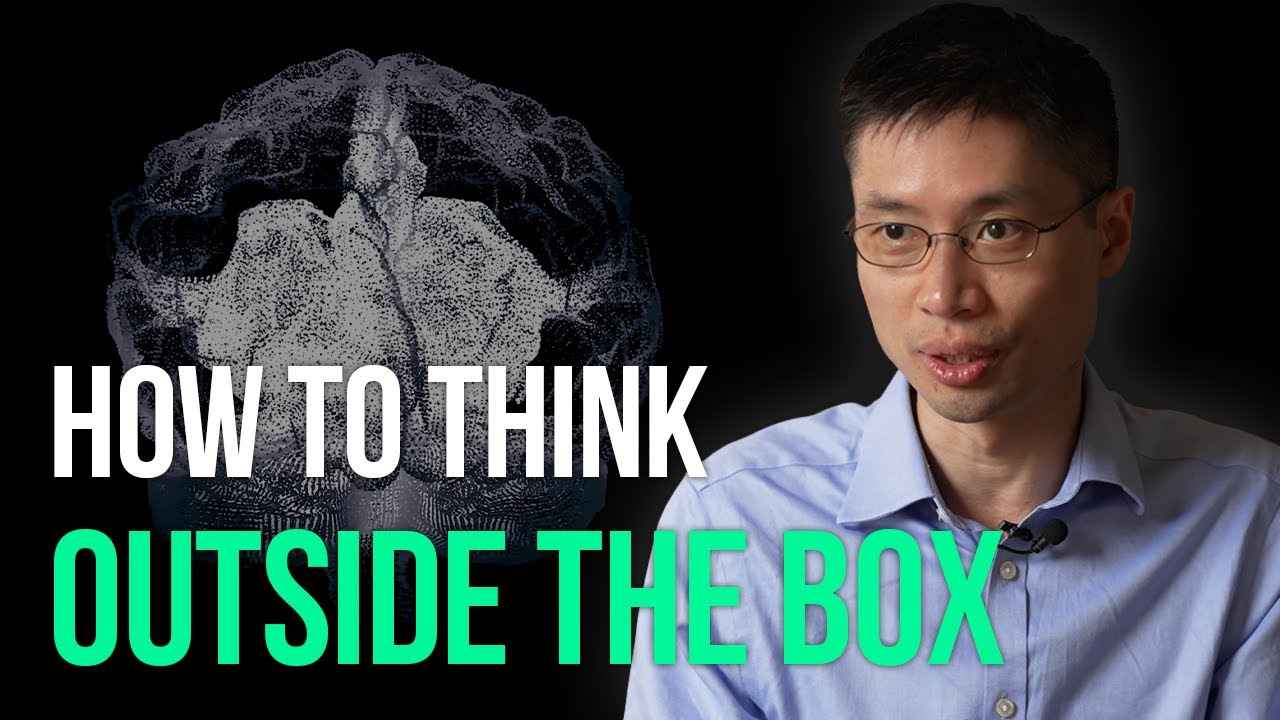

Have you ever wondered whether you lack creativity? Po-Shen Loh, a social entrepreneur, illuminates issues within the education system while instructing tens of thousands of diverse students. Serving as a U.S. Math Olympiad coach and professor at Carnegie Mellon University, he endeavors to tackle these problems. He has developed a captivating educational system, reminiscent of Twitch game streaming. Explore the significant challenges and their solutions in the video.
- Po-shen Loh Stopped coaching National Olympiad math team in 2023 Oct.
- Visit Po-shen Loh's website: https://poshenloh.com/
EO stands for Entrepreneurship & Opportunities. We're looking for more inspiring stories of entrepreneurs all over the world, so don't hesitate to contact us! :)
Feature Inquiry
💼 👉🏻👉🏻 [partner@eoeoeo.net](mailto:partner@eoeoeo.net) EO
X | @eostudi0
LinkedIn | @EO STUDIO
Instagram | @eostudio.official
Newsletter | https://www.eomag.io/subscribe?utm_source=youtube&utm_medium=description
Subtitles for this video were created using [XL8.ai](http://xl8.ai/) machine translation.
This is the beginning Microsoft Word course that you've been waiting for! Learn everything you need to effectively use Word by watching just one video. You'll learn the modern Microsoft Word layout, how to create and save Word documents, how to format paragraphs, creating and editing tables, modifying page layouts, printing and publishing options, and more. After watching and mastering this video, you will be able to use Word effectively in almost any professional setting.
Join this channel to get access to perks:
https://www.youtube.com/channe....l/UCYUPLUCkMiUgiyVul
Table of Contents:
00:00 - Intro
00:28 - The Layout of MS Word and Creating a Document
08:24 - Opening and Editing Existing Word Documents
10:29 - Move and Copy Text, and Find and Replace
15:55 - Formatting Characters and Paragraphs
21:44 - Create and Edit Tables
26:28 - Modifying Page Layout
32:35 - Review Tools: Spellcheck, Thesaurus, etc
37:47 - Printing and Publishing Options
***Consider supporting Technology for Teachers and Students on Patreon***: https://www.patreon.com/techno....logyforteachersandst Here's my playlist of all Microsoft Word videos: https://bit.ly/2FY6NVT Here's the practice file that goes with the video: https://bit.ly/wordforbeginners #msword #wordtutorial #office365 #microsoftoffice #msoffice #microsoft365 #microsoftword
NOW WATCH THE SEQUEL, Microsoft Word for Intermediate Users - The Complete Course: https://youtu.be/1IFfn-0tqeQ
This video is part of the Google Digital Marketing & E-commerce Certificate. If you’re curious about the latest trends in technology and business, a career in digital marketing & e-commerce is within reach.
The program, created by Google employees in the field, is designed to provide you with job-ready skills in under 6 months to start or advance your career in digital marketing and e-commerce.
Take the Certificate HERE: https://www.coursera.org/google-certificates/digital-marketing-certificate?utm_source=google&utm_medium=institutions&utm_campaign=youtube-organic__geo--Global&utm_content=vid--SiUKVbTaI_I__topic--DME&utm_term=youtube-description
Why earn a Google Career Certificate?
► No experience necessary: Learn job-ready skills, with no college degree required.
► Learn at your own pace: Complete the 100% online courses on your own terms.
► Stand out to employers: Make your resume competitive with a credential from Google.
► A path to in-demand jobs: Connect with top employers who are currently hiring.
00:00 Introduction
00:27 Welcome
01:50 The benefits of social media marketing
06:38 The five core pillars of social media marketing
13:39 Earned, owned, and paid social media
18:02 The social media marketing funnel
Subscribe HERE: https://goo.gle/subscribegcc
#growwithgoogle #googlecareercertificates #digitalmarketing #ecommerce

An easier way to iterate through a loop is via the for loop, which we'll talk about in this JavaScript tutorial. A for loop does exactly the same thing as a while loop, but it has the advantage of organizing it's components more locally and neater.
As always, if you have any questions, fire ahead with them below :).
SUBSCRIBE TO CHANNEL - https://www.youtube.com/channe....l/UCW5YeuERMmlnqo4oq
========== JavaScript for Beginners Playlist ==========
https://www.youtube.com/playli....st?list=PL4cUxeGkcC9
========== CSS for Beginners Playlist ==========
https://www.youtube.com/playli....st?list=PL4cUxeGkcC9
========== HTML for Beginners Playlist ==========
https://www.youtube.com/playli....st?list=PL4cUxeGkcC9
========== The Net Ninja ============
For more front-end development tutorials & to black-belt your coding skills, head over to - https://www.youtube.com/channe....l/UCW5YeuERMmlnqo4oq or http://thenetninja.co.uk
========== Social Links ==========
Twitter - @TheNetNinja - https://twitter.com/thenetninjauk
🚀 Try Flow Pro free for 14 days + get an extra month free with my code TECHWITHTIM!
👉 Start here: https://ref.wisprflow.ai/techwithtim
In this video, you'll learn everything you need to know about prompt engineering. I'll explain what it is, why it's important, how to do it faster. The top techniques and methods and advanced strategies to get the most out of loops.
Want to make real money with coding? I share high-signal insights on careers, monetization, and leverage in my free newsletter. Join here and get my guide How to Make Money With Coding instantly: https://techwithtim.net/newsletter
🎞 Video Resources 🎞
Get the markdown file in this video: https://newsletter.techwithtim.net/prompting
⏳ Timestamps ⏳
00:00 | Intro
01:44 | What is Prompt Engineering
04:07 | How to Prompt Faster
07:05 | How LLMs "Think"
10:40 | Steering vs Commanding
11:53 | Be Specific & Set the Scene
14:32 | Few-Shot Prompting
18:10 | Chain of Thought
20:05 | Structured Output
22:04 | Constraints & Negatives
24:19 | Iterative Refinement
25:22 | Interview Style Prompting
29:13 | Advanced Techniques & Parameters
35:04 | Common Mistakes
Hashtags
#llms #aiprompts #softwareengineer
uae Media License Number: 3635141

Learn every step to make a WordPress website in this beginner's course. No coding necessary! You will learn how to get a domain name and hosting, install Wordpress, use a theme, customize the exact website you want, and more.
✏️ This course was developed by @beau.
🎉 Hostinger provided a grant that made this course possible.
🔗 Get a 10% discount at Hostinger with code "GETSTARTED": https://www.hostinger.com/getstarted
⭐️ Contents ⭐️
0:01:09 Introduction
0:01:09 What is WordPress?
0:02:09 Getting a Domain and Hosting
0:04:08 Installing WordPress
0:04:08 Setting Up Custom Email
0:10:14 Exploring WordPress Dashboard
0:11:30 Updating Settings
0:12:43 Installing Plugins
0:15:26 Installing Theme
0:18:12 Creating a Logo
0:19:32 Adding Logo to Website
0:22:06 Editing Site with Elementor
0:33:08 Adding Custom HTML to Site
0:36:23 Updating Menus
0:37:24 Adding a New Page
0:43:20 Customizing Page Name
0:44:16 Editing About Page
0:45:18 Editing Contact Page
0:46:43 Customizing Contact Form
0:50:08 Updating Page Footer
0:51:31 Making Site Responsive
0:55:03 Adding a Blog
0:56:57 Creating Posts with AI Content Creator
0:59:56 Customizing Blog
1:02:09 Conclusion
🎉 Thanks to our Champion and Sponsor supporters:
👾 Drake Milly
👾 Ulises Moralez
👾 Goddard Tan
👾 David MG
👾 Matthew Springman
👾 Claudio
👾 Oscar R.
👾 jedi-or-sith
👾 Nattira Maneerat
👾 Justin Hual
--
Learn to code for free and get a developer job: https://www.freecodecamp.org
Read hundreds of articles on programming: https://freecodecamp.org/news
❤️ Support for this channel comes from our friends at Scrimba – the coding platform that's reinvented interactive learning: https://scrimba.com/freecodecamp

Welcome To The Tailwind CSS Masterclass, Here you'll learn everything there is to know about tailwind css, doesn't matter if you're a total beginner or advanced developer, or even if you're coming from the bootstrap background, I still got you. This comprehensive guide will teach you everything from the beginning, ill also provides a timestamp for those who are not new to tailwind css, so that they can either learn new topics or they can jump straight into the projects. This is a fun project-based course to learn how to create awesome layouts using the Tailwind CSS framework and get comfortable using utility classes over something like Bootstrap, which uses component-based classes.
What Is Tailwind CSS?
Tailwind CSS is an open-source CSS framework. The main feature of this library is that, unlike other CSS frameworks like Bootstrap, it does not provide a series of predefined classes for elements such as buttons or tables, but instead it will give you the superpower of customization, Which I covered in a very great depth in this course.
Is Tailwind CSS better than Bootstrap?
If you're not a designer and just want to put together a quick and easy UI for people to use, then Bootstrap might be the way to go. But, if you want complete freedom with your design and the ability to create custom designs and components easily then Tailwind CSS is the better choice.
Now the question is "Do big companies use Tailwind CSS" ?
Well, that's a valid point, 368 companies reportedly use Tailwind CSS in their tech stacks, including MAK IT, Superchat, and überdosis.
The best time for learning Tailwind CSS was a year ago, BUT the second best time is to learn it "RIGHT NOW" without any questions, that's it.
The only prerequisites for this course are:
HTML & Basics Of CSS, That's it 🥂
Follow Me On 👇
Instagram: https://www.instagram.com/huxnshorts/
YouTube: https://www.youtube.com/@huxnwebdev
GitHub: https://github.com/huxn-webdev
Twitter: https://twitter.com/huxnwebdev
What's You'll Learn In This Course?
Chapters:
00:00 - Intro
00:48 - What Is Tailwind CSS
02:47 - Installing Softwires
05:00 - Tailwind CSS CDN
09:04 - Tailwind Colors
26:14 - Tailwind Container Spacing
40:27 - Tailwind Typography
59:18 - Tailwind Sizing
1:22:32 - Position and Display
1:31:49 - Backgrounds and Shadows
1:42:48 - Borders
1:52:28 - Filters
2:05:29 - Breakpoints
2:10:09 - Flexbox
2:17:07 - Grid
2:20:27 - Transformation Transitions & Animations
2:30:20 - Tailwind CLI
2:38:27 - Custom Styling
2:46:52 - Branding Site Project 1
3:00:42 - Web Agency Project 2
3:26:46 - Photography Project 3
3:46:31 - Outro
After all of that, we'll build Three Landing Pages Projects
There is a lot of content, So ill see you in the class
Course Code: https://github.com/HuXn-WebDev/Master-TailwindCSS

Hey all, this JavaScript tutorial for beginners will introduce the concept of variable scope. Variables can have either global or local scope.
A global variable is initialized at the 'top-level' of your document, and can be used anywhere within your document after it has been declared. A local variable has only local scope, and can only be used within the function in which it was initialized.
As always, fire away with any questions :)
SUBSCRIBE TO CHANNEL - https://www.youtube.com/channe....l/UCW5YeuERMmlnqo4oq
========== JavaScript for Beginners Playlist ==========
https://www.youtube.com/playli....st?list=PL4cUxeGkcC9
========== CSS for Beginners Playlist ==========
https://www.youtube.com/playli....st?list=PL4cUxeGkcC9
========== HTML for Beginners Playlist ==========
https://www.youtube.com/playli....st?list=PL4cUxeGkcC9
========== The Net Ninja ============
For more front-end development tutorials & to black-belt your coding skills, head over to - https://www.youtube.com/channe....l/UCW5YeuERMmlnqo4oq or http://thenetninja.co.uk
========== Social Links ==========
Twitter - @TheNetNinja - https://twitter.com/thenetninjauk

Yo Ninjas, in this JavaScript tutorial I'll be introducing the concept of looping in JS. More specifically, we'll be taking a look at the while loop - the most basic form of loops.
JavaScript loops are a way of repeating sections of code over and over, so that you're not having to re-write code again and again manually. For as long as a specified condition is true, the loop will continue to execute your code.
Be careful not to cause an infinite loop! This can crash your computer.
As always, any questions, fire away :).
SUBSCRIBE TO CHANNEL - https://www.youtube.com/channe....l/UCW5YeuERMmlnqo4oq
========== JavaScript for Beginners Playlist ==========
https://www.youtube.com/playli....st?list=PL4cUxeGkcC9
========== CSS for Beginners Playlist ==========
https://www.youtube.com/playli....st?list=PL4cUxeGkcC9
========== HTML for Beginners Playlist ==========
https://www.youtube.com/playli....st?list=PL4cUxeGkcC9
========== The Net Ninja ============
For more front-end development tutorials & to black-belt your coding skills, head over to - https://www.youtube.com/channe....l/UCW5YeuERMmlnqo4oq or http://thenetninja.co.uk
========== Social Links ==========
Twitter - @TheNetNinja - https://twitter.com/thenetninjauk

Photoshop Beginner Tutorial
Explore Your Creativity with Adobe Photoshop
https://www.adobe.com/in/products/photoshop.html?cgen=9J8K42RR&mv2=bbs
Get Ad-Free Training by becoming a member today!
https://www.youtube.com/channe....l/UCqyBfm_H9ugGirk1u
Join Learnit Anytime for ad-free training, exams, certificates, and exclusive content:
https://www.learnitanytime.com
Exercise Files: https://tinyurl.com/3dks9884
Who it's for: Curious beginners to advanced creatives working in any industry.
What it is: A multifaceted photo editing program that allows you to enhance photos, draw shapes, work with color, apply special effects, and use type and dozen of creative filters.
What you'll learn: We begin with learning the interface and workspace, then quickly cover how to create a new document, basic image manipulation, and working with layers, type, and typography. Then we learn several color correction techniques, creating masks, using filters, and a few basic filter options. In our advanced class, we cover layer comps, blending modes, advanced selection techniques, working with 3D text, advanced filter tools, creating Actions, and mastering your CC Libraries.
Start 0:00
Introduction 0:03
Customizing the Workspace 1:20
Moving and Transforming Objects 6:39
New Document & Placing Images 11:01
Introduction to Layers and Saving 18:13
Cropping, Canvas Size, and Image Size 25:24
Locking, Grouping, and Adjusting Opacity with Layers 31:19
Quick Selection and Layer via Cut 35:00
Magic Wand Tool and Eraser 43:55
Lasso 51:49
Layer Effects and Cloning 57:19
Introduction to Shapes and Colors 1:04:54
Introduction to Type 1:11:52
Layer Effects 1:18:23
Shapes 1:22:55
Custom Shapes 1:32:12
Color Swatches and Gradients 1:39:02
Type and Typography 1:50:07
Clipping Masks 1:57:48
Introduction to Masks 2:05:58
Levels Adjustment Layer 2:14:39
Curves Adjustment Layer 2:21:06
Black and White and Hue-Saturation Adjustment Layer 2:26:41
Vibrance and Curves Adjustment Layer - Blue Skies 2:36:36
Red Eye Removal 2:39:27
Dodge and Burn Tool 2:41:01
Spot Healing Brush Tool 2:46:41
Patch Tool and Content Aware Fill 2:51:56
Clone Stamp Tool 2:57:41
Filters 3:02:49
Field Blur 3:08:15
Preferences 3:14:01
Conclusion 3:18:44
#photoshop
Learnit is no longer associated with this channel/video.
(C) 2025 Bomberry Productions
Any illegal reproduction of this content will result in immediate legal action.

Word Intermediate Tutorial
Get Ad-Free Training by becoming a member today!
https://www.youtube.com/channe....l/UCqyBfm_H9ugGirk1u
Join Learnit Anytime for ad-free training, exams, certificates, and exclusive content:
https://www.learnitanytime.com
Exercise Files: https://tinyurl.com/5n7nbwer
Who it's for: Microsoft Word is for anyone who writes. It’s used by students, CEO’s, and everyone in between.
What it is: Microsoft Word is THE word processor.
What you'll learn: In this class, students will learn how to work more confidently in Microsoft Word by using intermediate-level tools that make documents more polished, organized, and efficient. They will practice creating and modifying styles, inserting and managing tables and charts, and building reusable content with Quick Parts so they can save time on repeated tasks. The class also covers applying themes and templates, controlling document layout with section breaks and columns, adding professional reference tools like cover pages, tables of contents, and indexes, and using mail merge to personalize mass emails or documents. Overall, students will gain practical skills for creating cleaner, more professional Word documents with greater consistency and automation.
Start 0:00
Introduction: 0:09
Creating Text Styles 00:01:42
Table Insertion Options 00:10:09
Managing Rows, Columns, and Cells 00:16:22
Table Layouts and Inserting Excel Tables 00:24:13
Inserting and Managing Chart Data 00:30:41
Customizing Chart Elements 00:38:01
Exploring the Quick Parts Gallery 00:45:10
Creating Reusable Content 00:51:10
Module 4 Intro 00:58:37
Themes 00:58:40
Document Formatting Design 01:04:53
Saving Files as Templates 01:09:29
Defining and Managing Columns 01:20:16
Section Breaks 01:25:21
Cover Pages 01:31:01
Table of Contents 01:34:39
Index 01:42:29
Outline View 01:47:04
Mail Merge with Outlook 01:53:11
Conclusion 02:03:20
#microsoftword #wordtutorial #microsoftwordtutorial
Learnit is no longer associated with this channel/video.
(C) 2025 Bomberry Productions
Any illegal reproduction of this content will result in immediate legal action.
Learn how to use Cloud Cowork on your local computer to efficiently produce deliverables. Follow along with our hands-on guide.
This Cloud Cowork tutorial is designed for professionals who need to integrate remote cloud environments directly into their local computer workflow. We break down the technical setup process, ensuring you can manage project files and outputs without switching platforms constantly. Whether you are managing complex assets or simple documentation, this guide provides the exact steps to streamline your output.
By following this hands-on project, you will gain the ability to produce deliverables faster using the tools provided in the download folder below. We focus on practical application, so you can replicate these results immediately in your own environment. All necessary files and supporting documentation are available in the description to help you get started right away.
Subscribe for weekly software workflow breakdowns, and comment below with which cloud tool you want us to cover next.
Exercise Files: https://tinyurl.com/uuykj565
0:00 Getting Started with Cloud Co-work
5:02 Organizing Your Messy Folders
8:32 Creating Your First Claude MD File
10:09 Building Dynamic Live Artifacts
16:31 Automating Monthly Reporting Tasks
19:47 Setting Up Automated Schedules
22:52 Introduction to Cloud Code
41:56 Leveraging MCP and Reusable Skills
1:02:51 Automating Workflows with n8n

Welcome back to Photoshop Icebreakers! In today’s video, digital artist CJam will share a tutorial on how to create an event flyer from existing photographs in Adobe Photoshop. Stay tuned for more five-minute Photoshop tutorials featuring quick and easy hacks to enhance your workflow!
Follow CJam on YouTube: https://adobe.ly/4baCOYa
Subscribe to Adobe Photoshop: https://adobe.ly/3vWtAiy
Learn More About Adobe Photoshop: https://adobe.ly/4bUzQbh
Try Adobe Photoshop: https://adobe.ly/3womKm8
About Adobe Photoshop
Adobe Photoshop software is the industry standard in digital imaging and is used worldwide for design, photography, video editing and more.
Whether you’re a beginner looking for tutorials on how to use and get the most out of Photoshop, or maybe you’re wanting to find ways to optimize your workflow or draw inspiration from our AI capabilities – make sure to subscribe to stay up-to-date with all the latest news and info on all things Photoshop.
Connect with Adobe Photoshop:
Facebook: https://www.facebook.com/Photoshop
Twitter: https://twitter.com/Photoshop
Instagram: https://instagram.com/Photoshop
TikTok: https://www.tiktok.com/@photoshop
#adobe #adobeyoutube #adobephotoshop #photoshop #photoshopinfive #photoshophacks #photoshoptips #photographytutorial #photoshoptutorial #photoediting #photography #eventflyer #flyerdesign #photoshopposter #posterdesign #postertutorial #designtutorial #graphicdesign #photoshophacks
Step-by-Step Event Flyer Creation in Photoshop | Photoshop Icebreakers | Adobe Photoshop
https://youtu.be/NE7TTgyZ7Zg

Copilot skills in PowerPoint let you save a repeatable task once and reuse it forever — and you can build your own without writing any code.
In this video I walk through the Skills feature in PowerPoint Copilot end to end: what a skill actually is, where to find the ones Microsoft already gives you, and how to build your own custom skill using one reusable prompt framework that Copilot fills in for you. I demo two built-in skills I use every day (Explain this presentation and Visualize this slide), then build a custom "customer success story slide" skill live and run it on rough notes. At the end, a first look at Microsoft's brand-new Create interactive slides skill rolling out in the Frontier program.
If you have a Microsoft 365 Copilot license, everything except the Frontier feature is available to you today.
In this video you'll learn:
✅ What a Copilot skill is (a reusable playbook, not a macro or add-in)
✅ Where skills live and two ways to run them (Choose skills menu + @mention)
✅ How to manage skills and control which ones Copilot can use
✅ How to build your own custom skill with a reusable prompt — no coding
✅ How to upload a custom skill into PowerPoint and run it
Chapters
00:00 The slide that built itself
00:58 What a Copilot skill really is
02:27 Two skills I use every day
04:47 Why custom skills are the real power
05:47 The reusable prompt to steal
06:34 Upload it into PowerPoint
07:23 The moment of truth
08:17 What's coming: interactive slides (Frontier Preview)
09:14 Your task this week
Resources / Links
• Read the full written breakdown + get every new one free → M365 Copilot Connection on Substack: https://m365copilotconnection.substack.com
• Download the reusable skill-builder prompt (free) → https://1drv.ms/b/c/731A5A66AE....1C3CCB/IQBqXK6WmV_xR
• Copilot in PowerPoint — Skills (Microsoft support) — https://support.microsoft.com/....en-us/powerpoint/cop
• Licensing note: The Skills feature and custom skills shown here require a Microsoft 365 Copilot license. "Create interactive slides" is currently Frontier-program preview only and is not yet available to all users. Copilot Chat used to generate the skill file is available more broadly.
• Subscribe → https://www.youtube.com/@M365CopilotConnection
#microsoft365copilot #powerpoint


Hi everyone!! Welcome back to ep3 of my education series. Today we're looking at one of my favourite books Cleverlands where a British secondary school teacher travels to 5 of the best education systems in the world based on the PISA test, and analyses their keys to success. I found this book soooo fascinating because it made me realise that every single part of our education system was a choice - and we can make different ones.
Timestamps:
00:00 Why you should read Cleverlands!
1:20 What are the education systems measured on? PISA Exam!
3:06 Finland! Mental health, teacher training and equity
10:10 Singapore! Streaming, high-pressure exams and collectivism
14:38 China (Shanghai)! Attitudes towards Failure, Parents and Culture
19:12 Japan! Collective Responsibility and Han
20:16 Canada! Equity, Integration and STEM
21:53 What are the patterns?
Cleverlands Book: https://www.amazon.co.uk/Cleve....rlands-Secrets-Succe
Mr Salles channel: @MrSallesTeachesEnglish
🎙️ Listen to my podcast! https://open.spotify.com/show/....6UmhvnfoDWAz6aUx3Rp3
or on youtube: https://www.youtube.com/channe....l/UCwOYJkNIBTSQb5C8v
📚 Buy my book: http://unbouncepages.com/the-o....nly-study-guide-youl
💐 All my favourite products: https://kit.co/unjadedjade
🦋 Follow me on Instagram (I post a lot more here!): https://www.instagram.com/unjadedjade/
✨ CONTACT ME ✨
Business Enquiries: unjadedjade@sixteenth.com
Instagram - @unjadedjade
TikTok: @unjadedjade
🌞 MORE 🌞
Casual Magic of the Day: singing an Om mantra song this morning and feeling calmer
Song of the Day: Heavy Ain't Heavy by Izzy Adam
Currently Reading: Vigil by George Saunders (recommended by Jack Edwards!)
What are YOU grateful for today?
FAQ:
How old are you? ~ 25
Where are you from? ~ The UK! Near London.
Where do you live now? ~ Brighton 🌊
Where did you go to university? ~ Minerva Schools at KGI
What did you study? ~ Cognitive Science 🧠
One of the best decisions you ever made? ~ Taking a gap year!
if no one has told you today, you are enough. 💛
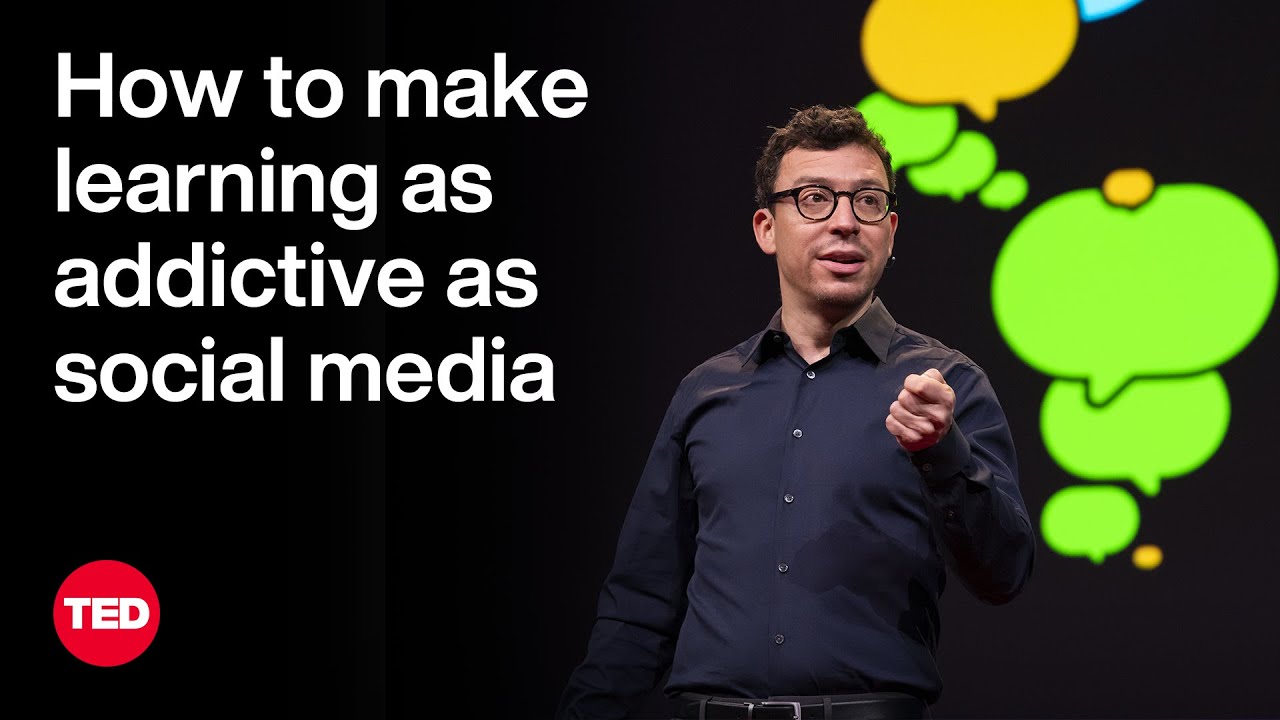
When technologist Luis von Ahn was building the popular language-learning platform Duolingo, he faced a big problem: Could an app designed to teach you something ever compete with addictive platforms like Instagram and TikTok? He explains how Duolingo harnesses the psychological techniques of social media and mobile games to get you excited to learn — all while spreading access to education across the world.
If you love watching TED Talks like this one, become a TED Member to support our mission of spreading ideas: https://ted.com/membership
Follow TED!
Twitter: https://twitter.com/TEDTalks
Instagram: https://www.instagram.com/ted
Facebook: https://facebook.com/TED
LinkedIn: https://www.linkedin.com/company/ted-conferences
TikTok: https://www.tiktok.com/@tedtoks
The TED Talks channel features talks, performances and original series from the world's leading thinkers and doers. Subscribe to our channel for videos on Technology, Entertainment and Design — plus science, business, global issues, the arts and more. Visit https://TED.com to get our entire library of TED Talks, transcripts, translations, personalized talk recommendations and more.
Watch more: https://go.ted.com/luisvonahn
https://youtu.be/P6FORpg0KVo
TED's videos may be used for non-commercial purposes under a Creative Commons License, Attribution–Non Commercial–No Derivatives (or the CC BY – NC – ND 4.0 International) and in accordance with our TED Talks Usage Policy: https://www.ted.com/about/our-....organization/our-pol For more information on using TED for commercial purposes (e.g. employee learning, in a film or online course), please submit a Media Request at https://media-requests.ted.com
#ted #tedtalks #duolingo

I'm giving $1,000,000 away to help people build their dream business for free. You can sign up here - https://worldsbiggestbusinesscompetition.com/?utm_source=youtube&utm_medium=organic_video&utm_campaign=wbbc_2026_launch&utm_content=main_channel
Need more free help? Get the first chapter of my book for free here - https://www.simonsquibb.com/simonsquibb.com-blog
If you watch this video you'll get 30 years of business knowledge in 2hrs 26mins.
That's right, my entire career of business knowledge and entrepreneurship condensed into one video.
You'll learn the complete A-Z guide of how to start a business in 2024. This will help you take action on your business ideas and find business success.
0:00 Intro
2:57 How To Start A Business With No Money
11:25 How To Win
17:34 How To Lose
20:44 How To Do A Mind Map (Business Plan)
28:15 How To Find Purpose
34:34 How To Find A Co-founder
40:27 How To Sell
48:55 How To Market Your Business
1:01:08 How To PR Your Business
1:07:28 How To Get An Investor
1:23:23 How To Get Sponsors
1:32:45 How To Build A Brand
1:42:46 How To Hire, Grow And Build
1:52:31 How To Fire Someone
1:58:27 How To Go Global
2:02:02 How To Get A Mentor
2:08:37 How Equity Works
2:19:53 How To Sell Your Business

Excel VBA Expert Tutorial
Get Ad-Free Training by becoming a member today!
https://www.youtube.com/channe....l/UCqyBfm_H9ugGirk1u
Join Learnit Anytime for ad-free training, exams, certificates, and exclusive content:
https://www.learnitanytime.com
Exercise Files: https://tinyurl.com/m6bvnx4w
Who it's for: Business Analysts, Data Scientists, and everyone in between looking to write their own rulebook on what’s possible in Excel.
What it is: Visual Basic for Applications (VBA) is the programming language for Excel and other Microsoft Office programs. VBA is used to automate repetitive processes and frequent actions. Even more, it can be used to build tools that otherwise don’t exist in Excel.
What you'll learn: In this series, users will be guided through the foundational concepts of VBA in Excel. Users will learn to build macros from the ground up, starting with recording macros that require little to no code, and working towards building their own macros using crucial VBA concepts such as Loop, If Then, and other complex functions.
Start 0:00
Worksheets Methods 0:03
DateSerial and Format 3:28
Sheet Template Generator 13:32
Move 20:21
PrintOut and PrintPreview 23:40
Practice (Part 1) 25:51
Practice (Part 2) 34:20
Practice (Part 3) 35:54
Practice (Part 4) 37:38
Practice (Part 5) 41:11
Practice (Part 6) 51:48
Custom Functions (Part 1) 54:18
Custom Functions (Part 2) 1:01:01
Custom Functions (Part 3) 1:04:32
Wrapping Up 1:14:07
#excelvba
learnit is no longer associated with this channel/video.
(C) 2025 Bomberry Productions
Any illegal reproduction of this content will result in immediate legal action.

Hey all! So for I've taught you how to change existing content in the DOM, but in this JavaScript tutorial I want to show you how to add new elements too!
To do this we use the createElement method, and then insert the new element into the DOM by using either one of the following methods:
appendChild(child)
insertBefore(child, element)
If you have any questions, fire away :)
SUBSCRIBE TO CHANNEL - https://www.youtube.com/channe....l/UCW5YeuERMmlnqo4oq
========== JavaScript for Beginners Playlist ==========
https://www.youtube.com/playli....st?list=PL4cUxeGkcC9
========== CSS for Beginners Playlist ==========
https://www.youtube.com/playli....st?list=PL4cUxeGkcC9
========== HTML for Beginners Playlist ==========
https://www.youtube.com/playli....st?list=PL4cUxeGkcC9
========== The Net Ninja ============
For more front-end development tutorials & to black-belt your coding skills, head over to - https://www.youtube.com/channe....l/UCW5YeuERMmlnqo4oq or http://thenetninja.co.uk
========== Social Links ==========
Twitter - @TheNetNinja - https://twitter.com/thenetninjauk
