
Top videos


🔥AI-Integrated Cyber Security Expert Master's Program - https://www.simplilearn.com/cyber-security-expert-master-program-training-course?utm_campaign=inWWhr5tnEA&utm_medium=DescriptionFF&utm_source=Youtube
🔥IITM Pravartak - AI-Powered Cybersecurity Mastery - https://www.simplilearn.com/ai-cybersecurity-course?utm_campaign=inWWhr5tnEA&utm_medium=DescriptionFF&utm_source=Youtube
🔥Virginia Tech - Professional Certificate Program in AI-Powered Cybersecurity - https://www.simplilearn.com/virginia-tech-cybersecurity-training-program?utm_campaign=inWWhr5tnEA&utm_medium=DescriptionFF&utm_source=Youtube
🔥IIIT Bangalore - Advanced Executive Program in Cybersecurity - https://www.simplilearn.com/pgp-advanced-executive-program-in-cyber-security?utm_campaign=inWWhr5tnEA&utm_medium=DescriptionFF&utm_source=Youtube
This Simplilearn video on What Is Cyber Security In 7 Minutes will explain what is cyber security, how it works, why cyber security, who is a cyber security expert, and what are the different types of cyberattacks with examples. Now, let's begin this cyber security video!
The topics covered in this video on Cyber Security are:
What Is a Cyberattack? 00:00:00
What Is Cyber Security? 00:01:11
What Is Cyber Security - Malware Attack 00:01:38
What Is Cyber Security - Phishing Attack 00:01:53
What Is Cyber Security - Man-in-the-middle Attack 00:02:13
What Is Cyber Security - Password Attack 00:02:37
Cyber Security Practices 00:02:51
Impact of a Cyber Attack 00:03:39
Advanced Persistent Threat (APT) 00:04:02
Denial of Service Attack & DDoS 00:04:18
SQL Injection Attack 00:04:35
Cyber Security Career 00:04:48
Quiz 00:05:44
Cyber Security Future 00:06:09
What exactly does cyber security do?
Cybersecurity is the practice of protecting systems, networks, and programs from digital attacks. These cyberattacks are usually aimed at accessing, changing, or destroying sensitive information; extorting money from users via ransomware; or interrupting normal business processes.
What is the concept of cybersecurity?
Cybersecurity safeguards internet-connected systems, including hardware, software, and data, from malicious attacks. It's an essential practice for both individuals and businesses to defend against unauthorized access to critical information stored in data centers and other computer systems.
Is cybersecurity a good career?
Yes. Computing and information technology occupations, including cybersecurity, rank among the highest-paying and most in-demand careers.
⏩ Like the video? Share Your Genuine Reviews: Let's Hear Your Experiences!
https://www.reddit.com/r/Simpl....iLearn/comments/1bpr
Choose over 300 in-demand skills and get access to 1000+ hours of video content for FREE in various technologies like Data Science, Cybersecurity, Project Management & Leadership, Digital Marketing, and much more.
✅ Check out the honest Simplilearn reviews : https://www.reddit.com/r/Simpl....iLearn/comments/1c1c
✅Subscribe to our Channel to learn more about the top Technologies: https://bit.ly/2VT4WtH
⏩ Check out the Cyber Security training videos: https://bit.ly/3cMmCxj
#cybersecurity #whatiscybersecurity #introductiontocybersecurity #cybersecuritybasics #basicsofcybersecurity #cybersecuritytraining #cybersecuritycourse #cybersecurityjobs #cybersecuritytrainingforbeginners #cybersecurityexplainedsimply #Simplilearn
➡️ About Post Graduate Program In Cyber Security
This Post Graduate Program in Cyber Security will help you learn comprehensive approaches to protecting your infrastructure and securing data, including risk analysis, mitigation, and compliance. You will get foundational to advanced skills through industry-leading cyber security certification courses that are part of the program.
✅ Key Features
- Simplilearn Post Graduate Certificate
- Masterclasses from MIT Faculty
- Featuring Modules from MIT SCC and EC-Council
- 8X higher interaction in live online classes conducted by industry experts
- Simplilearn's JobAssist helps you get noticed by top hiring companies
- Industry case studies in cyber security
- Access to CEH Pro Version
- 25+ hands-on projects
- Capstone project in 3 domains
- MIT CSAIL Professional Programs Community
✅ Skills Covered
- Advanced Hacking Concepts
- Network Packet Analysis
- Ethical Hacking
- IDS Firewalls and Honeypots
- Security and Risk Management
- Network Security
- Software Development Security
- Cryptography OSI and TCPIP Models
- Identity and Access Management
- Security Assessment and Testing
- Trojans Backdoors and Countermeasures
- Mobile and Web Technologies
👉 Learn More at: https://www.simplilearn.com/ai-cybersecurity-course?utm_campaign=CyberSecurityscribe&utm_medium=Description&utm_source=youtube
🔥🔥
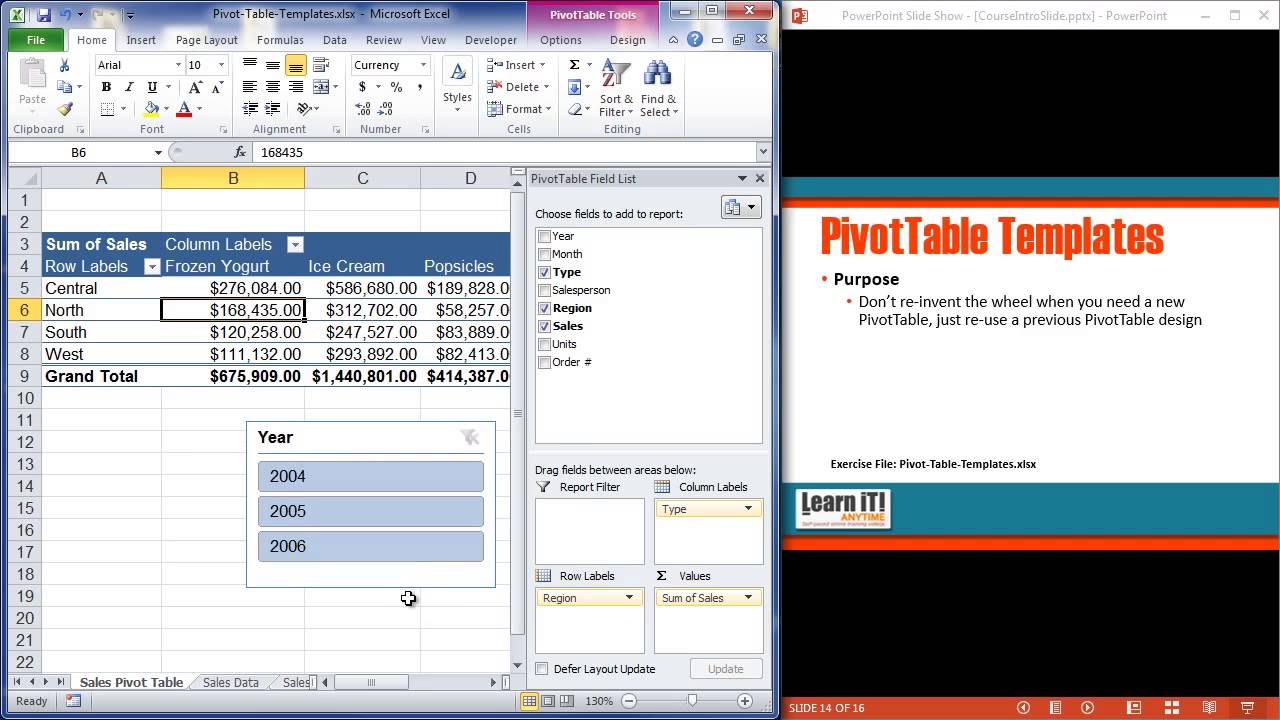
More Online Software Training: http://www.learnitanytime.com/
-Unlimited Excel, Outlook, PowerPoint, Access, MS Office, PhotoShop, Web Design, & lots more!
-17 years teaching software to industry leaders.
-Easy to follow: beginner through advanced.
-Feel secure: Ask a teacher if you have questions.

Photoshop Beginner Tutorial
Explore Your Creativity with Adobe Photoshop
https://www.adobe.com/in/products/photoshop.html?cgen=9J8K42RR&mv2=bbs
Get Ad-Free Training by becoming a member today!
https://www.youtube.com/channe....l/UCqyBfm_H9ugGirk1u
Join Learnit Anytime for ad-free training, exams, certificates, and exclusive content:
https://www.learnitanytime.com
Exercise Files: https://tinyurl.com/3dks9884
Who it's for: Curious beginners to advanced creatives working in any industry.
What it is: A multifaceted photo editing program that allows you to enhance photos, draw shapes, work with color, apply special effects, and use type and dozen of creative filters.
What you'll learn: We begin with learning the interface and workspace, then quickly cover how to create a new document, basic image manipulation, and working with layers, type, and typography. Then we learn several color correction techniques, creating masks, using filters, and a few basic filter options. In our advanced class, we cover layer comps, blending modes, advanced selection techniques, working with 3D text, advanced filter tools, creating Actions, and mastering your CC Libraries.
Start 0:00
Introduction 0:03
Customizing the Workspace 1:20
Moving and Transforming Objects 6:39
New Document & Placing Images 11:01
Introduction to Layers and Saving 18:13
Cropping, Canvas Size, and Image Size 25:24
Locking, Grouping, and Adjusting Opacity with Layers 31:19
Quick Selection and Layer via Cut 35:00
Magic Wand Tool and Eraser 43:55
Lasso 51:49
Layer Effects and Cloning 57:19
Introduction to Shapes and Colors 1:04:54
Introduction to Type 1:11:52
Layer Effects 1:18:23
Shapes 1:22:55
Custom Shapes 1:32:12
Color Swatches and Gradients 1:39:02
Type and Typography 1:50:07
Clipping Masks 1:57:48
Introduction to Masks 2:05:58
Levels Adjustment Layer 2:14:39
Curves Adjustment Layer 2:21:06
Black and White and Hue-Saturation Adjustment Layer 2:26:41
Vibrance and Curves Adjustment Layer - Blue Skies 2:36:36
Red Eye Removal 2:39:27
Dodge and Burn Tool 2:41:01
Spot Healing Brush Tool 2:46:41
Patch Tool and Content Aware Fill 2:51:56
Clone Stamp Tool 2:57:41
Filters 3:02:49
Field Blur 3:08:15
Preferences 3:14:01
Conclusion 3:18:44
#photoshop
Learnit is no longer associated with this channel/video.
(C) 2025 Bomberry Productions
Any illegal reproduction of this content will result in immediate legal action.
Word Full Course Tutorial
Get Ad-Free Training by becoming a member today!
https://www.youtube.com/channe....l/UCqyBfm_H9ugGirk1u
Join Learnit Anytime for ad-free training, exams, certificates, and exclusive content:
https://www.learnitanytime.com
Exercise Files: https://tinyurl.com/4zbvy7v5
Who it's for: Microsoft Word is for anyone who writes. It’s used by students, CEO’s, and everyone in between.
What it is: Microsoft Word is THE word processor.
What you'll learn: In this Microsoft Word course, students can expect to learn the essential skills needed to create, format, and manage Word documents effectively. The course covers foundational topics such as navigating the Word interface, adding and formatting text, and creating lists. Students will also explore more advanced features like working with images, text boxes, and shapes, as well as utilizing proofing tools to ensure document quality. The course emphasizes hands-on practice, allowing students to pause, complete tasks, and enhance their skills by following along with interactive lessons.
Start 0:00
Introduction 0:09
Start Screen 2:13
Word Ribbon and Interface 5:09
Help and Views 10:06
Font Commands 13:38
Paragraph Commands 21:04
Word Styles 28:04
Lists 34:46
Managing Lists 41:15
Proofing and Saving 46:57
Intro to Module 2 55:29
Contextual Tabs and Text Boxes 56:20
Integrating Shapes 1:04:55
Online Image Library Basics 1:11:40
Resizing and Restyling Pictures 1:19:09
Cropping and Editing Pictures 1:25:26
Page Layout Commands 1:32:02
Headers Footers and converting to PDF 1:38:20
Word Beginner Conclusion 1:49:01
Word Intermediate Introduction 1:50:14
Creating Text Styles 1:51:15
Table Insertion Options 1:59:41
Managing Rows, Columns, and Cells 2:05:55
Table Layouts and Inserting Excel Tables 2:13:45
Inserting and Managing Chart Data 2:20:13
Customizing Chart Elements 2:27:32
Exploring the Quick Parts Gallery 2:34:41
Creating Reusable Content 2:40:41
Module 4 Intro 2:48:07
Themes 2:49:10
Document Formatting Design 2:54:23
Saving Files as Templates 2:58:58
Defining and Managing Columns 3:09:44
Section Breaks 3:14:49
Cover Pages 3:20:29
Table of Contents 3:25:07
Index 3:31:56
Outline View 3:36:31
Mail Merge with Outlook 3:42:38
Word Intermediate Conclusion 3:52:46
Word Advanced Introduction 3:53:52
Inserting Online Video 3:54:51
Inserting Screenshots 3:58:35
Inserting Local Media 4:01:58
SmartArt 4:04:18
Managing SmartArt 4:11:15
Drawing Tools 4:16:37
Drawing Gestures 4:22:59
Sharing Documents for Collaboration 4:26:48
Track Changes 4:32:00
Table of Figures 4:39:50
Hyperlinks and Bookmarks 4:46:26
Footnotes and Endnotes 4:53:56
Research Tool 4:58:41
Citations 5:01:57
Module 6 Introduction 5:05:23
Introduction to Security 5:06:11
Formatting Restrictions 5:11:37
High-Level Restrictions 5:18:10
Forms and Developer Tab 5:24:02
Inserting Form Controls 5:29:27
Securing Forms 5:35:59
Online Forms App 5:42:50
Recording Macros with Shortcuts 5:52:20
VBA Editor 6:00:12
Word Advanced Conclusion 6:10:45
Word Copilot Introduction 6:11:35
Draft with Copilot 6:11:59
Rewrite with Copilot 6:16:12
Visualizing Text as a Table 6:20:57
Reference a File with Copilot 6:24:37
Using Word Copilot Pane 6:28:46
Creating Content from a Document 6:34:13
Copilot with Editor 6:40:13
Getting to Copilot Lab 6:43:56
Copilot for Word Web Version 6:44:55
Word Copilot Conclusion 6:48:25
#microsoftword #wordtutorial #microsoftwordtutorial
learnit is no longer associated with this channel/video.
(C) 2025 Bomberry Productions
Any illegal reproduction of this content will result in immediate legal action.

Excel for Finance and Accounting Expert Tutorial
Get Ad-Free Training by becoming a member today!
https://www.youtube.com/channe....l/UCqyBfm_H9ugGirk1u
Join Learnit Anytime for ad-free training, exams, certificates, and exclusive content:
https://www.learnitanytime.com
Exercise Files: https://tinyurl.com/rxvb4utb
Who it's for: Professionals using Excel to tackle practical tasks around financial data.
What it is: Microsoft’s spreadsheet application used to clean, organize, and present data.
What you'll learn: This course begins with a brief Excel refresher before moving on to a series of Finance and Accounting tips to improve your day-to-day workflow. First, we’ll explore common functions like NPV, IRR, and IPMT. Then, you’ll learn how to create a variety of charts to visually represent your data like stock charts, area charts, and even football field charts. Next, you’ll refamiliarize yourself with some key Excel tools like Pivot Tables to maximize your time in the application. Finally, we’ll show you how all of this works in the real world with comprehensive exercises around income statements, balance sheets, cash flow statements, and much more.
Start 0:00
Introduction 0:09
Building Data Rates 1:20
Calculating HPR Rates of Return 4:23
Statement Model 10:39
Income Statements 12:29
Operating Costs 21:06
Operating Expenses and Interest 24:57
Taxes 26:47
Net Income 28:47
Capital Expenditure and Depreciation Schedule 31:27
Setting Up Balance Sheets 37:11
Balance Sheet Forecasts 40:33
Cash Flow Statements 54:15
Statement Model Check 1:04:21
Conclusion 1:06:22
#excel #exceltutorial #exceltips #exceltricks
Learnit is no longer associated with this channel/video.
(C) 2025 Bomberry Productions
Any illegal reproduction of this content will result in immediate legal action.
Learn Python for AI, machine learning, and web development with this beginner-friendly course! 🚀 Get 6 months of PyCharm FREE with the coupon in the description!
🚀 Want to dive deeper?
- Check out my Python mastery course: https://mosh.link/python-course
- Subscribe for more awesome Python content: https://goo.gl/6PYaGF
🔗 Related videos
https://youtu.be/yVl_G-F7m8c?si=aoIiT6CyaRRfBsRM
👉 New version available Watch here: https://youtu.be/kqtD5dpn9C8
📕 Get the FREE goodies:
- Python cheat sheet: https://mosh.link/python-cheatsheet
- Supplementary materials (spreadsheet): https://github.com/mosh-hameda....ni/python-supplement
- Get 6 months of PyCharm for free with this coupon code: MOSH_YOUTUBE - Redeem it at: https://jb.gg/redeem
✋ Stay connected:
- Twitter: https://twitter.com/moshhamedani
- Facebook: https://www.facebook.com/programmingwithmosh/
- Instagram: https://www.instagram.com/codewithmosh.official/
- LinkedIn: https://www.linkedin.com/school/codewithmosh/
⭐ My favorite Python books
- Python Crash Course: https://amzn.to/2GqMdjG
- Automate the Boring Stuff with Python: https://amzn.to/2N71d6S
- A Smarter Way to Learn Python: https://amzn.to/2UZa6lE
- Machine Learning for Absolute Beginners: https://amzn.to/2Gs0koL
- Hands-on Machine Learning with scikit-learn and TensorFlow: https://amzn.to/2IdUuJy
📖 TABLE OF CONTENT
00:00:00 Introduction
00:01:49 Installing Python 3
00:06:10 Your First Python Program
00:08:11 How Python Code Gets Executed
00:11:24 How Long It Takes To Learn Python
00:13:03 Variables
00:18:21 Receiving Input
00:22:16 Python Cheat Sheet
00:22:46 Type Conversion
00:29:31 Strings
00:37:36 Formatted Strings
00:40:50 String Methods
00:48:33 Arithmetic Operations
00:51:33 Operator Precedence
00:55:04 Math Functions
00:58:17 If Statements
01:06:32 Logical Operators
01:11:25 Comparison Operators
01:16:17 Weight Converter Program
01:20:43 While Loops
01:24:07 Building a Guessing Game
01:30:51 Building the Car Game
01:41:48 For Loops
01:47:46 Nested Loops
01:55:50 Lists
02:01:45 2D Lists
02:05:11 My Complete Python Course
02:06:00 List Methods
02:13:25 Tuples
02:15:34 Unpacking
02:18:21 Dictionaries
02:26:21 Emoji Converter
02:30:31 Functions
02:35:21 Parameters
02:39:24 Keyword Arguments
02:44:45 Return Statement
02:48:55 Creating a Reusable Function
02:53:42 Exceptions
02:59:14 Comments
03:01:46 Classes
03:07:46 Constructors
03:14:41 Inheritance
03:19:33 Modules
03:30:12 Packages
03:36:22 Generating Random Values
03:44:37 Working with Directories
03:50:47 Pypi and Pip
03:55:34 Project 1: Automation with Python
04:10:22 Project 2: Machine Learning with Python
04:58:37 Project 3: Building a Website with Django
#python #ai #machinelearning #webdevelopment

Hey ninjas, in this tutorial I'll introduce you to objects in JavaScript.
SUBSCRIBE TO CHANNEL - https://www.youtube.com/channe....l/UCW5YeuERMmlnqo4oq
========== JavaScript for Beginners Playlist ==========
https://www.youtube.com/playli....st?list=PL4cUxeGkcC9
========== CSS for Beginners Playlist ==========
https://www.youtube.com/playli....st?list=PL4cUxeGkcC9
========== HTML for Beginners Playlist ==========
https://www.youtube.com/playli....st?list=PL4cUxeGkcC9
========== The Net Ninja ============
For more front-end development tutorials & to black-belt your coding skills, head over to - https://www.youtube.com/channe....l/UCW5YeuERMmlnqo4oq or http://thenetninja.co.uk
========== Social Links ==========
Twitter - @TheNetNinja - https://twitter.com/thenetninjauk

Master Python from scratch 🚀 No fluff—just clear, practical coding skills to kickstart your journey!
🚀 Want to dive deeper?
- Check out my complete Python mastery course: https://mosh.link/python-course
- Subscribe for more awesome Python content: https://goo.gl/6PYaGF
🔗 Related videos
https://youtu.be/yVl_G-F7m8c?si=aoIiT6CyaRRfBsRM
✋ Stay connected:
- Full Courses: https://codewithmosh.com
- Twitter: https://twitter.com/moshhamedani
- Facebook: https://www.facebook.com/programmingwithmosh/
- Instagram: https://www.instagram.com/codewithmosh.official/
- LinkedIn: https://www.linkedin.com/school/codewithmosh/
📖 Table of Content
0:00:00 Introduction
0:00:56 What is Python?
0:04:11 Installing Python
0:05:36 Python Interpreter
0:07:30 Code Editors
0:08:49 Your First Python Program
0:12:25 Python Extension
0:14:26 Linting Python Code
0:18:40 Formatting Python Code
0:22:51 Running Python Code
0:24:30 Python Implementations
0:26:59 How Python Code is Executed
0:29:45 Quiz
0:31:17 Python Mastery Course
0:31:44 Variables
0:34:48 Variable Names
0:37:51 Strings
0:43:20 Escape Sequences
0:46:01 Formatted Strings
0:48:09 String Methods
0:54:03 Numbers
0:56:50 Working With Numbers
0:58:59 Type Conversion
1:04:03 Quiz
1:06:43 Comparison Operators
1:08:46 Conditional Statements
1:12:56 Ternary Operator
1:15:04 Logical Operators
1:19:07 Short-circuit Evaluations
1:21:13 Chaining Comparison Operators
1:22:35 Quiz
1:24:18 For Loops
1:27:56 For..Else
1:30:42 Nested Loops
1:33:26 Iterables
1:36:34 While Loops
1:41:33 Infinite Loops
1:43:10 Exercise
1:45:13 Defining Functions
1:47:37 Arguments
1:49:57 Types of Functions
1:53:59 Keyword Arguments
1:55:59 Default Arguments
1:57:34 xargs
#python #ai #machinelearning #webdevelopment

Dive into the subconscious to see what’s really driving the decisions you make.
Official Website: https://to.pbs.org/3pUGv1s | #novapbs
are you in control, or is your brain controlling you? Dive into the latest research on the subconscious with neuroscientist Heather Berlin. Sleepwalking, anesthesia, game theory, and more reveal surprising insights in this eye-opening journey to discover what’s really driving the decisions you make.
🎙️ Watch to Heather Berlin's interview on the Particles of Thought Podcast: https://www.youtube.com/watch?v=PCAvPGtNPKo
💙 Help us bring the universe closer to home. Your donation ensures that NOVA’s deep-space discoveries and quantum physics explorations remain free and inspiring for the next generation of scientists. Support fact-based storytelling today. https://bit.ly/48UnsrD
Chapters:
00:00 Introduction
03:22 Sleepwalking and the Brain
08:36 Anesthesia and the Brain
14:18 Results of Split Brain Surgery
22:23 Emotions and the Brain
30:01 How Does Trauma Affect the Brain?
35:39 How Much Control Do We Have of Our Brain?
45:44 Creativity and the Brain
50:17 Conclusion
© 2023 WGBH Educational Foundation
All rights reserved
This program was produced by GBH, which is solely responsible for its content.
This program is made possible by viewers like you. Support your local PBS station here: https://pbs.org/donate/
Enjoy full episodes of your favorite PBS shows anytime, anywhere with the free PBS App: https://to.pbs.org/2QbtzhR
Stay up to date on the latest science discoveries, full episodes, articles, videos, and more by signing up for NOVA's newsletter here: https://www.pbs.org/wgbh/nova/newsletter/
FOLLOW US:
NOVA
YouTube: https://www.youtube.com/novaonline
Facebook: https://www.facebook.com/NOVApbs
Twitter: https://twitter.com/novapbs
Instagram: https://www.instagram.com/novapbs/
TikTok: https://www.tiktok.com/@novapbs
PBS
Facebook: https://www.facebook.com/PBS/
Twitter: https://twitter.com/PBS/
Instagram: https://www.instagram.com/PBS/
YouTube: https://www.youtube.com/PBS/
TikTok: https://www.tiktok.com/@pbs
Shop: https://shop.pbs.org/
#brainscience #perception #neuroscience #consciousness #subconscious #subconsciousmind

Python Course By Saumya Singh ( Chapter 07 - Functions in Python )
Download Python Course Certificate for Free - https://gsjqmh.courses.store/766185
Download Internship + Job Ready Kit (paid) - https://gsjqmh.courses.store/758133
I’m Saumya Singh, a Software Engineer with 5+ years of industry experience and a passion for teaching. Alongside my job, I’ve been creating educational content to help students and professionals grow in tech.
In this complete Python course, we’ll learn Beginner to Advanced concepts along with AI & Machine Learning to make you job-ready in 2026 and beyond.
This is just the beginning - we’ll continue bringing more tutorials, projects, and career-focused guidance for our amazing subscribers! 💙
Notes - https://drive.google.com/file/....d/1VEHGbuz_OD1MzPRGy
Code - https://github.com/saumya1sing....h/Python_Course_By_S
✨Share Your Progress & Learnings on✨
Instagram: https://insta.openinapp.co/2xour
LinkedIn: https://linkedin.openinapp.co/oj87l
Twitter: https://twtr.openinapp.co/bo6dj
✨Android App Development Playlist | 30 Days of Coding Challenge✨
youtube.com/playlist?list=PLTV_nsuD2lf4UCTV6xwvNPvFdmCNKyhc8
✨Mission Placement - Land Your Dream Job With Saumya Singh. ✨
https://youtube.com/playlist?list=PLTV_nsuD2lf4hfQvqKRToCXtVB7-6rZnz&si=Dtm9oPUzooYAkA2c
video covers:-
functions in Python, python course 2026, saumya singh chapter 7 python course, free python course with certificate, python course certificate 2026, function in python concept, beginner to advance python course,python course for beginners,Python Tutorial For Beginners in Hindi,complete python course, python course from beginner to advanced, python course in hindi, free python course,
python course 2026, python course for beginners,Python Tutorial For Beginners in Hindi,complete python course, python course from beginner to advanced, python course in hindi, free python course, how to install python, how to install code editor, how to install vs code, python course 2026 beginner to advance , how to learn python, How to learn python 2026, features of python, python course for first year college student, saumya singh python course
#python #programming #pythoncourseinhindi #coding #ai #ml #softwareengineer #saumyasingh
python Tutorial For Beginners in Hindi | Complete Python Course
Python Full Course for Beginners [2026]
Python Full Course 2026 (Beginner to Advanced) + AI & Machine Learning | Free Tutorial
Python Tutorial 2026 | AI + Machine Learning | Beginner to Pro | Saumya Singh
Python Beginner to Advanced With AI & ML (Full Course 2026) | Step-By-Step
Learn Python in 2026 | Complete AI & Machine Learning Course for Beginners
Python Full Roadmap 2026 | Beginner to Advanced | AI, ML, Projects & Tips
in this course we will launch some chapters. all chapters are totally free of cost for students. keep sharing your feedbacks on comments & love you all 🙈

Copilot skills in PowerPoint let you save a repeatable task once and reuse it forever — and you can build your own without writing any code.
In this video I walk through the Skills feature in PowerPoint Copilot end to end: what a skill actually is, where to find the ones Microsoft already gives you, and how to build your own custom skill using one reusable prompt framework that Copilot fills in for you. I demo two built-in skills I use every day (Explain this presentation and Visualize this slide), then build a custom "customer success story slide" skill live and run it on rough notes. At the end, a first look at Microsoft's brand-new Create interactive slides skill rolling out in the Frontier program.
If you have a Microsoft 365 Copilot license, everything except the Frontier feature is available to you today.
In this video you'll learn:
✅ What a Copilot skill is (a reusable playbook, not a macro or add-in)
✅ Where skills live and two ways to run them (Choose skills menu + @mention)
✅ How to manage skills and control which ones Copilot can use
✅ How to build your own custom skill with a reusable prompt — no coding
✅ How to upload a custom skill into PowerPoint and run it
Chapters
00:00 The slide that built itself
00:58 What a Copilot skill really is
02:27 Two skills I use every day
04:47 Why custom skills are the real power
05:47 The reusable prompt to steal
06:34 Upload it into PowerPoint
07:23 The moment of truth
08:17 What's coming: interactive slides (Frontier Preview)
09:14 Your task this week
Resources / Links
• Read the full written breakdown + get every new one free → M365 Copilot Connection on Substack: https://m365copilotconnection.substack.com
• Download the reusable skill-builder prompt (free) → https://1drv.ms/b/c/731A5A66AE....1C3CCB/IQBqXK6WmV_xR
• Copilot in PowerPoint — Skills (Microsoft support) — https://support.microsoft.com/....en-us/powerpoint/cop
• Licensing note: The Skills feature and custom skills shown here require a Microsoft 365 Copilot license. "Create interactive slides" is currently Frontier-program preview only and is not yet available to all users. Copilot Chat used to generate the skill file is available more broadly.
• Subscribe → https://www.youtube.com/@M365CopilotConnection
#microsoft365copilot #powerpoint

Jira Full Course Tutorial
Get Ad-Free Training by becoming a member today!
https://www.youtube.com/channe....l/UCqyBfm_H9ugGirk1u
Join Learnit Anytime for ad-free training, exams, certificates, and exclusive content:
https://www.learnitanytime.com
Exercise Files: No Exercise Files For This Course
Who it's for: This course is ideal for anyone working in or around agile teams—including developers, project managers, product owners, Scrum Masters, QA testers, business analysts, or anyone who needs to track and manage work efficiently. It’s also great for beginners who have never used Jira before, as well as those who have used it casually but want to truly understand how it works. Whether you’re planning projects, organizing tasks, supporting teams, or collaborating across departments, this course will help you feel confident navigating Jira and contributing effectively in an agile environment.
What it is: Jira is a powerful project management and issue-tracking tool built by Atlassian that helps teams plan, organize, and deliver work more efficiently—especially in agile environments like Scrum and Kanban. It allows you to track tasks, bugs, user stories, and projects in one place using customizable boards, workflows, and reports so everyone knows what needs to be done, who’s responsible, and how progress is moving. Jira is widely used by software development teams, but it’s flexible enough for marketing, operations, IT, and any team that needs structure and visibility. With features like backlogs, sprints, dashboards, and automation, Jira turns chaos into clarity and helps teams stay aligned, collaborate effectively, and deliver results faster.
What you'll learn: In this course, you’ll learn how Jira works from the ground up—starting with the different Jira versions and their purposes, then moving into core agile concepts like sprints, backlogs, boards, epics, stories, and story points. You’ll master Jira terminology, explore team-managed vs. company-managed projects, and get hands-on with creating projects, customizing workflows, and managing issues. You’ll also learn how to navigate the Jira interface, build and personalize Scrum and Kanban boards, track progress with reports and dashboards, and apply best practices for organizing and delivering work in agile teams. By the end, you’ll know not just how to use Jira—but how to use it well.
Start 0:00
Introduction 0:09
Jira Versions 2:51
Understanding Jira Software 7:12
Agile Methodology Essentials 13:34
Important Agile Terms in Jira 19:48
Essential Jira Terminology 24:59
Navigating the Jira Interface 28:46
Beginner Conclusion 34:23
Introduction 35:45
Differences Between Team-Managed and Company-Managed Projects 37:30
Setting Up a Team-Managed Project 40:31
Exploring Team-Managed Projects 45:29
Creating Issues in Team-Managed Projects 48:18
Customizing Team-Managed Projects 52:56
Setting Up a Company-Managed Project 1:04:41
Navigating Company-Managed Projects 1:08:25
Creating a New Scrum Board 1:11:06
Introduction to Scrum Agile Board 1:19:40
Customizing Scrum Boards 1:22:25
Further Customization of Scrum Boards 1:27:37
Intermediate Conclusion 1:34:00
Advanced Introduction 1:34:45
Creating a New Kanban Board 1:38:56
Introduction to Kanban Agile Board 1:43:42
Customizing Kanban Boards 1:48:55
Issue Creation in Jira 1:57:04
Detailed Overview of Issue Views 2:02:59
Creating and Using Filters 2:08:39
Using Dashboards 2:16:38
Sharing Filters 2:28:01
Generating Reports in Jira 2:31:48
Roadmap Features in Jira 2:29:46
Bulk Issue Creation 2:43:03
Bulk Issue Editing 2:49:10
Conclusion 2:55:48
(C) 2025 Bomberry Productions, LLC
Any illegal reproduction of this content will result in immediate legal action.
Learn the basics of AI for marketing to streamline your content creation and audience analysis. Practical steps for beginners.
Who it's for: This class is for beginners, small business owners, and marketers who want to integrate generative AI tools into their daily workflow. It is designed for anyone needing to generate ideas and analyze data without needing advanced technical skills.
What it is: This tutorial covers the practical application of AI for marketing tasks. You will learn to use AI to brainstorm social media content, define target audience segments, and evaluate the effectiveness of a marketing campaign. We also explore event planning and provide a curated toolkit for your future projects.
What you'll learn: You will learn how to prompt AI for creative concepts, segment audiences for better targeting, and interpret performance data. By the end, you will have a clear understanding of how to use AI for marketing to save time and improve your results.
Subscribe for weekly software workflow breakdowns, and comment below with which AI tool you want us to cover next.
Join Learn Skills Daily for ad-free training, exams, certificates, and exclusive content:
https://www.learnskillsdaily.com
Exercise Files: https://tinyurl.com/3kn5j5ky
Welcome and Overview 00:00
Meet Your Instructor 00:42
Who This Course Is For 1:46
Campaign Scenario Setup 3:12
Workflow Roadmap 4:31
Campaign Brief Breakdown 6:36
Tool Choice and Data Safety 9:01
Deep Research Prompting 10:47
Deep Research Results Review 14:30
Notebooks for Campaign Planning 17:31
Social Media Pillars 21:33
Content Ideas to Calendar 26:03
AI Image Creation for Posts 28:36
Captions and Repurposing 34:32
Switching to Direct Mail 39:25
Direct Mail Segmentation Prompt 39:36
Segmenting Mail Audiences 42:05
Four Drop Mail Funnel 43:05
Table Formatting Tips 45:19
Postcard Mockup Workflow 47:23
Iterating With Doodles 51:05
In Store Activation Ideas 57:51
Event Plan Budget ROI 1:02:23
Handling Leadership Objections 1:05:49
Campaign Data Review 1:08:32
Leadership Recap Next Steps 1:15:30
Wrap Up Resources 1:20:35
(C) 2026 Bomberry Productions
Any illegal reproduction of this content will result in immediate legal action.

Pages Tutorial
Get Ad-Free Training by becoming a member today!
https://www.youtube.com/channe....l/UCqyBfm_H9ugGirk1u
Join Learnit Anytime for ad-free training, exams, certificates, and exclusive content:
https://www.learnitanytime.com
Exercise Files: https://tinyurl.com/2sta2vh6
Who it's for: Beginners and anyone who wants to learn more about Apple Pages.
What it is: Apple’s highly-regarded document app, a cornerstone of their iWork Suite and similar to Microsoft Word or Google Docs.
What you'll learn: We’ll start with the basics like creating, opening, and saving documents, along with adding common document objects like images, charts, and more. Next, we'll go over formatting documents with margins, borders, backgrounds, and bookmarks, and formatting text with fonts, colors, outlines, and shadows. Finally, we'll cover publishing and collaboration with printing, sharing, working together, and iCloud integration.
Start 0:00
Introduction 0:03
Opening Pages 2:31
Introduction to Images, Charts, and Other Objects 7:48
Creating Documents and Books 8:58
Finding Documents 10:59
Opening, Closing, Saving, and Naming Documents 12:03
Paper Size and Orientation 13:50
Document Margins 15:16
Facing Pages 18:31
Adding, Rearranging, and Deleting Pages 19:46
Document Parts 25:30
Bookmarks and Links 30:03
Backgrounds and Borders 31:50
Watermarks and Background Objects 35:25
Standard and Custom Templates 37:54
Selecting, Replacing, Copying, and Pasting Text 40:38
Dictation and Special Characters 42:38
Using Other Languages 44:53
Date, Time, and Equations 46:09
Setting Default Font and Paragraph Styles 47:35
Text Color, Outlines, and Shadows 50:24
Capitalization, Punctuation, Styles, and Formatting 51:47
Highlighting, Hyphens, and Dashes 55:18
Spacing and Lists 57:25
Tab Stops and Aligning and Justifying Text 59:24
Pagination, Breaks, and Columns 1:00:08
Linking Text Boxes 1:01:55
Images and Shapes 1:03:46
Lines and Arrows 1:05:46
Animating Drawings 1:07:13
Audio and Video 1:08:48
Image and Video Formats 1:11:01
Object Settings - Transparency, Fill, Border, and Shadow 1:11:46
Object Styles 1:14:11
Tables 1:15:28
Charts 1:18:34
Spell Check, Look Up, and Find and Replace 1:20:49
Text Replacement 1:22:43
Page Count 1:23:45
Comments and Annotations 1:24:46
Track Changes 1:26:47
Printing 1:27:19
Sending Documents 1:28:35
Sharing, Collaborating, and Publishing to Apple Books 1:30:03
Locking, Passwords, and iCloud 1:31:28
Packing to Reducing File Size and Restoring Versions 1:32:51
Transferring Between Devices 1:34:22
Troubleshooting 1:35:08
Keyboard Shortcuts 1:38:00
Conclusion 1:39:51
#pages #applepages
(Learnit is no longer associated with this channel/video.
(C) 2025 Bomberry Productions
Any illegal reproduction of this content will result in immediate legal action.
If You Want To Support My Work 👇
https://www.youtube.com/channe....l/UCbBt6Ks7M5BZx_GHg
Follow Me On 👇
Any Questions?: https://www.instagram.com/huxnshorts/
Shorts Channel: https://www.youtube.com/@Huxn2.0
Twitter ( X ): https://twitter.com/huxnwebdev
GitHub: https://github.com/huxn-webdev
00:00 - Intro
1:20 - Requirements / Prerequisites
2:08 - What is Next.js?
2:26 - Problems With React.js
3:56 - Next.js The Problem Solver
5:04 - Next.js Installation
7:52 - Folder Structure
10:22 - Special Files
10:27 - Basic Routing
12:23 - Basic Routing In Action
16:18 - Basic Routing Challenge
20:23 - Nested Routes
21:16 - Nested Routes In Action
24:52 - Dashboard Project
1:22:40 - Nested Routes Challenge
1:26:10 - Linking
1:27:11 - Linking In Action
1:31:10 - Linking Challenge
1:35:55 - useRouter
1:37:42 - useRouter In Action
1:44:23 - useRouter Challenge
1:48:37 - Private Pages
1:49:06 - Route Groups
1:49:56 - Route Groups In Action
1:54:37 - Route Groups Challenge
1:57:32 - Dynamic Routes
1:59:35 - Dynamic Routes In Action
2:09:38 - Movies Project
2:28:23 - Dynamic Routes Challenge
2:30:34 - Catch All Route Segments
2:32:19 - Catch All Route Segments In Action
2:36:26 - Gaming Website Project
2:49:30 - Catch All Route Segments Challenge
2:52:47 - Layouts
2:54:41 - Layouts In Action
3:00:59 - Layouts Challenge
3:20:40 - Templates
3:22:18 - Templates in Action
3:27:45 - Not Found
3:28:29 - Not Found In Action
3:30:17 - Not Found Challenge
3:32:26 - Redirects
3:35:12 - Redirects Challenge
3:39:09 - Loading
3:39:44 - Loading In Action
3:41:57 - Errors
3:42:26 - Errors in Action
3:44:20 - Images
3:50:12 - Welcome To The Backend
3:50:54 - GET Method
3:56:22 - POST Method
4:00:37 - Backend Dynamic Routes
4:06:08 - PATCH Method
4:13:15 - DELETE Method
4:17:44 - URL Query Parameters
4:23:40 - Middlewares
4:24:38 - Fonts
4:27:34 - Metadata
4:34:38 - CSS Modules
4:38:19 - UI Verse
4:44:45 - TailwindCSS
4:49:15 - UI Lukacho
4:56:59 - Shadcn UI
5:06:28 - Magic UI
5:11:17 - HeroUI / NextUI
5:19:01 - Aceternity UI
5:25:56 - Outro

Excel for Finance and Accounting Intermediate Tutorial
Get Ad-Free Training by becoming a member today!
https://www.youtube.com/channe....l/UCqyBfm_H9ugGirk1u
Join Learnit Anytime for ad-free training, exams, certificates, and exclusive content:
https://www.learnitanytime.com
Exercise Files: https://tinyurl.com/rxvb4utb
Who it's for: Professionals using Excel to tackle practical tasks around financial data.
What it is: Microsoft’s spreadsheet application used to clean, organize, and present data.
What you'll learn: This course begins with a brief Excel refresher before moving on to a series of Finance and Accounting tips to improve your day-to-day workflow. First, we’ll explore common functions like NPV, IRR, and IPMT. Then, you’ll learn how to create a variety of charts to visually represent your data like stock charts, area charts, and even football field charts. Next, you’ll refamiliarize yourself with some key Excel tools like Pivot Tables to maximize your time in the application. Finally, we’ll show you how all of this works in the real world with comprehensive exercises around income statements, balance sheets, cash flow statements, and much more.
Start 0:00
Introduction 0:09
Date and Time Functions 1:51
Data Validation 5:26
VLOOKUP 9:43
INDEX and MATCH 14:33
XLOOKUP 20:55
Goal Seek and Scenario Manager 24:50
PV and FV 30:24
NPV 35:18
XNOV 36:52
IRR 39:03
Loan Schedule with PMT 41:52
PPMT 44:18
IPMT 47:13
CUMIPMT 50:24
Loan Schedule Templates 54:08
Conclusion 57:48
#excel #exceltutorial #exceltips #exceltricks
Learnit is no longer associated with this channel/video.
(C) 2025 Bomberry Productions
Any illegal reproduction of this content will result in immediate legal action.

Master SQL – an essential skill for AI, machine learning, data analysis, and more! 📚 This beginner-friendly course teaches you SQL from scratch.
🚀 Want a complete SQL deep dive?
- Check out my full course: https://mosh.link/sql-course
- Subscribe for more awesome content: https://goo.gl/6PYaGF
✋ Want more? Follow me on:
- Twitter: https://twitter.com/moshhamedani
- Facebook: https://www.facebook.com/programmingwithmosh/
- Instagram: https://www.instagram.com/codewithmosh.official/
- LinkedIn: https://www.linkedin.com/school/codewithmosh/
📕 Get the FREE goodies:
- SQL cheat sheet: https://mosh.link/sql-cheatsheet
- Scripts to create databases: https://bit.ly/3rvtqdO
📖 TABLE OF CONTENT
0:00:00 Introduction
0:01:02 What is SQL?
0:04:24 Cheat Sheet
0:04:50 Installing MySQL on Mac
0:09:48 Installing MySQL on Windows
0:15:08 Creating the Databases for this Course
0:23:40 The SELECT Statement
0:29:30 The SELECT Clause
0:38:18 The WHERE Clause
0:43:35 The AND, OR, and NOT Operators
0:51:38 The IN Operator
0:54:41 The BETWEEN Operator
0:56:53 The LIKE Operator
1:02:31 The REGEXP Operator
1:11:51 The IS NULL Operator
1:14:18 The ORDER BY Operator
1:21:23 The LIMIT Operator
1:24:50 Inner Joins
1:33:16 Joining Across Databases
1:36:03 Self Joins
1:40:17 Joining Multiple Tables
1:47:03 Compound Join Conditions
1:50:44 Implicit Join Syntax
1:53:04 Outer Joins
1:59:31 Outer Join Between Multiple Tables
2:05:50 Self Outer Joins
2:08:02 The USING Clause
2:13:25 Natural Joins
2:14:46 Cross Joins
2:18:01 Unions
2:26:29 Column Attributes
2:29:54 Inserting a Single Row
2:35:40 Inserting Multiple Rows
2:38:58 Inserting Hierarchical Rows
2:44:51 Creating a Copy of a Table
2:53:38 Updating a Single Row
2:57:33 Updating Multiple Rows
3:00:47 Using Subqueries in Updates
3:06:24 Deleting Rows
3:07:48 Restoring Course Databases
💡 Why Learn SQL?
- It's the standard language for working with databases.
- In-demand skill for developers, data scientists, and more.
- MySQL is popular, open-source, and easy to learn.
👉 This tutorial is perfect for you if:
- You're completely new to SQL.
- You want a practical, hands-on approach.
- You work (or want to work) with data.
#programming #coding
