
Top videos


Outlook 2021 Full Course Tutorial (5+ Hours)
Get Ad-Free Training by becoming a member today!
https://www.youtube.com/channe....l/UCqyBfm_H9ugGirk1u
Join Learnit Anytime for ad-free training, exams, certificates, and exclusive content:
https://www.learnitanytime.com
Exercise Files: https://tinyurl.com/yk9t9chm
Who it's for: For anyone looking to unlock the full potential of Microsoft's industry-standard email management program.
What it is: Microsoft Outlook is the world’s most popular email and calendar application.
What you'll learn: If you’re new to Outlook, you’ll learn how easy it is to use the program to manage your email and daily calendar. If you’re already using Outlook, you’re probably not using it to its highest potential. By digging deeper with Learnit Anytime, you’ll learn how to automate everyday tasks, set remote meetings, stay on top of your responsibilities, and integrate Outlook with other software in the Office Suite.
Start 0:00
Introduction to Part 1 0:09
Outlook Overview 1:15
Email Formatting 26:52
Attachments and Illustrations 34:40
Customizing Emails 1:00:16
Organizing Emails 1:15:16
Calendar 1:40:52
Tasks and Notes 1:57:11
Conclusion to Part 1 2:08:45
Introduction to Part 2 2:10:27
Automating Outlook and Modifying Emails 2:11:24
Organizing, Searching, and Managing Emails 2:50:09
Outlook Automation 3:07:24
Advanced Email Settings 3:31:56
Calendar Settings 3:33:34
Contacts 3:56:51
Shared Workspaces 4:35:34
Conclusion to Part 2 5:02:00
#outlook #microsoftoutlook #outlooktutorial
Learnit is no longer associated with this channel/video.
(C) 2025 Bomberry Productions
Any illegal reproduction of this content will result in immediate legal action.


🔥AI-Integrated Cyber Security Expert Master's Program - https://www.simplilearn.com/cyber-security-expert-master-program-training-course?utm_campaign=inWWhr5tnEA&utm_medium=DescriptionFF&utm_source=Youtube
🔥IITM Pravartak - AI-Powered Cybersecurity Mastery - https://www.simplilearn.com/ai-cybersecurity-course?utm_campaign=inWWhr5tnEA&utm_medium=DescriptionFF&utm_source=Youtube
🔥Virginia Tech - Professional Certificate Program in AI-Powered Cybersecurity - https://www.simplilearn.com/virginia-tech-cybersecurity-training-program?utm_campaign=inWWhr5tnEA&utm_medium=DescriptionFF&utm_source=Youtube
🔥IIIT Bangalore - Advanced Executive Program in Cybersecurity - https://www.simplilearn.com/pgp-advanced-executive-program-in-cyber-security?utm_campaign=inWWhr5tnEA&utm_medium=DescriptionFF&utm_source=Youtube
This Simplilearn video on What Is Cyber Security In 7 Minutes will explain what is cyber security, how it works, why cyber security, who is a cyber security expert, and what are the different types of cyberattacks with examples. Now, let's begin this cyber security video!
The topics covered in this video on Cyber Security are:
What Is a Cyberattack? 00:00:00
What Is Cyber Security? 00:01:11
What Is Cyber Security - Malware Attack 00:01:38
What Is Cyber Security - Phishing Attack 00:01:53
What Is Cyber Security - Man-in-the-middle Attack 00:02:13
What Is Cyber Security - Password Attack 00:02:37
Cyber Security Practices 00:02:51
Impact of a Cyber Attack 00:03:39
Advanced Persistent Threat (APT) 00:04:02
Denial of Service Attack & DDoS 00:04:18
SQL Injection Attack 00:04:35
Cyber Security Career 00:04:48
Quiz 00:05:44
Cyber Security Future 00:06:09
What exactly does cyber security do?
Cybersecurity is the practice of protecting systems, networks, and programs from digital attacks. These cyberattacks are usually aimed at accessing, changing, or destroying sensitive information; extorting money from users via ransomware; or interrupting normal business processes.
What is the concept of cybersecurity?
Cybersecurity safeguards internet-connected systems, including hardware, software, and data, from malicious attacks. It's an essential practice for both individuals and businesses to defend against unauthorized access to critical information stored in data centers and other computer systems.
Is cybersecurity a good career?
Yes. Computing and information technology occupations, including cybersecurity, rank among the highest-paying and most in-demand careers.
⏩ Like the video? Share Your Genuine Reviews: Let's Hear Your Experiences!
https://www.reddit.com/r/Simpl....iLearn/comments/1bpr
Choose over 300 in-demand skills and get access to 1000+ hours of video content for FREE in various technologies like Data Science, Cybersecurity, Project Management & Leadership, Digital Marketing, and much more.
✅ Check out the honest Simplilearn reviews : https://www.reddit.com/r/Simpl....iLearn/comments/1c1c
✅Subscribe to our Channel to learn more about the top Technologies: https://bit.ly/2VT4WtH
⏩ Check out the Cyber Security training videos: https://bit.ly/3cMmCxj
#cybersecurity #whatiscybersecurity #introductiontocybersecurity #cybersecuritybasics #basicsofcybersecurity #cybersecuritytraining #cybersecuritycourse #cybersecurityjobs #cybersecuritytrainingforbeginners #cybersecurityexplainedsimply #Simplilearn
➡️ About Post Graduate Program In Cyber Security
This Post Graduate Program in Cyber Security will help you learn comprehensive approaches to protecting your infrastructure and securing data, including risk analysis, mitigation, and compliance. You will get foundational to advanced skills through industry-leading cyber security certification courses that are part of the program.
✅ Key Features
- Simplilearn Post Graduate Certificate
- Masterclasses from MIT Faculty
- Featuring Modules from MIT SCC and EC-Council
- 8X higher interaction in live online classes conducted by industry experts
- Simplilearn's JobAssist helps you get noticed by top hiring companies
- Industry case studies in cyber security
- Access to CEH Pro Version
- 25+ hands-on projects
- Capstone project in 3 domains
- MIT CSAIL Professional Programs Community
✅ Skills Covered
- Advanced Hacking Concepts
- Network Packet Analysis
- Ethical Hacking
- IDS Firewalls and Honeypots
- Security and Risk Management
- Network Security
- Software Development Security
- Cryptography OSI and TCPIP Models
- Identity and Access Management
- Security Assessment and Testing
- Trojans Backdoors and Countermeasures
- Mobile and Web Technologies
👉 Learn More at: https://www.simplilearn.com/ai-cybersecurity-course?utm_campaign=CyberSecurityscribe&utm_medium=Description&utm_source=youtube
🔥🔥

Join celebrated London Business School entrepreneurship professor, Dr. John Mullins, in this thought-provoking TEDx talk as he shares his research on the six counter-conventional mindsets of successful entrepreneurs. Drawing from his best-selling book, Mullins provides practical strategies and insights that anyone can use to build a thriving business, regardless of size or industry. Mullins reveals the secrets of the world's most successful entrepreneurs and inspires us all to think differently about what it means to be entrepreneurial. Don't miss this eye-opening exploration of the mindsets that can help anyone change the world.
John Mullins is an Associate Professor of Management Practice at the London Business School. An award-winning teacher and scholar and one of the world’s foremost thought leaders in entrepreneurship, John brings to his teaching and research 20 years of executive experience in high-growth retailing firms, including two ventures he founded and one he took public.
Since becoming an entrepreneurship professor in 1992, John has published five books, more than 50 cases, and more than 50 articles in a variety of outlets.
John’s newest book, Break the Rules! The Six Counter-Conventional Mindsets of Entrepreneurs That Can Help Anyone Change the World (Jersey City: Wiley 2023), identifies what makes entrepreneurs “entrepreneurial” and provides a roadmap for how anyone can adopt and master these mindsets to challenge assumptions, overcome obstacles, mitigate risk, and perhaps change the world. This talk was given at a TEDx event using the TED conference format but independently organized by a local community. Learn more at https://www.ted.com/tedx

Make Money From AI ► https://www.upskills.club/cour....se/build-side-income
Want to learn AI from scratch and become an AI Master in 2026? I have created this AI Masterclass for beginners like you who want to learn AI and grow in their careers. We will start from the basics of AI and I show you with live demos how you can use AI to increase your productivity, work faster and build new things.
We will start a brief history of AI first, then we learn about the basics of AI, how to use ChatGPT and Prompt Engineering with live demos. The I will share you with a detailed list of AI tools that you can use in your day to day work and life. I will also give you 3 live demos on how to create content using Veo3, how to create websites and apps using Emergent and how to create beautiful presentations using Gamma. Finally I will guide you on how to monetize your AI knowledge by staring a business, becoming an AI Engineer or by learning a high paying AI skill.
So if you are a student, employee, freelancer, business owner or content creator you will learn a lot of new things which help you grow your career using AI.
Join My Video Editing Course ► https://edits.growthrocket.media/
TIMESTAMPS -
0:00 - Introduction To AI Masterclass
2:00 - Basics & Brief History Of AI
6:30 - Definition Of Common AI Buzzwords
8:40 - How AI Actually Works
13:12 - Introduction To ChatGPT
14:20 - ChatGPT Live Demo
18:10 - Prompt Engineering (How To Write Good Prompts)
25:50 - Best AI Tools You Should Use In 2026
32:30 - Creating AI Videos Using Veo3 [Live Demo]
37:50 - Learn AI Content Creation With Me!
40:55 - Build Apps & Websites Using Emergent [Live Demo]
44:05 - Create Beautiful Presentations Using Gamma [Live Demo]
49:20 - Monetizing Your AI Skills
*******************
Let’s Connect:
Instagram ► https://www.instagram.com/ayushman.pandita
Twitter ► https://twitter.com/xyushmxn
LinkedIn ► https://www.linkedin.com/in/ayushman-pandita
Growth Rocket ► https://www.growthrocket.media
For Business Enquiry or Collaboration, mail us at team@ayushmanpandita.com
*******************
Download Apps Using My Affiliate Links To Support My Channel :
Zerodha ► https://zerodha.com/?c=DY5774
Groww ► https://groww.app.link/refe/ayushman8
Upstox ► https://bv7np.app.goo.gl/vtn7
Angel Broking ► https://tinyurl.com/yzey9blz
Binance ► https://bit.ly/3U3GxhV
DyDx Crypto ► https://dydx.exchange/r/VEAPJVNO
*******************
Who Am I?
I am a content creator with a community of more than 1M members on Youtube, Instagram and LinkedIn. I also run a social media company Growth Rocket where we help India's top brands in going viral. My journey in content creation and entrepreneurship started with this Youtube channel. And now I am on a mission to help young hustlers make more money, achieve their dreams and live the life they always dreamt of living.
Checkout My Youtube Video On My Journey ► https://youtu.be/U6bhetX84qE?si=8aNzZa9j_G63w_LP

Python Course By Saumya Singh ( Chapter 0 )
I’m Saumya Singh, a Software Engineer with 5+ years of industry experience and a passion for teaching. Alongside my job, I’ve been creating educational content to help students and professionals grow in tech.
Download Internship + Job Ready Kit (paid) with full notes + Certificate - https://gsjqmh.courses.store/758133
Download Python Course Certificate for Free - https://gsjqmh.courses.store/766185
In this complete Python course, we’ll learn Beginner to Advanced concepts along with AI & Machine Learning to make you job-ready in 2026 and beyond.
This is just the beginning - we’ll continue bringing more tutorials, projects, and career-focused guidance for our amazing subscribers! 💙
Code - https://github.com/saumya1sing....h/Python_Course_By_S
✨Share The Learning's on✨
Instagram: https://insta.openinapp.co/2xour
YT: https://yt.openinapp.co/db5g3
LinkedIn: https://linkedin.openinapp.co/oj87l
Twitter: https://twtr.openinapp.co/bo6dj
Learn to Code faster with Scrimba : https://scrimba.com/?via=SaumyaSingh
✨Android App Development Playlist | 30 Days of Coding Challenge✨
youtube.com/playlist?list=PLTV_nsuD2lf4UCTV6xwvNPvFdmCNKyhc8
✨Mission Placement - Land Your Dream Job With Saumya Singh. ✨
https://youtube.com/playlist?list=PLTV_nsuD2lf4hfQvqKRToCXtVB7-6rZnz&si=Dtm9oPUzooYAkA2c
Quick Learning :
00:00 - Python Course Intro
05:24 - What is Programming?
10:40 - Why Learn Python Programming?
11:00 - Features of Python
13:29 - Installing Python & Vs Code Editor
14:16 - Install Python
19:34 - Code Editor Installation
23:16 - Making Folder in VS Code
27:32 - Hello World Program in python
30:45 - Assignment
34:19 - Outro
video covers:-
python course 2026, python course for beginners,Python Tutorial For Beginners in Hindi,complete python course, python course from beginner to advanced, python course in hindi, free python course, how to install python, how to install code editor, how to install vs code, python course 2026 beginner to advance , how to learn python, How to learn python 2026, features of python, python course for first year college student, saumya singh python course
#python #programming #pythoncourseinhindi #coding #ai #ml #softwareengineer #saumyasingh
python Tutorial For Beginners in Hindi | Complete Python Course
Python Full Course for Beginners [2026]
Python Full Course 2026 (Beginner to Advanced) + AI & Machine Learning | Free Tutorial
Python Tutorial 2026 | AI + Machine Learning | Beginner to Pro | Saumya Singh
Python Beginner to Advanced With AI & ML (Full Course 2026) | Step-By-Step
Learn Python in 2026 | Complete AI & Machine Learning Course for Beginners
Python Full Roadmap 2026 | Beginner to Advanced | AI, ML, Projects & Tips
in this course we will launch some chapters. all chapters are totally free of cost for students. keep sharing your feedbacks on comments & love you all 🙈

Canva Tutorial
Get Ad-Free Training by becoming a member today!
https://www.youtube.com/channe....l/UCqyBfm_H9ugGirk1u
Join Learnit Anytime for ad-free training, exams, certificates, and exclusive content:
https://www.learnitanytime.com
Who it's for: Canva is best suited for a wide range of users, from beginners to professionals.
What it is: Canva is a popular online graphic design platform that allows users to create a wide range of visual content, including social media graphics, presentations, posters, flyers, logos, videos, and more. It offers an easy-to-use drag-and-drop interface with thousands of customizable templates, stock images, icons, fonts, and design elements.
What you'll learn: In this course, learners will gain a comprehensive understanding of Canva and its versatile design capabilities. They will explore essential design principles, learn to create various digital assets such as presentations, infographics, social media posts, and business cards, and discover how to effectively use templates and custom elements. Additionally, learners will develop hands-on skills in formatting, layering, and aligning elements within a design while also understanding how to share, export, and collaborate on projects. By the end of the course, participants will have the confidence to create professional-quality visuals tailored to their personal or business needs.
Start 0:00
Introduction 0:09
Demo of Canva 1:21
Creating and Navigating Your Account 7:00
Exploring Design Elements 12:57
Starting From a Template 20:10
Exporting and Sharing Designs 29:32
Creating a Social Media Post 36:14
Creating a Marketing Flyer 44:50
Setting Up a Design with the Grid System 52:57
Adding Content to Your Design 1:02:54
Conclusion 1:11:47
#Canva
Learnit is no longer associated with this channel/video.
(C) 2025 Bomberry Productions
Any illegal reproduction of this content will result in immediate legal action.
Excel VBA Advanced Tutorial
Get Ad-Free Training by becoming a member today!
https://www.youtube.com/channe....l/UCqyBfm_H9ugGirk1u
Join Learnit Anytime for ad-free training, exams, certificates, and exclusive content:
https://www.learnitanytime.com
Exercise Files: https://tinyurl.com/m6bvnx4w
Who it's for: Business Analysts, Data Scientists, and everyone in between looking to write their own rulebook on what’s possible in Excel.
What it is: Visual Basic for Applications (VBA) is the programming language for Excel and other Microsoft Office programs. VBA is used to automate repetitive processes and frequent actions. Even more, it can be used to build tools that otherwise don’t exist in Excel.
What you'll learn: In this series, users will be guided through the foundational concepts of VBA in Excel. Users will learn to build macros from the ground up, starting with recording macros that require little to no code, and working towards building their own macros using crucial VBA concepts such as Loop, If Then, and other complex functions.
Start 0:00
Variables 0:03
Variable Rules 7:59
For Next Loop Basics 11:18
For Next Loop Doubled 15:44
For Next Loop Triple 19:47
For Each Loop 22:11
Exit For Statement 23:50
Do While Loop 27:07
Do While Not Empty Loop 30:32
Do Until Loop 32:53
Do Loop UNTIL 35:11
Count and Offset 36:49
End, Address, Call Statement 48:23
Practice 55:35
Using the FIND Tool in a Macro 1:03:47
Message Boxes 1:14:50
Input Boxes 1:22:58
Code Continuation Character and vbCrLf Constant 1:27:16
If Then, ElseIF, and Else 1:33:44
Select Case 1:40:13
Multiple Variables 1:42:58
Practice 1:46:09
#excelvba
learnit is no longer associated with this channel/video.
(C) 2025 Bomberry Productions
Any illegal reproduction of this content will result in immediate legal action.

Dive into the subconscious to see what’s really driving the decisions you make.
Official Website: https://to.pbs.org/3pUGv1s | #novapbs
are you in control, or is your brain controlling you? Dive into the latest research on the subconscious with neuroscientist Heather Berlin. Sleepwalking, anesthesia, game theory, and more reveal surprising insights in this eye-opening journey to discover what’s really driving the decisions you make.
🎙️ Watch to Heather Berlin's interview on the Particles of Thought Podcast: https://www.youtube.com/watch?v=PCAvPGtNPKo
💙 Help us bring the universe closer to home. Your donation ensures that NOVA’s deep-space discoveries and quantum physics explorations remain free and inspiring for the next generation of scientists. Support fact-based storytelling today. https://bit.ly/48UnsrD
Chapters:
00:00 Introduction
03:22 Sleepwalking and the Brain
08:36 Anesthesia and the Brain
14:18 Results of Split Brain Surgery
22:23 Emotions and the Brain
30:01 How Does Trauma Affect the Brain?
35:39 How Much Control Do We Have of Our Brain?
45:44 Creativity and the Brain
50:17 Conclusion
© 2023 WGBH Educational Foundation
All rights reserved
This program was produced by GBH, which is solely responsible for its content.
This program is made possible by viewers like you. Support your local PBS station here: https://pbs.org/donate/
Enjoy full episodes of your favorite PBS shows anytime, anywhere with the free PBS App: https://to.pbs.org/2QbtzhR
Stay up to date on the latest science discoveries, full episodes, articles, videos, and more by signing up for NOVA's newsletter here: https://www.pbs.org/wgbh/nova/newsletter/
FOLLOW US:
NOVA
YouTube: https://www.youtube.com/novaonline
Facebook: https://www.facebook.com/NOVApbs
Twitter: https://twitter.com/novapbs
Instagram: https://www.instagram.com/novapbs/
TikTok: https://www.tiktok.com/@novapbs
PBS
Facebook: https://www.facebook.com/PBS/
Twitter: https://twitter.com/PBS/
Instagram: https://www.instagram.com/PBS/
YouTube: https://www.youtube.com/PBS/
TikTok: https://www.tiktok.com/@pbs
Shop: https://shop.pbs.org/
#brainscience #perception #neuroscience #consciousness #subconscious #subconsciousmind
HTML & CSS Intermediate Tutorial
Get Ad-Free Training by becoming a member today!
https://www.youtube.com/channe....l/UCqyBfm_H9ugGirk1u
Join Learn Skills Daily for ad-free training, exams, certificates, and exclusive content:
https://www.learnskillsdaily.com
Exercise Files: No Exercise Files for This Course
Webstorm Link: https://www.jetbrains.com/webstorm/
Who it's for: This course is for learners who already understand the basics of HTML and CSS and are ready to take the next step into styling, layout, and more polished web design. It is ideal for beginner web developers, students, creators, or anyone building their first websites who wants to better understand how CSS controls spacing, fonts, colors, images, forms, and page structure.
What it is: HTML, or HyperText Markup Language, is the standard language used to create the structure of a web page. It tells the browser what content should appear on the page, such as headings, paragraphs, links, images, buttons, lists, and sections. While HTML does not usually control how a website looks or behaves, it provides the foundation that CSS can style and JavaScript can make interactive. In simple terms, HTML is like the skeleton of a website, giving the page its basic layout and meaning so browsers, search engines, and screen readers can understand the content.
What you'll learn: You’ll learn how to use CSS units like pixels, REM, percentages, VH, and VW; style text with font family, size, weight, line height, and letter spacing; create reusable classes; use hover states, relational selectors, combo selectors, and attribute selectors; understand cascade rules and specificity; organize CSS with comments; create reusable custom properties; work with the CSS box model; apply border-box sizing and resets; and build a hero image section that makes a page look more modern and polished.
Start 0:00
Introduction 0:08
Align Indent Decorate Pseudo Classes and Classes 5:26
Classes and Combination Classes 11:05
Attribute Selectors and forms in HTML 17:17
Cascade Rules 22:37
CSS Organization Conventions and Rules 30:08
CSS Custom Properties in Root 33:13
Variables Outside Root and the Box Model 39:37
Width, Height, and Browser Convention Resets 42:00
Hero Images and Backgrounds 45:13
Updated HTML CSS Before Flexbox 50:24
#html #css #webdesignanddevelopment
(C) 2026 Bomberry Productions
Any illegal reproduction of this content will result in immediate legal action.
Photoshop Full Course Tutorial (6+ Hours)
Create Professional Artwork Easily with Adobe Photoshop
https://www.adobe.com/in/products/photoshop.html?cgen=9RQM3T9P&mv2=bbs
Get Ad-Free Training by becoming a member today!
https://www.youtube.com/channe....l/UCqyBfm_H9ugGirk1u
Exercise Files:
Part 1: https://tinyurl.com/3dks9884
Part 2: https://tinyurl.com/2fwfr836
Who it's for: Curious beginners to advanced creatives working in any industry.
What it is: A multifaceted photo editing program that allows you to enhance photos, draw shapes, work with color, apply special effects, and use type and dozen of creative filters.
What you'll learn: We begin with learning the interface and workspace, then quickly cover how to create a new document, basic image manipulation, and working with layers, type, and typography. Then we learn several color correction techniques, creating masks, using filters, and a few basic filter options. In our advanced class, we cover layer comps, blending modes, advanced selection techniques, working with 3D text, advanced filter tools, creating Actions, and mastering your CC Libraries.
Join Learnit Anytime for ad-free training, exams, certificates, and exclusive content:
https://www.learnitanytime.com
Start 0:00
Introduction 0:03
Customizing the Workspace 0:55
Moving and Transforming Objects 6:14
New Document and Placing Images 10:36
Introduction to Layers and Saving 17:48
Cropping, Canvas Size, and Image Size 24:59
Locking, Grouping, and Adjusting Opacity with Layers 30:54
Quick Selection and Layer via Cut 34:34
Magic Wand Tool and Eraser 43:29
Lasso 51:23
Layer Effects and Cloning 56:54
Introduction to Shapes and Colors 1:04:29
Introduction to Type 1:11:27
Layer Effects 1:17:57
Shapes 1:22:30
Custom Shapes 1:31:47
Color Swatches and Gradients 1:38:37
Type and Typography 1:49:42
Clipping Masks 1:57:22
Introduction to Masks 2:05:33
Levels Adjustment Layer 2:14:13
Curves Adjustment Layer 2:20:40
Black and White and Hue-Saturation Adjustment Layer 2:26:16
Vibrance and Curves Adjustment Layer - Blue Skies 2:36:11
Red Eye Removal 2:39:01
Dodge and Burn Tool 2:40:36
Spot Healing Brush Tool 2:46:16
Patch Tool and Content Aware Fill 2:51:30
Clone Stamp Tool 2:57:16
Filters 3:02:24
Field Blur 3:07:50
Preferences 3:13:35
Conclusion 3:18:19
Introduction 3:18:51
Customizing Photoshop 3:20:15
Advanced Layer Management 3:40:40
Blending Modes 3:50:52
Layer Comps 3:58:59
Working with Shapes and Vectors 4:09:26
Advanced Type Techniques 4:24:41
3D Text 4:37:38
Advanced Selection Using Paths 4:52:05
Smart Radius and Selecting Hair 5:00:17
Gradient Mask 5:03:50
Lens Flare 5:17:31
Frames 5:22:57
Trees 5:28:02
Vanishing Point 5:33:34
Distort 5:39:49
Filter Displacement Map 5:49:03
Camera RAW Filter 5:57:08
Actions 6:16:48
Conclusion 6:27:14
#photoshop #adobephotoshop #photoshoptutorial #photoshop_tutorial
Learnit is no longer associated with this channel/video.
(C) 2025 Bomberry Productions
Any illegal reproduction of this content will result in immediate legal action.

Have you considered freelancing but are unsure where to start — or if it can be a viable long term career option? Tech entrepreneur Shahar Erez shares five steps to help you build a fulfilling (and financially stable) freelance career that puts you in the driver's seat of your own future.
The Way We Work is a TED original video series where leaders and thinkers offer practical wisdom and insight into how we can adapt and thrive amid changing workplace conventions. Visit https://go.ted.com/thewaywework for more!
If you love watching TED Talks like this one, become a TED Member to support our mission of spreading ideas: https://ted.com/membership
Follow TED!
Twitter: https://twitter.com/TEDTalks
Instagram: https://www.instagram.com/ted
Facebook: https://facebook.com/TED
LinkedIn: https://www.linkedin.com/company/ted-conferences
TikTok: https://www.tiktok.com/@tedtoks
The TED Talks channel features talks, performances and original series from the world's leading thinkers and doers. Subscribe to our channel for videos on Technology, Entertainment and Design — plus science, business, global issues, the arts and more. Visit https://TED.com to get our entire library of TED Talks, transcripts, translations, personalized talk recommendations and more.
Watch more: https://go.ted.com/shaharerez
https://youtu.be/7vtlMRV1sxY
TED's videos may be used for non-commercial purposes under a Creative Commons License, Attribution–Non Commercial–No Derivatives (or the CC BY – NC – ND 4.0 International) and in accordance with our TED Talks Usage Policy: https://www.ted.com/about/our-....organization/our-pol For more information on using TED for commercial purposes (e.g. employee learning, in a film or online course), please submit a Media Request at https://media-requests.ted.com
#ted #tedtalks
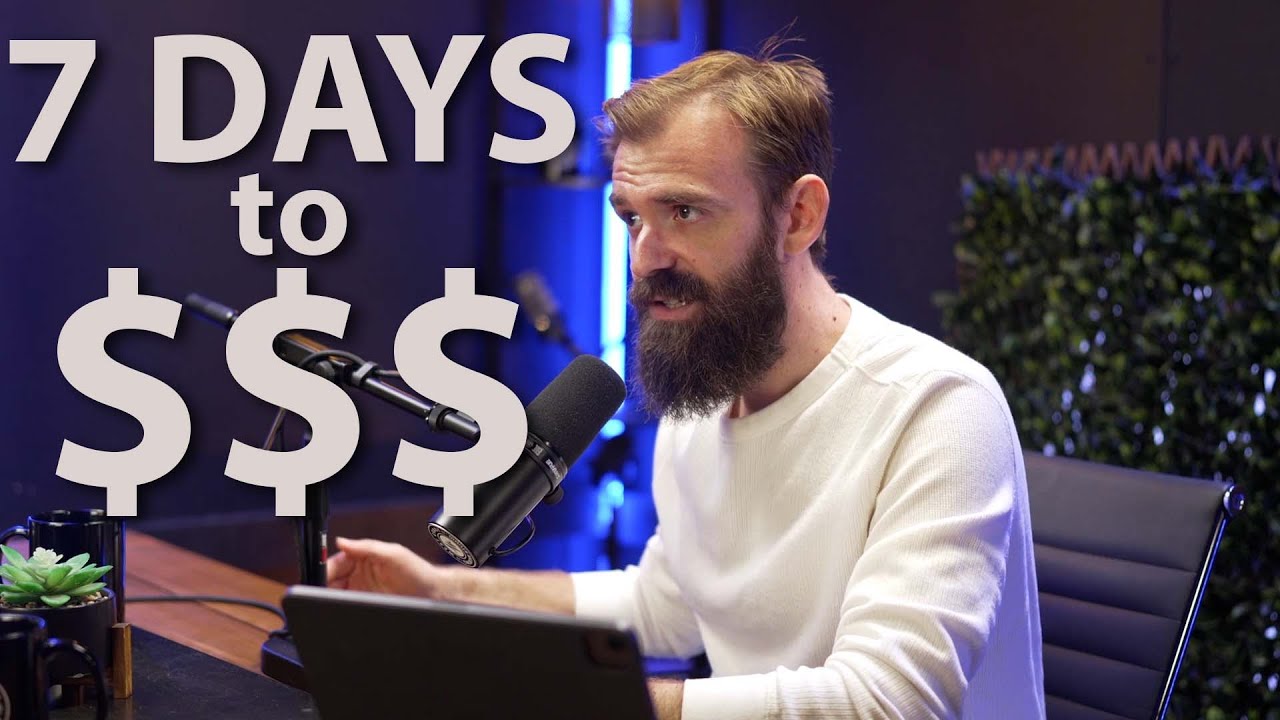
MAJOR UPDATE AS OF 9/3/25:
The Freelancing Program that’s helped 1,000+ freelancers JUST opened up for the first time this year (last time was November). It used to be $650 upfront, but now it’s $59/month so more freelancers can get in. Full course, weekly coaching calls, and community included.
Tap here to claim your spot: https://freelance.jamiebrindle.io/
____________
How to Start a Freelance Business in 7 Days (Even with a 9–5 Job)
Want to quit your job and start freelancing? Or just want to earn extra income without waiting months for results?
This FREE masterclass shows you exactly how to go from no clients, no clarity → to a high-value, scalable freelance business in just 7 days.
I’m Jamie Brindle — I’ve been freelancing for 16+ years, worked with brands like Google & Netflix (but also dozens of smaller companies that actually paid me more), and have taught over half a million freelancers online how to start and scale their businesses.
This isn’t fluffy motivational advice.
It’s a step-by-step roadmap with real scripts, strategies, and templates that 6‑figure freelancers are using right now.
✅ WHAT YOU’LL LEARN:
• How to choose a profitable freelance niche (even if you’re multi-skilled)
• How to craft a “no-brainer” freelance offer clients love
• How to build a portfolio with zero clients
• How to land your first freelance job — fast
• How to set up a simple client process (even if you’re brand new)
• How to activate your existing network for warm leads
• How to use job boards without wasting hours
• How to launch your freelance presence on LinkedIn & Instagram
• Your 30-day plan to replace your 9–5 income
This exact system has helped freelancers go from $0 → $5K+ months without overthinking or burning out.
📌 WHO THIS IS FOR
✔️ Full‑time employees who want to freelance on the side (and eventually quit their 9–5)
✔️ Beginners who have skills but no clients yet
✔️ Side hustlers who want to finally turn their freelance work into a real business
✔️ Creatives (designers, writers, marketers, developers) who want clarity, clients, and freedom
⏱ CHAPTERS / TIMESTAMPS
0:00 – Why freelancing in 7 days is possible
4:36 – Day 1: Choose your freelance lane (without overthinking)
10:35 – Day 2: Turn your skills into a client-ready freelance offer
17:49 – Day 3: Create a simple process that makes clients trust you
28:33 – Day 4: Build a portfolio (even if you have no clients)
35:36 – Day 5: Activate your network to get warm leads
41:46 – Day 6: Use job boards without wasting hours
50:07 – Day 7: Launch your social presence & start getting clients
57:04 – Closing Mindset Shift + Next Steps
Word Beginner Tutorial
Get Ad-Free Training by becoming a member today!
https://www.youtube.com/channe....l/UCqyBfm_H9ugGirk1u
Join Learnit Anytime for ad-free training, exams, certificates, and exclusive content:
https://www.learnitanytime.com
Exercise Files: https://tinyurl.com/3b97hzc9
Who it's For: Word is for anyone who writes. It’s used by students, CEO’s, and everyone in between.
What it is: Microsoft Word is THE word processor.
What You'll Learn: Beginners will learn the kind of basics that all computer users should know. If you already work with Microsoft Word, this course also offers a deeper look at the features and functionality of the program.
Start 0:00
Introduction 0:03
QA Toolbar 0:28
The Ribbon 8:00
Backstage View and Status Bar 14:42
Entering Text 20:09
Saving Into New Folders 27:20
Showing Pilcrows and Opening Files 36:02
Save As 45:13
Navigating and Selecting 54:14
Editing, Saving, Closing, and Resuming 1:03:34
Formatting Paragraphs 1:14:46
Cutting, Copying, and Pasting 1:22:19
Numbering and Bullets 1:30:00
Document Themes 1:37:12
Page Breaks 1:43:21
Margins 2:01:35
Section Breaks 2:08:46
Separate Headers for Separate Sections 2:24:35
Footers 2:33:17
Saving Footers for Later 2:38:08
Inserting Cover Pages 2:41:31
Proofing Tools (Part 1) 2:45:27
Proofing Tools (Part 2) 2:58:47
Find and Replace 3:09:51
Using Built-In Templates 3:16:33
Creating Templates 3:24:21
Sending Documents by Email 3:32:02
Printing Documents 3:35:14
Printing Envelopes 3:41:19
Printing Mailing Labels 3:46:29
#Word
Learnit is no longer associated with this channel/video.
(C) 2025 Bomberry Productions
Any illegal reproduction of this content will result in immediate legal action.

Excel Data Analysis Full Course Tutorial (7+ Hours)
Get Ad-Free Training by becoming a member today!
https://www.youtube.com/channe....l/UCqyBfm_H9ugGirk1u
Join Learnit Anytime for ad-free training, exams, certificates, and exclusive content:
https://www.learnitanytime.com
Exercise Files: https://tinyurl.com/53hddw2b
Who it's for: This course was built from the ground up for the advanced users and those in search of more than typical Excel tools and processes. Attendees of this course are recommended to have completed our standard Excel training, or at a minimum already be proficient in the skills referenced in that content.
What it is: Our Excel Data Analysis Full Course Tutorial is a compilation of our Excel Intro to Data Analysis, Excel Pivot Tables, Excel Copilot, and Excel Power User courses.
What you'll learn: At over 7 hours long, our Excel Data Analysis Full Course Tutorial introduces learners to the fundamentals of data analysis, before expanding on that to cover all the top advanced features Excel offers. From advanced functions, Pivot Tables, and Copilot integration to XLOOKUP, VBA, and macros, get the most out of Excel with this comprehensive mega-course.
Start 0:00
Introduction - Excel Intro to Data Analysis 0:09
List Design Basics 1:25
Inserting Tables for Analysis 4:59
Filtering Data in Tables 9:57
Using the Total Row 15:10
Conditional Formatting 18:57
IF Function 25:23
SUMIF and AVERAGEIF 31:52
SUMIFS 39:22
Inserting Recommended Charts 42:37
Adjusting Charts 48:24
Sparklines 50:41
Inserting Pivot Tables 57:25
Displaying Data as Count 1:05:18
Filtering Pivot Tables 1:09:06
Inserting Pivot Charts 1:17:47
Conclusion - Intro to Data Analysis 1:22:04
Introduction - Excel Pivot Tables 1:22:59
What are Pivot Tables? 1:24:05
Preparing Data for Analysis 1:29:39
Pivot Table Components 1:34:12
Building Pivot Tables to Show Different Values 1:40:30
Adding Fields to Pivot Tables 1:45:45
Using Built-In Filters 1:52:34
Filtering Data with Slicers 1:58:24
Displaying New Values from Data Sources 2:05:14
Inserting Pivot Charts 2:11:45
XLOOKUP 2:18:37
Joining Data Sets with XLOOKUP 2:26:48
Introduction to Advanced Pivot Tables 2:34:41
Inserting Pivot Tables from Tables 2:36:07
Calculated Fields 2:43:53
Using the Timeline Tool 2:49:43
Report Filter Pages 2:54:59
Pivot Table Layouts 3:01:42
Creating Pivot Table Designs 3:08:06
Adding Power Pivot Tabs to the Ribbon 3:15:32
Adding Tables to Power Pivot Data Model 3:18:15
Creating Table Relationships 3:23:17
Creating Columns with DAX Expressions 3:27:28
Displaying New Source Data in Power Pivot Tables 3:34:54
Data Mining with Flash Fill 3:37:45
Conclusion - Excel Pivot Tables 3:43:48
Introduction - Excel Copilot 3:44:39
What is Copilot? 3:45:04
Setting Up Copilot in Excel 3:49:05
Copilot Pane and Insights 3:51:54
Visualizing Data with Copilot 3:58:08
Sorting, Highlighting, and Filtering 4:06:16
Adding Formulas with Copilot 4:14:52
Asking Copilot Questions 4:20:37
Accessing Copilot Lab 4:29:44
Copilot Lab 4:30:58
Copilot with Excel Web Version 4:37:47
Conclusion - Excel Copilot 4:41:20
Introduction - Excel Power User 4:41:32
IF Function Basics 4:43:04
IF Functions with Calculations 4:49:20
Nesting AND with IF 4:53:43
Naming Ranges and COUNTIF 5:00:02
SUMIF and AVERAGEIF 5:05:59
SUMIFS 5:10:54
XLOOKUP 5:14:56
Populating Forms with XLOOKUP 5:23:21
Displaying Pivot Table Fields with COUNT Function 5:31:57
Calculated Fields 5:36:47
Slicers 5:43:33
Using the Timeline 5:49:42
Inserting Report Filter Pages 5:54:57
Flash Fill for Text Functions 5:59:38
Introduction to Advanced Conditional Formatting and Macros 6:05:55
Array Formula Basics 6:06:42
Looking Up Multiple Values with XLOOKUP 6:13:00
Array Functions 6:18:01
Advanced Conditional Formatting 6:25:08
Combo Charts 6:32:36
Developer Tab 6:40:18
Macro Basics 6:44:31
Relative Reference Macros 6:51:07
VBA Basics 6:55:07
Cleaning Up Macros 7:01:51
Conclusion - Excel Power User 7:10:22
#excel #exceltutorial #exceltips #exceltricks #dataanalytics #datavisualization
Learnit is no longer associated with this channel/video.
(C) 2025 Bomberry Productions
Any illegal reproduction of this content will result in immediate legal action.
The most common question I get is "How do I land a remote or international tech job?" In this episode, I'm breaking down the exact roadmap I would follow, from building core skills to the one thing you MUST do to get noticed by recruiters. This isn't just about resumes; it's about building a career that opens global doors.
In this video, we cover:
Why your first job should be local (and in-office).
How to build a "social presence" that gets you hired.
The right way to message recruiters so they actually reply.
How to prepare for modern tech interviews that go beyond LeetCode.
My personal story of failing a dream job interview and what it taught me.
This guide is for any software engineer or tech professional, from early-career to experienced, who wants to break into the remote or international job market. You'll learn the actionable steps to stand out, get your foot in the door, and ultimately land the job.
OUTLINE
00:00:00 - The #1 Question You Must Answer First
00:01:08 - Why Your First Tech Job Should Be Local
00:03:14 - The Surprising Benefit of Working In-Office
00:05:17 - The Easiest Path to an International Role
00:07:09 - Mastering English: The Underrated Skill
00:11:23 - How to Stand Out in the Age of AI Resumes
00:14:31 - Proving Your Worth with a Strong GitHub Portfolio
00:17:37 - Build Your Network Through Community and Content
00:20:13 - The Right Way to Message Recruiters on LinkedIn
00:23:20 - How Tech Interviews Are Changing (Beyond LeetCode)
00:26:41 - What I Learned from Failing My Dream Job Interview
00:28:08 - Your Complete Roadmap to Landing the Job
#techcareers #remotejobs #SoftwareEngineer
-
Connect with Patrick Akil:
https://www.linkedin.com/in/patrick-akil
https://twitter.com/PatrickAkil_
SQL Querying for Beginners Tutorial
Get Ad-Free Training by becoming a member today!
https://www.youtube.com/channe....l/UCqyBfm_H9ugGirk1u
Join Learnit Anytime for ad-free training, exams, certificates, and exclusive content:
https://www.learnitanytime.com
Exercise Files: https://tinyurl.com/3ubesynm
SQL Express Download Link:
https://www.microsoft.com/en-u....s/Download/details.a
Northwindsql Link:
https://raw.githubusercontent.....com/microsoft/sql-se
Northwind Alternate: https://bit.ly/3sIvodn
If you are having issues with the Northwind DB pleases delete lines 24 and 25 and execute.
Who it's for: This course has been designed for individuals who wish to learn how to use SQL to query databases and extract information.
What it is: SQL stands for Structured Query Language. It’s a common language for gathering, organizing, and exporting data stored in relational databases.
What you'll learn: In this course, you’ll learn basic SQL usage and terminology, as well as how to execute simple queries and queries using criteria conditions. Next, you’ll learn how to summarize, organize, and export valuable query data and results.
Start 0:00
Introduction 0:03
Introduction to SQL 0:30
Installing SQL Server 4:27
SQL Keyword Command Language and Hierarchy 8:26
Connecting to a SQL Database 13:35
Creating and Saving a Query 22:44
Using One or More Query Conditions 32:43
Applying AND OR Operators 40:36
NULL NOT NULL 46:48
Range of Values 49:28
Querying Data Using Wildcard Characters 58:04
Formatting Column Headings with Aliases 1:04:48
Formatting Query Data Results 1:10:06
Performing Date Calculations - DateDifDateAdd 1:14:10
Summarizing Data Using Aggregate Functions AVG COUNT SUM min max 1:22:39
Manipulating Text Results with String Functions CONCAT_SUBSTR 1:30:26
Sorting Data Order BY and GROUPBY 1:38:07
RANK and HAVING 1:46:24
Mathematical Financial Expressions 1:52:23
PIVOT 1:58:24
JOIN 2:07:27
Union ALL 2:20:30
Except Clause 2:26:30
Sub Queries 2:28:25
Exports 2:40:41
Conclusion 2:44:04
#SQL #Query
Learnit is no longer associated with this channel/video.
(C) 2025 Bomberry Productions
Any illegal reproduction of this content will result in immediate legal action.

Hey ninja's, glad you decided to take the JavaScript train and join me on this epic journey of JavaScript tutorials for beginners. We'll be covering all the basics, and certainly enough to get you up and running making your own JavaScript programs for your websites.
If you need to cacth up on HTML or CSS first, check out my playlists below:
HTML for Beginners - https://www.youtube.com/playli....st?list=PL4cUxeGkcC9
CSS for Beginners - https://www.youtube.com/playli....st?list=PL4cUxeGkcC9
Brackets can be found @ http://brackets.io/
And you can download Chrome @ https://www.google.com/chrome/....browser/desktop/inde
===== SUBSCRIBE TO CHANNEL =====
https://www.youtube.com/channe....l/UCW5YeuERMmlnqo4oq
========== CSS for Beginners Playlist ==========
https://www.youtube.com/playli....st?list=PL4cUxeGkcC9
========== HTML Basics Course ==========
https://www.youtube.com/playli....st?list=PL4cUxeGkcC9
========== The Net Ninja ============
For more front-end development tutorials & to black-belt your coding skills, head over to - https://www.youtube.com/channe....l/UCW5YeuERMmlnqo4oq or http://thenetninja.co.uk
========== Social Links ==========
Twitter - @TheNetNinja - https://twitter.com/thenetninjauk

Python Course By Saumya Singh ( Chapter 03 - Strings in Python )
Download Python Course Certificate for Free - https://gsjqmh.courses.store/766185
Download Internship + Job Ready Kit (paid) - https://gsjqmh.courses.store/758133
I’m Saumya Singh, a Software Engineer with 5+ years of industry experience and a passion for teaching. Alongside my job, I’ve been creating educational content to help students and professionals grow in tech.
In this complete Python course, we’ll learn Beginner to Advanced concepts along with AI & Machine Learning to make you job-ready in 2026 and beyond.
This is just the beginning - we’ll continue bringing more tutorials, projects, and career-focused guidance for our amazing subscribers! 💙
Important Links & Notes - https://whatsapp.com/channel/0....029VbAnnzw6hENpACnPo
✨Share Your Progress & Learnings on✨
Instagram: https://insta.openinapp.co/2xour
LinkedIn: https://linkedin.openinapp.co/oj87l
Twitter: https://twtr.openinapp.co/bo6dj
✨Android App Development Playlist | 30 Days of Coding Challenge✨
youtube.com/playlist?list=PLTV_nsuD2lf4UCTV6xwvNPvFdmCNKyhc8
✨Mission Placement - Land Your Dream Job With Saumya Singh. ✨
https://youtube.com/playlist?list=PLTV_nsuD2lf4hfQvqKRToCXtVB7-6rZnz&si=Dtm9oPUzooYAkA2c
video covers:-
python strings,python strings, explained,python strings full course,python full course,python course chapter 03 saumya singh,saumya singh python course,How Python code executes, strings & memory concept,pythonType conversion,python chapter 03,python job ready course,python full course for beginner,beginner to advance python course, complete python course for bca student,
python course 2026, python course for beginners,Python Tutorial For Beginners in Hindi,complete python course, python course from beginner to advanced, python course in hindi, free python course, how to install python, how to install code editor, how to install vs code, python course 2026 beginner to advance , how to learn python, How to learn python 2026, features of python, python course for first year college student, saumya singh python course
#python #programming #pythoncourseinhindi #coding #ai #ml #softwareengineer #saumyasingh
python Tutorial For Beginners in Hindi | Complete Python Course
Python Full Course for Beginners [2026]
Python Full Course 2026 (Beginner to Advanced) + AI & Machine Learning | Free Tutorial
Python Tutorial 2026 | AI + Machine Learning | Beginner to Pro | Saumya Singh
Python Beginner to Advanced With AI & ML (Full Course 2026) | Step-By-Step
Learn Python in 2026 | Complete AI & Machine Learning Course for Beginners
Python Full Roadmap 2026 | Beginner to Advanced | AI, ML, Projects & Tips
in this course we will launch some chapters. all chapters are totally free of cost for students. keep sharing your feedbacks on comments & love you all 🙈

Svelte is a modern JavaScript framework (or more accurately, a compiler) for building user interfaces, particularly web apps. It differs significantly from traditional frameworks like React or Vue in how it handles UI updates and reactivity.
If You Want To Support My Work 👇
https://www.youtube.com/channe....l/UCbBt6Ks7M5BZx_GHg
Follow Me On 👇
Any Questions?: https://www.instagram.com/huxnshorts/
Shorts Channel: https://www.youtube.com/@Huxn2.0
Twitter ( X ): https://twitter.com/huxnwebdev
GitHub: https://github.com/huxn-webdev
00:00 - Intro
1:20 - Installation
2:14 - Remove Unnecessary Stuff
2:37 - Components
5:37 - Multiple Components
7:04 - Text Interpolation
10:14 - Props
14:48 - State
18:35 - Derive
21:10 - Children's
22:59 - Each
25:36 - Conditional Rendering
31:23 - Snippets
35:27 - Effects
38:42 - Outro
