
Top videos


Python Full Course Tutorial
Get Ad-Free Training by becoming a member today!
https://www.youtube.com/channe....l/UCqyBfm_H9ugGirk1u
Join Learn Skills Daily for ad-free training, exams, certificates, and exclusive content:
https://www.learnskillsdaily.com
Exercise Files: No Exercise Files For This Course
Who it's for: This Python course is designed for true beginners as well as self-taught users who want a clearer, more structured foundation in programming. Whether you’re a student exploring coding for the first time, a professional looking to automate repetitive tasks, or someone curious about data science, web development, or general problem-solving with code, this class walks you through Python at a comfortable pace. The instructor assumes no prior experience, explains concepts in plain language, and uses practical examples so you can build confidence step by step as you write and run real Python programs.
What it is: Python is a beginner-friendly, general-purpose programming language that acts like a flexible “Swiss Army knife” for solving real-world problems. You’ll use Python as the main tool to learn how to think like a programmer—writing and running code to automate tasks, work with data, and build small, practical projects. Because its syntax is closer to everyday English and it doesn’t force you into rigid rules around data types, Python lets you focus on understanding core concepts like variables, logic, and loops instead of getting stuck on complex setup. Throughout the course, Python is both the subject and the hands-on environment: you’ll install it, practice in IDLE and other IDEs, explore its vast library ecosystem, and see how the same language can power everything from simple scripts to data science and web development.
What you'll learn: In this course, you’ll learn how to install Python, work with IDLE and other IDEs, and navigate official documentation so you can troubleshoot effectively on your own. You’ll build a strong foundation in core concepts like variables, strings, integers, floats, and booleans, as well as operators, input and print statements, and best practices for readable code, comments, and indentation. From there, you’ll move into decision structures (if/elif/else), loops (while and for), and introductory functions, applying each concept in small, practical projects such as calculators, password checkers, and simple text-based programs that turn ideas into working code.
Start 0:00
Welcome to Python 00:08
Python Official Site 2:50
Shell VS Script Mode IDLE 5:48
What is a Variable and Variable Types 8:57
Integers VS Floats 14:12
Integer Truncation 17:32
Floats and Whole Number Floats 19:17
What is a Boolean and When are They Used 25:04
MAKE YOUR CODE READABLE 28:39
First Programming Challenge 32:49
Saving and Running Programs 39:38
Loose Typing in Python and Taking Inputs 42:55
Type Conversions 48:37
Beginner Conclusion 51:59
Intermediate Introduction 54:32
What is a Decision Structure 55:30
If Statements and Greater Than vs Greater Than Equals 59:30
Recap of Booleans and How They Evaluate 1:01:30
While Loops 1:06:38
For Loop and For Loop With Range FN 1:11:25
Programming Challenge - Password Checker 1:15:54
Functions Introduction 1:23:01
Processing Data in a Function 1:27:23
Programming Challenge - Pizza Maker Intro 1:31:56
PC 2 Toppings and Input Validation 1:34:55
PC 2 doughNeeded and main 1:44:29
Debugging and Improving Output 1:51:13
Importing Modules Introduction 1:56:54
Using Functions from Modules 1:58:45
Hierarchy Chart and Structuring Programs 2:01:11
Intermediate Conclusion 2:07:25
Advanced Introduction 2:09:11
Lists and Functions of Lists 2:09:49
Sort and Multiple Type Lists 2:15:02
Indexing and Stepping Through Lists 2:17:59
Insert and Lists 2:22:09
Pop Vs Remove 2:27:23
Concatenating Two Lists and Matrices 2:29:33
What is a Tuple and When to use it 2:33:29
Programming Challenge Lists and Tuples 2:37:51
Debugging Lists Programming Challenge 2:45:50
What is a Dictionary and When do you Need it 2:51:57
Various Functions of Dictionaries 2:57:19
Nested Lists, Tuples, and Dicts 3:01:51
Advanced Conclusion 3:07:03
Expert Introduction 3:11:05
Advanced 3:12:15
Other Modes of Debugging 3:16:15
File IO Introduction and Tips 3:20:37
CSVs and Using a Loop to Write to a File 3:25:54
Running CSV Test File and IO to Binary Files 3:31:51
Datetime and Functions of Datetime 3:38:31
Rounding and Fstrings 3:45:22
Beginning of Final Programming Challenge 3:48:45
startJournal and addEntry Functions PC 3:53:15
addEntry and readEntries Functions PC 3:58:13
Main Function PC 4:05:01
Debugging and Testing Programming Challenge 4:11:39
Expert Conclusion 4:17:15
(C) 2025 Bomberry Productions, LLC
Any illegal reproduction of this content will result in immediate legal action.

Jira Full Course Tutorial
Get Ad-Free Training by becoming a member today!
https://www.youtube.com/channe....l/UCqyBfm_H9ugGirk1u
Join Learnit Anytime for ad-free training, exams, certificates, and exclusive content:
https://www.learnitanytime.com
Exercise Files: No Exercise Files For This Course
Who it's for: This course is ideal for anyone working in or around agile teams—including developers, project managers, product owners, Scrum Masters, QA testers, business analysts, or anyone who needs to track and manage work efficiently. It’s also great for beginners who have never used Jira before, as well as those who have used it casually but want to truly understand how it works. Whether you’re planning projects, organizing tasks, supporting teams, or collaborating across departments, this course will help you feel confident navigating Jira and contributing effectively in an agile environment.
What it is: Jira is a powerful project management and issue-tracking tool built by Atlassian that helps teams plan, organize, and deliver work more efficiently—especially in agile environments like Scrum and Kanban. It allows you to track tasks, bugs, user stories, and projects in one place using customizable boards, workflows, and reports so everyone knows what needs to be done, who’s responsible, and how progress is moving. Jira is widely used by software development teams, but it’s flexible enough for marketing, operations, IT, and any team that needs structure and visibility. With features like backlogs, sprints, dashboards, and automation, Jira turns chaos into clarity and helps teams stay aligned, collaborate effectively, and deliver results faster.
What you'll learn: In this course, you’ll learn how Jira works from the ground up—starting with the different Jira versions and their purposes, then moving into core agile concepts like sprints, backlogs, boards, epics, stories, and story points. You’ll master Jira terminology, explore team-managed vs. company-managed projects, and get hands-on with creating projects, customizing workflows, and managing issues. You’ll also learn how to navigate the Jira interface, build and personalize Scrum and Kanban boards, track progress with reports and dashboards, and apply best practices for organizing and delivering work in agile teams. By the end, you’ll know not just how to use Jira—but how to use it well.
Start 0:00
Introduction 0:09
Jira Versions 2:51
Understanding Jira Software 7:12
Agile Methodology Essentials 13:34
Important Agile Terms in Jira 19:48
Essential Jira Terminology 24:59
Navigating the Jira Interface 28:46
Beginner Conclusion 34:23
Introduction 35:45
Differences Between Team-Managed and Company-Managed Projects 37:30
Setting Up a Team-Managed Project 40:31
Exploring Team-Managed Projects 45:29
Creating Issues in Team-Managed Projects 48:18
Customizing Team-Managed Projects 52:56
Setting Up a Company-Managed Project 1:04:41
Navigating Company-Managed Projects 1:08:25
Creating a New Scrum Board 1:11:06
Introduction to Scrum Agile Board 1:19:40
Customizing Scrum Boards 1:22:25
Further Customization of Scrum Boards 1:27:37
Intermediate Conclusion 1:34:00
Advanced Introduction 1:34:45
Creating a New Kanban Board 1:38:56
Introduction to Kanban Agile Board 1:43:42
Customizing Kanban Boards 1:48:55
Issue Creation in Jira 1:57:04
Detailed Overview of Issue Views 2:02:59
Creating and Using Filters 2:08:39
Using Dashboards 2:16:38
Sharing Filters 2:28:01
Generating Reports in Jira 2:31:48
Roadmap Features in Jira 2:29:46
Bulk Issue Creation 2:43:03
Bulk Issue Editing 2:49:10
Conclusion 2:55:48
(C) 2025 Bomberry Productions, LLC
Any illegal reproduction of this content will result in immediate legal action.

Excel 2021 Advanced Tutorial
Get Ad-Free Training by becoming a member today!
https://www.youtube.com/channe....l/UCqyBfm_H9ugGirk1u
Join Learnit Anytime for ad-free training, exams, certificates, and exclusive content:
https://www.learnitanytime.com
Exercise Files: https://tinyurl.com/4h4wpbev
Who it's for: Beginners - experienced, everyday users looking to sharpen their skills and increase efficiency in Microsoft Excel.
What it is: Microsoft’s spreadsheet application used to clean and organize data.
What you'll learn: We start with the basics, showing you the user interface and quick ways to navigate. Once you’re comfortable with the software’s layout, we quickly move on to calculating data with basic formulas and functions. In the Intermediate section, we show you the various tools and ways to sort and filter data in a timely manner. Then, we dive into one of Excel’s most popular features; the Pivot Table. Our Advanced training starts with basic functions like the IF function. After that, we explore complex Database functions, provide an introduction to Macros, and show you how to save time by automating common Excel tasks.
Start 0:00
Introduction 0:03
Formatting Lists as Tables 2:03
Flash Fill 10:59
Custom Sorting 13:46
Subtotals 17:59
QA Tool 22:38
Data Charts 25:45
Sparklines 33:13
Introduction to Pivot Tables 38:10
Advanced Pivot Tables Options 50:16
Data Validation 57:45
Conditional Formats 1:04:18
Comments and Notes 1:10:49
Linking Data 1:13:24
Privacy and Protection 1:16:25
Conclusion 1:20:00
#excel #excel2021 #exceltutorial
Learnit is no longer associated with this channel/video.
(C) 2025 Bomberry Productions
Any illegal reproduction of this content will result in immediate legal action.

After 10+ years, these are my top remote work tips to be productive, happy, and healthy.
Full written guide here: https://selfmadesuccess.com/remote-work-tips/
Home Office Gear: 🛍️ https://www.amazon.com/shop/justinbryant
---------------------------------------------
MY INVESTING CHANNEL:
https://www.youtube.com/channe....l/UCi57rEq3G31lA73hF
Join me on Patreon for advanced insights, discussions, and what I am personally doing with my investments: https://patreon.com/MrJustinBryant
-------------------------------
LET’S CONNECT!
Twitter - https://twitter.com/MrJustinBryant
Facebook - https://www.facebook.com/mrjustinbryant
Pinterest - https://www.pinterest.com/mrjustinbryant/
Instagram - @MrJustinBryant
Bluesky - https://bsky.app/profile/mrjus....tinbryant.bsky.socia
-------------------------------
Disclaimer: Some links on this page contain affiliate links in which I get paid a commission if a purchase is made. I only endorse products or services I've used or gotten great feedback from. In most cases, I endorse products without being an affiliate or receiving any compensation and would never recommend anything if I had concerns that you might not be satisfied with it.
Disclaimer: I’m not a certified financial advisor. When I talk about investing it is based on either personal experience, theories, or patterns I’ve noticed. Always consult professional help before implementing any investment strategies I talk about.
Note: This video is for educational and informational purposes only.
#remotework #entrepreneurship #jobmarket

HTML & CSS Beginner Tutorial
Get Ad-Free Training by becoming a member today!
https://www.youtube.com/channe....l/UCqyBfm_H9ugGirk1u
Join Learn Skills Daily for ad-free training, exams, certificates, and exclusive content:
https://www.learnskillsdaily.com
Exercise Files: No Exercise Files for This Course
Webstorm Link: https://www.jetbrains.com/webstorm/
Who it's for: This beginner-friendly course is for anyone who wants to understand how websites and web applications work, especially learners who are new to web development and want a clear introduction to HTML, CSS, and the basic structure behind modern web pages. It is ideal for students, professionals, creators, or anyone interested in building their first website and learning how browsers, servers, web pages, and code work together.
What it is: HTML, or HyperText Markup Language, is the standard language used to create the structure of a web page. It tells the browser what content should appear on the page, such as headings, paragraphs, links, images, buttons, lists, and sections. While HTML does not usually control how a website looks or behaves, it provides the foundation that CSS can style and JavaScript can make interactive. In simple terms, HTML is like the skeleton of a website, giving the page its basic layout and meaning so browsers, search engines, and screen readers can understand the content.
What you'll learn: You’ll learn how web pages are built and displayed, starting with the roles of HTML, CSS, and JavaScript, then moving into hands-on HTML basics such as tags, elements, attributes, headings, paragraphs, links, images, lists, comments, and metadata. You’ll also explore how CSS files connect to HTML, how styling rules work, why semantic elements matter for structure and accessibility, and how browsers process a URL into a fully loaded web page.
Start 0:00
Introduction 0:08
HTML CSS and Javascript Components of a Web App 2:09
History of HTML and CSS 7:34
HTML CSS History 15:00
Web Page Process 16:41
Intro to HTML and CSS 23:08
Elements of HTML Design 29:26
HTML Attributes Links and Images 35:42
CSS Basics and How to Link to CSS 40:15
HTML and CSS HTML elements and tag naming conventions 45:31
Entities and Special Characters 50:08
Ordered and Unordered Lists 55:35
#html #css #webdesignanddevelopment
(C) 2026 Bomberry Productions
Any illegal reproduction of this content will result in immediate legal action.

Excel Intermediate Tutorial
Get Ad-Free Training by becoming a member today!
https://www.youtube.com/channe....l/UCqyBfm_H9ugGirk1u
Join Learnit Anytime for ad-free training, exams, certificates, and exclusive content:
https://www.learnitanytime.com
Exercise Files: https://tinyurl.com/5bzwe2p7
Who it's for: Beginners, as well as experienced, everyday users looking to sharpen their skills and increase efficiency in Microsoft Excel.
What it is: Microsoft’s spreadsheet application used to organize and analyze data.
What you'll learn: We start with the basics, showing you Excel’s interface and the best ways to navigate. Once you’re comfortable with the software’s layout, we quickly move on to calculating data with basic formulas and functions. In the Intermediate section, we show you the various tools and ways to sort and filter data in a timely manner. Next, we cover Charts and Sparklines, along with some tips on presenting data in Excel. Then, we dive into one of Excel’s most popular features; the Pivot Table. Our Advanced training starts with an overview of XLOOKUP, a vital function for modern-day Excel users. After that, we explore complex Database functions, provide you with an introduction to Macros, and demonstrate how to save time by automating common Excel tasks.
Start 0:00
Introduction 0:09
Creating Tables 0:54
Flash Fill 7:54
Introduction to Sorting Data 12:01
SORT Function 18:45
SORTBY Function 21:32
UNIQUE Function 23:21
Filters 25:44
Slicers 31:11
Subtotals 34:53
Quick Analysis Tool 40:01
Inserting Charts 41:11
Formatting Charts 43:33
Creating Chart Templates 49:30
Printing Charts 51:15
Using Sparklines 52:29
Introduction to Pivot Tables 56:28
Pivot Charts 1:04:43
Using Slicers with Pivot Tables 1:07:40
Data Validation 1:11:53
Conditional Formatting 1:23:36
Custom Conditional Formatting 1:27:16
Linking Data 1:31:51
Conclusion 1:33:39
#excel #exceltutorial #exceltips #exceltricks
Learnit is no longer associated with this channel/video.
(C) 2025 Bomberry Productions
Any illegal reproduction of this content will result in immediate legal action.

I started a newsletter! Join to receive a personal letter from me - https://www.human-depth.com/
-
What truly sets the extraordinary apart from the average?
It’s not just talent, intelligence, or luck—it’s the ability to see the world differently and bring a unique vision to life,
creating something that only they could imagine.
Whether you’re just starting out or already deep into your creative journey,
this is your guide to unlocking your creative genius.
It’s about discovering the power of your perspective, embracing what makes your ideas distinct,
and learning how to share them with the world in a way that resonates.
No matter where you are on your path, this is your opportunity to redefine what’s possible and make your mark.
-
Where I Get Music and Sound Effects For My Videos (Free Trial Available):
https://share.epidemicsound.com/cl4rlt
Follow me on Instagram :)
https://www.instagram.com/byrolands/
Contact Me:
ByRolands@gmail.com
(This video is sponsored by Skillshare)

Excel for Administrative Assistants Tutorial
Get Ad-Free Training by becoming a member today!
https://www.youtube.com/channe....l/UCqyBfm_H9ugGirk1u
Join Learnit Anytime for ad-free training, exams, certificates, and exclusive content:
https://www.learnitanytime.com
Exercise Files: https://tinyurl.com/4kx5xhzt
Who it's for: This Excel course is designed for administrative professionals such as executive assistants, personal assistants, administrative assistants, and anyone responsible for organizing, analyzing, protecting, and presenting data professionally. It’s ideal for those looking to streamline workflow, create efficient systems, and communicate data effectively using Excel.
What it is: Microsoft Excel is a powerful spreadsheet application used to organize, analyze, and visualize data. It enables users to perform calculations, create charts, manage large datasets, and automate tasks through formulas and functions. Widely used in business, finance, education, and administration, Excel supports decision-making and productivity by turning raw data into clear, actionable insights.
What you'll learn: You’ll learn how to manage and organize data with Excel tables, create dynamic visuals like charts and sparklines, apply conditional formatting, analyze data with pivot tables, and consolidate reports across multiple sheets. You'll also practice creating interactive dashboards, cleaning up messy data, inserting professional headers and images, exporting to PDF, and using tools like text-to-columns and hyperlinks to streamline and enhance your workflow.
Start 0:00
Introduction 0:09
Inserting a Table 2:00
Converting a Table 8:51
Removing Duplicates 13:13
Conditional Formattingg 17:23
Charts Part 1 23:29
Charts Part 2 30:50
Sparklines for Trend Analysis 34:57
Inserting SmartArt 38:07
Freezing Rows and Columns 44:55
Inserting Images 48:44
Prep Document and Convert to PDF 53:38
Creating an Outline with Button Links 1:00:54
Naming a Range and Linking to It 1:08:42
Text To Columns Tool 1:12:08
Consolidation Tool 1:17:17
Quick Pivot Table and Pivot Chart 1:23:47
Showing Correlation with a Pivot Table and Chart 1:32:11
Discovering Insights with Pivot Tables 1:37:04
In Cell Dropdowns with Data Validation 1:44:41
Cell Protection 1:52:13
Sharing Files via the Cloud 1:57:15
Conclusion 2:01:34
#excel #tutorial #administrativeassistant
Learnit is no longer associated with this channel/video.
(C) 2025 Bomberry Productions
Any illegal reproduction of this content will result in immediate legal action.

Svelte is a modern JavaScript framework (or more accurately, a compiler) for building user interfaces, particularly web apps. It differs significantly from traditional frameworks like React or Vue in how it handles UI updates and reactivity.
If You Want To Support My Work 👇
https://www.youtube.com/channe....l/UCbBt6Ks7M5BZx_GHg
Follow Me On 👇
Any Questions?: https://www.instagram.com/huxnshorts/
Shorts Channel: https://www.youtube.com/@Huxn2.0
Twitter ( X ): https://twitter.com/huxnwebdev
GitHub: https://github.com/huxn-webdev
00:00 - Intro
1:20 - Installation
2:14 - Remove Unnecessary Stuff
2:37 - Components
5:37 - Multiple Components
7:04 - Text Interpolation
10:14 - Props
14:48 - State
18:35 - Derive
21:10 - Children's
22:59 - Each
25:36 - Conditional Rendering
31:23 - Snippets
35:27 - Effects
38:42 - Outro
AI Basics Beginner Tutorial
Get Ad-Free Training by becoming a member today!
https://www.youtube.com/channe....l/UCqyBfm_H9ugGirk1u
Join Learn Skills Daily for ad-free training, exams, certificates, and exclusive content:
https://www.learnskillsdaily.com
Exercise Files: https://tinyurl.com/4vacxze6
Learn with Amanda: https://www.betterworktraining.com/
Follow Amanda on LinkedIn: https://www.linkedin.com/in/amandavandenelzen/
50 AI Prompts for Work Productivity PDF: https://academy.betterworktrai....ning.com/50-ai-promp
Who it's for: This course is designed for complete beginners who are new to generative AI and want a practical, professional introduction to tools like ChatGPT, Microsoft Copilot, Gemini, Perplexity, and Claude. It is especially well suited for working professionals who want to understand how these tools can support everyday tasks, improve productivity, and deliver real value at work, while also learning how to use them safely, ethically, and with confidence.
What it is: Generative AI is a type of artificial intelligence that uses large language models to create new content based on the information it has been trained on, the prompts users provide, and the patterns it recognizes across that data. Generative AI is the technology behind tools like ChatGPT, Microsoft Copilot, Gemini, Perplexity, and Claude, which can help users write emails, do research, brainstorm ideas, learn new concepts, and even work with files, images, and spreadsheets.
What you'll learn: In this training, viewers will learn the fundamentals of generative AI, including what large language models are, how they work, what risks they carry, and how to use them responsibly. The course also teaches how to build stronger prompts using practical prompt-building blocks, explores common workplace use cases such as writing, research, learning, brainstorming, and thought partnership, and demonstrates how AI tools can analyze files, images, PDFs, and spreadsheets to support real-world business tasks more effectively
Start 0:00
Introduction 0:08
Tools 4:11
Outputs and Risks 10:57
Prompt Blocks 19:51
Use Cases 29:56
Practice - Wordsmithing 38:15
Practice - Researching and Brainstorming 48:03
Practice - Multimodal Capabilities 54:29
Conclusion 1:04:20
#chatgpt #generativeai #aitutorial
(C) 2026 Bomberry Productions
Any illegal reproduction of this content will result in immediate legal action.

Learn how to use Microsoft Excel 2010, and discover how to Data Mine. For more Microsoft Excel 2010 training videos, and to learn how use other Microsoft apps subscribe, and visit us at http://learnit.com
-Unlimited Excel, Outlook, PowerPoint, Access, MS Office, PhotoShop, Web Design, & lots more!
-17 years teaching software to industry leaders.
-Easy to follow: beginner through advanced.
-Feel secure: Ask a teacher if you have questions.

Computer Basics Tutorial
Get Ad-Free Training by becoming a member today!
https://www.youtube.com/channe....l/UCqyBfm_H9ugGirk1u
Join Learnit Anytime for ad-free training, exams, certificates, and exclusive content:
https://www.learnitanytime.com
Exercise Files: https://tinyurl.com/5ean7mh6
Who it's for: This course is designed for individuals who are new to using computers or those who haven't used one in a while and need a refresher. Whether you are a complete beginner or just getting started with modern computing, this tutorial will guide you through the essential aspects of technology, helping you understand what a computer is, its components, and the fundamental software available.
What it is: A computer is an electronic device that processes data and performs tasks based on instructions given by a user or software. It operates through three fundamental functions: input, processing, and output. Input involves entering information through devices like keyboards and mice, processing is done by the computer’s central processing unit (CPU), and output is displayed on a screen or printed. Computers store data, run applications, and connect to networks like the internet. They come in various forms, including desktops, laptops, tablets, and smartphones, all designed to assist with communication, work, entertainment, and more in everyday life.
What you'll learn: In this course, students will learn the fundamental concepts of computing, including how technology impacts daily life and the essential components that make up a computer. They will gain an understanding of both hardware and software, exploring how computers process and store information. The course covers key topics such as operating systems, security, and the World Wide Web, teaching students how to navigate the internet safely and efficiently. Additionally, students will learn how to use popular software applications like Microsoft Word, Excel, and PowerPoint, developing skills in document creation, data management, and presentations. By the end of the course, students will be equipped with the knowledge and practical skills to use a computer confidently for both personal and professional tasks.
Join Learnit Anytime for ad-free training, exams, certificates, and exclusive content:
https://www.learnitanytime.com
Start 0:00
Introduction 0:09
Impact of Technology 1:46
The Web or Internet 5:30
Computer Theory and Hardware 10:24
Computer Software and Security 15:18
Introduction to Operating Systems 18:04
Introduction to Windows 21:18
Customizing Windows Operating System 27:47
Operating System Security 34:47
Using Office Software for Free 38:53
Create a Flyer Using Word 46:17
Creating a Research Paper 52:40
Create a Presentation with Images and Smart Art 1:01:43
Creating an Excel Worksheet with Formulas and Functions 1:10:53
Creating Chart Visuals in Excel 1:21:12
Open a File in the Desktop App 1:27:57
Conclusion 1:29:32
#computereducation #microsoft
Learnit is no longer associated with this channel/video.
(C) 2025 Bomberry Productions
Any illegal reproduction of this content will result in immediate legal action.

Tutorial Para Principiante de Excel 2021
Archivos de ejercicios: https://tinyurl.com/4h4wpbev
Únete a Learnit Anytime para obtener capacitación y certificados sin publicidad:
https://www.learnitanytime.com
Empezar 0:00
Introducción 0:03
Pantalla de inicio 2:35
Interfaz de Excel 7:03
Zoom, navegación y accesos directos 13:31
Realización de cálculos de Excel 28:19
Funciones sencillas de Excel 36:53
Funciones ABS, REF y Autocompletar 42:25
Comprobación de compatibilidad 47:51
Insertar, mover y cortar 49:29
Estilos de celda 54:30
Temas 59:41
Mostrar y ocultar hojas de trabajo 1:03:16
Agrupar hojas de trabajo 1:06:19
Congelar paneles 1:08:45
Vistas personalizadas 1:14:15
Guardar plantillas 1:16:09
Corrector ortográfico 1:18:36
Vista previa de impresión 1:20:09
Conclusión 1:23:17
#excel #excel2021 #exceltutorial #dubbedwithaloud
Learnit is no longer associated with this channel/video.
(C) 2025 Bomberry Productions
Any illegal reproduction of this content will result in immediate legal action.
This video has been dubbed into Spanish (United States) using an artificial voice via https://aloud.area120.google.com to increase accessibility. You can change the audio track language in the Settings menu.
Este video ha sido doblado al español con voz artificial con https://aloud.area120.google.com para aumentar la accesibilidad. Puede cambiar el idioma de la pista de audio en el menú Configuración.
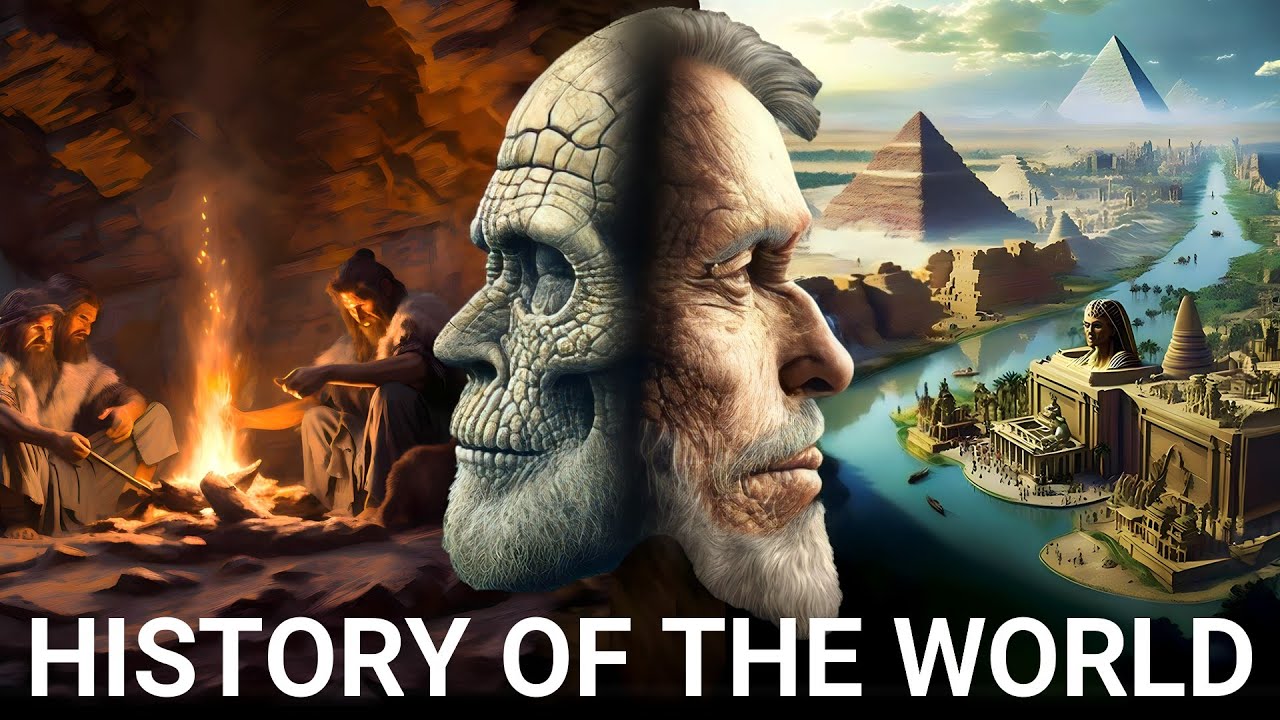
The Complete History of Mankind | A Beginning To Now Production
Ancient History (3600 B.C.-500 A.D.)
The Middle Ages (500-1500 A.D.)
Modern Age (1500-present)
--------------------------------------
The history of our story began long ago,
At one point in time, around three billion years ago, we were floating around as little, tiny atoms in the little Petri dish of the world.
Around 6 million years ago, and we see the emergence of the first hominoids - the family of primates that includes humans.
1.9 Million years ago, Homo Erectus was the first species to leave Africa and colonize other parts of the world. They had larger brains than their primate ancestors.
Around 400,000 years ago, the first evidence of the Neanderthals. Their bodies were adapted to the cold environments of Europe and Western Asia. Their distinctive facial features were some of the most human-like ever seen. They are famous for their massive body weight and big facial hair. These prehistoric ancestors were made for the cold.
Then came us; 300,000 years ago, the first Homo Sapiens roamed the earth. The Only surviving species of the Homo Genus. But how did Homo Sapiens rise into a global dominance through the mechanism of civilization?
--------------------------------------
For all enquiries - contactbeginningtonow@gmail.com
German and French translation and dubbing were done by real humans from Voice Chameleons
https://voicechameleons.com
contact: ian@voicechameleons.com

Are you interested in starting a career in cybersecurity but have zero experience? This Cyber Security Training for Beginners video is the perfect place to begin your journey.
Learn the essential skills and knowledge needed to get into cybersecurity, even if you are starting from scratch. From understanding the basics to practical tips, this video will guide you on how to kickstart your career in cybersecurity.
Watch now and take the first step towards a rewarding career in this high-demand field!
_______________________________________
If you are ready to begin your cybersecurity journey, use the link below.
https://sixfigurecybersecurity....jobs.com/registratio
Check out the best books on Amazon written for every cybersecurity professional and aspiring one.
Beyond Checkboxes: The Human Element of GRC https://amzn.to/3ThnP8F
The GRC Bible: A Comprehensive Guide for the Modern Age https://amzn.to/47MD6mB
GRC Chronicles: Navigating the Cyber Seas of Governance, Risk, and Compliance
https://amzn.to/4apXHPp
Bridging Realms - Translating Your Non-Tech Skills into GRC Gold
https://amzn.to/41bjkP7
If you liked this video, please give it a thumbs up, subscribe, and share it with your friends.
_______________________________________
Comment 'READY' to discover how I can help you turn your career aspirations into a tangible reality.

🔥Get a free Certificate on Entrepreneurial Management: https://www.mygreatlearning.com/academy/learn-for-free/courses/entrepreneurial-management?ambassador_code=GLYT_DES_xfXspD1FdQU&utm_source=GLYT&utm_campaign=GLYT_DES_xfXspD1FdQU
Entrepreneurship Course for Beginners 2023 | Entrepreneurship Development | Why Entrepreneurs Fail?
Hello and welcome to the Entrepreneur course for beginners buy Great Learning. Entrepreneurship on of the most talked about concepts in the current times. What is entrepreneurship, and why is it so important in society? What is the classification of entrepreneurship, and why is it preferred so much in recent times? get clarified on all the above queries about entrepreneurship by watching this entrepreneurship video completely.
#entrepreneurship #entrepreneurship_development
What is Entrepreneurship?
• The term entrepreneurship was derived from the French word “entreprendre” which refers to undertake
• Entrepreneurship is a process of setting up a business, taking on financial risks in the hope of profit
• An entrepreneur is a person who creates a new business, assuming most of the risks and most of the rewards
• Efficient utilization of resources – land, labor, resources, enterprise skills
• Two aspects: ability + willingness
• Example – Starting a new business
Agenda:
• Challenges in Entrepreneurship
• Source of business ideas
• New trends in entrepreneurship
• Industry life cycle
• Why do entrepreneurs fail?
Topics Covered:
00:01:25 What is Entrepreneurship?
00:04:39 Concept of Entrepreneurship
00:07:10 Traditional Entrepreneurship vs Modern Entrepreneurship
00:18:00 Why Entrepreneurship is Chosen
00:27:20 Characteristics of an Entrepreneur
00:33:44 Examples of Successful Entrepreneurs
00:36:36 Entrepreneurial Process
00:41:23 Classification of Entrepreneurship or Types of Entrepreneurship
00:49:24 Entrepreneurial considerations
00:50:53 Challenges in Entrepreneurship
00:56:35 Sources of Business Ideas
01:03:15 New Trends in Entrepreneurship
01:07:49 Industry Life cycle
01:14:42 Why do Entrepreneurs Fail?
🔥Build Key management skills to drive business excellence: https://www.mygreatlearning.com/pg-program-management-executive?ambassador_code=GLYT_DES_PG_xfXspD1FdQU&utm_source=GLYT&utm_campaign=GLYT_DES_PG_xfXspD1FdQU
⚡ About Great Learning Academy:
Visit Great Learning Academy to get access to 1000+ free courses with free certificate on Data Science, Data Analytics, Digital Marketing, Artificial Intelligence, Big Data, Cloud, Management, Cybersecurity, Software Development, and many more. These are supplemented with free projects, assignments, datasets, quizzes. You can earn a certificate of completion at the end of the course for free.
⚡ About Great Learning:
With more than 5.4 Million+ learners in 170+ countries, Great Learning, a part of the BYJU'S group, is a leading global edtech company for professional and higher education offering industry-relevant programs in the blended, classroom, and purely online modes across technology, data and business domains. These programs are developed in collaboration with the top institutions like Stanford Executive Education, MIT Professional Education, The University of Texas at Austin, NUS, IIT Madras, IIT Bombay & more.
SOCIAL MEDIA LINKS:
🔹 For more interesting tutorials, don't forget to subscribe to our channel: https://glacad.me/YTsubscribe
🔹 For more updates on courses and tips follow us on:
✅ Telegram: https://t.me/GreatLearningAcademy
✅ Facebook: https://www.facebook.com/GreatLearningOfficial/
✅ LinkedIn: https://www.linkedin.com/schoo....l/great-learning/myc
✅ Follow our Blog: https://glacad.me/GL_Blog

Grab my AI Toolkit for free: https://academy.jeffsu.org/ai-toolkit?utm_source=youtube&utm_medium=video&utm_campaign=146
Grab my free Workspace Toolkit: https://academy.jeffsu.org/workspace-toolkit?utm_source=youtube&utm_medium=video&utm_campaign=146
🔍 In this video, we unravel the layers of AI, Machine Learning, Deep Learning, and their applications in tools like #ChatGPT and Google #Bard
We first go through how AI is a broad field of study that encompasses #MachineLearning as a sub-field.
We then break down Machine Learning into supervised and unsupervised models, using real-world examples to illustrate their functions and differences.
We move deeper into Deep Learning: Learn about artificial neural networks and the power of semi-supervised learning in applications like fraud detection in banking.
Then we delve into Generative AI, differentiating it from discriminative models and demonstrating its capabilities in creating new, innovative outputs.
Finally we walk through Large Language Models (LLMs) and uncover the significance of LLMs in AI, their pre-training processes, and their customization for specific industry applications
*TIMESTAMPS*
00:00 Google’s AI Course in 10 Minutes
00:38 What is Artificial Intelligence?
01:27 What is Machine Learning?
03:28 What is Deep Learning?
05:15 What is Generative AI?
07:05 What are Large Language Models?
*RESOURCES I MENTION IN THE VIDEO*
Google’s full course: https://www.cloudskillsboost.g....oogle/course_templat
Grab my free Workspace Toolkit: https://academy.jeffsu.org/workspace-toolkit?utm_source=youtube&utm_medium=video&utm_campaign=146
*MY FAVORITE GEAR*
🎬 My YouTube Gear - https://www.jeffsu.org/yt-gear/
🎒 Everyday Carry - https://www.jeffsu.org/my-edc/
*MY TOP 3 FAVORITE SOFTWARE*
❎ CleanShot X - https://geni.us/cleanshotx
✍️ Skillshare - https://geni.us/skillshare-jeff
📖 Readwise - https://readwise.io/jeffsu/
*BE MY FRIEND:*
📧 Subscribe to my Productivity newsletter - https://www.jeffsu.org/productivity-ping/
📸 Instagram - https://instagram.com/j.sushie
🤝 LinkedIn - https://www.linkedin.com/in/jsu05/
*👨🏻💻 WHO AM I:*
I'm Jeff, a tech professional trying to figure life out. What I do end up figuring out, I share!
_PS: Some of the links in this description are affiliate links I get a kickback from and my opinions are my own and may not reflect that of my employer_ 😇
This is the beginning Excel course that you've been waiting for! Learn everything you need to effectively use Excel by watching just one video. You'll learn spreadsheet terminology and the modern Excel layout, how to create and save workbooks, entering values into Excel, Excel formulas and functions, formatting, creating and editing Excel charts, printing options, and publishing options. After watching and mastering this video, you will be able to use Excel effectively in almost any professional setting.
Table of Contents:
00:00 - Intro
00:26 - Creating Workbooks, The Anatomy of a Spreadsheet / Spreadsheet Terminology
07:16 - Entering Cell Values and Data in Excel
20:18 - Formulas
30:21 - Functions: SUM, AVERAGE, MAX, MIN, COUNT
38:45 - Formatting Numbers, Text, Cells, Rows, and Columns
44:20 - Creating and Editing Charts
46:46 - Print Options and Publishing Options
Join this channel to get access to perks:
https://www.youtube.com/channe....l/UCYUPLUCkMiUgiyVul
***Support Technology for Teachers and Students on Patreon***: https://www.patreon.com/techno....logyforteachersandst Here's my entire playlist of Excel tutorials: http://bit.ly/tech4excel Consider saying "Thanks" by clicking the Thanks button below the video. Here's a link to the practice file for this video: https://bit.ly/begintoexcel #excel #exceltutorials #microsoft365

⭐️ Full LLM/Prompt Engineering Course: https://www.skool.com/ai-foundations
Learning prompt engineering is one of those fundamental skills you CAN'T skip over when beginning your learning journey of using AI. If you want to build cool things like agents and automations, you must take a step back and learn from the basics up.
Free SMART goals resource:
https://docs.google.com/docume....nt/d/1W3AMbSV-_WrOza
--------------------
⌚Chapters:
0:00 - Prompt Engineering Importance
0:52 - Best way to learn AI
1:55 - What is a prompt?
2:51 - Defining a clear goal
5:18 - SMART goals table
7:38 - Creating roles for goals
10:45 - Context provision
16:00 - Action specification
18:42 - Output formatting
20:00 - The result
23:07 - Templatize your prompts
26:12 - Backend instructions
28:50 - Join AI Foundations
#ai #promptengineering

If you're opening Photoshop for the first time and everything feels overwhelming, this is exactly where you need to start. In this lesson, you and I will walk through Photoshop together, step by step, from the very basics of what Photoshop even is, all the way to creating your first projects, saving your work, and confidently navigating the workspace. By the end, Photoshop will never feel scary to you again. I've also created detailed lesson notes and practice files that you can download for free using the link below, so you can follow along and come back to this anytime. I hope this video helps you. Thank you so much for watching :)
► GET PHOTOSHOP:
Students Offer: Get Photoshop along with 20+ licensed apps + AI features with Creative Cloud Pro, at a special discounted price: https://pix.live/photoshop
Download Creative Cloud Desktop App: https://pix.live/ccdesktop
► DOWNLOAD NOTES & PRACTICE FILES: https://pix.live/psb1
► TIMESTAMPS:
00:00 A Promise
00:23 What is Photoshop
00:38 What is a Pixel
02:10 How to Install & Update Photoshop
03:38 The Photoshop Home Screen
04:52 Intro to Photoshop Workspace
05:34 Switch Between Home Screen and Workspace
07:09 Create and Save Your Own Workspace
12:48 Find Hidden or Missing Panels
14:24 3 Major Parts of a Workspace
16:39 The OCS of Photoshop
17:06 How to Open a File
20:54 How to Create a File
22:15 Fun Project 1 - Text Design
27:42 How to Save
33:01 Fun Project 2 - Double Exposure
34:45 Save As
37:16 Export As
40:15 The Three OSM Bars in Photoshop
40:37 Options Bar
43:45 Status Bar
44:58 Menu Bar
45:55 How to Undo and Redo
46:35 Master Navigation - Zoom and Pan
51:02 Turn This Photoshop Setting Off
52:44 The New Contextual Task Bar
53:46 Fun Project 3 - Contextual Task Bar
59:35 How to Really Master Photoshop
59:51 One Favor
► RECOMMENDED SOFTWARE & CREATIVE RESOURCES:
✅ Official PiXimperfect Compositing Plugin: https://pix.live/pixcomposite
✅ The Best A.I. Powered High-End Portrait Retouching Plugins: https://pix.live/retouch4me
✅ Unlimited Photoshop Actions, Plugins, Brushes, Assets, etc: https://pix.live/envato
✅ The Best Professional Plugin for Color Grading: https://pix.live/infinitecolor
✅ Music Used in PiXimperfect Videos: https://pix.live/music
► THE GEAR I USE:
✅ My Graphic Tablet: https://pix.live/wacompro
✅ Recommended Budget Tablet: https://pix.live/wacomlite
✅ Primary Microphone: https://pix.live/mic1
✅ Budget Microphone: https://pix.live/mic2
✅ Audio Interface: https://pix.live/audiointerface
✅ Camera: https://pix.live/camera
✅ Lens: https://pix.live/lens
► LET'S CONNECT:
Instagram: https://www.instagram.com/piximperfect
Facebook: http://facebook.com/piximperfect
Twitter: https://twitter.com/piximperfect
