
Top videos


Are you interested in starting a career in cybersecurity but have zero experience? This Cyber Security Training for Beginners video is the perfect place to begin your journey.
Learn the essential skills and knowledge needed to get into cybersecurity, even if you are starting from scratch. From understanding the basics to practical tips, this video will guide you on how to kickstart your career in cybersecurity.
Watch now and take the first step towards a rewarding career in this high-demand field!
_______________________________________
If you are ready to begin your cybersecurity journey, use the link below.
https://sixfigurecybersecurity....jobs.com/registratio
Check out the best books on Amazon written for every cybersecurity professional and aspiring one.
Beyond Checkboxes: The Human Element of GRC https://amzn.to/3ThnP8F
The GRC Bible: A Comprehensive Guide for the Modern Age https://amzn.to/47MD6mB
GRC Chronicles: Navigating the Cyber Seas of Governance, Risk, and Compliance
https://amzn.to/4apXHPp
Bridging Realms - Translating Your Non-Tech Skills into GRC Gold
https://amzn.to/41bjkP7
If you liked this video, please give it a thumbs up, subscribe, and share it with your friends.
_______________________________________
Comment 'READY' to discover how I can help you turn your career aspirations into a tangible reality.

🔥Get a free Certificate on Entrepreneurial Management: https://www.mygreatlearning.com/academy/learn-for-free/courses/entrepreneurial-management?ambassador_code=GLYT_DES_xfXspD1FdQU&utm_source=GLYT&utm_campaign=GLYT_DES_xfXspD1FdQU
Entrepreneurship Course for Beginners 2023 | Entrepreneurship Development | Why Entrepreneurs Fail?
Hello and welcome to the Entrepreneur course for beginners buy Great Learning. Entrepreneurship on of the most talked about concepts in the current times. What is entrepreneurship, and why is it so important in society? What is the classification of entrepreneurship, and why is it preferred so much in recent times? get clarified on all the above queries about entrepreneurship by watching this entrepreneurship video completely.
#entrepreneurship #entrepreneurship_development
What is Entrepreneurship?
• The term entrepreneurship was derived from the French word “entreprendre” which refers to undertake
• Entrepreneurship is a process of setting up a business, taking on financial risks in the hope of profit
• An entrepreneur is a person who creates a new business, assuming most of the risks and most of the rewards
• Efficient utilization of resources – land, labor, resources, enterprise skills
• Two aspects: ability + willingness
• Example – Starting a new business
Agenda:
• Challenges in Entrepreneurship
• Source of business ideas
• New trends in entrepreneurship
• Industry life cycle
• Why do entrepreneurs fail?
Topics Covered:
00:01:25 What is Entrepreneurship?
00:04:39 Concept of Entrepreneurship
00:07:10 Traditional Entrepreneurship vs Modern Entrepreneurship
00:18:00 Why Entrepreneurship is Chosen
00:27:20 Characteristics of an Entrepreneur
00:33:44 Examples of Successful Entrepreneurs
00:36:36 Entrepreneurial Process
00:41:23 Classification of Entrepreneurship or Types of Entrepreneurship
00:49:24 Entrepreneurial considerations
00:50:53 Challenges in Entrepreneurship
00:56:35 Sources of Business Ideas
01:03:15 New Trends in Entrepreneurship
01:07:49 Industry Life cycle
01:14:42 Why do Entrepreneurs Fail?
🔥Build Key management skills to drive business excellence: https://www.mygreatlearning.com/pg-program-management-executive?ambassador_code=GLYT_DES_PG_xfXspD1FdQU&utm_source=GLYT&utm_campaign=GLYT_DES_PG_xfXspD1FdQU
⚡ About Great Learning Academy:
Visit Great Learning Academy to get access to 1000+ free courses with free certificate on Data Science, Data Analytics, Digital Marketing, Artificial Intelligence, Big Data, Cloud, Management, Cybersecurity, Software Development, and many more. These are supplemented with free projects, assignments, datasets, quizzes. You can earn a certificate of completion at the end of the course for free.
⚡ About Great Learning:
With more than 5.4 Million+ learners in 170+ countries, Great Learning, a part of the BYJU'S group, is a leading global edtech company for professional and higher education offering industry-relevant programs in the blended, classroom, and purely online modes across technology, data and business domains. These programs are developed in collaboration with the top institutions like Stanford Executive Education, MIT Professional Education, The University of Texas at Austin, NUS, IIT Madras, IIT Bombay & more.
SOCIAL MEDIA LINKS:
🔹 For more interesting tutorials, don't forget to subscribe to our channel: https://glacad.me/YTsubscribe
🔹 For more updates on courses and tips follow us on:
✅ Telegram: https://t.me/GreatLearningAcademy
✅ Facebook: https://www.facebook.com/GreatLearningOfficial/
✅ LinkedIn: https://www.linkedin.com/schoo....l/great-learning/myc
✅ Follow our Blog: https://glacad.me/GL_Blog
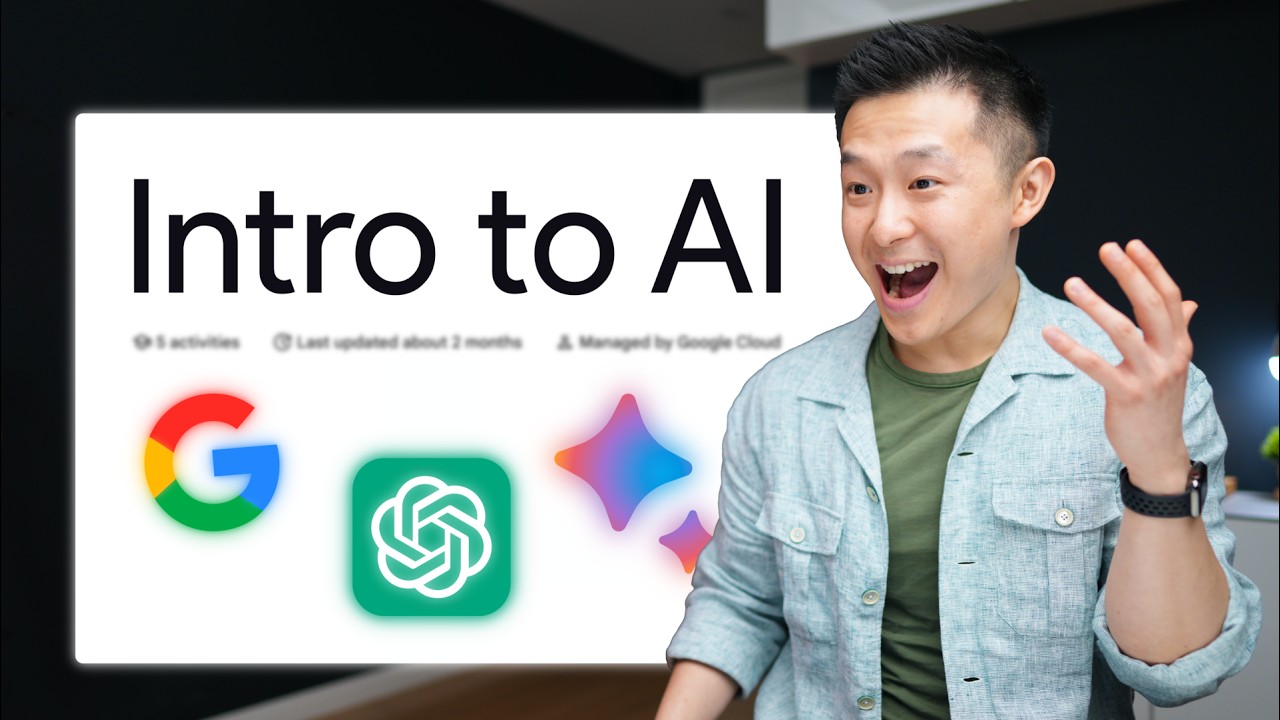
Grab my AI Toolkit for free: https://academy.jeffsu.org/ai-toolkit?utm_source=youtube&utm_medium=video&utm_campaign=146
Grab my free Workspace Toolkit: https://academy.jeffsu.org/workspace-toolkit?utm_source=youtube&utm_medium=video&utm_campaign=146
🔍 In this video, we unravel the layers of AI, Machine Learning, Deep Learning, and their applications in tools like #ChatGPT and Google #Bard
We first go through how AI is a broad field of study that encompasses #MachineLearning as a sub-field.
We then break down Machine Learning into supervised and unsupervised models, using real-world examples to illustrate their functions and differences.
We move deeper into Deep Learning: Learn about artificial neural networks and the power of semi-supervised learning in applications like fraud detection in banking.
Then we delve into Generative AI, differentiating it from discriminative models and demonstrating its capabilities in creating new, innovative outputs.
Finally we walk through Large Language Models (LLMs) and uncover the significance of LLMs in AI, their pre-training processes, and their customization for specific industry applications
*TIMESTAMPS*
00:00 Google’s AI Course in 10 Minutes
00:38 What is Artificial Intelligence?
01:27 What is Machine Learning?
03:28 What is Deep Learning?
05:15 What is Generative AI?
07:05 What are Large Language Models?
*RESOURCES I MENTION IN THE VIDEO*
Google’s full course: https://www.cloudskillsboost.g....oogle/course_templat
Grab my free Workspace Toolkit: https://academy.jeffsu.org/workspace-toolkit?utm_source=youtube&utm_medium=video&utm_campaign=146
*MY FAVORITE GEAR*
🎬 My YouTube Gear - https://www.jeffsu.org/yt-gear/
🎒 Everyday Carry - https://www.jeffsu.org/my-edc/
*MY TOP 3 FAVORITE SOFTWARE*
❎ CleanShot X - https://geni.us/cleanshotx
✍️ Skillshare - https://geni.us/skillshare-jeff
📖 Readwise - https://readwise.io/jeffsu/
*BE MY FRIEND:*
📧 Subscribe to my Productivity newsletter - https://www.jeffsu.org/productivity-ping/
📸 Instagram - https://instagram.com/j.sushie
🤝 LinkedIn - https://www.linkedin.com/in/jsu05/
*👨🏻💻 WHO AM I:*
I'm Jeff, a tech professional trying to figure life out. What I do end up figuring out, I share!
_PS: Some of the links in this description are affiliate links I get a kickback from and my opinions are my own and may not reflect that of my employer_ 😇

Looking to land a remote job in 2026? 🌍✨
In this video, we break down the top in-demand remote work skills that companies are actively hiring for and the ones that will help you stand out in a global job market.
Whether you want to freelance, work remotely full-time, or transition into a digital career, these skills are powerful, high-value, and future-proof.
📌 What you’ll learn in this video:
– The most sought-after digital skills for 2026
– Skills you can learn quickly to start earning online
– Why visual-facing and creative skills are dominating remote work
If you’re ready to work from anywhere, earn more, and step confidently into your remote era… this is your sign. 🌐💼
Let’s stay connected!
✨ TikTok: [@theremotechic] (https://www.tiktok.com/@theremotechic)
✨ LinkedIn: https://www.linkedin.com/in/joyalibaedumu/
📧 Email: joy@theremotechic.com
📰 Join my newsletter:https://delicate-waterfall-116....58.myflodesk.com/the
---
SC: 5178
#workfromhome #remotejobs #freelancingtips #onlinejobs #virtualassistantlife #remotework #freelancecareer #vajobs2026 #makemoneyonline #workfromhomejobs #remoteworklife #freelancertips #onlinework #digitalnomadlife #freelanceopportunities #remotecareer #sidehustleideas #onlineincome #remoteworktips #womenwhoworkonline #workanywhere #freelancingforbeginners #onlinebusiness #vacommunity #virtualassistant #virtualassistantjobs #freelancingtips

Whatever your current skill level, this course will help you become an AI power user.
Learn to:
Find information: Get accurate, well-sourced answers using AI web search and deep research modes.
Brainstorm & Write: Use AI as a thought partner to get honest feedback and write natural-sounding text.
Create & Build: Generate images and build simple websites and apps with no coding required.
Taught by AI pioneer Andrew Ng, you’ll learn how to effectively use modern AI for the main things people use it for: finding information, brainstorming and writing, and working with multimedia and code.
If you want to get certified and access to course labs and quizzes, enroll here: https://bit.ly/4wFmOZl

Excel for Finance and Accounting Expert Tutorial
Get Ad-Free Training by becoming a member today!
https://www.youtube.com/channe....l/UCqyBfm_H9ugGirk1u
Join Learnit Anytime for ad-free training, exams, certificates, and exclusive content:
https://www.learnitanytime.com
Exercise Files: https://tinyurl.com/rxvb4utb
Who it's for: Professionals using Excel to tackle practical tasks around financial data.
What it is: Microsoft’s spreadsheet application used to clean, organize, and present data.
What you'll learn: This course begins with a brief Excel refresher before moving on to a series of Finance and Accounting tips to improve your day-to-day workflow. First, we’ll explore common functions like NPV, IRR, and IPMT. Then, you’ll learn how to create a variety of charts to visually represent your data like stock charts, area charts, and even football field charts. Next, you’ll refamiliarize yourself with some key Excel tools like Pivot Tables to maximize your time in the application. Finally, we’ll show you how all of this works in the real world with comprehensive exercises around income statements, balance sheets, cash flow statements, and much more.
Start 0:00
Introduction 0:09
Building Data Rates 1:20
Calculating HPR Rates of Return 4:23
Statement Model 10:39
Income Statements 12:29
Operating Costs 21:06
Operating Expenses and Interest 24:57
Taxes 26:47
Net Income 28:47
Capital Expenditure and Depreciation Schedule 31:27
Setting Up Balance Sheets 37:11
Balance Sheet Forecasts 40:33
Cash Flow Statements 54:15
Statement Model Check 1:04:21
Conclusion 1:06:22
#excel #exceltutorial #exceltips #exceltricks
Learnit is no longer associated with this channel/video.
(C) 2025 Bomberry Productions
Any illegal reproduction of this content will result in immediate legal action.
Unlock the full potential of Vue.js Composition API with our comprehensive course! Dive deep into hands-on learning as you create 10 impactful projects that showcase the versatility and power of Vue.js. Whether you're a beginner or an experienced developer, this course is designed to elevate your skills and empower you to build modern, efficient, and scalable Vue.js applications. Join us on this coding journey and transform your understanding of Vue.js Composition API into real-world expertise.
Follow Me On 👇
Instagram: https://www.instagram.com/huxnshorts/
YouTube: https://www.youtube.com/@huxnwebdev
GitHub: https://github.com/huxn-webdev
Twitter: https://twitter.com/huxnwebdev
#vuejs #compositionapi #webdevelopment #learntocode2024 #javascriptprojects
00:00 - Intro
00:16 - What is Vue.js?
03:10 - Side Talk
05:28 - Installations
10:46 - Folder Structure
18:32 - Component In Depth
32:43 - Text Interpolation
38:55 - Attribute Bindings
44:48 - Dynamic Bindings
47:17 - Styling In Depth
1:00:08 - Event Handlers In Vue
1:11:33 - Reactivity & Reactive
1:19:40 - ref()
1:29:34 - Computed Properties
1:35:12 - Conditional Rendering
1:50:18 - v-for
2:11:57 - v-model
2:18:58 - Props
2:46:16 - Component Event
2:56:04 - Slots
3:07:16 - Provide & Inject
3:24:57 - Lifecycle Hooks
3:38:29 - Watchers
3:55:09 - Template Ref
4:09:04 - Async Components
4:17:00 - Composables
4:27:13 - Custom Directives
4:39:08 - Dynamic Components
4:45:21 - Data Fetching In Vue
4:55:15 - Project 1
5:01:15 - Project 2
5:05:57 - Project 3
5:15:22 - Project 4
5:20:40 - Project 5
5:28:59 - Project 6
5:39:59 - Project 7
5:44:27 - Project 8
5:48:49 - Project 9
5:57:51 - Project 10
6:12:49 - Outro

This video is filmed and edited by Università Telematica Internazionale UNINETTUNO www.uninettunouniversity.net.
Corazza is a full-time professor at the Alma Mater Studiorum at the University of Bologna, a member of the Executive Council, and the founder of the Marconi Institute of Creativity. He teaches science and the applications of creative thinking. Why/Which/How/Where/What/When/Experiment. A quick jump out of the box is more insight ful than a lifetime of standard thinking.
In the spirit of ideas worth spreading, TEDx is a program of local, self-organized events that bring people together to share a TED-like experience. At a TEDx event, TEDTalks video and live speakers combine to spark deep discussion and connection in a small group. These local, self-organized events are branded TEDx, where x = independently organized TED event. The TED Conference provides general guidance for the TEDx program, but individual TEDx events are self-organized.* (*Subject to certain rules and regulations)
Excel Beginner Tutorial
Get Ad-Free Training by becoming a member today!
https://www.youtube.com/channe....l/UCqyBfm_H9ugGirk1u
Join Learnit Anytime for ad-free training, exams, certificates, and exclusive content:
https://www.learnitanytime.com
Exercise Files: https://tinyurl.com/5bzwe2p7
Who it's for: Beginners, as well as experienced, everyday users looking to sharpen their skills and increase efficiency in Microsoft Excel.
What it is: Microsoft’s spreadsheet application used to organize and analyze data.
What you'll learn: We start with the basics, showing you Excel’s interface and the best ways to navigate. Once you’re comfortable with the software’s layout, we quickly move on to calculating data with basic formulas and functions. In the Intermediate section, we show you the various tools and ways to sort and filter data in a timely manner. Next, we cover Charts and Sparklines, along with some tips on presenting data in Excel. Then, we dive into one of Excel’s most popular features; the Pivot Table. Our Advanced training starts with an overview of XLOOKUP, a vital function for modern-day Excel users. After that, we explore complex Database functions, provide you with an introduction to Macros, and demonstrate how to save time by automating common Excel tasks.
Start 0:00
Introduction 0:09
What is Excel? 1:16
Excel Interface Overview 2:40
Search and Help 9:06
Navigating and Selecting Cells 11:48
Entering, Replacing, and Deleting Data 16:05
Adjusting Cells 25:56
Calculations, Formulas, and Functions 30:29
Basic Functions 43:31
AutoFill 50:39
Relative and Absolute Cell Reference 55:05
Saving and Sharing Workbooks 1:01:13
Comments 1:05:11
Inserting Rows and Columns 1:07:39
Cut, Copy, and Paste 1:10:33
Formatting Data with Cell Styles 1:14:35
Managing Worksheets 1:20:28
Hiding Row and Columns 1:25:04
Creating Custom Views 1:26:57
Reviewing Worksheets 1:30:24
Printing Worksheets 1:33:37
Conclusion 1:38:19
#excel #exceltutorial #exceltips #exceltricks
Learnit is no longer associated with this channel/video.
(C) 2025 Bomberry Productions
Any illegal reproduction of this content will result in immediate legal action.

Excel 2021 Expert Tutorial
Get Ad-Free Training by becoming a member today!
https://www.youtube.com/channe....l/UCqyBfm_H9ugGirk1u
Join Learnit Anytime for ad-free training, exams, certificates, and exclusive content:
https://www.learnitanytime.com
Exercise Files: https://tinyurl.com/4h4wpbev
Who it's for: Beginners - experienced, everyday users looking to sharpen their skills and increase efficiency in Microsoft Excel.
What it is: Microsoft’s spreadsheet application used to clean and organize data.
What you'll learn: We start with the basics, showing you the user interface and quick ways to navigate. Once you’re comfortable with the software’s layout, we quickly move on to calculating data with basic formulas and functions. In the Intermediate section, we show you the various tools and ways to sort and filter data in a timely manner. Then, we dive into one of Excel’s most popular features; the Pivot Table. Our Advanced training starts with basic functions like the IF function. After that, we explore complex Database functions, provide an introduction to Macros, and show you how to save time by automating common Excel tasks.
Start 0:00
Introduction 0:03
Nesting Functions 4:24
Database Functions 12:16
XLOOKUP 20:47
UNIQUE 28:39
SORT and SORTBY 34:30
FILTER 40:24
LET 46:54
Consolidate 52:19
Introduction to Macros 57:03
Recording and Playing Macros 59:38
Conclusion 1:05:03
#excel #excel2021 #exceltutorial
Learnit is no longer associated with this channel/video.
(C) 2025 Bomberry Productions
Any illegal reproduction of this content will result in immediate legal action.

Excel 2021 Power User Tutorial
Get Ad-Free Training by becoming a member today!
https://www.youtube.com/channe....l/UCqyBfm_H9ugGirk1u
Exercise Files: https://tinyurl.com/yrhs4s9j
Who it's for: This course was built from the ground up for the advanced users and those in search of more than typical Excel tools and processes. Attendees of this course are recommended to have completed our Excel Beginner, Intermediate, and Advanced training, or at a minimum already be proficient in the skills referenced in those courses.
What it is: The Excel Power User course expands on the idea that the tools by themselves are only part of the equation. To say that you’re capable of solving a problem is enough for most users, but participants in this course aren’t most users. The desire to learn and invest time in building resources that solve problems faster and with less effort is a key quality of the power user and something the course maintains a heavy focus on.
What you'll learn: In this series, students will learn how to intermix tools in Excel to accomplish time-intensive tasks. Students will learn to develop a deeper understanding of data mining tools like VLOOKUP, as well as more advanced solutions like the INDEX, MATCH, and OFFSET functions. Throughout the course, users will learn how to expedite data analysis through dynamic ranges and how to push Excel to the edges of what’s possible out of the box with new perspectives on how to think their way through challenging problems.
Start 0:00
Introduction 0:03
DB Functions, XLOOKUP, VLOOKUP, INDEX, MATCH 5:11
Excel XLOOKUP Two-Way Search 19:21
Text Functions 22:54
Advanced Pivot Tables 27:36
INDEX MATCH Array Function 42:05
Advanced Conditional Formats 49:08
Excel Charts 53:51
Introduction to Macros 1:01:13
Macro Examples 1:10:12
Conclusion 1:14:35
Join Learnit Anytime for ad-free training, exams, certificates, and exclusive content:
https://www.learnitanytime.com
#excel #exceltutorial #exceltips
Learnit is no longer associated with this channel/video.
(C) 2025 Bomberry Productions
Any illegal reproduction of this content will result in immediate legal action.

Power BI Basics Beginner Tutorial
Get Ad-Free Training by becoming a member today!
https://www.youtube.com/channe....l/UCqyBfm_H9ugGirk1u
Join Learnit Anytime for ad-free training, exams, certificates, and exclusive content:
https://www.learnitanytime.com
Data Web Link: https://www.fdic.gov/bank-fail....ures/failed-bank-lis
Exercise Files: https://tinyurl.com/3d7h6ju4
Who it's for: Business Analysts, Data Analysts, and everyone in between looking to take the next step in data processing and visualization.
What it is: Power BI is Microsoft’s business analytics platform. It’s designed from the ground up to take mass sets of data and organize, analyze, and visualize it using live dashboards and interactive reports.
What you'll learn: In the Power BI Basics Beginner course, you will learn foundational skills for using Power BI, a powerful business intelligence tool. The course introduces you to the Power BI Desktop app, walking through its interface and how it shares similarities with other Microsoft 365 products like Excel. You'll discover how to import data from various sources, shape and transform it using Power Query, and create stunning visuals and reports. By the end of the course, you'll know how to build reports with interactive visualizations, create and edit query steps, combine data from different tables, and establish relationships between them, setting you up for more advanced Power BI skills.
Start 0:00
Introduction 0:09
Navigating the PowerBi Interface 4:10
Importing From Data Sources 15:22
Shape tranform combine w power query 22:51
DAX for Creating Tables 35:05
Producing a Report PT 1 Page Setup 43:28
Producing a Report PT 2 Working w Visuals 51:01
Producing Reports PT 3 Working w Slicers 56:55
Conclusion 1:05:28
#powerbi
learnit is no longer associated with this channel/video.
(C) 2025 Bomberry Productions
Any illegal reproduction of this content will result in immediate legal action.

Hey guys, welcome to your 2nd JavaScript tutorial for beginners. In this lesson we'll take a quick look at what JavaScript actually is, and how it differs from other programming languages.
JavaScript is what's known as a client-side language, meaning it runs on your computer and not on a web server. There are exceptions to this (e.g. with Node.js) but this is generally the case. Other programming languages such as PHP, run on the server and are called server side languages.
JavaScript is also a scripting language. This essentially means it is limited in functionality - but this is the way it was made, intentionally! It's primary purpose is to add functionality and interactivity to websites, such as banner sliders, zoom-galleries, drag and drop etc.
SUBSCRIBE TO CHANNEL - https://www.youtube.com/channe....l/UCW5YeuERMmlnqo4oq
========== CSS for Beginners Playlist ==========
https://www.youtube.com/playli....st?list=PL4cUxeGkcC9
========== HTML Basics Course ==========
https://www.youtube.com/playli....st?list=PL4cUxeGkcC9
========== The Net Ninja ============
For more front-end development tutorials & to black-belt your coding skills, head over to - https://www.youtube.com/channe....l/UCW5YeuERMmlnqo4oq or http://thenetninja.co.uk
========== Social Links ==========
Twitter - @TheNetNinja - https://twitter.com/thenetninjauk

If You Want To Support My Work 👇
https://www.youtube.com/channe....l/UCbBt6Ks7M5BZx_GHg
Follow Me On 👇
Any Questions?: https://www.instagram.com/huxnshorts/
Shorts Channel: https://www.youtube.com/@Huxn2.0
Twitter ( X ): https://twitter.com/huxnwebdev
GitHub: https://github.com/huxn-webdev
00:00 - Intro
4:31 - React Fundamentals
2:45:30 - React Hooks
4:00:22 - React Projects For Beginners
6:43:39 - TypeScript Complete Course
10:12:04 - React With TypeScript
11:38:02 - Popular Component Libraries
11:51:08 - React Hook Form
12:13:17 - React 19 Features
16:17:25 - Framer Motion
21:37:27 - Zustand
26:08:14 - Redux Toolkit
27:25:58 - React Design Patterns
32:02:11 - TanStack Query
33:13:19 - Unit Testing
35:15:21 - React Testing
37:10:25 - React Design System
37:41:12 - React Storybook
38:51:49 - Useful Packages For Design System
39:21:59 - Building Component Library
42:11:32 - React Monorepos
42:25:30 - Building Complete Design System For Company
43:22:40 - FullStack Project
50:31:53 - Outro

Excel 2021 Productivity Tips and Tricks Tutorial
Get Ad-Free Training by becoming a member today!
https://www.youtube.com/channe....l/UCqyBfm_H9ugGirk1u
Join Learnit Anytime for ad-free training, exams, certificates, and exclusive content:
https://www.learnitanytime.com
Exercise Files: https://tinyurl.com/3wndjyuf
Who it's for: In today's data-driven world, mastering Microsoft Excel has become an essential skill for professionals in various fields. Whether you're a student, an analyst, a business owner, or simply someone who wants to enhance their productivity, this course is designed to take your Excel skills to the next level.
What it is: Excel is much more than just a spreadsheet program - it's a powerful tool that can simplify complex calculations, streamline data management, and present information in visually appealing ways.
What you'll learn: In this course, we will explore a wide range of tips and tricks that will help you work smarter, faster, and more efficiently with Excel. Throughout this course, you will learn how to harness the full potential of Excel's features and functions. We will cover topics such as formulas and functions, data analysis techniques, data validation, pivot tables, and much more. Soon, you’ll be able to perform complex tasks with ease, saving you valuable time and effort in your everyday work.
Start 0:00
Introduction 0:09
Selecting Data 0:33
Flash Fill 2:29
Data Validation 10:34
Data Mining 24:28
Named Ranges 36:45
Pivot Tables 49:24
XLOOKUP 57:47
Power Query 1:02:39
Conclusion 1:09:15
#excel #exceltutorial #exceltips
learnit is no longer associated with this channel/video.
(C) 2025 Bomberry Productions
Any illegal reproduction of this content will result in immediate legal action.
Welcome to 'MongoDB and Mongoose Mastery: Unleashing the Power of NoSQL Databases for Scalable Web Development!' Are you ready to dive into the world of MongoDB and Mongoose and harness the immense potential of NoSQL databases? Look no further! This comprehensive course is designed to equip you with the knowledge and skills necessary to become a master of MongoDB and Mongoose, empowering you to build scalable and high-performing web applications.
In this course, we'll take you on a step-by-step journey, starting with the fundamentals of MongoDB and NoSQL databases. You'll learn how to set up and configure MongoDB, understand the document-based data model, and master the querying and indexing techniques that make MongoDB so powerful.
But we won't stop there! We'll then introduce you to Mongoose, a popular MongoDB object modeling tool for Node.js. You'll explore how Mongoose simplifies the process of interacting with MongoDB by providing a rich set of features, including schema definition, validation, and advanced querying capabilities.
Throughout the course, we'll cover key topics such as data modeling, CRUD operations, embedding and referencing documents and countless other things, You'll gain hands-on experience through practical exercises and real-world examples that showcase the practical application of MongoDB and Mongoose in building scalable web applications.
By the end of this course, you'll have a solid understanding of MongoDB and Mongoose, allowing you to confidently work with NoSQL databases and develop robust, scalable, and interactive web applications. Whether you're a beginner looking to explore the world of NoSQL databases or an experienced developer seeking to enhance your skills, this course is tailored to meet your needs.
Don't miss out on the opportunity to become a master of MongoDB and Mongoose. Join us in 'MongoDB and Mongoose Mastery: Unleashing the Power of NoSQL Databases for Scalable Web Development!' and take your web development skills to new heights.
Follow Me On 👇
Instagram: https://www.instagram.com/huxnshorts/
YouTube: https://www.youtube.com/@huxnwebdev
GitHub: https://github.com/huxn-webdev
Twitter: https://twitter.com/huxnwebdev
Chapters:
00:00 - Intro
00:22 - What is MongoDB
00:55 - MongoDB Important Topics
04:17 - Downloading and Installing MongoDB
12:30 - MongoDB Collection Information
19:04 - MongoDB Inserting Data In Depth
22:31 - MongoDB Finding In Depth
29:14 - MongoDB Sort, Limit, Skip
33:59 - MongoDB Operators
35:35 - MongoDB Update Documents
40:23 - MongoDB Delete Documents
45:46 - What is Mongoose
47:05 - Connecting Mongoose
58:52 - Mongoose Schema and Model
01:10:18 - Mongoose Creating and Inserting Documents
01:19:01 - Mongoose Retrieving Data
01:34:06 - Mongoose Updating Data
01:39:24 - Mongoose Deleting Data
01:42:02 - Outro
Checkout My Other Courses 👇
https://www.youtube.com/@huxnwebdev
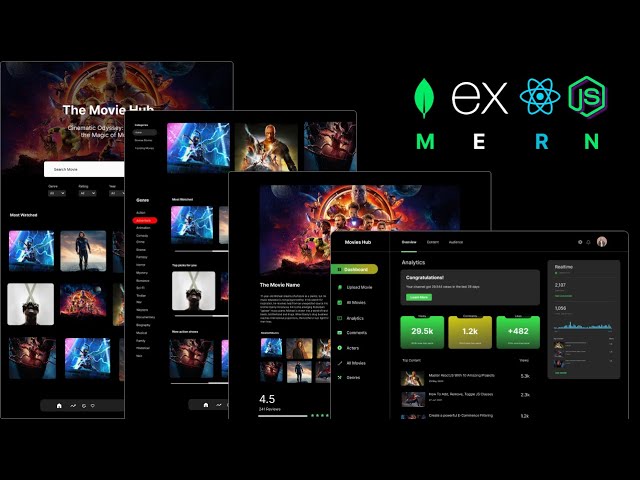
In this comprehensive tutorial, embark on a journey to MERN mastery as we delve into the creation of a scalable movies application. From conceptualization to execution, you'll learn step-by-step how to harness the power of the MERN stack (MongoDB, Express.js, React.js, Node.js) to craft an immersive user experience. Elevate your development skills as we cover the intricacies of building a robust backend, dynamic frontend, and seamless integration, ensuring optimal performance and scalability. Whether you're a novice or seasoned developer, this tutorial empowers you to unleash your creativity and build a next-level movies app that captivates audiences and delivers the ultimate user experience.
Follow Me On 👇
Instagram: https://www.instagram.com/huxnshorts/
YouTube: https://www.youtube.com/@huxnwebdev
GitHub: https://github.com/huxn-webdev
Twitter: https://twitter.com/huxnwebdev
00:00 - Intro
0:09 - Project Overview
8:45 - Prerequisites
10:37 - Project Setup
29:29 - Users Management ( Backend )
1:18:11 - Redux Toolkit & RTK Query Setup & Navigation
1:53:47 - Register User ( Frontend )
2:14:21 - Login User ( Frontend )
2:29:09 - Update User ( Frontend )
2:47:13 - Genres ( Backend )
3:07:48 - Genres ( Frontend )
3:38:46 - Movies ( Backend ) Part 1
3:52:41 - Movies ( Backend ) Part 2
4:10:42 - Movies ( Backend ) Part 3
4:25:06 - Image Upload ( Backend )
4:33:49 - Movies RTK Query Endpoints
4:42:56 - Create Movie ( Frontend )
5:09:50 - Read Movies, Admin Specific ( Frontend )
5:15:58 - Update & Delete Movies ( Frontend )
5:36:54 - Header & Home Screens ( Frontend )
5:53:34 - All Movies With Multiple & Advance Filters ( Frontend )
6:19:55 - Movie Details Screen ( Frontend )
6:41:24 - Comments Section ( Frontend )
6:47:21 - Awesome Dashboard ( Frontend )
7:09:13 - Outro

This is my old social media course, recorded in 2022-2023, but I know new social media managers will find it useful.
In this comprehensive course, explore the essentials of social media management. Practical tips on creating content calendars, conducting social media audits, generating leads, and running effective client discovery calls are featured. Gain insights into building service packages, pricing strategies, and crafting detailed social media reports.
This video is packed with valuable information to help you succeed and grow as a professional social media manager.
If you want a beginner-friendly resource you can read in a few hours, I created a PDF called the Social Media Manager Bible. It includes templates, scripts, and frameworks to help you start properly without feeling overwhelmed.
➝ Social media manager Bible: nestuge.com/dpdy0_nl8
If you want deeper support, my Social Media Manager Mentorship is open. It is a paid mentorship with live classes, assignments, resources, and community support to help you grow the right way. You can join the waitlist or join directly if enrollment is open.
➝ Mentorship program: nestuge.com/tsmoacademy
Join my communities for daily updates and conversations:
💚 WhatsApp Channel: https://whatsapp.com/channel/0....029VaJ5oRnJf05hI7IqJ
💚 Telegram Group: https://t.me/+EK_5YWDwSXViYjM8
Connect with me on socials:
🧡 Instagram: @thesocialmediaoga
🧡 TikTok: @thesocialmediaoga
🧡 LinkedIn: Omobolaji Ajibare
🧡 X: @tsocialmediaoga
Subscribe, like, and turn on notifications for more honest, practical social media manager content.
Comment below and let me know where you are on your journey.
Chapters
00:00 Introduction to Social Media Management
00:15 Understanding the Role of a Social Media Manager
01:33 Steps to Start as a Social Media Manager
05:56 Essential Skills for Social Media Managers
23:40 Client Onboarding Process
33:57 Finding Your Niche in Social Media Management
50:36 The Importance of Contracts for Social Media Managers
51:41 Setting Contract Duration and Terms
53:50 Exit Clauses and Payment Terms
55:20 Communication and Client Boundaries
01:00:18 Pricing Strategies for Social Media Managers
01:17:44 Understanding Pricing Metrics
01:42:56 Setting Premium Rates for Quality Service
01:43:38 Transitioning to the Maturity Stage
01:46:02 Building Your Freelance Service Package
01:46:37 Drawing from Knowledge and Research
01:48:07 Specifying Unique Offers and Packages
01:49:10 Offering Tiers or Bundle Options
01:50:12 Setting Up Opportunities for Upsells
01:50:49 Creating a Social Media Strategy
01:52:22 Conducting Social Media Audits
01:53:02 Competitor Analysis and Keyword Research
01:55:10 Developing a Content Calendar
01:55:42 Strategising for Success
01:57:58 Blending Social Media Marketing with Business Goals
02:01:32 Mastering Discovery Calls
02:32:56 Setting Realistic Goals
02:33:16 Immediate Action Plan
02:33:38 Recap and Proposal
02:35:16 Client Interaction Insights
02:37:13 Handling Client Expectations
02:45:41 Social Media Audit Essentials
03:16:12 Introduction to Planning and Customisation
03:17:01 Renaming and Customising Fields
03:19:21 Setting Up Content Types and Statuses
03:22:03 Uploading and Managing Attachments
03:23:59 Creating and Sharing Content Calendars
03:40:18 Using Google Sheets for Content Calendars
03:54:56 Introduction to Google Sheets and Airtable
03:55:46 Creating and Managing Calendars
03:56:03 Learning Trello for Client Management
03:56:50 Optimising Airtable for Client Use
04:05:20 Designing a Social Media Report from Scratch
04:33:03 Final Q&A and Class Wrap-Up

Excel For Personal Finance Tutorial
Get Ad-Free Training by becoming a member today!
https://www.youtube.com/channe....l/UCqyBfm_H9ugGirk1u
Join Learnit Anytime for ad-free training, exams, certificates, and exclusive content:
https://www.learnitanytime.com
Exercise Files: https://tinyurl.com/wnymuu6a
Who it's for: This course is designed for anyone who wants to take control of their personal finances using Microsoft Excel. Whether you’re new to budgeting or already familiar with basic spreadsheets, you’ll benefit if you need a structured way to track income and expenses, build interactive financial tools, or visualize where your money is going—all without switching between multiple apps.
What it is: Microsoft Excel is a powerful spreadsheet application in the Microsoft Office suite that enables users to organize, analyze, and visualize data in tabular form. By leveraging built-in formulas and functions, you can perform everything from simple calculations to complex statistical analyses, while features like conditional formatting and data validation help maintain accuracy and highlight key information. Excel also offers robust charting tools—such as line, bar, and pie graphs—alongside advanced capabilities like pivot tables and Power Query for dynamic reporting and data transformation. Widely used across industries, Excel serves as a versatile platform for budgeting, forecasting, project management, and business intelligence.
What you'll learn: Over the course of this tutorial, you’ll learn to create and format expense and income lists as Excel tables complete with total rows, build interactive dropdown menus for faster data entry, and design a consolidated budget sheet that automatically calculates balances and variances. You’ll also link category-level summaries to detailed tables for high-level reporting, track ongoing transactions on a running balance sheet with built-in debits and credits, and leverage Excel’s Quick Analysis tools to compute spending percentages. Finally, you’ll generate visualizations—such as pie charts, tree maps, and column charts—to illustrate spending patterns, build pivot tables and pivot charts with timelines for ad-hoc analysis, and package your workbook as a reusable template for future months or projects.
Start 0:00
Introduction 0:09
Adding Expense Tables 1:38
Building a Simple Budget List 12:39
Building a Simple Budget Table 20:50
Linking Expense Tables into a Budget Table 29:34
Tracking Expenses with Drop-downs 38:12
Tracking Projected Costs vs Actual Costs 46:59
Track Percentage of Expenses 54:20
Creating Budget Charts 58:35
Visualizing Daily Expenses 1:08:19
Inserting Pivot Tables from Our Expense Tracker 1:14:04
Inserting Pivot Charts from Pivot Tables 1:20:09
Using the Timeline 1:26:57
Save Your Budget as a Template for Future Use 1:30:13
Calculate the Future Value of an Investment 1:35:49
Calculate Total Deposits and Interest 1:41:42
Calculate Monthly Payments for a Loan 1:45:49
Forecast Monthly Payments Based on Conditions 1:50:57
Conclusion 1:57:17
#excel #exceltutorial #personalfinance
Learnit is no longer associated with this channel/video.
(C) 2025 Bomberry Productions
Any illegal reproduction of this content will result in immediate legal action.

Claude n8n Tutorial: Build a Front Desk Agent
Follow Henry here: https://www.youtube.com/@TheQuackLearner
Get Ad-Free Training by becoming a member today!
https://www.youtube.com/channe....l/UCqyBfm_H9ugGirk1u
Join Learn Skills Daily for ad-free training, exams, certificates, and exclusive content:
https://www.learnskillsdaily.com
Exercise Files: https://tinyurl.com/m6w57pxu
Who it's for: This class is for beginners, business professionals, and automation enthusiasts who want to use Claude and n8n to streamline repetitive processes. It is especially useful for anyone interested in automating email management, customer follow-ups, CRM updates, and other predictable business workflows.
What it is: n8n is a workflow automation platform that connects apps and turns repetitive business processes into reliable, predictable workflows. In this video, n8n works with Claude Cowork, Gmail, Google Sheets, and Gemini to automate email management, update customer records, greet new and returning contacts, classify and summarize messages, and organize information without requiring each step to be completed manually.
What you'll learn: You’ll learn when to use n8n instead of an autonomous AI agent, connect Claude Cowork to n8n, and configure Gmail, Google Sheets, and Gemini credentials. You’ll build workflows that recognize new and returning contacts, send personalized greetings, update a CRM, classify and summarize emails, flag urgent messages, and organize information into the appropriate Google Sheets. You’ll also learn how to test, troubleshoot, and publish workflows so they run automatically.
Welcome and Goal 0:00
Why Use n8n 1:28
Prerequisites and Accounts 3:12
Connect Claude to n8n 3:40
Workflow 1 Overview 6:04
Gmail and Sheets Credentials 7:04
Prompting Claude to Build 8:33
Testing New vs Returning 11:16
Debugging and Fixing Errors 13:39
Workflow 2 AI Sorting Plan 15:51
Gemini API Setup 17:04
Build AI Branch in Claude 18:25
Testing Classification Results 20:27
Publish and Wrap Up 23:05
#claude #clauden8n #claudeai
(C) 2026 Bomberry Productions
Any illegal reproduction of this content will result in immediate legal action.
