
Top videos

Excel 2016 Intermediate Tutorial
Get Ad-Free Training by becoming a member today!
https://www.youtube.com/channe....l/UCqyBfm_H9ugGirk1u
Join Learnit Anytime for ad-free training, exams, certificates, and exclusive content:
https://www.learnitanytime.com
Exercise Files: http://bit.ly/42EQloU
Who it's For: Anyone currently using Microsoft Excel, or anyone who wants to learn how!
What it is: Excel is a popular Microsoft application that organizes and analyzes data.
What You'll Learn: Our beginner videos start with simple tasks like selecting cells and entering data, then quickly move to calculating data with basic formulas and functions. The intermediate portion shows you how simple it is to sort and filter and then moves to one of Excel’s most popular features, Pivot Tables. Our advanced videos start with functions like IF and VLOOKUP and finish up with Macros.
Manuals: https://bit.ly/30xZb59
Username: manuals
Password: password
Start 0:00
Flash Fill 0:03
List Design & Single Level Sorting 2:28
Multi-Level Sorting 4:52
Custom Sorting 8:20
Filtering 11:33
Multi-Level Filtering 15:40
Search Filtering 17:34
Format as Table 21:47
Table Style Options 25:13
Remove Duplicates 29:12
Convert to Range 34:07
Subtotal 34:51
Multi-Level Subtotaling 40:32
Remove Subtotals 42:59
Quick Analysis Charts 43:29
Inserting Data Charts 46:53
Formatting Data Charts 51:46
Chart Templates 57:21
Sparklines 1:01:28
Printing Charts 1:06:18
Importing From Web 1:08:18
MS Query 1:14:33
Exporting Overview 1:21:12
Pivot Tables 1:22:50
Multiple-Field Pivot Tables 1:31:03
Drill Down Reports 1:36:10
Pivot Charts & Grouping Fields 1:38:52
Slicer Tool 1:47:18
Data Validation 1:54:28
Additional Data Validation 2:03:12
Cell & Sheet Protection 2:09:30
File Encryption 2:14:58
Conditional Formatting 2:17:28
Linking Data 2:25:34
Inserting Comments 2:32:25
#excel
Learnit is no longer associated with this channel/video.
(C) 2025 Bomberry Productions
Any illegal reproduction of this content will result in immediate legal action.
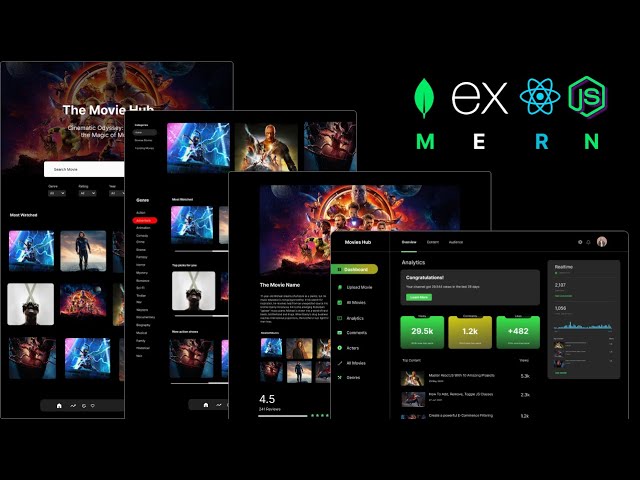
In this comprehensive tutorial, embark on a journey to MERN mastery as we delve into the creation of a scalable movies application. From conceptualization to execution, you'll learn step-by-step how to harness the power of the MERN stack (MongoDB, Express.js, React.js, Node.js) to craft an immersive user experience. Elevate your development skills as we cover the intricacies of building a robust backend, dynamic frontend, and seamless integration, ensuring optimal performance and scalability. Whether you're a novice or seasoned developer, this tutorial empowers you to unleash your creativity and build a next-level movies app that captivates audiences and delivers the ultimate user experience.
Follow Me On 👇
Instagram: https://www.instagram.com/huxnshorts/
YouTube: https://www.youtube.com/@huxnwebdev
GitHub: https://github.com/huxn-webdev
Twitter: https://twitter.com/huxnwebdev
00:00 - Intro
0:09 - Project Overview
8:45 - Prerequisites
10:37 - Project Setup
29:29 - Users Management ( Backend )
1:18:11 - Redux Toolkit & RTK Query Setup & Navigation
1:53:47 - Register User ( Frontend )
2:14:21 - Login User ( Frontend )
2:29:09 - Update User ( Frontend )
2:47:13 - Genres ( Backend )
3:07:48 - Genres ( Frontend )
3:38:46 - Movies ( Backend ) Part 1
3:52:41 - Movies ( Backend ) Part 2
4:10:42 - Movies ( Backend ) Part 3
4:25:06 - Image Upload ( Backend )
4:33:49 - Movies RTK Query Endpoints
4:42:56 - Create Movie ( Frontend )
5:09:50 - Read Movies, Admin Specific ( Frontend )
5:15:58 - Update & Delete Movies ( Frontend )
5:36:54 - Header & Home Screens ( Frontend )
5:53:34 - All Movies With Multiple & Advance Filters ( Frontend )
6:19:55 - Movie Details Screen ( Frontend )
6:41:24 - Comments Section ( Frontend )
6:47:21 - Awesome Dashboard ( Frontend )
7:09:13 - Outro

This is my old social media course, recorded in 2022-2023, but I know new social media managers will find it useful.
In this comprehensive course, explore the essentials of social media management. Practical tips on creating content calendars, conducting social media audits, generating leads, and running effective client discovery calls are featured. Gain insights into building service packages, pricing strategies, and crafting detailed social media reports.
This video is packed with valuable information to help you succeed and grow as a professional social media manager.
If you want a beginner-friendly resource you can read in a few hours, I created a PDF called the Social Media Manager Bible. It includes templates, scripts, and frameworks to help you start properly without feeling overwhelmed.
➝ Social media manager Bible: nestuge.com/dpdy0_nl8
If you want deeper support, my Social Media Manager Mentorship is open. It is a paid mentorship with live classes, assignments, resources, and community support to help you grow the right way. You can join the waitlist or join directly if enrollment is open.
➝ Mentorship program: nestuge.com/tsmoacademy
Join my communities for daily updates and conversations:
💚 WhatsApp Channel: https://whatsapp.com/channel/0....029VaJ5oRnJf05hI7IqJ
💚 Telegram Group: https://t.me/+EK_5YWDwSXViYjM8
Connect with me on socials:
🧡 Instagram: @thesocialmediaoga
🧡 TikTok: @thesocialmediaoga
🧡 LinkedIn: Omobolaji Ajibare
🧡 X: @tsocialmediaoga
Subscribe, like, and turn on notifications for more honest, practical social media manager content.
Comment below and let me know where you are on your journey.
Chapters
00:00 Introduction to Social Media Management
00:15 Understanding the Role of a Social Media Manager
01:33 Steps to Start as a Social Media Manager
05:56 Essential Skills for Social Media Managers
23:40 Client Onboarding Process
33:57 Finding Your Niche in Social Media Management
50:36 The Importance of Contracts for Social Media Managers
51:41 Setting Contract Duration and Terms
53:50 Exit Clauses and Payment Terms
55:20 Communication and Client Boundaries
01:00:18 Pricing Strategies for Social Media Managers
01:17:44 Understanding Pricing Metrics
01:42:56 Setting Premium Rates for Quality Service
01:43:38 Transitioning to the Maturity Stage
01:46:02 Building Your Freelance Service Package
01:46:37 Drawing from Knowledge and Research
01:48:07 Specifying Unique Offers and Packages
01:49:10 Offering Tiers or Bundle Options
01:50:12 Setting Up Opportunities for Upsells
01:50:49 Creating a Social Media Strategy
01:52:22 Conducting Social Media Audits
01:53:02 Competitor Analysis and Keyword Research
01:55:10 Developing a Content Calendar
01:55:42 Strategising for Success
01:57:58 Blending Social Media Marketing with Business Goals
02:01:32 Mastering Discovery Calls
02:32:56 Setting Realistic Goals
02:33:16 Immediate Action Plan
02:33:38 Recap and Proposal
02:35:16 Client Interaction Insights
02:37:13 Handling Client Expectations
02:45:41 Social Media Audit Essentials
03:16:12 Introduction to Planning and Customisation
03:17:01 Renaming and Customising Fields
03:19:21 Setting Up Content Types and Statuses
03:22:03 Uploading and Managing Attachments
03:23:59 Creating and Sharing Content Calendars
03:40:18 Using Google Sheets for Content Calendars
03:54:56 Introduction to Google Sheets and Airtable
03:55:46 Creating and Managing Calendars
03:56:03 Learning Trello for Client Management
03:56:50 Optimising Airtable for Client Use
04:05:20 Designing a Social Media Report from Scratch
04:33:03 Final Q&A and Class Wrap-Up

Excel For Personal Finance Tutorial
Get Ad-Free Training by becoming a member today!
https://www.youtube.com/channe....l/UCqyBfm_H9ugGirk1u
Join Learnit Anytime for ad-free training, exams, certificates, and exclusive content:
https://www.learnitanytime.com
Exercise Files: https://tinyurl.com/wnymuu6a
Who it's for: This course is designed for anyone who wants to take control of their personal finances using Microsoft Excel. Whether you’re new to budgeting or already familiar with basic spreadsheets, you’ll benefit if you need a structured way to track income and expenses, build interactive financial tools, or visualize where your money is going—all without switching between multiple apps.
What it is: Microsoft Excel is a powerful spreadsheet application in the Microsoft Office suite that enables users to organize, analyze, and visualize data in tabular form. By leveraging built-in formulas and functions, you can perform everything from simple calculations to complex statistical analyses, while features like conditional formatting and data validation help maintain accuracy and highlight key information. Excel also offers robust charting tools—such as line, bar, and pie graphs—alongside advanced capabilities like pivot tables and Power Query for dynamic reporting and data transformation. Widely used across industries, Excel serves as a versatile platform for budgeting, forecasting, project management, and business intelligence.
What you'll learn: Over the course of this tutorial, you’ll learn to create and format expense and income lists as Excel tables complete with total rows, build interactive dropdown menus for faster data entry, and design a consolidated budget sheet that automatically calculates balances and variances. You’ll also link category-level summaries to detailed tables for high-level reporting, track ongoing transactions on a running balance sheet with built-in debits and credits, and leverage Excel’s Quick Analysis tools to compute spending percentages. Finally, you’ll generate visualizations—such as pie charts, tree maps, and column charts—to illustrate spending patterns, build pivot tables and pivot charts with timelines for ad-hoc analysis, and package your workbook as a reusable template for future months or projects.
Start 0:00
Introduction 0:09
Adding Expense Tables 1:38
Building a Simple Budget List 12:39
Building a Simple Budget Table 20:50
Linking Expense Tables into a Budget Table 29:34
Tracking Expenses with Drop-downs 38:12
Tracking Projected Costs vs Actual Costs 46:59
Track Percentage of Expenses 54:20
Creating Budget Charts 58:35
Visualizing Daily Expenses 1:08:19
Inserting Pivot Tables from Our Expense Tracker 1:14:04
Inserting Pivot Charts from Pivot Tables 1:20:09
Using the Timeline 1:26:57
Save Your Budget as a Template for Future Use 1:30:13
Calculate the Future Value of an Investment 1:35:49
Calculate Total Deposits and Interest 1:41:42
Calculate Monthly Payments for a Loan 1:45:49
Forecast Monthly Payments Based on Conditions 1:50:57
Conclusion 1:57:17
#excel #exceltutorial #personalfinance
Learnit is no longer associated with this channel/video.
(C) 2025 Bomberry Productions
Any illegal reproduction of this content will result in immediate legal action.

Claude n8n Tutorial: Build a Front Desk Agent
Follow Henry here: https://www.youtube.com/@TheQuackLearner
Get Ad-Free Training by becoming a member today!
https://www.youtube.com/channe....l/UCqyBfm_H9ugGirk1u
Join Learn Skills Daily for ad-free training, exams, certificates, and exclusive content:
https://www.learnskillsdaily.com
Exercise Files: https://tinyurl.com/m6w57pxu
Who it's for: This class is for beginners, business professionals, and automation enthusiasts who want to use Claude and n8n to streamline repetitive processes. It is especially useful for anyone interested in automating email management, customer follow-ups, CRM updates, and other predictable business workflows.
What it is: n8n is a workflow automation platform that connects apps and turns repetitive business processes into reliable, predictable workflows. In this video, n8n works with Claude Cowork, Gmail, Google Sheets, and Gemini to automate email management, update customer records, greet new and returning contacts, classify and summarize messages, and organize information without requiring each step to be completed manually.
What you'll learn: You’ll learn when to use n8n instead of an autonomous AI agent, connect Claude Cowork to n8n, and configure Gmail, Google Sheets, and Gemini credentials. You’ll build workflows that recognize new and returning contacts, send personalized greetings, update a CRM, classify and summarize emails, flag urgent messages, and organize information into the appropriate Google Sheets. You’ll also learn how to test, troubleshoot, and publish workflows so they run automatically.
Welcome and Goal 0:00
Why Use n8n 1:28
Prerequisites and Accounts 3:12
Connect Claude to n8n 3:40
Workflow 1 Overview 6:04
Gmail and Sheets Credentials 7:04
Prompting Claude to Build 8:33
Testing New vs Returning 11:16
Debugging and Fixing Errors 13:39
Workflow 2 AI Sorting Plan 15:51
Gemini API Setup 17:04
Build AI Branch in Claude 18:25
Testing Classification Results 20:27
Publish and Wrap Up 23:05
#claude #clauden8n #claudeai
(C) 2026 Bomberry Productions
Any illegal reproduction of this content will result in immediate legal action.

Python Course By Saumya Singh ( Chapter 1 - Variables & Python Fundamentals )
Download Python Course Certificate for Free - https://gsjqmh.courses.store/766185
Download Internship + Job Ready Kit (paid) - https://gsjqmh.courses.store/758133
I’m Saumya Singh, a Software Engineer with 5+ years of industry experience and a passion for teaching. Alongside my job, I’ve been creating educational content to help students and professionals grow in tech.
In this complete Python course, we’ll learn Beginner to Advanced concepts along with AI & Machine Learning to make you job-ready in 2026 and beyond.
This is just the beginning - we’ll continue bringing more tutorials, projects, and career-focused guidance for our amazing subscribers! 💙
Notes - https://drive.google.com/file/....d/1y9RzUH0PMXaF3z8EB
Code - https://github.com/saumya1sing....h/Python_Course_By_S
✨Share Your Progress & Learnings on✨
Instagram: https://insta.openinapp.co/2xour
LinkedIn: https://linkedin.openinapp.co/oj87l
Twitter: https://twtr.openinapp.co/bo6dj
✨Android App Development Playlist | 30 Days of Coding Challenge✨
youtube.com/playlist?list=PLTV_nsuD2lf4UCTV6xwvNPvFdmCNKyhc8
✨Mission Placement - Land Your Dream Job With Saumya Singh. ✨
https://youtube.com/playlist?list=PLTV_nsuD2lf4hfQvqKRToCXtVB7-6rZnz&si=Dtm9oPUzooYAkA2c
video covers:-
python variables,python variables explained,python variables full course,python full course,python course chapter 1 saumya singh,saumya singh python course,How Python code executes,Variables & memory concept,pythonType conversion,python chapter 1,python job ready course,python full course for beginner,beginner to advance python course, complete python course for bca student,
python course 2026, python course for beginners,Python Tutorial For Beginners in Hindi,complete python course, python course from beginner to advanced, python course in hindi, free python course, how to install python, how to install code editor, how to install vs code, python course 2026 beginner to advance , how to learn python, How to learn python 2026, features of python, python course for first year college student, saumya singh python course
#python #programming #pythoncourseinhindi #coding #ai #ml #softwareengineer #saumyasingh
python Tutorial For Beginners in Hindi | Complete Python Course
Python Full Course for Beginners [2026]
Python Full Course 2026 (Beginner to Advanced) + AI & Machine Learning | Free Tutorial
Python Tutorial 2026 | AI + Machine Learning | Beginner to Pro | Saumya Singh
Python Beginner to Advanced With AI & ML (Full Course 2026) | Step-By-Step
Learn Python in 2026 | Complete AI & Machine Learning Course for Beginners
Python Full Roadmap 2026 | Beginner to Advanced | AI, ML, Projects & Tips
in this course we will launch some chapters. all chapters are totally free of cost for students. keep sharing your feedbacks on comments & love you all 🙈

Hey guys, in this javascript tutorial we'll take a look at the Date object and what we can do with it! The date object in javascript returns back the current date by default, but parameters can be passed into the object to store either future or past dates in a variable.
Any questions, just ask :)
SUBSCRIBE TO CHANNEL - https://www.youtube.com/channe....l/UCW5YeuERMmlnqo4oq
========== JavaScript for Beginners Playlist ==========
https://www.youtube.com/playli....st?list=PL4cUxeGkcC9
========== CSS for Beginners Playlist ==========
https://www.youtube.com/playli....st?list=PL4cUxeGkcC9
========== HTML for Beginners Playlist ==========
https://www.youtube.com/playli....st?list=PL4cUxeGkcC9
========== The Net Ninja ============
For more front-end development tutorials & to black-belt your coding skills, head over to - https://www.youtube.com/channe....l/UCW5YeuERMmlnqo4oq or http://thenetninja.co.uk
========== Social Links ==========
Twitter - @TheNetNinja - https://twitter.com/thenetninjauk
Illustrator Full Course Tutorial (6+ Hours)
Get Ad-Free Training by becoming a member today!
https://www.youtube.com/channe....l/UCqyBfm_H9ugGirk1u
Exercise Files:
Part 1: https://tinyurl.com/y95xttkk
Part 2: https://tinyurl.com/4m5v8znf
Who it's for: Curious beginners to advanced creatives working in marketing, sales, real estate, education, and more.
What it is: A complex program for creating high quality illustration and typographical art.
What you'll learn: We begin with the interface and workspace. We go over all of the panels and selection tools, including the direct selection tool. We cover vector illustration using shapes, the pen and pencil tool, applying brush strokes, and saving swatches and gradients. We also do a deep dive into type and typography, and show you all the shortcuts, tips, and tricks to make you more proficient and creative using Illustrator. Finally, we cover more advanced type tools like type on a path, the Touch Type tool, mastering the special effects with the Appearance panel, cool transformation and blending effects, and how to create 3D objects including text. We also explore the image trace tool, how to master Live Paint, Blending Tools, working with and creating Symbols and Graphic Styles.
Join Learnit Anytime for ad-free training, exams, certificates, and exclusive content:
https://www.learnitanytime.com
Start 0:00
Introduction 0:03
Customizing the Workspace 1:20
Panels 10:45
Vector vs Bitmap 20:14
Creating New Documents 24:15
Basic Selection Techniques 29:47
Magic Wand Tool 35:27
Shapes 38:48
Shapes Tips and Tricks 49:51
Direct Selection Tool 56:41
Scale Tool 1:03:57
Rotate Tool 1:08:02
Layers 1:10:45
Eyedropper and Swatches 1:20:02
Working with Swatches 1:22:53
Creating Patterns 1:26:46
Expanding Appearance in Objects from Strokes 1:34:18
Gradients 1:36:38
Freeform Gradients 1:46:39
Working with Artboards 1:52:59
Exporting Assets 1:59:58
Shape Builder Tool 2:03:03
Pen Tool 2:16:24
Pencil Tool 2:20:21
Guides and Grids 2:23:28
Smooth Tool 2:28:44
Width Tool 2:31:07
Brush Strokes 2:35:29
Adding Anchor Points 2:42:14
Transparency and Opacity Settings 2:51:29
Type and Typography 2:54:14
Type on a Path 3:04:35
Appearance Panel 3:10:47
Exporting and Packaging 3:15:58
Conclusion 3:23:07
Introduction 3:24:01
Getting Started 3:25:09
Creative Cloud Libraries 3:30:45
Adobe Stock 3:35:25
Touch Type Tool 3:42:48
Scaling 3:47:52
Rotation 4:02:10
Creating a Celtic Knot 4:08:00
Creating a Mandala Flower 4:14:30
Live Paint 4:23:32
Image Trace 4:30:23
More Live Paint 4:36:36
Brush Strokes 4:40:35
Symbols 4:50:30
Creating New Symbols 4:58:07
Using Advanced Symbol Tools 5:02:24
3D Text 5:03:52
3D Objects and Symbol Mapping 5:14:25
Blending Tool 5:28:37
Effects 5:43:12
Graphic Styles 5:55:55
Paragraph Styles 6:07:16
Character Styles 6:15:34
Conclusion 6:18:44
#illustrator #adobeillustrator #illustratortutorial #illustratortutorials
Learnit is no longer associated with this channel/video.
(C) 2025 Bomberry Productions
Any illegal reproduction of this content will result in immediate legal action.

Excel 2021 Pivot Tables Tutorial
Get Ad-Free Training by becoming a member today!
https://www.youtube.com/channe....l/UCqyBfm_H9ugGirk1u
Join Learnit Anytime for ad-free training, exams, certificates, and exclusive content:
https://www.learnitanytime.com
Exercise Files: https://tinyurl.com/4v7zd9md
Who it's for: Anyone who uses Excel and wants to learn one of the most powerful tools Excel offers.
What it is: Pivot Tables helps you easily take a very large dataset and create a table that only displays the information you need.
What you'll learn: You’ll learn how to easily create, modify, and update Pivot Tables and charts.
Start 0:00
Introduction 0:03
Organizing Data in Tables 5:55
More Data Organization Techniques 13:17
Data Mining 17:58
Custom Sort Command and Functions 22:42
Merge Data Using XLOOKUP 33:28
Pivot Tables - Setup 42:01
Pivot Tables - Building Reports 49:38
Pivot Tables - Formats, Drilldowns, and Refreshing 57:45
Pivot Tables - Designing for Reports and Charts 1:04:50
Pivot Tables - Cal Fields, Items, and Grouping 1:15:35
Power Pivot - Turning It On 1:21:43
Power Pivot - Adding Data and Establishing Relationships 1:23:51
Power Pivot - RELATED Function and Pivot Tables 1:28:57
Conclusion 1:33:23
#excel #exceltutorial #exceltips #pivottables
Learnit is no longer associated with this channel/video.
(C) 2025 Bomberry Productions
Any illegal reproduction of this content will result in immediate legal action.

Premiere Pro Full Course Tutorial (6+ Hours)
Get Ad-Free Training by becoming a member today!
https://www.youtube.com/channe....l/UCqyBfm_H9ugGirk1u
Exercise Files: https://tinyurl.com/2s4m5956
Who it's for: Anyone looking to create, edit, and enhance digital videos.
What it is: Premiere Pro is the authority on digital video editing software. Easy to learn, yet feature-rich, Premiere Pro has everything a user needs to create digital video projects of any length or complexity.
What you'll learn: First, students learn how to navigate and customize the Premiere Pro interface. We quickly get into importing your own assets which include video clips, still images, and audio. We then learn how to organize our assets so we can edit our projects in the timeline. Editing includes slicing, cropping, slipping, sliding, adding markers and more. We also cover some pro tips on creating in and out points, tons of keyboard shortcuts, changing the speed of clips, and some basic video effects. We also learn how to create slideshows, add transitions, work with basic audio techniques, add text, and finally how to export your videos so you can easily upload or share them.
Join Learnit Anytime for ad-free training, exams, certificates, and exclusive content:
https://www.learnitanytime.com
Start 0:00
Introduction 0:03
Premiere Workspace 1:22
Importing Media 11:09
Project Panel 16:09
Source Panel 30:44
Adding Markers in the Source Panel 48:13
Timeline and Sequences 52:47
Track Selectors on the Timeline 1:09:58
Razor Tool 1:14:47
Trimming on the Timeline 1:18:32
Inserting and Overwriting on the Timeline 1:23:09
Ripple and Rolling Edit Tools 1:28:30
Slip and Slide Edits 1:33:17
Speed and Duration 1:37:34
Unlinking Audio and Video 1:41:36
Lift and Extract Tools 1:44:52
Markers on the Program and Timeline Panel 1:47:19
Cropping 1:51:36
Picture in Picture 1:56:04
Conclusion 2:02:03
Introduction 2:02:50
Titles and Captions 2:03:33
Working with Still Images 2:25:39
Transitions 2:35:09
Panning and Zooming Effects 2:47:52
Working with Audio 2:57:30
Exporting and Rendering 3:07:21
Customizing Playback Controls 3:12:12
Adding Custom Buttons to Program and Source Panel 3:16:38
Transitions 3:21:00
Subclips 3:32:33
Time Remapping for Variable Clip Speed 3:39:51
Brightness and Contrast Effects 3:48:12
Conclusion 3:55:10
Introduction 3:55:31
Introduction to Masking and Keyframes 3:56:58
Color Correction - Lumetri Color 4:06:25
Saving Effect Presets 4:13:45
Adjustment Layers 4:17:57
Creating Movement with Keyframes 4:26:42
3D Effect 4:37:05
Blur Effect 4:44:50
Blurring Faces 4:55:03
Introduction to Text 5:00:46
Text - 3D Effect and Keyframing 5:10:56
Text - Blur Effect and Masking 5:20:21
Drawing and Animating Shapes 5:29:54
Text Clipping Mask 5:38:51
Masking Text to Appear and Disappear 5:44:04
Text Templates with Adobe Stock 5:54:16
Green Screen 6:02:19
Conclusion 6:09:12
#premiere #premierepro #adobepremierepro #premiereprotutorial
Learnit is no longer associated with this channel/video.
(C) 2025 Bomberry Productions
Any illegal reproduction of this content will result in immediate legal action.

FREE Workbook – download How to Build Your Brand Workbook here: http://calebralston.com/workbook
Learn how to make content that gets you customers: https://calebralston.com/select?utm=yt040425
For years I had received DMs and Emails asking if I have a resource for those who can’t work with me to learn my principles and beliefs on brand building. The answer was always an unfortunate “no”. And I hated it. Even more than that…I didn’t have any resources I could point them to from other creators. None that I trusted.
See, I believe that 99.9% of the courses out there on how to build your brand lack real principles. They’re purely “social media tactics”…tactics that will no longer be relevant 6-12 months from now. What makes it worse…99.9% of those courses cost $$. I’m not saying I have a problem with people charging for courses (not at all)…I just have a problem with people charging for bullshit. That’s why we made this, so you can forget those paid courses and watch this one instead.
I feel very confident in saying that this is the most in-depth course on How to Build Your Brand that you’ll watch. Period.
Writer/Director/Dude on Camera:
Caleb Ralston – calebralston.com
http://instagram.com/calebralston
https://www.linkedin.com/in/calebralston/
DP/Editor/Producer:
Trevor Odom – https://www.instagram.com/odom.trevor/
https://www.linkedin.com/in/trevor-odom-3460051b2/
Motion Designer:
Michael Moise – https://www.linkedin.com/in/mi....chael-moise-059ab822
https://readymag.website/u4245....714473/5115563/proje
Workbook Designer:
Vincent Calabrese – https://www.vincalabrese.com/
https://www.instagram.com/vin.....design?igsh=aWJrbHR3
Filmed in Los Angeles California.
For y’all that read this entire description / watched the whole course. I hope this came at the right time for you. I hope you were able to track with what I was saying and that this sets you on another path. One of intentionality. One that builds a brand that scales trust and lasts a lifetime. I appreciate you and your attention so much. Thank you.
Timestamps:
0:00 - Intro
1:06 - What Brand Is
3:42 - Define Your Brand
12:09 - Position Your Brand
26:24 - Brand Story Framework
33:12 - Pick Your Topic(s)
51:02 - Section 2: Content
52:49 - Choose Your Content Medium
1:08:28 - Choosing the Right Platforms
1:23:56 - Your Posting Cadence
2:08:12 - Storytelling In Your Content
2:34:17 - Community Driven Content
2:45:24 - Scale Your Content
3:12:56 - Create Room for Experimentation
3:20:37 - Section 3: Team
3:23:56 - Define Your Needs Before Hiring
3:33:35 - Streamline Your Hiring Process
4:06:12 - Hire for Culture, Train for Skills
4:14:50 - Start Lean, Grow Intentionally
4:21:36 - Full-Time Employees vs Contractors/Agencies
4:39:12 - Onboard Your Team Effectively
4:55:10 - Develop and Retain Your High Performing Team
5:21:51 - Build a Strong Team Culture
5:39:13 - Remote vs In Person vs Hybrid
6:04:14 - Section 4: Monetize
6:04:28 - Trust Before Transactions
6:06:30 - Define Your Monetization Model
6:09:58 - Share the Knowledge, Sell the Execution
6:12:12 - Build Your Offer Stack
6:14:16 - Let Your Content Do the Selling
6:15:40 - Play the Long Game
6:19:11 - It’s Your Turn to Take Action

Vue.js is a popular JavaScript framework used for building user interfaces (UIs) and single-page applications (SPAs). It’s known for being progressive, meaning you can use as little or as much of it as you need ranging from a simple widget on a page to a full-featured frontend application.
If You Want To Support My Work 👇
https://www.youtube.com/channe....l/UCbBt6Ks7M5BZx_GHg
Follow Me On 👇
Any Questions?: https://www.instagram.com/huxnshorts/
Shorts Channel: https://www.youtube.com/@Huxn2.0
Twitter ( X ): https://twitter.com/huxnwebdev
GitHub: https://github.com/huxn-webdev
00:00 - Intro
1:21 - Vue Installations
2:08 - Folder Structure
3:53 - What is Components
4:21 - Components Example
5:35 - Components In Action
6:43 - What is Text Interpolation
7:05 - Text Interpolation In Action
9:00 - What is Attribute Bindings
9:18 - Attribute Bindings In Action
10:53 - What is Reactivity
11:55 - Reactive In Action Example 1
13:57 - Reactive In Action Example 2
16:04 - Things You Can't Do With Reactive
16:37 - What is Ref
17:04 - Ref In Action Example 1
18:08 - Ref In Action Example 2
18:43 - What is Computed Property
19:03 - Computed Property In Action
19:44 - What is Conditional Rendering
20:38 - Conditional Rendering In Action
22:17 - What is V-Show
22:40 - V-Show In Action
23:31 - What is V-For Directive
24:01 - V-For In Action
24:40 - V-For Keys
25:36 - What Are Props
25:59 - Props In Action
27:47 - Dynamic Props
28:57 - Changing Props
29:56 - What are Slots
30:09 - Slots In Action
31:02 - Fallback Content
32:23 - Named Slots
33:42 - What is Provide & Inject
36:06 - Without Using Provide & Inject
37:55 - Using Provide & Inject
39:05 - What are Watchers
39:50 - Watchers In Action
40:45 - What are Template Refs
41:09 - Template Ref In Action
43:03 - Fetching Data In Vue
44:09 - Outro

Excel 2021 Intro to Data Analysis Tutorial
Get Ad-Free Training by becoming a member today!
https://www.youtube.com/channe....l/UCqyBfm_H9ugGirk1u
Join Learnit Anytime for ad-free training, exams, certificates, and exclusive content:
https://www.learnitanytime.com
Exercise Files: https://tinyurl.com/4kb55kuw
Who it's for: Excel users needing to analyze, summarize, and visualize their data. Basic knowledge of Excel (familiarity with formulas, cell referencing, simple functions like SUM and AVERAGE) is recommended.
What it is: Microsoft Excel is the perfect program for viewing and analyzing data.
What you'll learn: Beyond simple averages and totals, Microsoft Excel offers many features to help you draw insights from your data. Sometimes those observations come from a particular formatting or visualization of the data; other times a specific summary function will generate a surprisingly significant result. In this full-length introductory course, learn all about data analytics in Excel with tools like table formatting, conditional functions, charting, pivot tables, and much more.
Start 0:00
Introduction 0:03
Working with Tables 3:51
Conditional Formats 15:46
Using the IF Function 24:33
Database Functions 30:41
Unique, Sort, and Filter Functions 35:27
Charts and Sparklines 38:35
Working with Pivot Tables 47:17
Conclusion 57:50
#excel #exceltutorial #exceltips #dataanalysis #dataanalytics #pivottable
Learnit is no longer associated with this channel/video.
(C) 2025 Bomberry Productions
Any illegal reproduction of this content will result in immediate legal action.
In this step-by-step tutorial, learn how you can write your own SQL queries. You don't need any prior knowledge and we're going to use all free tools. By the end of this video, you'll know how to retrieve data from databases. At the end, I'll show you a neat trick to write some of the most complex queries with very little effort.
SQL stands for structured query language. It's a language that you can use to talk to your database. You can also use it to retrieve, filter, sort, combine, add, update, and delete data in a database. It's basically a language you can use to interact with the database. The great thing is that anyone can learn how to write SQL queries. You definitely don't need a degree in computer science. And once you know it, you'll have another superpower that you can use at work.
👋 Additional resources
- Download & install Microsoft SQL Server: https://www.microsoft.com/en-u....s/sql-server/sql-ser
- Download & install SQL Server Management Studio (SSMS): https://docs.microsoft.com/en-us/sql/ssms/download-sql-server-management-studio-ssms?redirectedfrom=MSDN&view=sql-server-ver15
- Sample database to follow along: https://1drv.ms/u/s!AmxrofZZlZ....-whNsNYa3M9O0USq1WhQ
- Sample data in Excel format including flat file and tables: https://1drv.ms/x/s!AmxrofZZlZ....-whNsGOcpx-aZS1RN2yA
- SQL Functions: https://docs.microsoft.com/en-....us/sql/t-sql/functio
⌚ Timestamps
00:00 Introduction
00:37 Why learn SQL?
01:49 What is SQL?
02:25 What is a database?
03:09 Relational database management systems
04:11 Install Microsoft SQL Server
06:51 Install SQL Server Management Studio
07:26 Connect to server
08:13 Object Explorer
09:26 Restore sample database
10:42 Tables
14:33 Primary keys
15:57 Database diagrams
17:57 Data types
18:30 Select
24:50 Filtering with where
32:02 Inner join & outer join
38:21 Order by
39:01 Functions including getdate, sum, count
41:02 Group by
41:20 Bonus: Query designer
44:09 Wrap up
📃 Watch related playlists
- Playlist with all my videos on SQL: https://youtube.com/playlist?l....ist=PLlKpQrBME6xLJxr
📩 NEWSLETTER
- Get the latest high-quality tutorial and tips and tricks videos emailed to your inbox each week: https://kevinstratvert.com/newsletter/
🔽 CONNECT WITH ME
- Official website: http://www.kevinstratvert.com
- LinkedIn: https://www.linkedin.com/in/kevinstratvert/
- Discord: https://bit.ly/KevinStratvertDiscord
- Twitter: https://twitter.com/kevstrat
- Facebook: https://www.facebook.com/Kevin....-Stratvert-101912218
- TikTok: https://www.tiktok.com/@kevinstratvert
- Instagram: https://www.instagram.com/kevinstratvert/
🎁 TOOLS AND DISCOUNTS
✅ 🎙️ Voicemod AI Voice Changer | 5% off | https://link.xsolla.com/KZBi89AY
✅ 🌐 Squarespace Websites | https://squarespace.syuh.net/XYaqYM
✅ 🔍 Grammarly | https://grammarly.go2cloud.org/SH3nL
✅ 🛍️ Shopify | https://shopify.pxf.io/XY9rPa
✅ 📋 Notion | https://affiliate.notion.so/rffva4tr71ax
✅ 🖼️ Figma | https://psxid.figma.com/lqjg97licpry
✅ 🤖 ElevenLabs Text-to-Speech | https://try.elevenlabs.io/taqepq60mptr
🎒 MY COURSES
- Go from Excel novice to data analysis ninja in just 2 hours: https://kevinstratvert.thinkific.com/
🙏 REQUEST VIDEOS
https://forms.gle/BDrTNUoxheEoMLGt5
🔔 SUBSCRIBE ON YOUTUBE
https://www.youtube.com/user/k....evlers?sub_confirmat
🙌 SUPPORT THE CHANNEL
- Hit the THANKS button in any video!
- Amazon affiliate link: https://amzn.to/3kCP2yz
⚖ DISCLOSURE
Some links are affiliate links. Purchasing through these links gives me a small commission to support videos on this channel. The price to you is the same.
#stratvert #sql

Excel Copilot Tutorial
Get Ad-Free Training by becoming a member today!
https://www.youtube.com/channe....l/UCqyBfm_H9ugGirk1u
Join Learnit Anytime for ad-free training, exams, certificates, and exclusive content:
https://www.learnitanytime.com
Exercise Files: https://tinyurl.com/ucvcs9ny
Who it's for: Anyone looking boost their productivity with Microsoft Copilot.
What it is: Microsoft’s powerful new AI assistant, built right into its top applications.
What you'll learn: Microsoft Copilot fundamentally changes the way you interact with Excel. Using AI and machine learning, Copilot analyzes your data to answer questions, solve problems, and provide solutions. By the end of this course, you’ll know how to use Copilot to automate repetitive tasks, improve efficiency, and save valuable time with formatting, calculations, and much more. No prior knowledge of programming or AI is required.
Start 0:00
Introduction 0:09
What is Copilot? 1:03
Setting Up Copilot in Excel 5:04
Copilot Pane and Insights 7:53
Visualizing Data with Copilot 14:06
Sorting, Highlighting, and Filtering 22:15
Adding Formulas with Copilot 30:50
Asking Copilot Questions 36:36
Accessing Copilot Lab 45:43
Copilot Lab 46:57
Copilot with Excel Web Version 53:45
Conclusion 57:19
#excel #exceltutorial #exceltips #exceltricks #copilot #microsoftcopilot #ai
Learnit is no longer associated with this channel/video.
(C) 2025 Bomberry Productions
Any illegal reproduction of this content will result in immediate legal action.

Become a MySQL boss in just 4 hours! This comprehensive course takes you on a journey from absolute beginner to confident database master.
In this action-packed course, you'll gain a solid foundation in MySQL, the world's most popular open-source relational database management system. Whether you're a web developer, data analyst, or simply looking to unlock the power of your data, this course equips you with the essential skills you need to succeed.
Here's what you'll learn in this complete 4-hour course:
👉 MySQL Fundamentals: Grasp the core concepts of relational databases and understand how MySQL works.
👉 Building Your Database: Learn to create and manage databases, tables, and relationships like a pro.
👉 Mastering Queries: Craft powerful SQL queries to retrieve, manipulate, and analyze your data with ease.
👉 Data Optimization: Discover techniques to optimize your database for speed and efficiency.
By the end of this course, you'll be able to:
✅ Confidently design and build relational databases with MySQL.
✅ Write effective SQL queries to interact with your data.
✅ Manage and optimize your database for peak performance.
✅ Feel empowered to tackle any database task thrown your way.
This is your fast-track to MySQL mastery!
Follow Me On 👇
Instagram: https://www.instagram.com/huxnshorts/
YouTube: https://www.youtube.com/@huxnwebdev
GitHub: https://github.com/huxn-webdev
Twitter: https://twitter.com/huxnwebdev
00:00 - Intro
1:03 - HuXn 2.0
1:26 - What is Database
2:08 - What is DBMS
3:03 - Difference Between SQL & MySQL
4:29 - Analogy
5:08 - Real World Analogy
6:58 - Amazing Setup
14:56 - Databases CRUD Theory
17:26 - Databases CRUD Code
28:58 - Tables Theory
30:15 - Datatypes Theory
33:02 - Tables Code
38:27 - Default Values
43:43 - Exploring Datatypes in detail
47:36 - Detail Datatypes Code
50:29 - Inserting & Retrieving Data From Table Theory
53:42 - Inserting & Retrieving Data From Table Code
1:04:01 - Primary Keys Theory
1:04:22 - Primary Keys Code
1:13:06 - WHERE clause Theory
1:15:03 - WHERE clause Code
1:19:46 - Updating Columns Theory
1:22:27 - Updating Columns Code
1:28:47 - The Power Of WHERE Clause
1:30:26 - Delete Column From The Table Theory
1:31:35 - Delete Column Code
1:32:36 - Delete Everything
1:33:21 - Datatypes Practice
1:47:03 - Functions Theory
1:49:18 - Functions Code
2:01:59 - Order by & Limit Theory
2:03:35 - Oder by & Limit Code
2:07:21 - Like Theory
2:08:02 - Like Code
2:11:36 - Aggregate Functions Theory
2:12:48 - Aggregate Functions Code
2:16:25 - Group By Theory
2:16:50 - Group By Code
2:17:46 - Operators Theory
2:19:56 - Operators Code
2:33:20 - Case Statement Theory
2:34:19 - Case Statement Code
2:38:14 - Unique Theory
2:38:33 - Unique Code
2:41:36 - Check Constraint In Depth
2:53:17 - Altering Tables Theory
2:55:18 - Altering Tables Code
2:59:23 - What is Relationship
3:01:36 - One To One Relationship
3:04:09 - Foreign Keys
3:04:37 - One To Many Relationship Theory
3:06:42 - One To Many Relationship Code
3:21:52 - Joins Intro
3:22:18 - Cross Join
3:24:49 - Inner Join
3:29:24 - Left Join
3:32:03 - Right Join
3:33:43 - Many To Many Relationship Theory
3:34:54 - Many To Many Relationship Code
3:44:36 - Views Theory
3:45:00 - Views Code
3:53:10 - Outro

These are the top skills you need to have and succeed as a social media manager in 2025.
📧 Join my email list: https://substack.com/@thesocia....lmediaoga?utm_source
❤️ For collaborations, email bolaji@thesocialmediaoga.com
Social Media Management Resources:
Portfolio Template: https://mainstack.store/thesoc....ialmediaoga/nBSw60b2
Rockstar Social Media Management Toolkit: https://mainstack.store/thesoc....ialmediaoga/bagUAirn
Important Uploads
How to create a social media portfolio: https://youtu.be/lQYBG9hJiXY
Portfolio Ideas: https://youtu.be/K6-5OtKpUMw
Niching as a SMM: https://youtu.be/iqOz0K5Gyc8
📲 Connect with me
Instagram: https://www.instagram.com/thesocialmediaoga/
TikTok: https://www.tiktok.com/@thesocialmediaoga?_t=ZG-8svBus0uNeL&_r=1
Linkedin: https://www.linkedin.com/in/omobolaji-ajibare
FAQs
How long have I been a social media manager? 10 years
Where do I stay? Manchester, United Kingdom.
What do I use to edit my videos? Descript & CapCut on my MacBook Air
Current subscribers at the time of posting: 12,425
Subscribe for more weekly tips on social media management!
#socialmediamanagment #socialmediamanagertips #smm2025

PowerPoint Full Course Tutorial (6+ Hours)
Get Ad-Free Training by becoming a member today!
https://www.youtube.com/channe....l/UCqyBfm_H9ugGirk1u
Join Learnit Anytime for ad-free training, exams, certificates, and exclusive content:
https://www.learnitanytime.com
Exercise Files: https://tinyurl.com/yc4c88r3
Who it's for: Do you have a big presentation coming up? Increase your PowerPoint skills with our effective, easy-to-follow training. This course is designed for PowerPoint users of all skill levels. Learn tips and tricks, new features, and more to make your next presentation stand out.
What it is: PowerPoint is Microsoft’s legendary presentation tool. The latest version is jam-packed with enhancements to old, trusty features, along with a few new advancements.
What you'll learn: In this course, we’ll start with the basics like slides, images, and transitions. Then, we’ll take a deep dive into some of PowerPoint’s most useful features, like shape editing, SmartArt design, and grouping. Once the essentials are covered, we’ll explore the Slide Master and learn how to save a ton of time with templates. We’ll spend some time talking about charts, tables, and integration with Excel. Finally, we’ll go over some of Microsoft's most powerful PowerPoint features, like recording presentations, collaborating with colleagues, and customizing slideshows, animations, layouts, and more.
Start 0:00
Introduction – PowerPoint Beginner 0:09
PowerPoint Start Screen 01:41
PowerPoint Interface 05:58
Slide Layouts and Components 12:55
Themes 17:34
Designer Tool 21:45
Formatting Text 27:34
Formatting Objects with Contextual Tabs 34:48
Inserting and Formatting Text Boxes 43:12
Inserting and Formatting Images 48:11
Image Cropping and Background Removal 55:40
Eyedropper Tool 1:03:09
Saving and Slide Show 1:09:33
Introduction to Object Management, Tables, and Charts 1:12:37
Grouping Objects 1:14:17
Arranging and Aligning Objects 1:20:34
Animating Objects 1:27:50
Inserting Tables 1:33:13
Formatting Tables 1:39:25
Inserting Tables from Excel 1:44:28
Inserting Charts 1:49:25
Formatting Charts 1:53:29
Inserting Charts from Excel 2:01:05
Applying Transitions and Animations 2:05:23
Morph Transition Basics 2:11:12
Creating Morph Transitions 2:13:41
Print 2:19:36
Conclusion 2:20:40
Introduction - PowerPoint Advanced 2:21:32
Custom Ribbon Tab 2:22:31
Useful Options 2:28:37
Introduction to Slide Master 2:32:38
Custom Slide Layouts 2:40:38
Custom Slides with Content 2:45:14
Saving Designs as Templates 2:54:56
Inserting SmartArt 3:02:12
Modifying SmartArt 03:07:28
Adding Content to SmartArt 3:13:10
Introduction to Media, Collaboration, and Slide Shows 3:21:38
Inserting Local Video 3:22:16
Inserting Online Video 3:28:12
Screen Recording Tool 3:35:11
Collaborating on Presentations 3:41:02
Slide Show Options 3:49:18
Zoom Navigation Feature 3:56:59
Presenting, Annotations, and Subtitles 4:02:55
Rehearsing, Recording, and Exporting 4:08:32
Post-Recording Options 4:17:35
Conclusion 4:19:57
Introduction - Copilot for PowerPoint 4:21:01
What is Copilot 4:21:33
Creating Presentations with Copilot 4:25:35
Using Copilot with Templates 4:32:49
Using Copilot with Designer 4:37:17
Adding and Editing Slides 4:41:52
Transforming Documents into Presentations 4:48:16
Asking Questions and Summarizing Presentations 4:52:54
Navigating to Copilot Lab 4:57:34
Copilot Lab 4:58:38
PowerPoint Copilot Web Version 5:05:26
Conclusion 5:13:38
Introduction - PowerPoint Presentation Skills 5:13:49
Get Started Faster - Converting Outlines into Presentations 5:14:26
Using Designer to Add Engaging Visuals 5:20:17
Storytelling with Presentations 5:23:56
How to Improve Presentation Retention Rates 5:25:08
Using SmartArt Infographics to Easily Boost Retention 5:27:01
Using Whiteboards to Increase Engagement 5:33:38
Using Forms to Encourage Participation 5:36:01
Common PowerPoint Mistakes 5:39:36
Visualizing Data with Animated Excel Charts 5:41:52
Mastering the Presenter View 5:45:03
Creating Custom Themes with Slide Master 5:49:37
Customizing Existing Slide Layouts 5:54:24
Creating New Slide Layouts 5:58:08
Following the Rule of Thirds 6:06:37
Creating Reusable Slides 6:13:05
High Contrast Colors 6:21:38
Check Accessibility 6:24:03
Rehearse with Coach Tool 6:27:20
Valuable PowerPoint Tips 6:31:04
Conclusion 6:32:42
#powerpoint #powerpointtutorial #powerpointtraining #powerpointtips #powerpointtricks
learnit is no longer associated with this channel/video.
(C) 2025 Bomberry Productions
Any illegal reproduction of this content will result in immediate legal action.

Excel Power User Beginner Tutorial
Get Ad-Free Training by becoming a member today!
https://www.youtube.com/channe....l/UCqyBfm_H9ugGirk1u
Join Learnit Anytime for ad-free training, exams, certificates, and exclusive content:
https://www.learnitanytime.com
Exercise Files: https://bit.ly/46VQwi7
Who it's For: This course was built from the ground up for the advanced users and those in search of more than typical Excel tools and processes. Attendees of this course are recommended to have completed our Excel 2016 training, or at a minimum already be proficient in the skills referenced in those courses.
What it is: The Excel Power User course expands on the idea that the tools by themselves are only part of the equation. To say that you’re capable of solving a problem is enough for most users, but participants in this course aren’t most users. The desire to learn and invest time in building resources that solve problems faster and with less effort is a key quality of the power user and something the course maintains a heavy focus on.
What You'll Learn: In this series, students will learn how to intermix tools in Excel to accomplish time-intensive tasks. Students will learn to develop a deeper understanding of data mining tools like VLOOKUP, as well as more advanced solutions like the INDEX, MATCH, and OFFSET functions. Throughout the course, users will learn how to expedite data analysis through dynamic ranges and how to push Excel to the edges of what’s possible out of the box with new perspectives on how to think their way through challenging problems.
Start 0:00
VLOOKUP 0:03
Range Lookup 7:45
Autofilling Lookup 10:41
Defining Names 14:06
Using Named Ranges to Retrieve Data 17:18
INDEX 22:11
MATCH 27:41
INDEX & MATCH (Part 1) 30:28
INDEX & MATCH (Part 2) 34:27
INDEX & MATCH (Part 3) 40:23
Introduction to Array Formula 44:00
Array Formula 46:20
Array Function 51:49
Dynamic Named Ranges (Offset) 1:01:03
OFFSET Function 1:05:30
Name Manager 1:12:52
Basic Conditional Formatting 1:18:37
Building New Rules and Troubleshooting 1:22:06
Expanding Conditional Formatting Fields 1:30:39
Text Search Conditional Formatting 1:33:14
Data Validating Conditional Formatting 1:40:16
#excel #vlookup
learnit is no longer associated with this channel/video.
(C) 2025 Bomberry Productions
Any illegal reproduction of this content will result in immediate legal action.
Excel for HR Full Course Tutorial
Get Ad-Free Training by becoming a member today!
https://www.youtube.com/channe....l/UCqyBfm_H9ugGirk1u
Join Learnit Anytime for ad-free training, exams, certificates, and exclusive content:
https://www.learnitanytime.com
Exercise Files: https://tinyurl.com/2t632m6r
Who it's for: HR professionals seeking to improve their data management skills in Excel, particularly in data cleaning, calculations, chart creation, and consolidation techniques tailored for HR tasks.
What it is: Microsoft’s spreadsheet application used to organize and analyze data.
What you'll learn: Students can expect to learn a comprehensive range of Excel functionalities tailored for human resources applications. Key topics include the use of text functions to clean and organize data, formulas and functions like XLOOKUP and TODAY for calculations, and tools like charts for data visualization. The course also delves into advanced features such as consolidating worksheets into cohesive reports, conditional functions like COUNTIF, SUMIF, and AVERAGEIF for data analysis, and implementing dashboards for interactive data summaries. Additional modules cover formatting tables, filtering data using slicers, and creating dynamic charts and sparklines for trend analysis. Through practical exercises, students gain hands-on experience with real-world HR datasets, enhancing their ability to efficiently manage and analyze HR data in Excel.
Start 0:00
Introduction 00:09
Text to Columns Tool 01:32
Flash Fill 05:30
Calculate Length of Service with Today Function 08:47
Calculate Gross Pay and Days Remaining 13:25
Using a Form to Manage Records 19:13
Overview of the IF Function 23:48
Programs Completed by Employee with Countif 28:37
Cost of Training by Employee with Sumif 32:24
Naming Ranges for Reuse 35:48
Average Cost per Program with Averageif 40:27
Overview of Xlookup 44:25
Return Employee Details Based on Employee Number 50:31
Consolidate Sheets into a Single Report 57:02
Inserting a Chart 01:02:43
Managing an Inserted Chart 01:09:36
Capture Trend Analysis with Sparklines 01:14:39
Introduction to Module 2 01:19:13
Filtering a Converted Table 01:19:49
Table Slicer Tool 01:24:45
Total Row 01:28:32
Conditional Formatting 01:31:23
Subtotal Tool 01:35:59
Restrict Cell Input with Data Validation 01:40:11
Import Data From Other Source 01:44:04
Inserting a Recommended Pivot Table 01:46:56
Show Value as Percent of Grand Total 01:50:59
Drill Down Reports 01:54:16
Report Filter Pages 01:56:43
Inserting a Pivot Chart 02:00:21
Conclusion 02:02:57
#excel #exceltutorial #exceltips #exceltricks
Learnit is no longer associated with this channel/video.
(C) 2025 Bomberry Productions
Any illegal reproduction of this content will result in immediate legal action.
